
Why a paper card dies before the follow-up ever starts
The worst part is rarely the handshake. It is the half-hour after, when good intentions start to disappear. If you are reading this because your follow-up list feels thinner than it should, that frustration makes sense. Paper cards look simple, but they create a fragile handoff. One bend, one coffee stain, and one crowded coat pocket later, the contact is gone.
The moment a contact gets lost between a handshake and an inbox
A paper card depends on memory, timing, and a clean desk. That is a shaky system after a busy event. At a Hauppauge business mixer, you may meet five promising contacts in ten minutes. Then the night gets loud, your phone buzzes, and the stack of cards goes into a bag. By morning, the context is already fading.
Here is the part most people miss. The card is not the lead. The lead is the action that happens after the card exchange. If the card does not move quickly into your email workflow, the opportunity cools fast. A digital business card closes that gap because it can move from contact sharing to inbox follow-up without the extra steps. That is why why digital business cards work better than paper in New York matters so much for busy professionals.
How smudged ink and crumpled cards quietly kill email list growth
Paper fails in small ways. The name smears. The phone number bends across the crease. The email address is hard to read in low light. Then your assistant enters the wrong character, and the follow-up bounces. That is not a dramatic failure, but it is expensive.
We hear this from clients almost every week. The problem is not effort. The problem is transfer loss. A digital business card, online business card, or virtual business card makes sharing cleaner and faster. In practical terms, that means better email list growth and fewer missed contacts. It also supports paperless networking and sustainable business cards without sacrificing professionalism.
A 2023 Adobe survey found many professionals have lost a paper card before ever following up, and that matches what people report in real networking settings. The follow-up becomes the issue, not the introduction. On Long Island, New York, where professionals often move from commuter schedules to evening events quickly, that delay matters even more. If your inbox is where deals get made, then the handoff should reach it immediately.
Why Long Island, New York professionals need a faster handoff after networking events
Long Island networking is practical, not theatrical. People want to meet, exchange value, and move on. That is true in Suffolk County, in NYC commutes, and in local coworking spaces in Commack. When the room is full of sales professionals, real estate agents, freelancers, and small business owners, speed becomes a competitive advantage.
On the projects we’ve finished this year, the strongest follow-up chains came from immediate contact transfer. No waiting. No manual entry. No wondering if the card survived the ride home. A smart business card shortens the gap between the event and the email sequence. That is where momentum lives. It is also why a digital business card app fits modern professional networking so well.
What makes a digital business card the missing link in email marketing
Email marketing works best when the contact is already warm. That is the key. A digital card does not just share contact info. It creates a small moment of intent. The person chooses to engage, which makes the email later feel expected instead of intrusive. That difference changes everything for lead capture and follow-up automation.
How a digital business card turns contact sharing into a lead capture moment
A digital business card is more than an online business card. It is a system for sharing contact details and collecting interest at the same time. Instead of handing over paper, you can create a digital business card workflow that invites action. That action might be a scan, a tap, a form fill, or a profile view. Each one leaves a cleaner trail for email marketing.
Think of it as digital contact sharing with a purpose. The goal is not only to exchange business card details. The goal is to move from introduction to lead capture while interest is still high. That is why lead capture with digital business cards is such a useful concept for B2B prospecting. It gives structure to a moment that paper usually wastes.
One real estate agent in Garden City told us she used to lose names between open houses and Monday follow-up. After she switched to a digital card, she had one place to send people immediately. The details were cleaner, and the outreach felt more natural. That is not magic. It is simply a better workflow.
Why QR code business cards and NFC business cards reduce friction at the point of interest
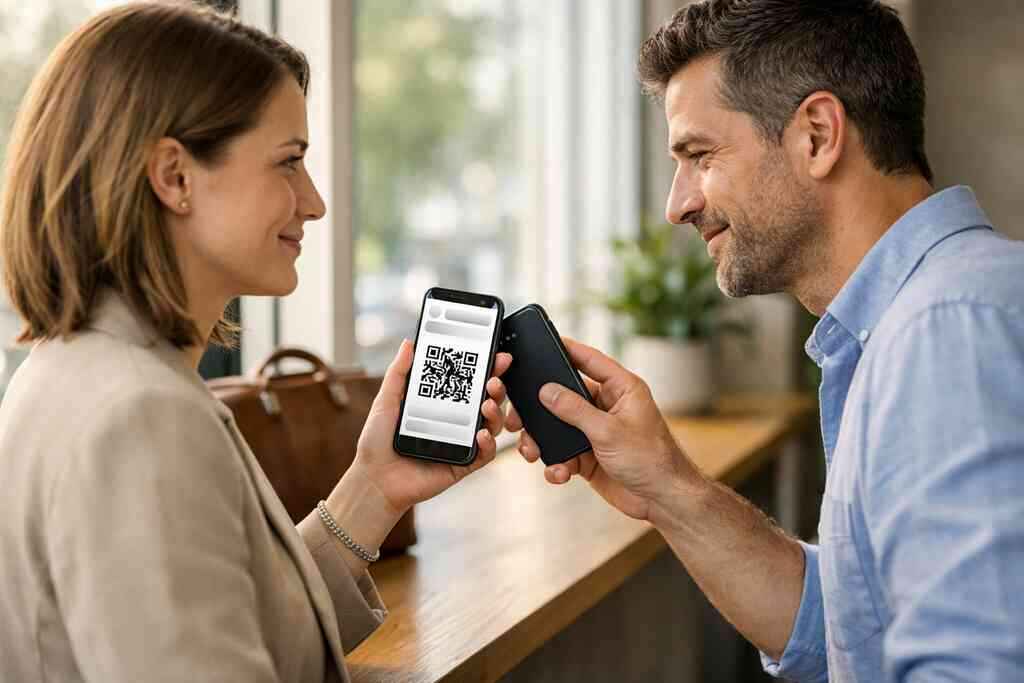
Interest is fragile. If the process feels slow, people drift. QR code business cards and NFC business cards remove that friction because they fit the moment. A scan is easy. A tap is easy. Both support contactless sharing, and both work well in fast-moving rooms.
QR codes rely on the ISO/IEC 18004 standard, which is why they are widely recognized and easy to scan. NFC works through near-field communication, and Apple’s Core NFC framework supports reliable tap-to-share behavior on compatible devices. NFC business cards also align with the ISO 14443 standard for secure proximity data exchange. That matters because people trust tools that behave predictably. If you want a deeper technical look, the difference between QR and NFC business cards page helps frame the choice cleanly.
What a smart business card can pass along that paper never can
A paper card can only hold static business card details. A smart business card can do much more. It can lead people to your mobile-friendly lead forms, profile links, social channels, or booking page. It can also support CRM integration and track which contacts engaged. That gives email marketing a better starting point.
A digital card can also support Apple Wallet business card sharing or a Google Pay card format in some ecosystems, depending on platform setup. More importantly, it can serve as a bridge to a digital business card for LinkedIn, which helps people verify you quickly. That extra context improves trust before the first email goes out. If you work in a small business or a corporate team, that trust is often the difference between ignored and opened.
How the right card design makes people actually opt in
Design matters more than most people think. A polished digital business card design signals credibility. A cluttered one makes people hesitate. If the card feels confusing, the opt-in drops. That is true even when the underlying offer is strong.
Which business card details belong on a digital business card and which should stay out
Keep the card focused. Include the business card details people need to decide whether to connect. That usually means your name, title, company, preferred contact channel, and a clear call to action. Leave out anything that creates noise. Too many fields make people pause.
Use the card as a filter, not a billboard. A business card template should guide attention, not bury it. If you want to know how to make a digital business card, start with one goal: make the next action obvious. That might be a scan, a save, a call, or an email. Here is a simple guide:
- Keep the primary contact method visible.
- Use one clear action button.
- Avoid crowding the screen with extra text.
- Make branding consistent with your website and email signature.
- Test on mobile before you share widely.
How digital business card design affects trust, clicks, and mobile-friendly lead forms
People decide quickly. Good virtual card design feels organized, readable, and calm. Bad design feels like work. And work gets skipped. That is why digital business card features should support ease, not clutter. Clear typography, strong contrast, and clean spacing all support clicks.
A well-built digital business card app should also make mobile-friendly lead forms simple to complete. That matters because many people scan your card on the spot, often while walking or standing in a hallway. If the form is long, they stop. If it is short, they finish. That is where digital business card templates can help. They give you a structure that already works, then you can refine it with custom branding.
Here is a side-by-side view that helps with decision-making:
ApproachStrengthRiskBusiness card templateFast setup, consistent layoutCan feel genericCustom branded layoutStronger brand recall, better fitTakes more planningPaper cardFamiliar and simpleEasy to lose, hard to track### When to use digital business card templates versus a custom branded layout
Use templates when speed matters. Use custom branding when your visual identity is already strong. A solo freelancer may want a quick, clean business card template first. A corporate team may need a matched layout across multiple people. Both can work well. The key is consistency.
This is where digital business card templates become practical. They can help you launch without overthinking every detail. Then, once the workflow is clear, you can refine the design. If you are comparing digital card pricing options, focus on value, not just cost. The right layout should support lead capture, not simply look nice.
Why a digital business card for LinkedIn can strengthen the email handoff
LinkedIn is often the trust checkpoint. People want to see a face, a role, and a real network before they reply. A digital business card for LinkedIn creates that bridge. It connects your contact share to a familiar professional identity. That reduces hesitation. For sales professionals and real estate agents, that matters a lot. The person who scans your card may not be ready to book immediately. Still, they may want to verify you before opening your follow-up email. That small bridge can improve response quality. It also helps email marketing feel less cold and more personal. Why email marketing converts better when the contact source is already warm
Cold lists are hard. Warm contacts are easier. That is the real reason digital business cards improve conversion. The email is not the first touch. It is the second or third. The person already remembers the exchange, which lowers resistance. 
How contactless sharing creates higher-intent leads than cold list building
Contactless sharing happens in context. You are meeting at a conference, a mixer, or a client appointment. The person chose to connect. That makes the lead stronger than one pulled from a scraped list. It also gives you a cleaner reason to follow up.
That is the heart of digital business cards and email marketing follow up. The contact source already carries intent. You are not interrupting. You are continuing the conversation. For email marketers, that difference improves open rates, click-through optimization, and conversion rate optimization.
Why lead capture from networking feels different from scraped or purchased emails
Scraped or purchased emails arrive without context. People often do not remember giving consent. That creates friction, and sometimes compliance risk. GDPR also reminds businesses to handle shared contact details carefully and transparently. A proper digital business card process supports clearer consent because the exchange is visible and intentional.
The mistake we see most often is treating all leads the same. They are not the same. A networking lead has conversational memory. A purchased lead has none. That is why segmented follow-up works better. The warm lead can receive a more personal message, while the colder source needs more trust building. Email marketing lead conversion improves when you respect that difference.
How CRM integration, lead segmentation, and follow-up automation work together
CRM integration turns contact sharing into a process. The lead enters your system cleanly. Then segmentation places the contact into the right group. After that, follow-up automation can trigger the right sequence. This is where digital business card features become especially useful.
If you want how to create a digital business card with CRM integration, think in terms of flow, not just form. The card should feed the CRM. The CRM should sort the lead. The email platform should respond. That triad saves time and reduces manual errors. It also makes appointment booking easier for busy teams.
Where digital card analytics can improve click-through optimization and conversion rate optimization
Digital card analytics show what people actually do. Did they open the card? Did they click the email button? Did they visit LinkedIn first? Those clues matter because they reveal intent. You can use them to refine the message and timing.
For teams that care about measurable sales pipeline acceleration, this is a big deal. You are not guessing. You are learning from behavior. Then you can adjust subject lines, lead segments, and send times. The result is a more efficient networking-to-email funnel. That is why digital business card features for lead follow-up automation deserve attention before you pick a platform.
The local networking play that turns one scan into a sales pipeline
Local relationships still drive a lot of business. That is especially true in Long Island, New York, where people value directness and follow-through. A digital business card helps you move from introduction to action before the moment disappears. That is useful in Suffolk County, in NYC meetings, and anywhere professionals trade referrals quickly.
How sales professionals, real estate agents, freelancers, corporate teams, and small business owners can use digital business cards for networking
Different roles use the same tool differently. Sales professionals may want quick lead capture. Real estate agents may want listing-ready contact exchange. Freelancers may want a clean digital card maker and a simple portfolio link. Corporate teams may need consistency across multiple employees. Small business owners often want all of it, plus an easy path to appointments.
That is why digital business cards for networking and CRM integration can be helpful even if you are not in property. They show how the layout supports trust and action. The same idea applies to consultants, contractors, and local service businesses. The card should guide the next move. Nothing more. Nothing less.
Why Long Island, Suffolk County, and NYC meetings reward faster contact sharing
People in this region move quickly. A morning meeting in Nassau can lead to an afternoon call in Manhattan. A Long Island networking group for small businesses might lead to a referral before dinner. Faster sharing keeps you relevant across those handoffs. That is hard to do with paper.
What we’ve seen in 2026 specifically is that simple systems outperform fancy ones. The best results come from clean sharing, quick follow-up, and a short email sequence. If you work across Long Island, Suffolk County, and NYC, your contacts expect efficiency. Digital business cards near me searches often come from people who already feel that pressure. They want less friction and more follow-through.
When to use /how-it-works/ , /templates/ , /features/ , and /pricing/ to build a better lead engine
Start with the setup path. Then choose the layout. After that, review the tools that support follow-up. Finally, compare the cost structure. That sequence keeps you from buying before you understand the workflow. It also helps you evaluate the best digital business card platforms with a clear head.
If you want a practical rollout, this order works well:
- Review how it works.
- Compare pricing and plans.
- Choose a layout from the templates.
- Check the features that support lead follow-up.
What the next smart move looks like after someone scans your card and lands in your email funnel
The scan is not the finish line. It is the start of a cleaner conversation. Send a short, specific email while the meeting is fresh. Mention where you met. Reference one detail they shared. Keep it human. Then let automation handle the rest of the sequence.
If you want stronger results, match the follow-up to the scan behavior. A profile viewer may need a softer intro. A person who clicked your booking link may be ready for a direct ask. That is where digital card analytics and personalized follow-up emails make a real difference. You do not have to guess what to say next. You just have to respond well.
If you are ready to tighten your networking-to-email funnel, start with one card and one event. Test it at your next meeting, then review what happened. You do not have to figure everything out today, and you do not have to do it alone. A smart digital business card system can make the next conversation easier, cleaner, and far more measurable.
Frequently Asked Questions
Question: Why do digital business cards convert email marketing leads better than paper cards for professional networking in Long Island, New York?
Answer: Digital business cards help close the gap between a handshake and a follow-up email. With paper cards, details can get lost, damaged, or entered incorrectly before they ever reach your inbox workflow. A digital business card, online business card, or virtual business card makes it easier to share contact info immediately, which supports faster lead capture and cleaner email list growth. For sales professionals, real estate agents, freelancers, corporate teams, and small business owners in Long Island, Suffolk County, and NYC, that speed matters because the contact is still warm. When the handoff is direct and organized, follow-up automation, contact segmentation, and personalized follow-up emails all work better. That is one reason Digital Business Cards can be a practical fit for people looking to improve their networking-to-email funnel without adding friction.
Question: How does a digital business card app support QR code business cards, NFC business cards, and contactless sharing?
Answer: A digital business card app can make contactless sharing much easier by letting people exchange information through QR code business cards, NFC business cards, links, or other simple sharing methods depending on the setup. The main advantage is reducing friction at the point of interest. Instead of handing over a paper card, you can create digital business card workflows that help someone view your details quickly and take action right away. That can support lead capture, electronic business card exchange, and a smoother transition into email marketing. If you are comparing digital card vs paper options, this approach is especially helpful in busy networking settings where people want fast, mobile-friendly lead forms and a clear next step. Digital Business Cards is built around making that process easier, while keeping the experience professional and approachable.
Question: What should I include in my digital business card design to improve lead capture and email marketing lead conversion?
Answer: The strongest digital business card design is usually simple, focused, and easy to scan on mobile. Include the business card details people actually need, such as your name, title, company, preferred contact method, and one clear call to action. A strong business card template should support the next step instead of crowding the screen with extra text. If you want to create digital business card assets that help with email marketing lead conversion, keep the layout clean, add custom branding where appropriate, and make sure the form or profile is easy to use on a phone. Good virtual card design can also improve trust, which is important before someone agrees to receive follow-up emails. Digital Business Cards can help users build a professional digital business card example that supports paperless networking, sustainable business cards, and better lead nurturing without making the experience feel complicated.
Question: Why is a digital business card for LinkedIn useful after someone scans my card and enters my email funnel?
Answer: A digital business card for LinkedIn can help create a trust bridge between the first meeting and the email follow-up. Many people want to verify a person’s role, profile, and professional presence before they respond. When your digital business cards connect to LinkedIn, the contact can quickly see who you are and confirm that the conversation was legitimate. That can make email follow-up feel more natural and less cold. For digital business cards for networking, this is especially helpful because the lead source already has context. The person scanned your card in a professional setting, which means the follow-up can be personalized and relevant. This is also where digital card analytics and follow-up automation can work together: if someone clicked your LinkedIn link, visited your contact page, or opened your profile, you can shape the next message around that behavior. Digital Business Cards can support this kind of workflow as part of a more organized lead engine.
Question: How does Why Digital Business Cards Help Email Marketing Convert More Leads connect with CRM integration, digital card analytics, and appointment booking?
Answer: The core idea behind Why Digital Business Cards Help Email Marketing Convert More Leads is that better contact sharing leads to better follow-up. When a digital business card feeds clean information into CRM integration, the contact can move from a networking moment into a structured pipeline. That helps with contact segmentation, lead nurturing, and marketing automation. Digital card analytics can then show which contacts engaged, what they clicked, and whether they are ready for a more direct follow-up or appointment booking. For teams that care about conversion rate optimization and sales pipeline acceleration, this is valuable because it reduces guesswork. Instead of relying on a paper card and memory, you have a clearer process that supports email marketing lead conversion. Digital Business Cards is designed to help professionals in Long Island, New York, and beyond keep that process organized, practical, and easy to use.