
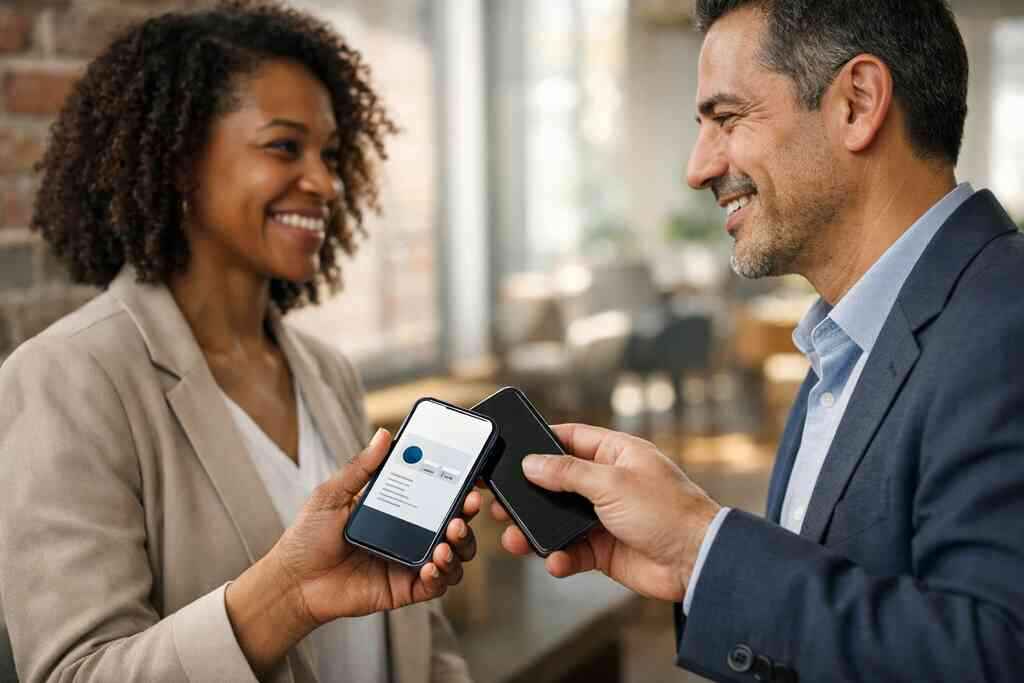
Why paper cards disappear before the follow-up ever starts
The moment a paper card gets lost at a conference or coffee meeting
You probably know the feeling. You leave a meeting, pocket the card, and promise yourself you will enter it later. Then the card disappears under receipts, notebooks, and charger cables. That delay is where opportunities quietly die. If you are reading this after another stack of paper cards sat untouched on your desk, that frustration makes complete sense.
A paper card is fragile because your memory is busy. You are juggling introductions, next steps, and calendar notes. A digital business card changes that moment completely because it captures interest while the conversation is still warm. That matters in Long Island, New York, where professionals move fast between Suffolk County meetings, NYC commutes, and local networking events. The card should not wait for later.
Why an online business card solves the contact pile problem faster
An online business card, virtual business card, or electronic business card keeps your details in one place. It also removes the paper shuffle that slows down follow-up. Instead of handing over a card that may bend or blur, you share contact info instantly by QR, link, or tap. That is why digital business cards have become practical for paperless networking.
Here is the part most people miss: the real value is not the card itself. The value is what happens after the share. A smart business card can move a contact into your system before the lead cools off. If you want the workflow behind that, start with how digital business cards work.
How Long Island professionals keep their details ready for every scan and tap
On Long Island, networking often happens in motion. You may meet someone at a Hauppauge business mixer, then see another prospect in Commack or on the train into NYC. In those settings, fumbling through paper cards feels outdated fast. A digital card maker lets you create digital business card details once, then use them repeatedly.
One real estate agent in Garden City told us she used to carry three card holders. One rainy morning, all of them were soaked before a showing. She switched to a digital card design with QR code business cards and stopped worrying about damp ink or forgotten stacks. That is a small change with a big effect.
What a CRM-connected digital business card really has to do
Turning a digital business card into a live lead capture system
A CRM-connected digital business card should do more than display your name. It should help turn a quick introduction into a trackable lead. That means the card needs a clear path from scan to contact record. If it cannot support lead capture, it is just a prettier version of paper.
This is where CRM integration matters. When someone scans your card, the system should help move that contact into your customer relationship management flow. That creates a cleaner data capture workflow and better lead management. If you want a deeper look at this setup, see how to create a digital business card with CRM integration.
Which contact details should sync into your customer relationship management flow
Not every field belongs in your CRM. Start with the business card details you will actually use. Name, email, phone, company, title, and source are the usual core fields. If someone shares more, you can add notes later.
The best practice is simple. Sync only what supports follow-up automation and appointment follow-up. If your system can tag the source event, even better. That helps you compare a trade show lead with a referral lead or a local networking lead. For teams comparing systems, what is the best CRM integration for a digital business card is a useful place to start.
Why contact enrichment and lead qualification matter more than flashy design
Pretty design gets attention. Good data gets revenue. A digital card with custom branding still needs a practical structure behind it. Contact enrichment helps you know who is serious, who needs a callback, and who should move into a nurture sequence. That is the difference between a contact and a real prospect.
What matters most in CRM sync:
- Clean name and email fields
- Accurate source tracking
- Optional notes from the interaction
- Lead stage or qualification tags
- Fast routing to the right owner
We see this mistake often. People overbuild the visual side and underbuild the workflow. Then they wonder why their pipeline stays thin. A strong digital business card platform for small business owners should help you avoid that mismatch.
How digital card analytics reveal which conversations deserve follow-up
Digital card analytics are useful because they show behavior, not guesses. You can see which cards get opened, which profiles get revisited, and which links get clicked. That gives you a better read on lead quality. It also helps you focus on the conversations most likely to move forward.
What we have seen in 2026 specifically is simple: people follow up faster when they can see who engaged. That is especially true for sales professionals and small business owners who cannot chase every contact equally. If tracking matters to you, digital business card analytics to track lead quality should be on your radar.
The build that works from template to tap
Choosing a business card template that still feels branded and personal
A good business card template should not feel generic. It should give you structure without flattening your identity. That is why digital business card templates work best when they balance clarity with personality. You want a clean layout, strong contrast, and room for your most important details.
For many professionals, the best template is the one that looks familiar at a glance. A freelancer may want a softer, creative style. A corporate team may need tighter branding. A real estate agent may want a polished look with fast tap-to-call actions. If you are comparing layouts, what is the best digital business card template for LinkedIn is a smart reference.
What to include in digital business card design for sales professionals, real estate agents, freelancers, and teams
Your digital business card design should answer one question fast: how do I reach you? After that, it should support trust. Include your name, role, company, main contact methods, and a short line that explains what you do. For sales professionals, real estate agents, freelancers, corporate teams, and small business owners, less clutter usually wins. A strong digital business card example often includes: – A clear headshot or logo
- Tap or scan contact options
- A short service description
- Website or booking link
- Social or LinkedIn access
- A simple call to action
For real estate agents especially, this can support faster response times. If that is your lane, real estate digital card examples can help you think through the structure.
When QR code business cards beat NFC business cards and when both belong together
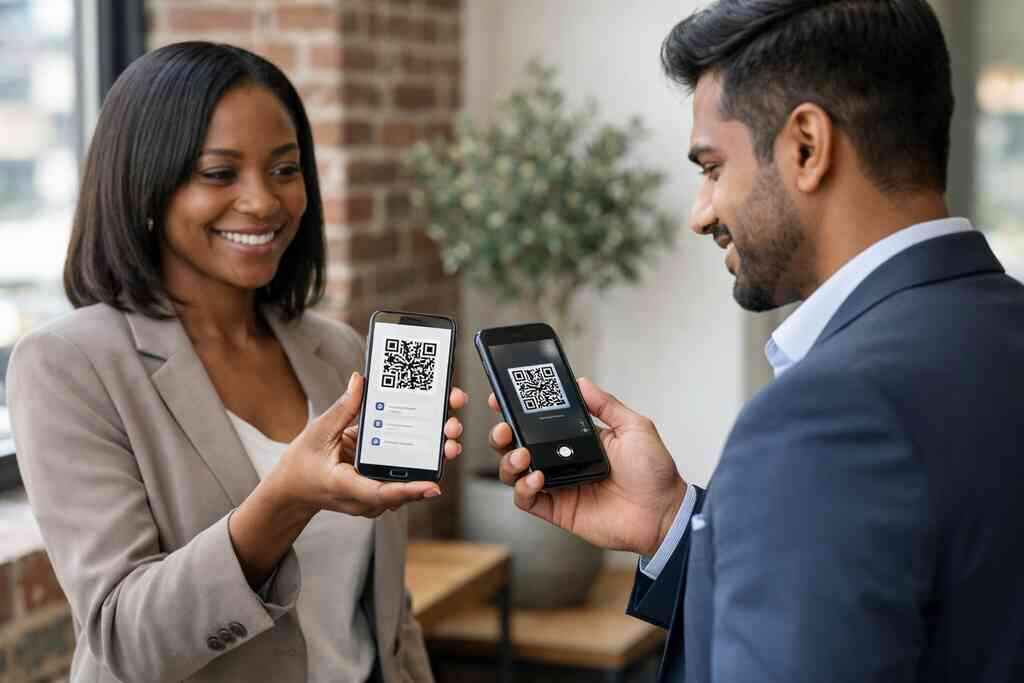
QR code business cards are easy because almost every phone can scan them. NFC business cards feel smoother because a tap can open the profile quickly. The right choice depends on your audience and your environment. In crowded events, QR often wins because it works with nearly any phone camera.
NFC can be excellent for fast in-person exchanges, especially when people want a polished handoff. Apple’s Core NFC framework and the ISO 14443 standard support reliable tap behavior on compatible devices. QR codes follow the ISO/IEC 18004 standard, which makes them widely recognized for contactless sharing. If you want a side-by-side view, how QR code business cards and NFC business cards compare is worth a look.
OptionBest useStrengthQR codeMixed devices, events, quick scansBroad compatibilityNFCHigh-touch networking, fast tap sharingSmooth interactionBothTeams and frequent networkersMaximum flexibility### How to create digital business card versions for LinkedIn, Apple Wallet, and mobile sharing
A good digital card should travel with the person who uses it. That means your digital business card for LinkedIn should support profile sharing without forcing a long explanation. Your mobile version should load quickly and keep the path short. If you use an Apple Wallet business card style setup, the goal is convenience, not clutter.
You may also want Google Pay card access if your audience uses Android more heavily. The point is not novelty. The point is frictionless exchange. For simple mobile sharing, how to make a digital business card in 2026 for leads helps frame the setup.
Where custom branding and profile customization fit without cluttering the card
Custom branding should support recognition, not bury the contact path. Use brand colors, a clean logo, and one strong visual cue. Then stop. Too many links, buttons, or sections can distract from the actual exchange. A branded digital profile should still feel easy to read on a phone.
This is also where profile customization matters. You can tailor the message for different audiences, but keep the core business card design stable. That consistency helps in digital business cards for networking, especially across Long Island, New York, and NYC meetings. If you need a broader platform view, digital business cards pricing guide for small teams can help you compare options carefully.
The handoff that turns a scan into a sales pipeline
How CRM integration supports lead capture, follow-up automation, and appointment follow-up
CRM integration is where the card becomes useful long after the meeting ends. A scan can trigger lead capture, assign a source, and start follow-up automation. That can include a welcome email, a task reminder, or an appointment follow-up sequence. The key is speed and accuracy.
Forrester reported that many B2B buyers prefer digital business cards after the pandemic, which reflects a wider shift in how people exchange contact details. The real advantage is not fashion. It is response time. If you want a focused workflow guide, how digital business cards help email follow-up automation is the practical next read.
Setting up contact sync so your data capture workflow stays clean
Clean sync starts with clean fields. Decide what will be required, what will be optional, and what should never import automatically. Then test the flow before you share the card widely. A messy import creates duplicate records, and duplicate records create missed follow-up.
The best systems support simple contact sync, clear ownership, and easy edits. That is especially important for sales teams and corporate teams where several people may receive the same lead. GDPR also matters if you store shared contact details for later outreach, because you need a lawful reason to retain and use that data. If you want a closer look at event-driven capture, use digital business cards to capture leads at events is a strong reference.
How paperless networking works at events from Hauppauge to Commack and across NYC
Paperless networking works because it matches how people already move. Someone scans your QR code business card at a Hauppauge mixer, saves the contact, and opens your profile later on the train. Another person taps your NFC business card in Commack and gets to your LinkedIn in seconds. That is much easier than sorting through a pocket full of paper after a noisy event.
The emotional win is real. You stop wondering whether your card survived the night. You also stop hoping someone typed your details correctly. In Long Island, New York, where local events often mix with NYC travel and busy workdays, that convenience matters more than people admit.
What to check before you publish your digital card and share contact info with confidence
Before you publish, check the essentials. Make sure your name is correct, your phone number works, your email is current, and your links open cleanly. Then test the card on both iPhone and Android. If you use QR code business cards and NFC business cards together, verify both paths.
Use this quick checklist:
- Test every contact button
- Confirm CRM fields map correctly
- Review branding on mobile screens
- Check spelling in business card details
- Make sure privacy settings are appropriate
If you are comparing plans, remember that pricing should match your actual needs. Some users want a free digital business card. Others need premium digital card plans for team control and lead tracking. If you are still deciding, pricing and plans can help you think it through without rushing.
The next move for choosing the right digital business card platform and plan
The best digital business card platforms are the ones that support your actual workflow. You need easy design, reliable sharing, and CRM integration that does not create extra work. You also need enough flexibility for custom branding and profile customization without making the card hard to use. The slickest tool is not always the best tool.
Here is the part many professionals miss: the right platform should help you share contact info faster today and manage leads better tomorrow. If you are a freelancer, a small business owner, or part of a sales team, that balance matters. You do not have to figure it all out today. Start by comparing one platform, one template, and one CRM path, then test it at your next local meeting.
Frequently Asked Questions
Question: How do I create a digital business card with CRM integration using Digital Business Cards?
Answer: The basic process is straightforward: create your digital business card, add your business card details, and connect it to the CRM workflow you use for lead management. A well-built setup should let you share contact info through QR code business cards, NFC business cards, a link, or mobile sharing, then move that contact into your customer relationship management system for follow-up automation. The goal is to turn instant contact sharing into a clean data capture workflow, not to add extra steps. If you are comparing options, a strong digital card maker should support easy customization, simple contact sync, and a branded digital profile that looks professional on both desktop and mobile. For businesses in Long Island, New York, that matters because fast networking at meetings, events, and local introductions often means the follow-up window is short.
Question: What should I include in a digital business card design so it works well for sales professionals, real estate agents, freelancers, and corporate teams?
Answer: The best digital business card design keeps the focus on contact and trust. Start with the essentials: name, role, company, phone, email, and a clear way to book, call, or visit your site. Then add one short line that explains what you do. For sales professionals and corporate teams, a clean business card template with clear branding works well. For real estate agents and freelancers, a polished digital card example can also include a headshot, service area, or portfolio link. You can use custom branding without cluttering the layout, and profile customization can help different roles present themselves clearly while keeping the core digital business card consistent. The best results usually come from simple virtual card design, strong mobile readability, and a direct call to action.
Question: How does the blog How to Create a Digital Business Card With CRM Integration help me understand lead capture and follow-up automation?
Answer: That guide is meant to show how a digital business card becomes more than a contact page. Once someone scans or taps your card, the card should support lead capture, route the contact into your CRM integration, and help trigger follow-up automation such as an email, reminder, or appointment follow-up. That is especially useful for digital business cards for networking, where conversations happen quickly and prospects should not slip through the cracks. It also helps with lead qualification because you can identify who engaged, which source they came from, and how serious they may be. For professionals in Suffolk County and NYC, where networking often happens across busy schedules and multiple locations, that kind of organized sales pipeline can make a real difference.
Question: Are QR code business cards better than NFC business cards, or should I use both?
Answer: It depends on how and where you network. QR code business cards are widely compatible because most phones can scan them easily, which makes them a strong choice for events, conferences, and paperless networking. NFC business cards offer a smooth tap-to-share experience that many people like in face-to-face settings. If you want maximum flexibility, using both can be the smartest option. That way, you can support contactless sharing for different devices and different preferences. A smart business card setup should fit the situation, not force one method for every audience. For many Long Island, New York professionals, having both options is useful because you may move between local networking, commuter conversations, and NYC meetings in the same week.
Question: What should I check before I share my digital business card app link or Apple Wallet business card version?
Answer: Before you publish, review the basics carefully. Make sure your business card details are accurate, your links open properly, and your contact buttons work on both iPhone and Android. If you are using an Apple Wallet business card or a Google Pay card style setup, confirm that the mobile experience is smooth and easy to access. Also check that your CRM integration is mapping fields correctly so your lead capture stays clean and your data capture workflow does not create duplicates. It is also worth checking branding, spelling, and privacy settings before you begin sharing broadly. A polished digital business card app experience should make it easy to share contact info confidently, whether you are using an online business card for a one-to-one introduction or a digital business card for LinkedIn at a larger networking event.