
The team card crisis no one notices until the follow-up disappears
A paper card looks harmless until it vanishes. You hand it over, shake hands, and feel productive. Then it slips into a blazer pocket, a glove box, or a desk drawer. If you are reading this because follow-up keeps getting delayed, that frustration makes sense. The real problem is not the card itself. It is the lost chance after the meeting ends.
Why paper cards fail fast at conferences, site visits, and client meetings
Paper cards break down in ordinary moments. A coffee spill blurs the print. A site visit in humid weather bends the stack. At a crowded conference, people collect ten cards and remember none. That is why digital business cards have become a practical answer for teams that network often. They keep share contact info simple, searchable, and ready in seconds.
One rep at a Hauppauge business mixer told us he brought fifty paper cards and came home with nine usable leads. The rest were mixed with receipts and promo flyers. That kind of loss feels small in the moment. Later, it becomes expensive. For sales professionals, real estate agents, freelancers, corporate teams, and small business owners, the handoff only matters if the contact survives it.
What a digital business card app changes when one person shares for the whole team
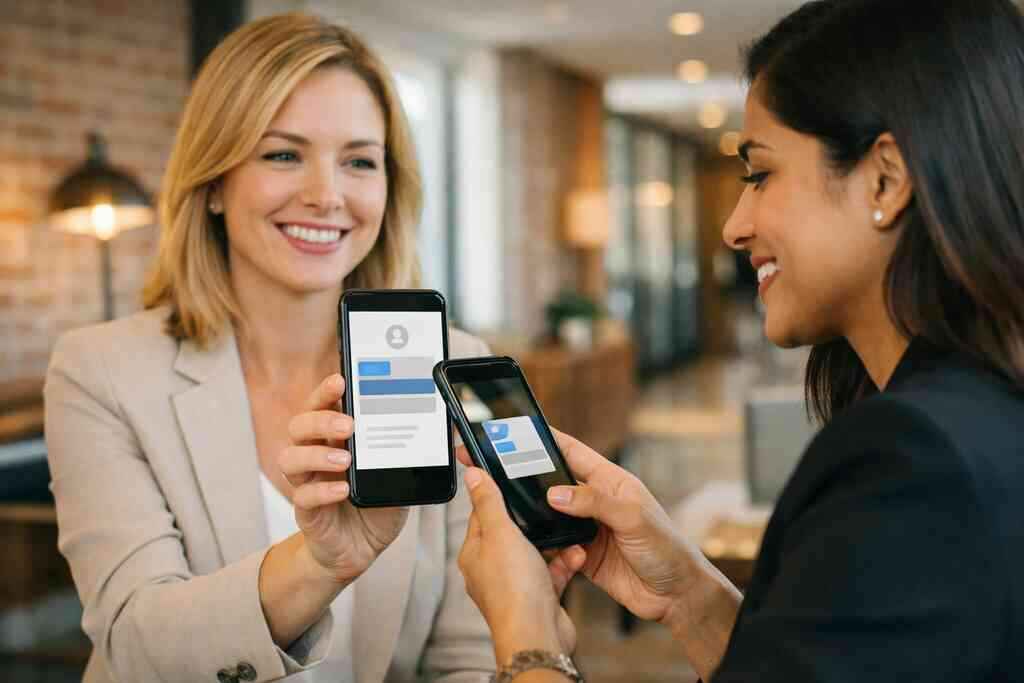
A good digital business card app changes the workflow, not just the format. One person can share a virtual business card, online business card, or electronic business card in a few taps. That makes the exchange faster and less awkward. It also helps a whole department present the same standard. The team no longer depends on whoever remembered to reorder paper stock.
On the projects we’ve finished this year, the biggest relief has been consistency. Managers want everyone to share the same core details. Staff want something easy enough to use during a rushed hallway conversation. A solid smart business card system gives both sides that comfort. It supports contactless sharing and paperless networking without forcing people to learn a complicated tool.
How Long Island, New York professionals keep contacts from getting lost after the handoff
Long Island workdays move quickly. People commute into NYC, meet clients in Nassau or Suffolk County, and jump between offices, open houses, and coworking spaces in Commack. That pace makes paper cards easy to misplace. Digital tools help because the contact can be saved immediately. The right digital business cards for networking setup reduces the “I’ll enter this later” problem.
Here is the part most people miss. The best handoff is not the prettiest card. It is the one the other person can use before they leave the room. A digital card maker should make that simple. If your team needs local guidance, a Long Island-based provider can keep the setup practical and familiar.
What the best digital business card app for teams actually has to do
The best digital business card app for teams does more than store a name and phone number. It needs to support fast sharing, clean presentation, and reliable team control. It should also help people send the right version of their card in the right setting. That is especially important for corporate teams and fast-moving small businesses. Fancy extras are nice, but the basics must work every time.
The core digital business card features that matter more than flashy extras
Start with the essentials. A strong platform should help users create digital business card profiles, edit business card details, and share them quickly. It should support a clear digital card vs. paper advantage by making updates instant. It should also keep digital business card features easy to find. If people cannot use the tool in a live conversation, the feature list does not matter.
Look for these practical functions:
- Simple profile editing
- Fast sharing by link, QR, or tap
- Clean digital business card design
- Team-wide branding control
- Easy access for mobile users
- Clear contact saving on the recipient side
A good platform may also support a digital business card for LinkedIn, Apple Wallet business card use, or Google Pay card access, if that is part of the product. We would verify those details directly on the vendor page before assuming them.
Why custom branding and digital business card design shape trust before the call back
People judge quickly. That is not cynical. It is normal. A polished business card design signals care before the follow-up ever begins. The same is true for custom branding and a thoughtful virtual card design. If the layout looks generic, the impression feels generic too.
A clean business card template or set of digital business card templates helps teams stay recognizable. The logo, colors, and layout should match the rest of your brand. That matters in real estate, consulting, and client-facing support roles. A strong digital business card example should feel like your business, not like a template from a random app. If design is a priority, review the digital business card design and custom branding tips.
When QR code business cards and NFC business cards each make more sense
QR code business cards and NFC business cards solve different moments. QR works well when the other person is already looking at a screen. NFC is useful when you want a tap exchange with very little friction. Both can support modern electronic business card exchange. The better choice depends on your environment, not on trends.
For team buyers, it helps to compare them side by side.
OptionBest useStrengthWatch forQR code business cardsEvents, badges, quick scansEasy, familiar, broad compatibilityRequires camera accessNFC business cardsIn-person meetings, quick handoffFast tap-to-shareDevice support variesIf your team wants a deeper comparison, review the difference between QR and NFC cards for teams in 2026. NFC also deserves a careful look because Apple’s Core NFC framework and the ISO 14443 standard shape how tap exchange works. QR scanning follows the ISO/IEC 18004 standard. Those details matter when you care about reliability, not hype.
The team workflow that turns a virtual business card into repeatable outreach
A virtual business card works best when the team uses it the same way every time. That sounds basic, but it is where most rollouts stumble. People need a clear process, not just a login. They also need a setup that fits a normal workday. If the workflow feels heavy, adoption drops fast.
How to create digital business card profiles without slowing down the whole office
The easiest rollout starts with a small structure. First, define what every profile must include. Then decide which fields are optional. After that, assign one person to review names, titles, and brand details. That keeps the business card details accurate without creating a bottleneck. It also helps everyone share contact info consistently.
If you are asking how to make a digital business card, keep it practical. Begin with contact basics, then add a photo, title, and brand elements. For larger teams, use a standard intake form. That keeps new hires from waiting days for access. If onboarding is part of your process, the how it works flow should make the steps easy to follow.
Why digital business card templates help corporate teams stay consistent
Templates solve a quiet problem. They protect the brand while giving each person room to personalize the profile. In a corporate setting, that balance matters. A strong business card template keeps the layout consistent. Digital business card templates also help managers avoid messy one-off designs that weaken trust.
For teams that move between branches, offices, and field visits, consistency saves time. A new hire should not need design skills to look professional. That is why digital business card design should be repeatable. The same structure can support sustainable business cards without sacrificing polish. If your team wants an organized starting point, the templates page is the right place to review style options.
How share contact info tools and electronic business card exchange fit real networking moments
Real networking is rarely calm. You are standing near a trade show wall, leaving a client meeting, or waiting at a Long Island ferry terminal between calls. In those moments, speed matters. The best tools make electronic business card exchange feel natural. They let you share, save, and follow up without a second thought.
A Garden City real estate agent once described a simple pattern. She would send her card after showings, then watch inquiries come in later from people who never would have kept a paper copy. That is not magic. It is just easier access. The same pattern helps professional networking at conferences, office visits, and local mixers. If your team needs role-specific support, the real estate digital card examples page is worth a look.
The hidden advantage most buyers miss is what happens after the scan
Many teams focus on the share moment. That is understandable. It is visible, simple, and easy to compare. But the real value appears after the scan. This is where the right system stops being a novelty and starts acting like a business tool. Without that layer, you have a nice card and no process.
Where digital card analytics help sales professionals and small business teams spot real interest
Digital card analytics show which shares got attention. They can reveal patterns by role, location, or event type, depending on the platform. That helps teams see which conversations deserve a follow-up. For sales professionals and small business owners, that data is often more useful than a long contact list. It turns guesswork into prioritization.
Here is what almost no online guide mentions. A team can learn more from ten meaningful scans than from one hundred random handouts. That matters when time is tight. It also helps managers coach more effectively. If your platform offers tracking, review the features page carefully before assuming what the reports can do. How to measure ROI from digital business cards analytics can also help frame the numbers.
How lead capture and follow-up automation can reduce manual busywork
Manual follow-up is where good intentions fade. Someone scans your card, and the lead gets buried under email noise. Lead capture and follow-up automation help close that gap. They make the next action more likely. They also reduce the “I forgot to log it” problem that slows many teams down. 
A simple automated follow-up can save a surprising amount of time. It can confirm the meeting, provide a recap, or send a link to the right resource. That is especially helpful for digital business cards for networking at events. If you want a deeper workflow view, see the best email marketing follow-up with digital business cards. Just keep messages human. Automation should support the relationship, not replace it.
When CRM integration becomes the difference between a nice card and a usable system
CRM integration is where the system starts paying for itself. A contact that lands in your CRM is easier to sort, route, and revisit. That is especially valuable for teams that handle many prospects. Without integration, the card is just a digital version of paper clutter. With it, the information becomes part of the sales process.
If your team already uses a CRM, make sure the card app fits cleanly into it. That includes contact fields, lead source, and permission handling. GDPR considerations also matter when storing shared contact details, especially for teams with broader reach. The right platform should make compliance easier, not harder. For a more specific use case, review digital business cards for networking and CRM integration in 2026.
The decision that matters next for your team and the easiest path to launch
Once you know what the app must do, the final decision becomes clearer. You are not buying a trend. You are buying a repeatable networking system. That means the price, onboarding, and team fit all matter. A polished platform still has to be practical on Monday morning.
How to compare digital card pricing without getting distracted by features you may not need
Digital card pricing should be judged by fit, not by headlines. Some teams need only sharing and branding. Others need analytics, CRM tools, and admin controls. Before comparing, list your must-haves. Then separate them from nice-to-haves. That makes the decision far less stressful.
If you are exploring digital card pricing for the first time, use a simple filter:
- Does the plan fit your team size?
- Does it include the workflow you actually need?
- Can users adopt it without training?
- Does it support your brand and sharing style?
- Does it reduce follow-up friction?
For a more structured comparison, review how to compare digital card pricing for small business ROI.
When a free digital business card makes sense and when premium digital card plans may be worth a look
A free digital business card can be useful for testing the format. It works well for solo users, early trials, or very light networking. But once a team depends on it, limits can show up fast. That is where premium digital card plans may be worth the cost. The decision should match your volume, branding needs, and reporting needs.
The pricing page should answer the real questions. How many users are included? What team controls are available? Which features are part of the plan? We cannot verify every pricing detail here, so check the source directly. If your team is small, the digital business card pricing plans for small teams guide may help narrow the choice.
What to review on the pricing page before choosing a digital business card app for teams
Before you commit, look for clarity. A good page should explain setup, user access, and the difference between plan levels. It should also make it easy to understand what happens after purchase. In a team setting, that matters as much as the product itself. Confusion at this stage usually becomes support tickets later.
Review these items carefully:
- Team user limits
- Branding controls
- Analytics access
- Sharing options
- Setup help
- Renewal terms
If you need help getting the team started, contact the company directly through the contact page. That is usually the fastest way to confirm what fits your workflow.
How to use the how it works flow to roll out paperless networking across Long Island and beyond
A clean rollout starts with a simple sequence. Build the card. Test the share flow. Train the team. Then collect feedback from real meetings. That process works whether your office is in Long Island, New York, or splitting time between Suffolk County and NYC. It also fits hybrid teams that network in more than one market.
If you want the shortest path, start with the company’s own setup guide. The How It Works page should give you the steps in plain language. Then test it in a real setting, like a networking breakfast or client site visit. You do not have to perfect the system before you use it. You just need enough structure to make the next handoff count.
Frequently Asked Questions
Do digital business cards work without an app?
Often, yes, depending on the platform. Many digital cards share through a link or QR code, so the recipient may not need an app at all. That makes the exchange easier in live meetings and at events. For teams, this matters because less friction usually means more saved contacts. Check the product details carefully before assuming the sharing method. If you want a clearer setup path, review the How It Works page.
Can I customize the design of my digital card?
Usually, yes, but the level of customization depends on the provider. Some tools allow logos, colors, photos, and layout changes. Others stay more limited. For team use, design matters because it shapes trust before someone replies. A simple, branded card often works better than a crowded one. If design is central for your team, check the templates page first.
Is NFC safe for sharing contact info?
NFC is generally safe for sharing basic contact details because it transfers short-range data. The main concern is not the tap itself, but what information you choose to share. Keep the card limited to what helps the conversation move forward. Apple’s Core NFC support and the ISO 14443 standard are part of the technical backbone here. If you want to compare tap and scan options, review the QR and NFC comparison.
What is the best digital business card app for teams?
The best option is the one that fits your workflow, not the one with the longest feature list. Look for easy sharing, branded design, team consistency, and useful follow-up tools. If analytics and CRM support matter, verify those carefully. A Long Island team may also want local support and simple onboarding. Start with the main site and compare the practical details before deciding.
Are digital business cards better than paper cards for networking?
For many teams, yes. Digital cards are easier to update, share, and track. They also reduce waste, which supports sustainable business cards goals. Paper still works in some settings, but it is easier to lose and harder to measure. If your team networks often, the digital option usually creates a cleaner follow-up path. For a deeper breakdown, look at the platform’s features and workflow pages.
How do I launch digital business cards across a team?
Start small. Pick a pilot group, confirm the card design, and test sharing in real meetings. Then gather feedback and refine the setup. That keeps the rollout practical and avoids confusion. On Long Island, that might mean testing at a local mixer, then using the same setup for NYC meetings. If you need help, the contact page is the best place to ask about team setup.