
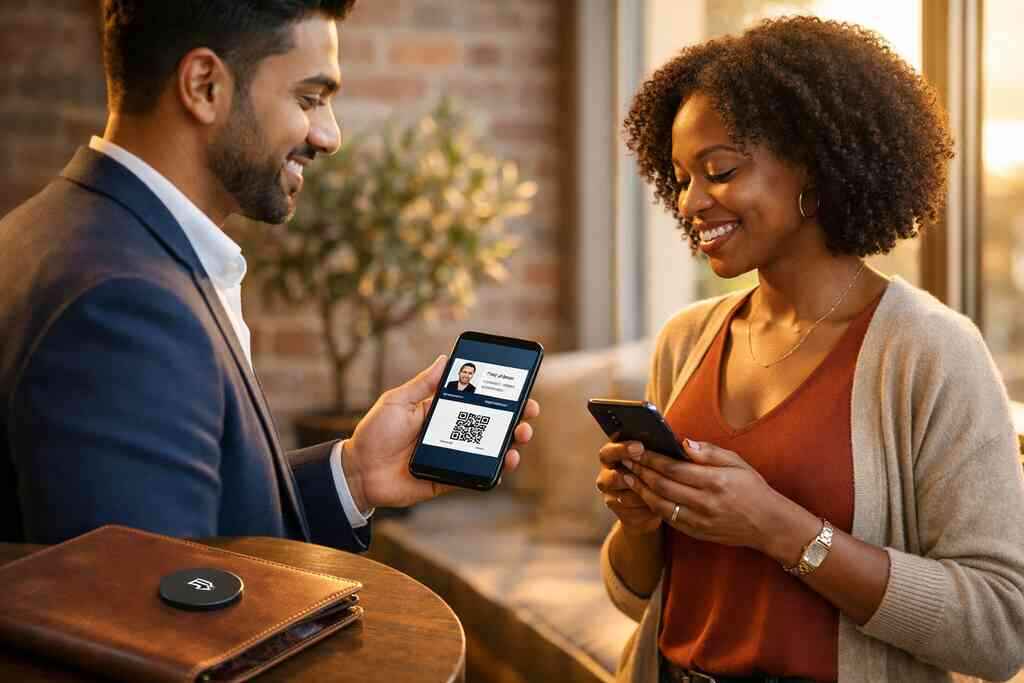
Why email campaigns still lose contacts at the exact moment interest is highest
You know the feeling. A prospect replies quickly, asks smart questions, and then somehow disappears. The contact was warm, but the handoff was clumsy, and that is where many email campaigns quietly fail. If you are frustrated by that, you are in good company. We hear this from sales teams, freelancers, and small business owners across Long Island, New York, every week.
The hidden issue is not usually the email itself. It is the weak way people share contact details after interest peaks. A plain signature line looks fine, yet it rarely gives someone a fast path to save your information, tap your number, or open a clean digital business card. On a busy day, that tiny difference can decide whether the lead stays alive or gets buried.
The hidden cost of attaching a plain signature when a clickable contact card would keep the conversation alive
A standard signature gives your name, title, and phone number. That is useful, but it is passive. A clickable contact card changes the experience because it lets the reader act immediately, without hunting through a cluttered inbox. That matters during email campaign personalization, where every extra tap lowers response.
A well-built digital business card, online business card, or virtual business card can move the next action closer. Instead of asking someone to copy details by hand, you let them save, share, or revisit your business card details in seconds. Here is the part most people miss: people do not ignore you because they are cold; they ignore friction. One realtor we advised in Garden City stopped sending plain signatures and switched to a digital card link in her follow-up sequence. Her replies became shorter, faster, and easier to track.
Why paper business card follow-up breaks down after trade shows, client meetings, and crowded inboxes
Paper still has a place, but paper follow-up is fragile. A card gets tucked into a jacket, dropped in a conference bag, or smudged after a rainy commute. Then the inbox fills up, and the conversation fades. That is why paperless networking keeps growing among sales professionals, real estate agents, freelancers, and corporate teams.
A 2023 Adobe survey found that many professionals have lost a paper card before following up. That tracks with what we see after trade shows and client meetings. The problem is not intent; it is timing. If your prospect met ten people in one afternoon, your paper business card has to survive the pile, the pocket, and the memory test.
What Long Island professionals notice when leads come from Hauppauge mixers, Commack coworking spaces, and NYC commutes
Local context changes everything. At a Hauppauge business mixer, people often trade information quickly, then leave with ten competing priorities. In Commack coworking spaces, the pace is faster, and people want clean digital handoffs. On NYC commutes, no one wants to manage a stack of paper between Penn Station, a phone call, and a crowded train. That is why digital business cards for networking feel so practical here.
We have seen Long Island professionals respond best when the follow-up feels immediate and easy. A smart business card template, a clean digital business card design, and contactless sharing all help. One consultant from Suffolk County told us he started sending a short email with his smart business card link after every meeting. He said it felt more organized, and it gave clients a simple path back to him.
What a digital business card needs to do before it ever enters your email flow
Before a digital business card goes into an email campaign, it needs to do more than look good. It has to match your brand voice, support mobile use, and make sharing effortless. That sounds basic, but many people skip this part and then wonder why clicks stay low. The card becomes an extension of your message, not a separate piece of it.
A strong digital card maker should help you create digital business card assets that feel consistent everywhere. Your email signature, brochure, LinkedIn profile, and follow-up sequence should all tell the same story. If they do not, trust slips. The reader notices inconsistency quickly, even if they cannot explain why.
How to create digital business card assets that match your email signature, brand voice, and business card design
Your email signature and your digital card should feel like siblings: same colors, same tone, same promise. That does not mean they must be identical, but they should clearly belong to the same business card design system. A mismatch between your email signature call-to-action and your card can make the whole exchange feel improvised.
The best move is to start with a clean business card template and then build out digital business card templates that match your actual outreach style. If your brand is direct and minimal, your virtual card design should not be busy. If your business relies on warmth and visual polish, the card should reflect that. For teams, branding for custom digital card design matters because it keeps the message steady across multiple senders.
When a QR code business card, NFC business card, or virtual business card makes the most sense for email outreach
Each format solves a slightly different problem. QR code business cards are simple and universal. NFC business cards feel fast in person. A virtual business card is often the best fit for email because the link opens cleanly on mobile and desktop. If you are comparing options, the practical question is not which one sounds newest, but which one makes sharing easiest.
For a deeper breakdown, see what is the difference between QR and NFC cards in 2026. QR code contact sharing on mobile devices works well because people know how to scan. Near field communication for contactless sharing is excellent for tap moments, especially when speed matters. Still, email campaigns usually favor a virtual business card or QR link because the recipient can open it without extra hardware.
Which digital business card features matter for sales professionals, real estate agents, freelancers, and corporate teams
Not every feature matters equally. Sales professionals often need lead capture and follow-up automation. Real estate agents may care more about fast sharing and polished presentation. Freelancers usually want simple contact info, links, and a clear call to action. Corporate teams need consistency, permissions, and CRM integration that supports shared standards.
The most useful digital business card features tend to be the ones that shorten response time. Those include clean contact fields, share contact info buttons, and easy editing. If you are working across departments, digital card analytics can also show which cards get used most. That gives your team a better picture of what people actually click.
Where templates, custom branding, and a clean business card template prevent a weak first impression
Here is the mistake we see most often. Someone builds a digital card too quickly and treats it like a placeholder. The result looks generic, and the email campaign loses authority before the reader even opens it. A weak first impression is hard to recover from, especially in B2B outreach. 
A good template supports speed without sacrificing polish. Custom branding should not be decorative fluff; it should help the reader recognize you in seconds. If you are using a business card template, keep the design spare and clear. A cluttered card feels like a cluttered follow-up.
Why share contact info should feel frictionless on mobile, desktop, Apple Wallet business card, and Google Pay card experiences
The best sharing experience works wherever the recipient is. On mobile, it should open quickly. On desktop, it should look clean and easy to read. If you support an Apple Wallet business card or Google Pay card workflow, that can make the contact feel even more accessible in daily life. The point is not novelty. The point is reducing effort. A good digital business card app should support this kind of frictionless exchange without making the user think too hard. That is especially important in professional networking, where attention is scarce. If someone has to hunt for your details, the moment is already slipping away. Simple wins. The email campaign moves that turn a digital business card into a lead engine
Once the card is ready, the email strategy matters. A digital business card is not magic on its own. It becomes powerful when you place it inside a smart sequence, a clear signature, and a follow-up flow that respects the reader’s time. That is where the lead engine starts to hum.
The goal is not to add more noise. The goal is to make every email easier to act on. On the projects we have finished this year, the strongest results came from tight messaging, obvious action paths, and one clean link. That is true for newsletters, post-meeting follow-ups, and referral emails alike.
How to place an email signature call to action that actually gets clicks without feeling pushy
A good email signature call-to-action is short, useful, and specific. Do not oversell it. Invite the reader to save your contact, view your card, or learn more. A clickable contact card works best when it feels like a service, not a demand. That lowers resistance and keeps the tone professional.
Try a simple line such as “Save my contact card” or “View my digital business card.” Then make the link obvious. If you need more ideas, Marketing Tip can help shape the wording. Keep the link placement natural, and do not bury it under too much text.
What to link when you want lead capture, follow up automation, CRM integration, or digital card analytics
If your goal is pipeline, link to the part of your system that supports action. For many teams, that means a page with digital business card analytics for follow-up automation or how to create a digital business card with CRM integration. That way, your card does more than share contact details. It helps you organize what happens next.
Lead capture should feel light, not intrusive. Ask only for what you need. If your form is too long, people will abandon it. If your automation is too aggressive, the relationship cools. The sweet spot is a clean path from interest to action.
How QR code business cards and NFC links work inside promotional emails, newsletters, and post meeting follow ups
QR code business cards can work well inside emails when the recipient may print the message or open it on a second device. NFC business cards are more useful in person than in email, but the concept of quick access still matters. A newsletter can include a visual cue, while a post-meeting email can include a direct card link. Both support electronic business card exchange without forcing a new routine.
For teams using tap-and-share workflows, NFC business cards are a strong complement to email follow-up. The ISO 14443 standard supports NFC data exchange, and Apple’s Core NFC framework helps with tap-to-share reliability on compatible devices. QR systems rely on the ISO/IEC 18004 standard, which is why they remain broadly accessible. Use the right tool for the setting, not the trend.
Why digital card vs paper matters most when speed, contactless sharing, and paperless networking decide who gets remembered
The digital card vs paper question is really about memory and timing. Paper depends on later effort. Digital works in the moment. That matters when your prospect is moving between meetings, commuting through NYC, or scanning messages between tasks. Speed is not a luxury here; it is the whole point.
Digital business cards also fit sustainable business cards thinking. They reduce paper waste and help teams keep information current. If you are trying to modernize professional networking, this is a cleaner path. For many businesses, it simply makes more sense than reprinting cards every time a title changes.
When to use real estate digital card examples, digital business card for LinkedIn, and industry specific messaging to raise response rates
Industry-specific messaging usually performs better than generic language. A real estate agent can use property-focused prompts and neighborhood familiarity. A freelancer can highlight services and portfolio access. A corporate team member may need a more formal invitation to connect. The message should match the use case.
If you want examples, real estate digital card examples can show how sector-specific structure helps. A digital business card for LinkedIn also works well because the platform already supports relationship-building. In Long Island, New York, that approach fits especially well for agents and consultants who move between Suffolk County, NYC, and suburban client stops. Relevance beats volume every time.
How pricing pages, templates, and setup guidance from our How It Works page fit into a smart campaign path
Before you commit a card to a campaign, check the setup path. Make sure the template is clean, the card is easy to update, and the workflow fits your team. If you are comparing options, pricing should be reviewed alongside usability, not in isolation. A lower number means little if the card creates confusion.
For onboarding, the clearest starting point is usually How It Works. That helps you understand how to create a digital business card, share it, and use it inside outreach. If you are building for a small business or a larger corporate team, that clarity matters. You do not need to make this complicated. You need a system your contacts will actually use.
Frequently Asked Questions
Do digital business cards work without an app?
Yes, many do. A recipient can often open a shared link in a browser and save the details from there. That is useful for email campaigns because it removes friction. If your audience is busy, browser access is often better than asking them to download anything. For setup guidance, review the How It Works page.
Can I customize the design of my digital card?
Usually, yes. Custom branding is one of the biggest advantages of digital business cards. You can often adjust colors, fields, links, and layout to match your business card design. Keep it clean, though. A polished business card template usually performs better than a crowded one.
Is NFC safe for sharing contact info?
NFC is widely used for short-range contactless sharing. The key is to share only the information you actually want visible. Most professionals use it for fast contact exchange, not sensitive data. If you want a deeper comparison, the NFC-focused guide on our site is a helpful place to look.
How do digital business cards help email marketing convert more leads?
They shorten the path from interest to action. Instead of asking someone to type your details later, you give them a direct way to save, revisit, or share your contact. That improves follow-up timing and supports CRM integration. It also gives you more consistent outreach across campaigns.
What should I include on a business card example for email outreach?
Keep the essentials front and center: your name, title, company, phone, email, and one clear action link. You may also include a LinkedIn profile, portfolio, or service page. Do not overload the card. Simplicity makes the next step easier. For layout ideas, see the templates page.
Are digital business cards useful for Long Island professionals?
Yes, especially for people who move between local meetings and NYC appointments. They work well for Hauppauge mixers, Commack coworking spaces, and commuter-heavy schedules. They also help teams keep business card details current across changing roles and contacts. That makes them a practical fit for Long Island, New York, and Suffolk County networking.