
Why a cheap-looking team card usually costs more than it saves
A lot of teams think the cheapest card plan is the safest bet. Then the card looks rushed, the details drift, and people stop using it. That is usually when the real cost shows up. If you are comparing digital business card pricing and feeling unsure, that tension makes sense.
Small teams in Long Island and NYC need more than a placeholder. They need an online business card that looks sharp, shares contact info fast, and keeps everyone aligned. On a pricing guide for small teams, the number itself matters less than the value behind it. A weak setup can quietly drag down paperless networking, especially when your team is moving between Hauppauge meetings and Manhattan client visits.
What small teams in Long Island and NYC should really expect from digital card pricing
Digital business card pricing usually depends on users, features, and control. You may find that a free digital business card works for one person, but team needs quickly change the math. Small business owners often want more than a digital card maker and a basic template. They want custom branding, shared standards, and a simple way to manage updates.
The mistake we see most often is assuming every plan should look equal on paper. It rarely does. Some plans are built for solo use, while premium digital card plans are built for corporate teams or sales professionals. If your team changes titles, offices, or contact details often, the price should reflect that flexibility.
The hidden cost of paper cards lost after one meeting and never followed up
One client in a Commack co-working space kept ordering paper cards in small batches. They looked fine. They also disappeared fast. After networking events, cards ended up in jacket pockets, car consoles, or the trash before a follow-up ever happened.
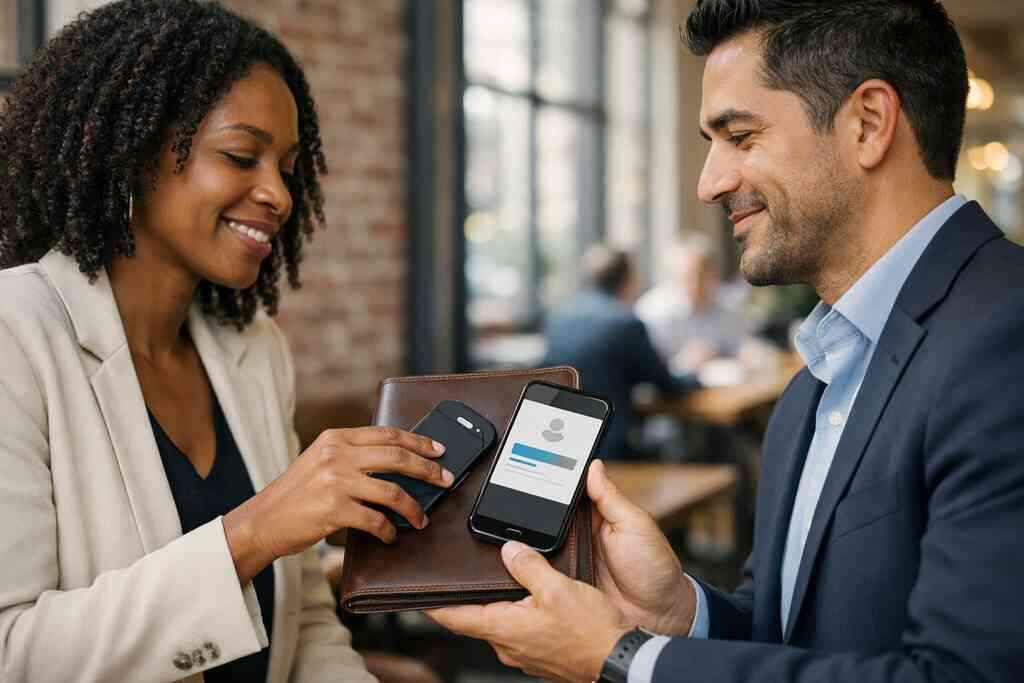
That is the hidden cost people miss. A paper card can feel cheap until it fails once. Then you lose the contact, the follow-up window closes, and the whole exchange goes cold. A virtual business card or electronic business card can solve that by making the handoff immediate, searchable, and easier to revisit later.
Free digital business card versus premium digital card plans for a growing team
A free digital business card is useful when you are testing the waters. It can help you create a digital business card with basic features without spending much. But free tools often limit custom branding, analytics, or team management. That matters when you want the card to feel like your company, not just a generic profile.
Premium digital card plans make more sense when you care about consistency and scale. They often support better digital business card design, stronger business card template control, and smoother updates across multiple users. If your team is small now but growing fast, paying for structure usually beats patching things later. For a deeper side-by-side comparison, see the free versus premium guide.
Which digital business card features actually matter before you pay for anything
Before you buy, sort features into two buckets. First, what helps people exchange business card details quickly. Second, what helps your team manage contacts after the exchange. Those are not the same thing.
The features that usually matter most are simple:
- Contactless sharing through QR code business cards or NFC business cards
- Easy editing for titles, phone numbers, and links
- Custom branding for logos and colors
- Basic analytics for tracking interest
- Lead capture for post-meeting follow-up
- Integration options if your team uses CRM tools
If a plan does not help with those needs, it may be too much or too little. For a broader feature checklist, the digital card features guide is a useful starting point.
Why digital card vs paper becomes a budget question, not just a branding choice
Digital card vs paper is not only about looks. It is also about waste, speed, and consistency. A smart business card can update once and stay current everywhere. Paper cannot do that. Paper also adds printing costs every time a title changes or a phone number shifts.
Here is the part most teams miss. The cheapest option can become the most expensive when it forces reprints, lost leads, and messy handoffs. Digital business cards for networking reduce that friction. They also support sustainable business cards goals without making your team look less polished. If you want a practical view of that tradeoff, this New York cost comparison shows how the numbers stack up.
The pricing puzzle behind digital business cards for small teams
Digital business card pricing gets more complicated when you add users. One person can manage a simple setup. A small team needs more structure, more consistency, and usually more control over who can edit what. That is why team digital card plans often price differently than solo plans.
On projects we have seen this year, the budget usually shifts because of workflow, not just quantity. A real estate office in Garden City may need one setup for agents, another for admins, and a third for leadership. A freelancer might only need one clean virtual card design. The right price depends on how your people actually network, not just how many names are on the roster.
What drives digital business card pricing when you add multiple users
The main pricing drivers are straightforward. User count matters. Admin control matters. Shared branding matters. Reporting matters too. When multiple people need individual cards, the platform has to manage more data, more permissions, and more updates.
That is why small team digital business cards rarely cost the same as solo plans. If one person creates and shares a digital business card app profile, the system stays simple. Once you add several users, pricing may rise because setup and management become more demanding. You should also check whether the plan includes a digital business card template library or only basic card creation.
How digital card features change the value of a team plan
A plan with more digital card features can be worth more even if it costs more. That sounds obvious, but many teams miss the real return. Features like digital card analytics, shareable links, and quick updates save time every week. That time adds up fast in sales and service roles.
Think about a salesperson leaving a Hauppauge breakfast mixer with ten fresh contacts. If the card can capture interest and keep the data organized, the follow-up gets easier. If not, the lead may stall. That is why the best digital business card platforms tend to focus on practical features, not shiny extras. A small team often benefits more from fewer, better tools.
When custom branding changes the price and when it does not
Custom branding does not always mean a major price jump. Sometimes it is included. Sometimes it is a paid upgrade. That depends on the platform, the level of control, and whether you need brand consistency across a whole team. 
You should watch for the details. A logo, color palette, and company domain may be enough for many teams. More advanced virtual card design work can raise the cost if it requires special layouts or extra setup. If branding matters for client trust, ask how the system handles custom branding tips for digital business cards in 2026. That tells you more than a headline price ever will.
Why CRM integration, lead capture, and follow-up automation can affect your total spend
CRM integration changes the value equation fast. So does lead capture. So does follow-up automation. These tools do more than store names. They help your team act while interest is still warm. A digital business card for LinkedIn can help with visibility. A CRM-connected setup helps with operations. That is a different job. If your team handles many introductions, integration can justify a higher plan. The same is true for teams that want smoother handoffs from networking to sales. For a closer look at setup logic, the how-it-works guide is helpful. ### How NFC business cards, QR code business cards, and smart business card options fit different budgets
NFC business cards, QR code business cards, and smart business card options solve the same problem in different ways. NFC feels fast and polished. QR is universal and easy to deploy. Smart cards can combine convenience with digital flexibility. The right choice depends on budget, devices, and how your team shares contact info.
Apple’s Core NFC framework and the ISO 14443 standard support reliable tap-to-share behavior on compatible devices. QR code business card technology follows the ISO/IEC 18004 standard, which makes scanning more predictable across phones. If your audience uses mixed devices, QR can be the safer budget choice. If your team wants tap speed, NFC may be worth it. For a technical overview, near field communication cards for contactless sharing explains the basics simply.
OptionBudget FitStrengthBest UseQR code business cardsLowerEasy sharing across devicesBroad networkingNFC business cardsMidFast tap-to-shareClient meetings, eventsSmart business cardMid to higherFlexible digital sharingTeams needing polish### What sales professionals, real estate agents, freelancers, and corporate teams usually need from a plan
Sales professionals usually want speed, lead capture, and follow-up automation. Real estate agents often want polished branding and quick sharing during showings. Freelancers may want an online business card that looks clean and stays affordable. Corporate teams usually need standardization, admin control, and reporting.
That is why one plan does not fit everyone. A solo freelancer may only need a digital card maker and a good template. A sales team may need analytics and CRM integration. A corporate group may want a more structured rollout with shared design rules. If you work in property sales, real estate digital card examples can help you see the difference.
Choosing a team plan that fits the way your people actually network
The right team plan should match the way your people meet, exchange details, and follow up. That sounds simple, but it is where many purchases go sideways. Teams buy for features they never use. Or they buy too little and outgrow the system in months. A good plan removes friction without adding admin pain.
In Suffolk County offices, we often hear the same concern. People want professional networking tools, but they do not want another system to babysit. That is fair. The best setup makes the share-and-save process feel almost invisible. It should work at a lounge table in NYC, a hotel lobby in Roslyn, or a quick hallway conversation after a panel.
The business card details your team should standardize before creating anything
Start with the basics. Every business card details block should be consistent. That means name, title, company, phone, email, website, and preferred contact method. Then decide what else belongs on the card. Less is often more.
Teams should also standardize logo placement, color palette, and line spacing. That keeps every virtual business card from drifting into a different look. If you do not define these pieces early, the whole system becomes messy fast. A business card details and contact info basics reference can help if your team wants a clean checklist.
How to make a digital business card that stays consistent across the whole company
Consistency starts with a simple rule set. Decide what every card must include. Decide what each role can customize. Then lock the shared pieces before launch. That keeps your digital business card app rollout manageable.
A strong process usually follows three steps:
- Choose one card structure for all users.
- Set approved colors, logos, and fonts.
- Review contact fields before publishing.
If your team needs setup help, how to make a digital business card in 2026 for leads walks through the workflow clearly. A little structure now prevents a lot of cleanup later. That is especially true for teams with changing titles or seasonal staff.
When to use digital business card templates versus custom virtual card design
Templates are best when speed and consistency matter. Custom virtual card design is better when brand presentation matters more. Many small teams need both. They want a base business card template, then a few role-based variations.
For example, a property team may want one format for agents and another for leadership. A freelancer might prefer a clean digital business card example with minimal graphics. A corporate team may need polished cards that match internal brand rules. Templates save time. Custom design adds control. You should choose based on your team’s real use, not your wish list.
What to look for on the pricing page before you compare best digital business card platforms
Do not start with the lowest number. Start with the limits. Check user caps, branding limits, support terms, and update rules. Then look at what happens when your team grows. That is where pricing surprises often show up.
Also check whether the plan supports Apple Wallet business card options or Google Pay card sharing, if those matter to your team. Not every platform will. Look for clarity on analytics, contact sharing, and admin controls. If you want a practical benchmark, How to Compare Digital Card Pricing for Small Business ROI is a good place to compare real options.
How Long Island teams can share contact info faster at Hauppauge mixers, Commack co-working spaces, and NYC meetings
Long Island teams often move between local and city settings. A Hauppauge business mixer can call for quick QR scans. A Commack co-working space may favor fast link sharing. An NYC meeting may reward a tap-to-share NFC card because it feels smooth and professional.
The advantage is simple. You share contact info in seconds, then keep the conversation moving. No paper pile. No forgotten cardholder. No smudged ink from a rain-soaked commute on the LIRR. For teams comparing outreach speed, best virtual business card tools for NYC sales teams in 2026 is worth a look.
The next move for small businesses that want paperless networking without overbuying
Start with your actual networking patterns, not your ideal ones. If your team mostly meets in person, focus on sharing speed and clean design. If your team lives in follow-up mode, focus on lead capture and CRM integration. If your team needs both, choose a plan that can grow without forcing a full rebuild.
That is the safest path for small business owners. It keeps costs in line and avoids overbuying features that sit unused. It also gives you room to improve later. You do not have to figure this out alone, and you do not have to figure it all out today. Start by reviewing one team role, one card format, and one pricing page, then compare what actually supports your work.
Frequently Asked Questions
Question: What should small teams in Long Island and NYC look for when comparing digital business card pricing?
Answer: Small teams should focus on value, not just the lowest digital card pricing. The main things to compare are user limits, team management controls, custom branding, digital card analytics, and how easily the plan supports contactless sharing. A free digital business card can be a good starting point, but growing teams often need more structure, especially if they want consistent digital business card design across sales professionals, real estate agents, freelancers, or corporate teams. At Digital Business Cards, the goal is to help small business owners choose a plan that fits how they actually network in Long Island, Suffolk County, and NYC, without paying for features they will not use.
Question: In the blog Digital Business Cards Pricing Guide for Small Teams 2026, when does a free digital business card make sense, and when is a premium digital card plan better?
Answer: A free digital business card can make sense if you are testing the waters, creating your first online business card, or learning how to make a digital business card for personal use. It is often enough for a simple digital card maker setup and basic sharing. A premium digital card plan is usually a better fit when a team needs custom branding, digital business card templates, lead capture, CRM integration, or follow-up automation. That is especially important for small teams that want a polished virtual business card or electronic business card exchange experience. If your company changes titles, phone numbers, or office details often, a premium plan usually offers the flexibility needed to keep everything current and professional.
Question: Which digital card features matter most for sales professionals, real estate agents, and corporate teams?
Answer: The most useful digital card features are the ones that make it easier to share contact info and follow up after a meeting. For many teams, that means QR code business cards, NFC business cards, digital card analytics, custom branding, and easy profile updates. Sales professionals often benefit from lead capture and CRM integration, while real estate agents may want a clean digital business card example that looks polished at showings and networking events. Corporate teams usually need consistency, admin controls, and business card details that stay aligned across the company. The best digital business cards for networking are the ones that support those everyday needs without adding unnecessary complexity.
Question: How do QR code business cards, NFC business cards, and a smart business card compare for small business use?
Answer: QR code business cards are usually the most flexible and budget-friendly option because they work well across many devices and make paperless networking easy. NFC business cards can feel faster and more polished because people can tap to share contact info, which is useful in client meetings and busy networking environments. A smart business card may combine several digital sharing options in one format, which can be useful for teams that want convenience and a modern look. For small business owners in Long Island and NYC, the right choice depends on how often the team meets in person, how much they value speed, and whether they need a simple or more advanced digital business card app experience. Digital Business Cards helps teams think through those tradeoffs without overbuying.
Question: How can Digital Business Cards help a team keep a consistent business card template and digital business card design?
Answer: Consistency starts with standardizing the business card template, logo placement, colors, fonts, and key business card details before the team launches. That way, every digital business card or virtual card design feels like part of the same brand. Digital Business Cards is built for small teams that want a clean, professional look without turning card management into a full-time task. Whether you need an online business card for LinkedIn, a digital business card example for client meetings, or a shared format for digital business cards for networking, the platform approach is to keep the setup simple and the sharing process smooth. That is especially helpful for teams across Long Island, Suffolk County, and NYC that want professional networking tools with a local, practical feel.