
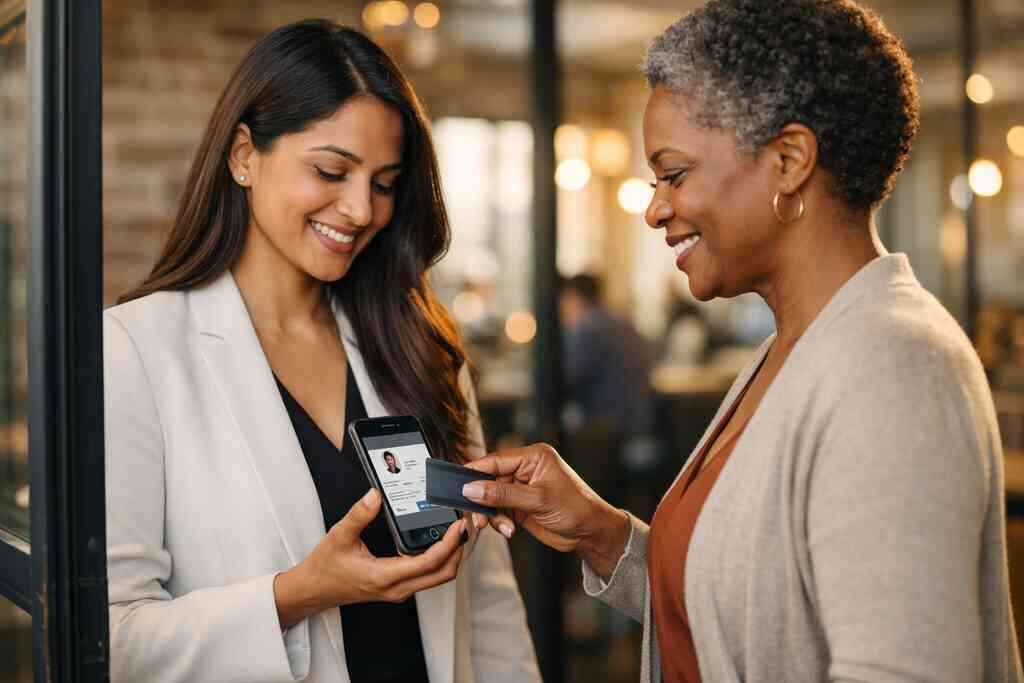
Why your LinkedIn message gets ignored before anyone reads it
You sent the connection request. They accepted. Then silence. That gap feels frustrating because you did the hard part and still lost momentum. Most people blame the message, but the real issue often starts earlier. The handoff was weak.
If you are reading this after another stalled follow-up, that feeling makes sense. LinkedIn outreach can feel strangely personal when the reply never comes. You are not imagining the friction. A plain profile link or a forgotten paper card usually does not create enough context to keep attention.
The silent problem with paper cards after a LinkedIn connection request
Paper cards still disappear fast. They get tucked into wallets, desks, and glove compartments, then buried under receipts. A LinkedIn request adds convenience, but it does not fix memory. If someone cannot recall where they met you, your message starts cold.
A recent Adobe survey found that many professionals have lost a paper card before following up. That matches what we hear constantly. The problem is not the card itself. The problem is the delay between meeting and action. Paper creates one more thing to sort later.
Here is what almost no online guide mentions: the card exchange is often the emotional handoff, not just the contact exchange. If the transition feels clunky, the follow-up feels optional. That is why paperless networking works better for modern professional networking on LinkedIn.
What a digital business card changes in the first ten seconds
A digital business card changes the pace immediately. Instead of handing over a small rectangle, you share a clean contact point that can open on a phone in seconds. That matters because attention is thin. Clarity wins.
A smart digital business card can function as an online business card, a virtual business card, or an electronic business card, depending on how you share it. The key is not the label. It is the speed of recognition. Someone sees your name, role, company, and next step without hunting through old messages.
On the projects we have seen this year, the strongest results come from simple presentation. People respond better when the business card details are organized and easy to scan. If you want a practical starting point, review how digital business cards work. That gives you the basic flow without guesswork.
Why Long Island professionals need a cleaner handoff than a profile link alone
Long Island networking moves quickly. You may meet someone at a Hauppauge business mixer, then again at a Commack co-working space, then later on LinkedIn. That means your handoff needs to survive real-world movement. A profile link alone rarely does that well.
A cleaner handoff matters even more if you work across Suffolk County and NYC. Commutes, meetings, and follow-up windows are all compressed. One real estate agent in Garden City told us she kept missing warm leads because people meant to “circle back” later. Once she switched to a digital card, the contact path felt much easier to preserve.
For local professionals, a digital business cards for LinkedIn outreach approach can bridge the gap between meeting and message. It gives people a place to act now, not later. That is the difference between being remembered and being forgotten.
The contact dropoff that happens between connection and conversation
Most LinkedIn outreach fails in a quiet middle zone. They accept your invite. They glance at your profile. Then the conversation stalls because the next step feels vague. That is the dropoff. It is common, and it is fixable.
The mistake we see most often is overloading the message with context and underdelivering on action. If your contact has to think too hard, they delay. If they delay, they forget. Digital business cards reduce that delay by making the follow-up path obvious.
How a digital business card keeps your contact info out of the lost and forgotten pile
A digital business card keeps your information in one place. That sounds simple, but it solves a major outreach problem. Your contact details do not get separated from your name, your brand, or your conversation. They stay connected.
This is where paperless networking starts to outperform paper. A digital card maker can help you create digital business card details that live as one shareable card instead of scattered channels. That helps sales professionals, freelancers, and corporate teams alike. People do not have to search for your phone number, email, and website separately.
For readers comparing formats, an electronic business card exchange is usually more durable than a handoff that depends on memory. Even a basic virtual card design can reduce friction if it is clean and readable. If you want to see a practical structure, look at digital business card templates for LinkedIn outreach. Templates help you stay consistent without looking generic.
When a QR code business card works better than a long profile note
A long LinkedIn note can feel polite, but it often asks too much. People skim. They do not want to read a mini biography before they know why to respond. A QR code business card reduces that burden.
QR code business cards work well when you meet someone in person and want a fast handoff. The standard behind them is solid, and QR sharing is widely supported across mobile devices. In simple terms, the scan takes the place of a long explanation. That creates less friction and more action.
This is especially useful at conferences and networking events. You can say less and share more. If your message already carries context, a QR code business card can feel more natural than a bulky note. For deeper comparisons, the QR code business cards and NFC business cards comparison can help you decide which method fits your style.
Why NFC business cards can feel faster in live networking and follow up moments
NFC business cards are popular because they feel immediate. Tap, and the card opens. That speed matters in crowded rooms, loud events, and fast introductions. The interaction feels smooth.
Apple’s Core NFC framework and the ISO 14443 standard support the kind of tap behavior many users expect. That does not mean every device behaves identically, but it does explain why NFC contactless sharing feels so natural. Here is the part most people miss: fast is not just convenient. Fast lowers resistance.
For professionals who attend lots of live meetings, NFC business cards can be especially helpful. They create a memorable moment without turning the exchange into a tech demo. If you want to compare methods more closely, review near-field communication basics as background, then focus on the practical fit.
What LinkedIn prospecting looks like when the card share is friction free
When the card share is friction free, LinkedIn prospecting changes tone. You stop sounding like you are asking for attention. Instead, you are making it easier to continue a real conversation. That subtle shift matters.
What we have seen in 2026 specifically is that easy handoffs generate better follow-through than polished pressure. You can use a digital card for networking events, then mirror the same share contact info flow in DMs. That consistency reduces confusion. It also helps people remember you across channels.
A LinkedIn connection strategy should feel like a bridge, not a pitch. If your contact can scan, tap, or click without hunting, you have already improved the odds. For additional context on reach and response behavior, how digital business cards improve LinkedIn reach in 2026 is a useful companion read.
The follow through that turns a profile view into a real reply
Follow-through is where LinkedIn outreach succeeds or dies. A view is not a relationship. A reaction is not intent. The real win comes when your contact feels clear enough to respond. That takes structure.
You do not need a complicated system. You need a cleaner one. Digital business cards help you reduce the awkwardness that often shows up after the first message. They also make it easier to keep the thread alive without sounding rehearsed.
How to place your digital card link in LinkedIn messages without sounding salesy
Keep it short. Keep it useful. Do not bury the link under a paragraph of self-explanation. Send the card when it fits the conversation, not as a random attachment. That restraint builds trust.
A good LinkedIn message might reference the meeting, the context, and one clear next step. Then include your digital card link naturally. You are not asking them to read more. You are giving them a better way to keep track of you. If you want a broader example of message structure, professional networking on LinkedIn with digital cards is worth a look.
What to say when you share a virtual business card after an intro
Say less than you think. That is usually the right move. People appreciate clarity more than flair. A direct handoff feels respectful.
You might write: “Great meeting you. I am sharing my virtual business card here in case it is easier to save.” That is simple, human, and not pushy. It works because it removes pressure. It also respects the other person’s time.
Another useful line is: “If it is easier, feel free to keep this for later.” That phrase works well after introductions at client meetings, local events, and even brief NYC networking encounters. It sounds practical, not salesy. That matters when trust is still forming.
How digital card analytics can help you spot interest without guessing
Digital card analytics can show you what people actually do. They can help you notice views, taps, or clicks without turning outreach into a guessing game. That is useful because interest is often subtle before it becomes obvious. You may not need a long follow-up at all.
If a contact opens your card twice, that is different from a single glance. If someone clicks to save your details, that is even more useful. You can use that signal to time your next message better. For a deeper look at tracking behavior, digital card analytics for lead capture and follow-up explains the practical side.
Where CRM integration and lead capture fit into a cleaner outreach system
CRM integration and lead capture make your outreach more organized. They help you avoid sticky notes, scattered threads, and forgotten names. That matters when you are juggling meetings, calls, and follow-up windows. Clean systems protect your attention. 
A strong setup may connect shared contact details to your sales or client workflow. That does not mean over-automating every interaction. It means making sure a promising contact does not vanish between apps. GDPR considerations also matter if you store shared contact details, especially for professional cross-border communication.
If you want a more structured setup, create a digital business card with CRM integration is a smart place to start. It keeps the contact handoff from becoming a manual mess. That is exactly where many teams lose momentum.
How professionals in Suffolk County and NYC can keep networking consistent across meetings events and DMs
Consistency is the hard part. In Suffolk County, you may meet people at morning events and follow up at night. In NYC, you may move from one client floor to a subway platform in an hour. Your outreach system needs to survive that pace.
A digital business card helps because it works the same way across channels. You can share it in person, by email, in a DM, or after an intro. That consistency builds familiarity. Familiarity builds trust.
One consultant we spoke with from a Long Island business networking group said his biggest improvement was not volume. It was consistency. He used the same card across events and LinkedIn, then stopped losing people in the gaps. For regional context, digital business cards for networking in Suffolk County can help local teams think through the flow.
When to stop sending plain profile links and switch to a digital card
There is a point where a profile link is not enough. Usually, that point comes when the relationship needs clarity, not just visibility. If the person already knows who you are, a digital card gives them a cleaner reason to keep going. That is the shift.
Plain profile links are fine for some situations. But they often feel incomplete in warm outreach. A digital card adds context, contact details, and brand signal in one move. That makes it feel more natural.
The LinkedIn outreach moments where an electronic business card exchange feels more natural
An electronic business card exchange works best after a real interaction. That includes conferences, mixers, referral introductions, and quick coffee meetings. It also works after a thoughtful LinkedIn exchange that has already established interest. The key is timing.
If you only met briefly, a card helps people remember who you are. If you already had a useful conversation, it helps them save your details without friction. It is especially useful for sales professionals and real estate agents who need quick recall. It also suits freelancers and corporate teams who want professional networking tools that feel polished.
A real estate agent in Garden City once shared that she stopped sending long intro paragraphs after meetings. Instead, she sent a concise note plus her card. The difference was immediate. The exchange felt cleaner, and the next reply came faster.
How sales professionals real estate agents freelancers and corporate teams can tailor the handoff
Different roles need different handoffs. Sales professionals may want a direct link, a clear CTA, and easy follow-up automation. Real estate agents may want polished branding and fast contact access. Freelancers often need flexibility. Corporate teams usually need consistency across multiple people.
That is where digital business cards for sales teams and digital business cards for real estate agents in New York become especially useful. The format can stay the same while the message changes. That balance saves time. It also keeps outreach from feeling copied and pasted.
For people comparing formats, here is a simple breakdown:
Use CaseBest FitWhy It WorksFast event follow-upQR code business cardEasy scan, low frictionIn-person meetingsNFC business cardsTap-to-share feels immediateLinkedIn follow-upVirtual business cardClean and easy to saveTeam-wide consistencyDigital business cardsShared branding and process### What digital card design choices make your outreach look polished instead of generic
Design matters more than many people think. A cluttered card can make even a good message feel rushed. A clear card signals care. That signal matters in early trust-building.
Strong digital business card design usually keeps the layout simple. Use readable contact details. Keep the call to action obvious. Avoid cramming every possible field onto one screen. A clean business card template often performs better than a noisy custom layout.
If you are building a visual identity, custom branding tips for digital business cards in 2026 can guide your choices. Custom branding helps your card feel like an extension of your work, not a random tool. That difference shows.
Why custom branding and business card templates matter when trust is still being built
Trust starts with recognition. If your card looks consistent with your LinkedIn profile, your website, and your email signature, people relax faster. That is why custom branding matters. It reduces uncertainty.
Business card templates also help teams move faster without sacrificing quality. They give structure to the digital card design process. That matters for small business networking, corporate teams, and anyone who needs repeatable quality. The goal is not to look fancy. The goal is to look reliable.
If you need a practical example of how layout supports trust, think about virtual card design with one clear action button, one clean logo placement, and business card details that are easy to save. That is enough for most outreach scenarios. You do not need more.
How to choose between a free digital business card and premium digital card plans without overbuying
Start with need, not hype. A free digital business card may be enough if you only need basic sharing. Premium digital card plans may make sense if you want more control, branding, or organizational support. But do not buy more than you will use.
Think about your workflow. Do you need one card or many? Do you need reporting, lead capture, or team management? Do you need CRM integration? Those questions matter more than a feature list. That is why comparing digital card pricing plans should come after you define your actual outreach pattern.
Here is the part most people miss: the best digital business card platforms are not always the most expensive. They are the ones you will use consistently. If a tool fits your work, the cost is easier to justify.
What to do next if you want LinkedIn outreach that actually keeps moving
You do not need a total overhaul. You need a tighter process. The right digital card makes contact sharing easier, follow-up faster, and your brand clearer. That is enough to improve your LinkedIn outreach immediately.
What matters now is testing the flow before your next message goes out. If your card loads slowly, looks confusing, or lacks a clear next step, fix that now. Small friction becomes lost opportunities quickly.
How to create digital business card details that make contact follow up easier
Keep your digital business card details focused. Include only what helps the next conversation happen. That usually means your name, role, company, email, phone, and one simple action path. Too much information slows people down.
A good create digital business card process starts with the basics. Fill out the profile, check the design, then test the share path on your phone. If the card is easy to save, it is easier to follow up on. That is the goal.
Which digital business card features to compare before you commit to a platform
Compare the features that affect real behavior. Look at digital card analytics, lead capture, custom branding, contactless sharing, and CRM integration. Then consider whether the platform supports QR code business cards, NFC business cards, or both. Those choices shape your outreach.
Also think about access and flexibility. Can you update business card details without rebuilding everything? Can your team share one visual standard? Can you support both one-to-one outreach and larger networking efforts? If you are evaluating tools in a broader context, best virtual business card tools for NYC sales teams 2026 is a useful benchmark.
How to keep paperless networking consistent across Long Island New York and beyond
Consistency beats intensity. A good digital card should work at a Long Island networking event, in a Suffolk County follow-up, and during NYC professional networking calls. If it works everywhere, you will use it everywhere. That is the real advantage.
Paperless networking also supports sustainable business cards goals without changing your habits too much. You still meet people. You still follow up. You simply remove the waste and the lag. That helps your process stay cleaner over time.
If you want a local angle, digital business cards for Long Island businesses is a practical reference. It fits the way people actually move between neighborhoods, offices, and event spaces here.
Why your next card should work as a digital card for networking events and one to one outreach
Your card should not work only in one setting. It should support conference introductions, DM follow-up, client meetings, and casual referrals. That is why one-to-one outreach and event networking should use the same core system. Friction drops when the method stays familiar.
Think of it as one contact layer across many moments. If someone meets you at a mixer and then messages you later, the experience should feel continuous. That continuity makes you easier to remember. It also makes it easier to respond.
For a practical setup that fits both formats, how digital business cards work is a solid refresher. It keeps the process simple and usable.
How to test your share contact info flow before your next LinkedIn message goes out
Test the full path. Scan it. Tap it. Open it in a browser. Save it to your phone. Then ask yourself one question: would this feel easy to a busy contact? If the answer is no, simplify.
Use this quick checklist:
- Open the card on mobile.
- Confirm the contact details are correct.
- Check that the CTA is obvious.
- Make sure the design looks clean.
- Send a test message to yourself.
If you want a card that supports smooth sharing, clear branding, and real follow-through, start with digital business cards for LinkedIn outreach. You do not have to figure out every detail today. Start with one card, one message, and one clean handoff.
Frequently Asked Questions
Question: How can digital business cards improve professional networking on LinkedIn and paperless networking in 2026?
Answer: Digital business cards make LinkedIn outreach easier by giving people a fast, clear way to save your contact details without hunting through messages later. Instead of sending only a profile link, you can share a digital business card, virtual business card, or online business card that keeps your name, role, company, and share contact info path in one place. That cleaner handoff supports paperless networking, reduces dropoff after a connection request, and helps people remember you when they are ready to reply. For professionals in Long Island, Suffolk County, and NYC, that kind of friction-free follow-up is especially useful because networking often happens across meetings, DMs, and busy schedules.
Question: What should I include when I create digital business card details for LinkedIn prospecting?
Answer: When you create digital business card details for LinkedIn prospecting, keep the focus on clarity and ease of follow-up. A strong digital business card example usually includes your name, title, company, email, phone number, and one simple next step so people know how to respond. Good business card details should be easy to scan on mobile and should match your LinkedIn profile so the experience feels consistent. If you use a digital card maker or digital business card app, it is best to keep the layout simple and use a business card template that makes the information easy to save. That approach works well for sales professionals, real estate agents, freelancers, and corporate teams who need a reliable way to share contact info instantly.
Question: In How to Use Digital Business Cards for LinkedIn Outreach in 2026, when should I use QR code business cards instead of NFC business cards?
Answer: QR code business cards and NFC business cards both work well for contactless sharing, but the best choice depends on the situation. QR code business cards are especially useful when you want someone to scan quickly from a screen, printed piece, or event display. NFC business cards often feel faster in live networking because a tap can open the card right away, which is helpful in busy rooms or fast introductions. If your LinkedIn outreach is happening after a meeting, either format can support an electronic business card exchange, but the key is making the next step simple. For many professionals in Long Island and NYC, using both options can be a practical way to support digital card for networking events and one-to-one follow-up.
Question: What digital business card features should I compare before choosing the best digital business card platforms?
Answer: Before choosing from the best digital business card platforms, compare the digital business card features that affect real follow-through. Look at custom branding, digital card analytics, lead capture, CRM integration, and whether the platform supports QR code business cards, NFC business cards, or both. It is also smart to check how easy it is to update business card details, share contact info, and keep your team aligned with one consistent digital business card design. If you are comparing digital card pricing, start by deciding whether a free digital business card covers your needs or whether premium digital card plans make more sense for your workflow. The right platform should fit how you actually network, not just how it looks on paper.
Question: How does a digital business card help sales professionals, real estate agents, freelancers, and corporate teams with LinkedIn follow-up?
Answer: A digital business card helps different types of professionals keep follow-up organized and easier to act on. Sales professionals can use it to support follow-up automation and quick handoffs after conversations. Real estate agents can use a polished virtual card design to stay memorable after showings, meetings, or local networking events. Freelancers often benefit from a flexible online business card that can be updated quickly, while corporate teams may need consistent branding across multiple employees. In each case, a digital card vs paper comparison usually favors the digital option because it keeps contact details easy to save, easier to update, and easier to find later. For Long Island, Suffolk County, and NYC networking, that consistency can make your LinkedIn outreach feel more professional and more natural.