
1) Why paper cards still fail sales teams when the meeting actually counts
The worst moment is not the handshake. It is the pocket check after the conversation ends. You reach for a card, and there is nothing there. That tiny delay can cost you a follow-up, especially when the room is loud and the next lead is already moving. If you have ever left a Hauppauge mixer or a client lunch with three names and no clean way to share contact info, you already know the frustration.
The empty-pocket moment at a conference or client lunch
Paper feels simple until the meeting actually counts. Then it becomes one more thing to lose, bend, or forget in the rental car. Sales professionals move fast, and so do the people they meet. A paper business card often ends up in a coat pocket before it ever reaches a CRM. On Long Island, where many reps split time between Suffolk County, Manhattan, and client sites, that lag matters.
Here is the part most people miss. The value of a card is not the paper. The value is the contact memory that survives the meeting. A digital business card keeps the exchange alive even when your day gets messy. That is why more teams now treat the card as a workflow tool, not a souvenir.
How smudged ink and loose stacks quietly hurt follow-up
Paper also breaks down in smaller ways. Ink smears. Corners fold. Stacks get mixed with receipts and notes. Suddenly, the right number is unreadable, and the right email is gone. That is a poor outcome for any electronic business card exchange, especially when your prospect is already evaluating three other vendors.
A real estate agent in Garden City once told us she kept a stack of cards in her tote. By Friday, half were stained from coffee and rain. She could remember the faces, but not the details. That is the real cost of digital card vs. paper comparisons that sound abstract online. In the field, messy paper simply slows you down.
Why Long Island sales reps and NYC commuters need instant contact sharing
Long Island sales reps live with movement. So do NYC commuters. You may take a train into Penn, hop a rideshare in Midtown, then finish a call in Commack before dinner. In that kind of day, instant contact sharing beats every paper habit. It gives you a cleaner handoff and a faster path to follow-up.
For teams that want a practical entry point, the setup matters too. If you need a simple overview of setup flow, start with how it works. A good system lets you create digital business card profiles, store business card details in one place, and send them without digging through folders. That is exactly what helps paperless networking feel natural instead of forced.
2) The digital card that keeps working after the handshake is over
A strong virtual business card does something paper cannot. It keeps working after the room clears. That matters because most sales happen after the first conversation, not during it. The card is really a bridge to the next action, and the best digital business cards make that bridge short and clear. If you are asking how to make a digital business card that supports real selling, start with speed, structure, and consistency.
What makes a digital business card feel faster than a paper swap
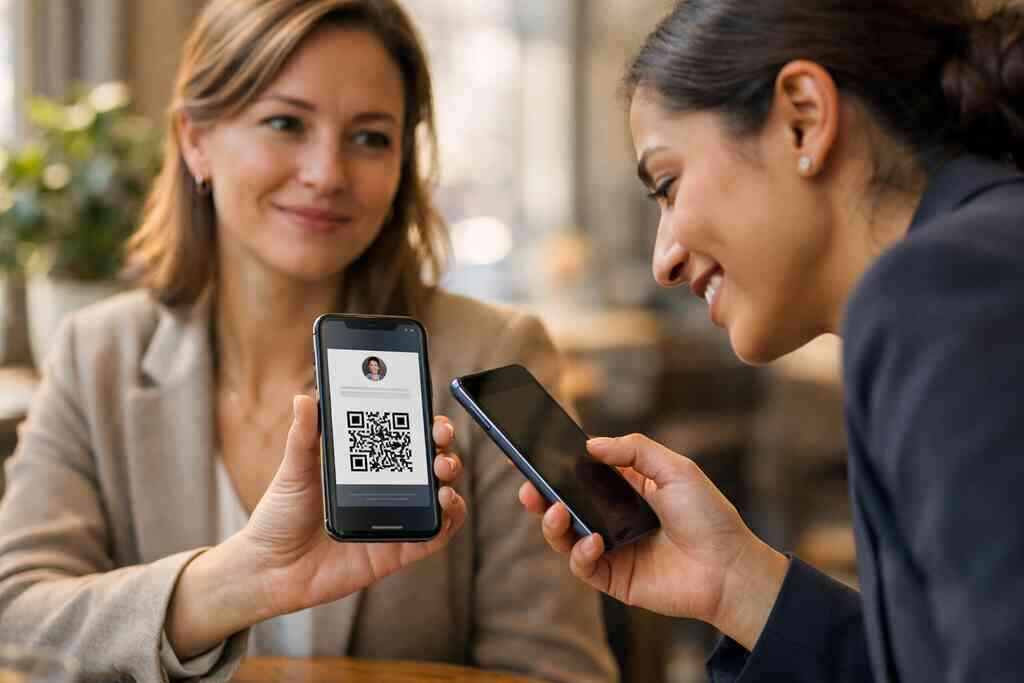
Speed is not just about scanning. It is about reducing friction. A paper swap requires storage, typing, and memory. A digital business card app can cut several of those steps at once. The prospect scans, taps, or opens a link, and the contact reaches them immediately. That is why many teams prefer a smart business card for professional networking.
On the projects we have seen this year, fast sharing usually wins the moment. A rep can send a card by QR code, email, or link without changing the tone of the conversation. That keeps the interaction human. It also helps freelancers and small business owners look prepared, not over-engineered. If you want a simple digital business card example, think of a clean profile that carries your name, role, phone, email, and one clear action.
How a virtual business card stores business card details in one place
One of the most useful digital business card features is central storage. Instead of scattering notes, PDFs, and screenshots, you keep business card details in a single place. That makes updates easier when your title changes or your team grows. It also lowers the risk of sending outdated information. For sales teams, that is not a small detail.
The best part is organization. A digital card maker can support a single source of truth for your contact information, while digital business card templates keep the layout consistent across employees. If you are building a business card template for a whole team, consistency matters more than decoration. Clean structure makes it easier to create digital business card profiles that people trust.
Why share contact info becomes easier for sales professionals, freelancers, and small business teams
Different teams use the same tool in different ways. Sales professionals want speed and follow-up. Freelancers want a polished first impression without carrying prints. Corporate teams want cleaner brand control. Small business owners want one system that does not create more admin. A digital card serves all of those use cases when it is built well.
The emotional relief here is real. Most people do not dislike paper because it is old. They dislike it because it disappears when they need it most. A digital business card for sales teams in 2026 solves that anxiety by keeping the contact live after the meeting. That is the difference between a lost lead and a usable one.
3) QR code business cards versus NFC business cards when speed matters most
This is the comparison that confuses a lot of teams. Both formats are fast. Both can support contactless sharing. But they do not behave the same in real rooms, with real phones, and real Wi-Fi. A good choice depends on your audience, your device mix, and how much control you want in the exchange. For teams considering NFC vs QR code digital business cards in 2026, context matters.
When a QR scan beats a tap and when it does not
A QR code business card is often the safest universal option. Most phones can read a QR code quickly, and the standard behind it, ISO/IEC 18004, supports broad compatibility. That makes it useful in crowded events, open houses, and client meetings where you cannot assume the other person has NFC enabled. It is simple, visible, and easy to explain.
Still, QR is not always the fastest. If a prospect is already on a modern phone and you are standing shoulder to shoulder, a tap can feel smoother. QR also depends on camera access and lighting. Tap does not. The choice is not about which is cooler. It is about which one reduces friction in the room you are actually in.
How NFC business cards fit mobile-first networking on the road
NFC business cards are powerful for mobile-first networking. A tap can launch a profile with very little effort, which is useful when you are moving through a tradeshow floor or a train platform. The standard behind it, ISO 14443, governs proximity-based communication. In plain English, it helps phones and NFC cards exchange data reliably at short range. That is why NFC often feels elegant in live meetings.
Apple’s Core NFC framework also matters here. It supports tap-to-read interactions on compatible devices, which helps make the experience feel consistent on modern iPhones. If you are comparing formats for field teams, this is where a near field communication (NFC) option can shine. Just remember that not every device handles it the same way, so a backup QR still helps. Here is a practical rule: if your team works in mixed-device environments, offer both.
Why ISO/IEC 18004 and ISO 14443 matter in plain English
Standards sound technical, but they solve a basic trust problem. You want the card to work on the first try. ISO/IEC 18004 helps QR codes stay readable across devices. ISO 14443 helps NFC cards exchange data at close range. That means less guessing and fewer awkward resets during a conversation.
A simple table helps here:
FormatBest useMain strengthCommon limitationQR code business cardBroad compatibilityWorks on almost any camera phoneNeeds a screen and decent lightingNFC business cardFast tap sharingVery smooth in-person handoffDepends on device supportIf your team wants a deeper comparison, the NFC article gives a practical breakdown. The useful takeaway is straightforward. Use the format that matches your actual sales motion, not the one that looks best in a demo.
4) Custom branding that turns one sales card into a repeatable brand asset
A digital card should not look like a generic placeholder. It should look like your team. That sounds obvious, but many companies still ship a plain profile and call it done. The result feels forgettable. Strong custom branding turns one card into a small but serious brand asset, especially when your team appears in many settings across Long Island, New York, and NYC.
Why a smart business card should look like your team, not a generic template
The visual part matters more than people admit. If your smart business card uses mismatched colors, random fonts, or weak images, it signals carelessness. If it matches your brand, it signals discipline. That matters in sales because prospects read visual details fast. They may not say it out loud, but they notice.
A good digital business card design gives every rep the same polished structure. That helps when several people from the same company attend a Hauppauge business mixer or a Commack co-working event. The card should feel like part of the brand system, not an afterthought. If you are building from scratch, a business card template can give your team a clean starting point.
How digital business card design and digital business card templates support consistent selling
Templates reduce decision fatigue. That is useful for busy teams. A strong digital business card template keeps the hierarchy clear: name, title, company, contact method, and preferred next step. It also makes onboarding easier for new reps. Instead of inventing a layout, they follow a proven structure. 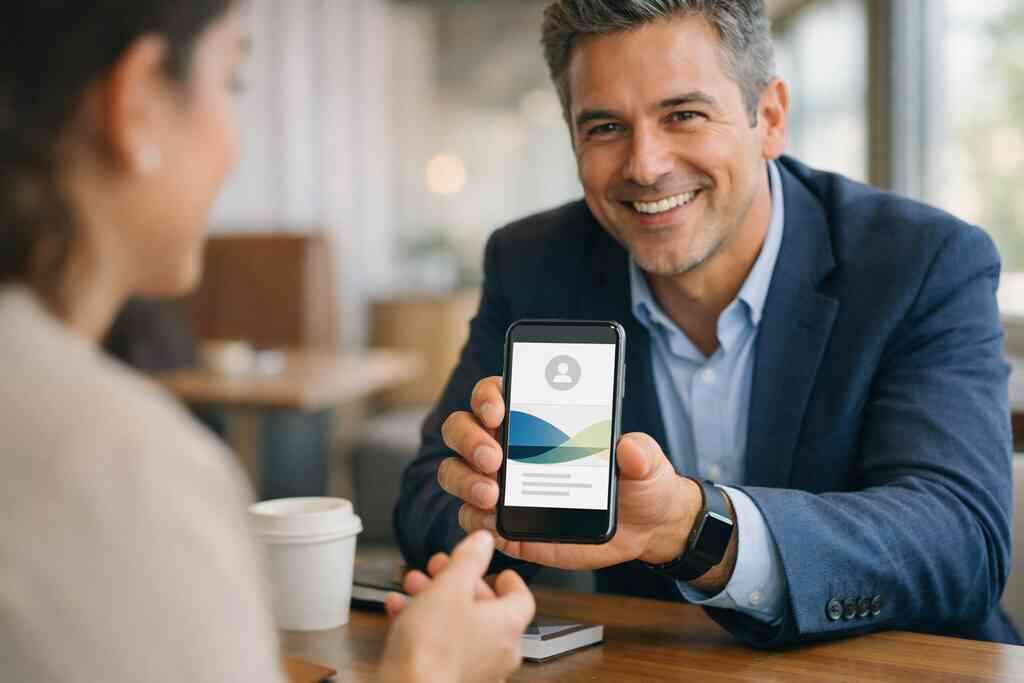
The benefit is consistency. When every rep uses the same virtual card design, your brand feels organized across offices and devices. You also avoid the patchwork look that happens when people create their own versions. For companies that need a repeatable process, digital business cards for corporate teams with custom branding can help keep that standard in place. That is especially useful when sales managers want clean oversight without slowing the team down. ### When custom branding matters most for corporate teams and real estate agents
Branding matters most when trust needs to happen quickly. That is true for corporate teams and for real estate agents. A buyer or vendor wants to feel confidence in the person, and the card plays a small but real role in that feeling. In real estate, the stakes are even sharper because timing is often tied to urgency. A branded card helps support that urgency.
For agents, the card can also reinforce neighborhood familiarity. A polished profile that feels tied to your brokerage and market area can be more memorable than a folded print card. If your work is residential, take a look at real estate digital card examples. The right design should fit the role, not fight it. That is the part most online guides miss.
5) Lead capture that changes the follow-up game without adding admin
This is where digital cards become more than convenience. They become a sales tool. Lead capture is often the hidden difference between a nice exchange and a real opportunity. If a person shares their details, your team should be able to act on that signal quickly. That is why digital card analytics, CRM integration, and follow-up automation matter so much.
What good digital card analytics can show after every share
Good analytics tell you what happened after the share, not just that a card was viewed, but when, how often, and through which channel. That helps you spot interest while it is still warm. The digital business card analytics for lead quality and follow up view can help teams prioritize better. For sales managers, that means fewer guesses.
Digital card analytics also help you see patterns. Maybe conference leads respond faster than cold introductions. Maybe your LinkedIn-driven contacts view the card twice before replying. Those signals are useful. They help you spend time on the leads most likely to move.
How CRM integration and follow-up automation reduce lost opportunities
Lost opportunities often happen in the gap between interest and action. A prospect wants to hear from you, but the contact sits in a notes app or email inbox. CRM integration closes that gap by moving contact details into your existing workflow. Follow-up automation then adds the next layer, such as reminders or messages tied to a share event.
If your team wants a practical example, look at how digital business cards sync with CRM tools on Long Island. That kind of setup is useful because it reduces manual entry. It also helps maintain compliance and record quality. GDPR considerations matter when storing shared contact details, especially for teams that work across regions. Keep consent, storage, and access rules clear.
Which digital business card app behaviors actually help a sales pipeline
Not every app behavior is useful. The best ones are quiet and reliable. They let you update your profile quickly, see who engaged, and move useful contacts into your system. That is what helps the pipeline. Fancy extras are fine, but only if they do not slow the team down.
The clearest path usually looks like this:
- Share the card in person or by link.
- Capture the contact with minimal friction.
- Route the lead into your CRM.
- Trigger a timely follow-up.
- Review what was viewed and what was ignored.
If you want a tighter automation setup, review how to automate lead capture with digital business cards in 2026. For sales teams, the goal is simple: less admin, better timing, and more useful conversations.
6) The feature stack that helps teams sell from LinkedIn to the Apple Wallet
Sales does not live in one channel anymore. Your prospects may meet you at an event, check your LinkedIn, then save your card in their phone wallet. That is why the strongest digital business cards work across touchpoints. They support social proof, mobile access, and easy retrieval later. If those pieces connect, the follow-up becomes easier.
Why a digital business card for LinkedIn can bridge social proof and live selling
LinkedIn is often the first credibility check. A prospect wants to see if you are real, relevant, and active. A digital business card for LinkedIn can bridge that check with live contact sharing. It gives people a simple way to move from profile view to direct communication. That is useful for consultants, recruiters, and B2B sellers.
For teams focused on social selling, digital business cards for LinkedIn growth can help tie visibility to contact action. The key is not to overwhelm the page. Keep the card clear, mobile-friendly, and easy to save. A prospect should not need to think hard.
How an Apple Wallet business card or Google Pay card supports contactless sharing
A wallet-based card is useful because it lives where people already look. An Apple Wallet business card or Google Pay card supports contactless sharing without asking the prospect to download anything new. That is a real advantage in busy rooms. It also helps when a person wants to save your details quickly and revisit them later.
If your team wants to use that format, review digital business cards in Apple Wallet guide. The wallet approach feels especially useful for NYC commuters and Long Island professionals who move between meetings all day. It keeps the card available, even when the paper version would be buried in a desk drawer.
When branded digital card maker tools help teams stay organized across meetings
A good digital card maker does more than build a nice page. It supports repeatable work. Teams can update titles, swap logos, and standardize details across departments. That matters when people are attending different events in the same week. It also makes it easier to create a digital business card for different use cases without starting over each time.
Here is a simple truth from the field. The best tools are the ones people keep using after the novelty fades. If your team can create, update, and share without asking for help, adoption rises. For a broader view, the features page can help you think through the practical stack. That is where utility beats hype.
7) Free digital business cards versus premium digital card plans for growing sales teams
Pricing gets misunderstood quickly. A free digital business card can be a smart way to test the workflow. But growth changes the math. Once you need branding control, analytics, or team oversight, a basic version may not be enough. The right choice depends on what your team needs now, not what looks cheapest at a glance.
What sales teams should expect from a free digital business card before upgrading
A free plan should help you understand the flow. Can you create a profile? Can you share it smoothly? Can you update details without confusion? Those are the basic questions. If the answer is yes, you have a fair test bed. If not, the platform may not be ready for real sales use.
Still, you should not assume every free option includes the same digital business card features. Some limit branding, sharing, or tracking. That is normal. The practical move is to test the free version with one or two reps before rolling it out more widely. Then compare it with your team’s actual workload.
How to judge digital card pricing without guessing at hidden tradeoffs
Digital card pricing should be judged against outcomes. Are you saving time? Are leads easier to capture? Are updates simpler? Those questions matter more than a monthly number alone. A premium digital card plan can be worth it if it reduces admin or improves consistency. But the value needs to be visible.
If you are weighing options, compare what you get, not just what you pay. A pricing page should help you think through the tradeoffs. Look for branding flexibility, sharing options, and support for team use. Then decide based on fit. That is the smarter way to choose.
Why the best digital business card platforms are the ones your team actually uses
This is the final filter. The best digital business card platforms are not the fanciest ones. They are the ones your team opens, updates, and trusts on busy days. A tool can have every feature in the world, yet still fail if people avoid it. Adoption is the real metric.
For teams based in Long Island, New York, that often means choosing something simple enough for field use and polished enough for client-facing work. It also means choosing a platform that supports paperless networking without adding clutter. If you want a straightforward path, start with the tool that makes sharing feel natural. Then make one rep the test case before expanding. You do not have to solve the whole system today. Start with one card, one meeting, and one clean follow-up.
Frequently Asked Questions
Question: What are the top digital business card features sales teams should look for in Top 7 Digital Business Cards Features for Sales Teams 2026?
Answer: For sales teams, the most useful digital business card features are the ones that make sharing contact info faster and follow-up easier. That usually includes contactless sharing, a clean digital business card design, custom branding, digital card analytics, CRM integration, and tools that support lead capture. A strong virtual business card should also be easy to update, simple to share by QR code or link, and flexible enough for professional networking in person or online. At Digital Business Cards, the goal is to help teams create digital business card profiles that support real-world selling without adding extra admin. Based in Long Island, New York, the platform is designed to fit busy reps, corporate teams, freelancers, real estate agents, and small business owners who need a practical online business card that works in the moment and after the meeting.
Question: How does a QR code business card compare with NFC business cards for sales professionals in Long Island and NYC?
Answer: Both QR code business cards and NFC business cards support fast, contactless sharing, but they fit slightly different situations. A QR code business card is usually the most universal option because nearly any phone camera can scan it, which makes it helpful at conferences, client lunches, and networking events across Long Island, Suffolk County, and NYC. NFC business cards can feel even smoother in certain face-to-face settings because they allow a tap-based exchange, which is useful for mobile-first networking. The best choice often depends on your audience and device mix. Many sales professionals prefer having both options available so they can share a digital business card in whatever way feels easiest in the room. That flexibility is one reason digital business cards are such a strong alternative to paper cards.
Question: How can a digital business card app help with lead capture and follow-up automation?
Answer: A digital business card app can make lead capture much easier by reducing the gap between meeting someone and storing their details. Instead of relying on a paper card that can be lost or damaged, you can share an online business card instantly and route the contact into your sales process. When CRM integration is available, the information can move into your workflow faster, which supports better follow-up automation and fewer missed opportunities. Digital card analytics can also show when a card was viewed or shared, helping sales teams prioritize warmer leads. For Digital Business Cards, that means giving users a simple way to share contact info while keeping their contact management workflow organized and efficient.
Question: Can I use Digital Business Cards for custom branding, business card templates, and team consistency?
Answer: Yes, custom branding and consistent business card templates are important for any team that wants a polished presence. A strong digital card maker should let you create digital business card profiles that reflect your brand, not just a generic layout. That matters for corporate teams, real estate agents, freelancers, and small business owners who want their virtual card design to look professional and recognizable. Using a business card template or digital business card templates can also help teams keep names, titles, and contact details aligned across departments. In practice, that means every rep can share a branded smart business card that feels like part of the same company system. For sales teams, that consistency helps reinforce trust during professional networking and makes the card easier to remember.
Question: Is a free digital business card enough, or should sales teams consider premium digital card plans?
Answer: A free digital business card can be a good way to test the basics, especially if you want to see how paperless networking fits into your day. It may be enough for trying out the flow of sharing, updating, and storing business card details. But as teams grow, they often need more control over branding, sharing, analytics, and collaboration. That is where premium digital card plans may become more useful. The right choice depends on whether the platform supports the way your team actually works. If your sales process depends on custom branding, lead capture, or CRM integration, it makes sense to compare digital card pricing carefully and choose the plan that aligns with your workflow. The best digital business card platforms are the ones your team will actually use consistently.