
A lot of people think the card itself is the asset. It is not. The real asset is the follow-up that actually happens.
If you are reading this after a conference bag full of paper cards, that frustration is real. Cards smudge. Names blur. Contacts get lost in a jacket pocket, then buried under receipts. On the projects we’ve seen this year, the biggest miss is usually simple: people exchange information, then do not make the next move fast enough. That is where digital business cards start paying for themselves.
When a paper card dies in your pocket, ROI starts with the share itself
The hidden cost of lost follow-up after conferences, meetings, and commute days
Paper cards create a quiet leak in your pipeline. You hand one over, feel productive, and then the trail goes cold. A 2023 Adobe survey found that many professionals had lost a paper card before following up, and that feels believable if you have ever emptied a laptop bag on Friday night. The lost value is not just the card. It is the missed reply, the missed call, and the missed referral.
One client in a Hauppauge business mixer told us he had a neat stack of cards from three events. By Monday, he could not match half the names to the people he met. That is how opportunities disappear. The problem is not effort. The problem is timing.
Why digital business cards beat paper when contact speed matters more than volume
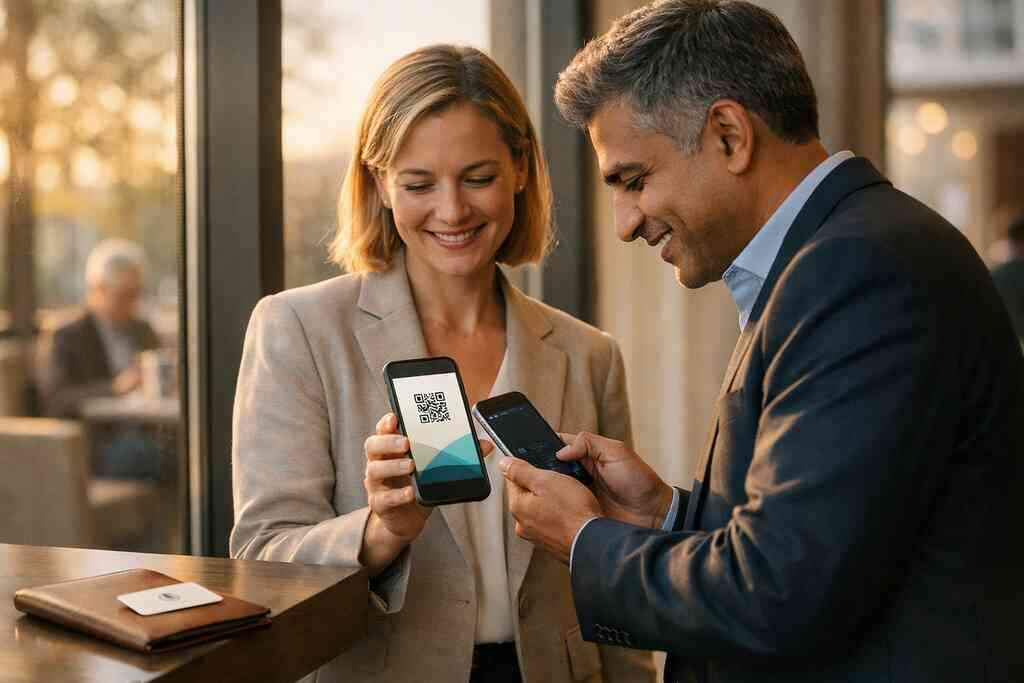
Digital business cards change the moment of exchange. A digital business card lets you share contact info instantly through QR code business cards, NFC business cards, a link, or email. That matters because speed beats volume in real networking. A faster exchange creates a cleaner handoff and a warmer next step.
The practical difference is simple. A paper card waits to be stored. An online business card or virtual business card can be opened, saved, and acted on immediately. That is why many professionals now prefer an electronic business card over a stack of paper cards. It reduces friction. It also looks more intentional.
What ROI really means for sales professionals, real estate agents, freelancers, and small business teams
ROI is not only about saving money on printing. It is about improving the odds that a conversation becomes revenue. For sales professionals, that may mean faster prospect routing and better follow-up automation. For real estate agents, it may mean a cleaner lead capture path after an open house. For freelancers and small business owners, it may mean fewer lost inquiries and a more polished first impression.
Here is the part most people miss. ROI also includes time. If your digital card vs. paper comparison ignores admin work, you are measuring too narrowly. A good virtual card design supports the way you already work. It should shorten your path from meeting to message.
How Long Island networking moments from Hauppauge to NYC make contactless sharing pay off faster
Long Island networking is often fast and crowded. You may meet someone at a Hauppauge mixer, then ride the LIRR into NYC with ten more names in your head. That is exactly where contactless sharing helps. It keeps the exchange clean when your hands are full and your attention is split.
We see this with commuters and local teams across Long Island, New York, Suffolk County, and NYC. A quick scan at a coffee counter in Commack is easier than a pocket search for the right paper card. A digital share also fits the pace of professional networking better. If you want a local example path, our How It Works page explains the flow without the usual jargon.
Which digital business card platform actually earns its keep
Digital business card features that matter and the ones that only look impressive
The best digital business card platforms are not the ones packed with noisy extras. They are the ones that help you create digital business card profiles quickly and share them cleanly. Core features should support a clear business card template, solid digital business card design, and easy contact updates. If a platform is hard to set up, people stop using it.
Useful digital business card features usually include:
- Fast profile editing
- Simple sharing options
- Clean mobile viewing
- Reliable contact saving
- Flexible custom branding
- Basic digital card analytics
Nice-looking tools can still fail if they slow you down. A polished dashboard means little if your contact never receives the card. A smart digital card maker should reduce steps, not add them. That is especially true for teams that need consistency across many users.
NFC business cards versus QR code business cards versus a smart business card in real use
The real comparison is not hype. It is context. NFC business cards work well when the other person’s phone supports tap-based sharing and the environment is quick. QR code business cards are more universal because the code can be scanned on almost any modern phone camera. A smart business card may blend both approaches, which helps in mixed settings.
If you want a deeper technical comparison, our NFC business cards versus QR code business cards guide covers the tradeoffs. NFC follows widely used standards like ISO 14443, and QR uses ISO/IEC 18004. That matters because standards support reliability. Apple’s Core NFC framework also helps explain why tap-to-share can work smoothly on supported devices.
Here is the simple takeaway. QR is broad. NFC is elegant. A smart card may give you both, which is useful when you network in mixed rooms from Suffolk County to Manhattan. If you want to see the mobile side more closely, NFC business cards are worth comparing before you buy.
When a digital card maker needs templates, custom branding, and a clean business card design
A strong digital card maker should help your card look like your brand, not a generic form. That is where digital business card templates and a flexible business card template matter. Your digital business card design should feel simple, credible, and easy to read on a phone. Fancy motion effects rarely help. Clarity does.
A strong virtual card design usually includes your name, title, company, phone, email, website, and one clean action. If you serve corporate teams, consistency matters even more. If you are a freelancer, the design should support personality without clutter. Our templates page is a useful place to look at how structure changes the feel of a card.
What to expect from a digital business card app when sharing contact info has to be simple
A good digital business card app should feel almost invisible. You open it, share, and move on. That sounds basic, but basic is powerful when you are standing in a hallway after a meeting. The app should not make you think hard about the mechanics. If the app requires too many taps, it loses the moment. If the card is hard to find, it loses trust. If the electronic business card exchange feels awkward, the conversation cools. That is why simplicity matters more than flashy visuals. On mobile, fewer steps usually means better follow-through. 
Why analytics, lead capture, CRM integration, and follow-up automation change the math
This is where ROI becomes measurable. Digital card analytics show whether people opened or interacted with the card. Lead capture helps convert interest into usable contact data. CRM integration can move that information into your pipeline faster. Follow-up automation then helps you respond while the conversation is still warm.
If your platform offers these tools, the economics change. A card is no longer just a contact exchange. It becomes a light sales system. For teams that care about tracking and handoff, our features page is the best place to review the concept. If you also want a more detailed ROI model, the digital business card analytics for follow-up ROI resource is a smart next read.
The decision frame that turns a digital card into measurable return
How to choose between free digital business card options and premium digital card plans
Free sounds attractive because free lowers risk. That is fair. A free digital business card can help you test the workflow before paying for anything. But free tools often limit branding, analytics, or team controls. That may be fine for a solo user. It may not be enough for a growing business.
Premium digital card plans usually make sense when your networking is tied to revenue. If you need cleaner branding, better reporting, or team consistency, price becomes easier to justify. The best way to judge digital card pricing is to ask what one saved lead is worth to you. For a side-by-side look, our Pricing & Plans page is the right place to compare options.
What a strong digital card vs. paper comparison looks like before you buy
A serious digital card vs. paper comparison should be practical. Look at speed, updateability, branding, tracking, and ease of sharing. Paper is simple to hand over, but it stops there. A digital business card example can keep working after the meeting ends. That difference matters more than people expect.
FactorPaper cardDigital cardUpdate speedReprint neededEdit instantlySharingIn person onlyLink, QR, NFC, appTrackingNonePossible with analyticsBrandingLimitedHighly customizableSustainabilityUses paperPaperless networkingThere is also an environmental angle. Sustainable business cards fit the values of many modern brands. If your company talks about efficiency, a paperless option supports that message. If you want to see how others frame the switch, Reviews can help you compare expectations without guesswork.
How to make a digital business card that fits LinkedIn, Apple Wallet, and Google Pay sharing
People often ask how to make a digital business card without overcomplicating it. Start with your business card details: name, title, phone, email, website, and one clear action. Then choose a card style that fits how you network. If LinkedIn matters, a digital business card for LinkedIn should make profile sharing easy. If mobile wallet access matters, an Apple Wallet business card or Google Pay card format may be useful where supported.
A simple setup usually works best:
- Pick your branding.
- Add only the contact details that matter.
- Test your share flow on two phones.
- Confirm the card opens cleanly.
- Send it to a friend before using it live.
If you want a guided path, How to Make a Digital Business Card in 2026 for Leads covers the setup logic clearly. The goal is not complexity. The goal is a card that works the moment someone scans it.
Why sustainable business cards matter when paperless networking is part of your brand
Sustainability is not just a marketing line. It can shape how people read your professionalism. Paperless networking signals that you care about efficiency and waste reduction. For many teams, that helps reinforce a modern, organized brand. It also reduces the awkwardness of running out of cards at the wrong time.
There is a brand benefit here too. If your sales team or office uses digital business cards for networking, the message is consistent. You look prepared. You look current. You also remove a small but persistent piece of friction from the relationship. That matters in Long Island, New York, Suffolk County, and NYC, where first impressions often happen fast.
The next move for professionals in Long Island, New York, Suffolk County, and NYC who want better professional networking
If you are still deciding, do not overthink the entire category. Compare the actual workflow. Ask whether the card helps you share contact info faster, follow up sooner, and keep your branding clean. Those three things usually drive the real return.
A real estate agent in Garden City once described the difference well. She said the digital share felt “cleaner in the room and faster after the room.” That is a useful test. It is not about novelty. It is about momentum. If you want a local path forward, our Digital Business Cards for Networking at Labor Day Events page is a helpful place to start.
Frequently Asked Questions
Do digital business cards work without an app?
Yes, many do. Some digital business cards open through a link or QR code in a browser, so the other person does not need your app. That lowers friction and improves adoption. The best setup depends on how you plan to share and what devices your contacts use. If you want the basics, our What Is Digital Business Cards | Digital Online Cards guide explains the format clearly.
Can I customize the design of my digital card?
Usually, yes. Customization is one of the biggest reasons people switch from paper. You can often adjust colors, logos, layout, and the way your details appear. Good design matters because it affects trust and readability. If you are comparing styles, look for strong business card design and branding options before choosing a platform.
Is NFC safe for sharing contact info?
In normal use, NFC contactless sharing is designed for quick data exchange, not sensitive financial data. For contact sharing, it is generally considered practical and safe when used responsibly. The real question is what data you choose to include. Keep it limited to business details unless you have a clear reason to share more. If NFC is part of your plan, review the platform’s sharing flow carefully.
How do digital business cards help with follow-up?
They help because the contact exchange can connect to tracking and automation. If your platform supports analytics, lead capture, or CRM integration, you can move faster after the meeting. That often improves response timing. It also reduces the chance that a contact gets lost in a pocket or notebook. For a deeper look, see our features page.
Are digital business cards better for sales professionals and real estate agents?
They often are, especially when speed and branding matter. Sales professionals want quick follow-up and lead capture. Real estate agents want easy sharing at open houses, showings, and events. A digital card can support both. If that is your use case, the Why Digital Business Cards Work for Real Estate Agents page is a helpful reference point.
What is the best way to start if I am new to digital business cards?
Start simple. Choose one clean card, add accurate contact details, and test the share on your own phone. Then send it to a colleague and make sure it feels easy. That is usually enough to spot problems before you use it at a live event. If you want setup help, our How It Works page is the most direct place to begin.