
Why a paper card fails at the exact moment you need a follow-up
You know the feeling. The meeting went well, the conversation clicked, and then the paper card disappears into a jacket pocket, a conference tote, or the trash. That is the frustrating part of the digital card vs. paper decision: the loss happens after the win. If you are reading this because follow-ups keep slipping through the cracks, that concern is valid. A paper card looks simple, but simple is not the same as reliable.
The real cost of a lost contact after a good meeting
A lost card is not just a lost name. It can mean a missed reply, a slower proposal, or a deal that cools off before you reconnect. We hear this from sales professionals and freelancers all the time. The meeting was strong, but the paper trail was weak. A 2023 Adobe survey found that many professionals have lost a paper card before following up, and that lines up with what people describe in the field.
One client in Suffolk County kept a stack of cards in the car door pocket for months. By the time he needed one, the ink had smudged and the names were mixed up. He had to search email threads and LinkedIn messages just to remember who was who. That is not a networking system. That is a scavenger hunt.
How QR code business cards and NFC business cards fix different networking problems
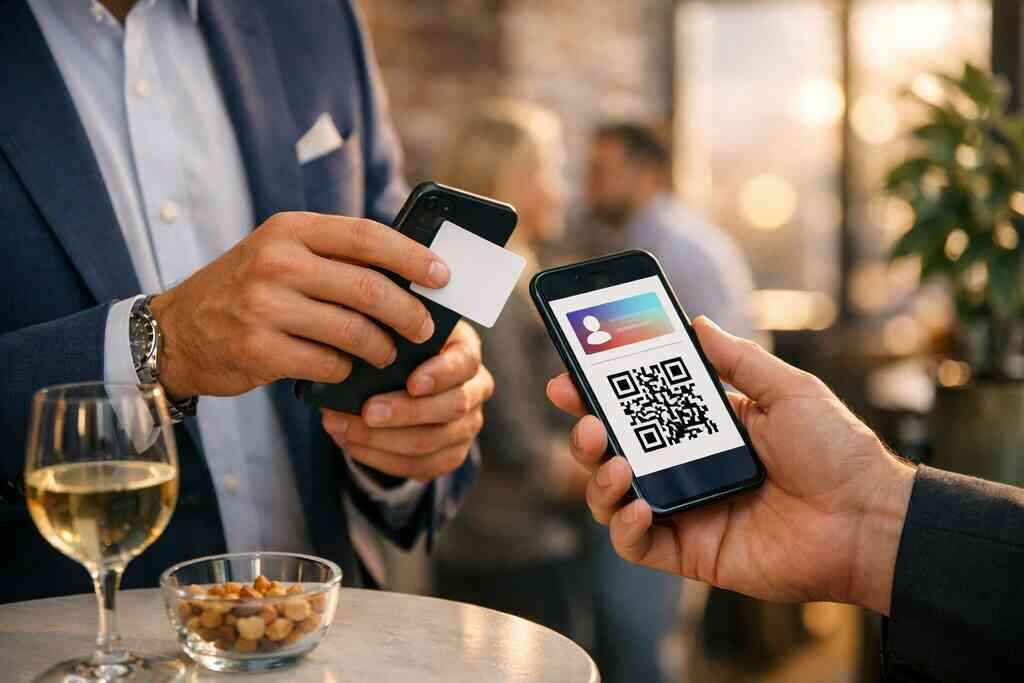
QR code business cards solve the “I need to share now” problem. NFC business cards solve the “I want the fastest possible handoff” problem. Both support contactless sharing, but they work differently in the moment. A QR card gives you broad compatibility and an easy scan path. NFC adds a tap gesture that feels instant when the other phone supports it.
Here is what almost no online guide mentions: the best format is often not about tech purity. It is about reducing friction for the person across from you. If they are older, rushed, or on a locked-down device, QR often wins. If they want speed and their phone is ready, NFC feels smoother.
Why Long Island professionals are shifting from paper card piles to digital business cards
On Long Island, people move between offices, showings, commutes, and networking rooms fast. That is why digital business cards have become a practical tool for paperless networking. In Hauppauge, Commack, and across Nassau and Suffolk, professionals want something they can send without fumbling for a cardholder. They also want an online business card they can update without reprinting a stack.
A digital business card app or platform can support share contact info workflows much better than paper. You can keep one virtual business card current, then share it by scan, tap, link, or email. For many teams, that means cleaner follow-up and less waste. It also supports sustainable business cards without making networking feel overly technical.
QR scan to connect or NFC tap to share: which one actually wins in the field?
The short answer is this: both work, but they win in different environments. QR is the safer universal option. NFC is the faster, more premium-feeling option. The real decision depends on who you meet, what device they carry, and how often you need to share. If you want a balanced approach, many professionals use both in one smart business card setup.
How QR code business cards work with ISO/IEC 18004 and why that matters
A QR code is a machine-readable image built on the ISO/IEC 18004 standard. In plain English, that means phones and cameras know how to read it consistently. You open the camera, point, and the link appears. No app is usually required. That matters because people do not want to stop and install software during a conversation.
A QR-based electronic business card is also easy to print on a badge, display on a screen, or place in an email signature. It fits mobile-friendly networking because almost every modern smartphone can read it. For people comparing a digital business card example against a traditional card, this is often the first feature that makes sense. If you want a simple digital card maker experience, QR is usually the easiest path to start with.
How NFC business cards use tap to share and what ISO 14443 means in plain English
NFC stands for near-field communication. It uses the ISO 14443 standard for short-range data exchange, which means the tap has to be very close. That close range is the point. It creates a fast, intentional handoff with less chance of accidental sharing. On supported phones, the interaction feels almost effortless.
For iPhone users, Apple’s Core NFC framework helps support reliable tap behavior on compatible devices. Android support is broad as well, though the exact experience varies by device and settings. That is why NFC business cards are powerful, but not always universal. A strong NFC tap to share strategy usually includes a QR fallback. In the field, that flexibility matters more than the label on the card.
Where each format feels faster for sales professionals, real estate agents, and freelancers
Sales professionals often like NFC because speed matters in crowded rooms. Real estate agents like both, because showings, open houses, and coffee meetings all create different sharing moments. Freelancers often choose QR because they need something easy to send in chat, email, and social profiles. A digital business card for LinkedIn also pairs naturally with QR, since it keeps the path familiar.
Use caseQR code business cardNFC business cardTrade show floorReliable, visible, easy to scanFast, but device-dependentCoffee meetingEasy for any phoneSmooth if the other phone supports itEmail or chatExcellentNot applicablePremium in-person feelGoodStrongOne Garden City agent told us the first tap was what got attention, but the QR code saved the follow-up with a client using an older phone. That is the real answer in the field. Speed is nice. Compatibility is better. The best system gives you both.
When an online business card is easier to share than a physical smart business card
Sometimes a physical card is not the easiest card at all. If you are jumping between meetings, your phone can act as the source of truth. An online business card is easier when you need to send contact details after the meeting, update job titles, or swap numbers quickly. It is also better for remote intros, client check-ins, and social platforms.
If you are building digital business cards for networking, the digital version often beats the physical one in flexibility. A virtual card design can include social links, a website, and a clean business card template without reprinting. For many people, that is the point where a paperless networking habit starts to feel natural. It is not flashy. It is efficient.
The hidden tradeoffs nobody talks about before they create a digital business card
This is the section most buyers skip, and it causes the most regret. A card can look polished and still fail in practice. The problem is rarely the concept. It is usually the mismatch between device compatibility, design, tracking, and the actual way you work. The best digital business card features should support your routine, not complicate it.
Device compatibility and why some contacts still need a QR fallback
Not every contact will want to tap. Not every phone will behave the same way. Some devices have NFC turned off. Some people simply prefer scanning. Others are in spots with weak signal and need a simple backup method. That is why a QR fallback is not optional for most teams. If you are comparing QR code vs. NFC options, think about the audience first. A digital business card app should make sharing easy across device types. For many professionals, the safest setup is hybrid. That means NFC for speed and QR for universality. It also means fewer awkward pauses when someone asks, “Can you send that another way?” ### Custom branding, digital card design, and why first impressions still matter 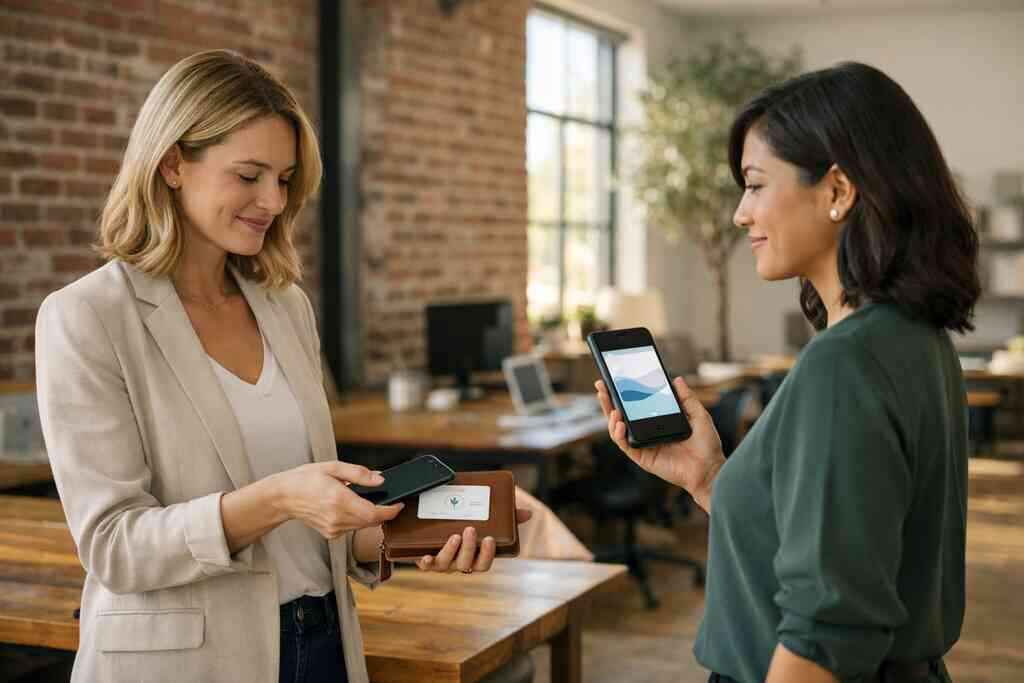
A card is not just a contact container. It is a first impression. Custom branding shapes how the other person remembers you. Colors, typography, logo placement, and spacing all matter. Good digital business card design looks intentional, not crowded.
If you need a cleaner structure, start from a solid business card template or digital business card templates that match your brand tone. Keep the layout simple. Make the name and call-to-action obvious. If you want guidance on structure, custom branding tips for digital business cards in 2026 is the kind of support that helps before you publish. A clean card says you respect the other person’s time.
Lead capture, digital card analytics, and follow-up automation without overpromising
This is where expectations need to stay grounded. Digital card analytics can help you understand engagement, but they are not magic. If a platform shows views, taps, or scans, that data can inform your outreach. It should not replace judgment. Lead capture is useful when it is tied to a real follow-up habit.
The smarter use case is simple. You see engagement, then you send a relevant note. If the platform supports follow-up automation, that can save time. Just do not treat automation as a substitute for good timing and good writing. For a closer look at tracking, how digital business cards use analytics to track follow-up ROI gives useful context without exaggeration.
CRM integration, electronic business card exchange, and the difference between a nice feature and a workflow
A feature is nice. A workflow changes behavior. CRM integration matters because it can move contact details into a system you already use. That reduces manual entry and lowers the chance of a lost follow-up. It also makes the electronic business card exchange more than a novelty.
But here is the part most people miss: integration only helps if your team actually uses it. If the process is clunky, people stop. If it is smooth, people keep using it. That is why CRM integration for digital business cards should be evaluated as part of the daily routine. A nice feature is optional. A workflow is what earns adoption.
From feature check to final decision: what to do before you choose your next card format
At this stage, the choice should feel clearer. You are not buying a trend. You are choosing a sharing system. The best card format fits your audience, your environment, and your follow-up style. If you are in Long Island, New York, or commuting into NYC, that practicality matters even more.
How to make a digital business card that fits your role and your audience
Start with your audience, then build the card around their habits. If you meet people in person often, keep the scan or tap action obvious. If you share remotely, make sure the card works well in email, text, and LinkedIn. If you want a quick setup guide, how to create a digital business card with Digital Business Cards is the kind of resource that helps you move faster.
A strong card usually includes:
- Your name and role
- A clear headshot or brand image
- One primary action
- Phone, email, and website
- Social links only when they matter
- A clean business card details layout
If you want to create digital business card assets that feel polished, keep the design readable on a small screen. Simple wins here.
When to use digital business cards for networking at a Hauppauge mixer or in a Commack coworking space
A loud room changes the rules. At a Hauppauge business mixer, you may have five seconds before the conversation shifts. In that case, NFC or QR both help you stay quick. In a Commack coworking space, the interaction may be calmer, so a short explanation can work. The card should adapt to the room, not fight it.
On the projects we have seen this year, the best results come from people who rehearse the share moment. They know what to say, where to point, and how to confirm receipt. That small habit matters. It makes professional networking feel smoother and less awkward. If you want more local context, Digital Business Cards | Digital and Online Business Cards Guide 2026 fits that use case well.
How Long Island, New York, Suffolk County, and NYC commuters can share contact info faster
Commuters do not have time for friction. If you are moving between Suffolk County, Long Island, and NYC, you need a card that opens fast and sends cleanly. A hybrid digital setup works especially well on trains, in lobbies, and outside meeting rooms. It also reduces the need to carry paper cards that end up wrinkled in a coat pocket.
That is where digital business cards near me searches often begin. People want practical help, not theory. They want a virtual business card, an electronic business card, and a smoother way to share details across locations. That is especially true for teams balancing office time, client visits, and commuter schedules. It is all about speed without sloppiness.
What to compare on pricing, templates, how it works, and NFC digital business cards before you commit
Before you choose, compare the parts that affect daily use. Do not chase features you will never open. Focus on what helps you share, store, and follow up. If you are reviewing options, check the platform’s digital card pricing carefully and compare it with what you actually need.
Use this simple checklist:
- Review the business card template options.
- Check the setup flow on How It Works.
- Compare Pricing & Plans.
- Confirm NFC support on NFC vs QR Code Digital Business Cards: Which Wins in 2026.
- Make sure the design matches your brand.
A free digital business card can be useful for testing. A premium digital card plan may make sense if you need more control. The right answer depends on use, not hype.
The smartest next move for paperless networking and sustainable business cards without overcomplicating it
If you want the cleanest path forward, keep it simple. Choose a format that your audience can use immediately. Add QR as a universal fallback. Use NFC when speed and feel matter. Then build a card that supports follow-up, not just sharing.
That is the real promise of paperless networking. It is not about replacing paper for the sake of it. It is about making every good introduction easier to remember and easier to act on. If you are ready to reduce the pile, update your contact flow, and keep your brand looking sharp, start with one card format and refine from there. You do not need to figure it all out today. Start by comparing your current process with a cleaner digital one, then make one call that moves it forward.
Frequently Asked Questions
Do digital business cards work without an app?
Often, yes. Many digital business cards open through a browser link or QR scan without requiring an app download. NFC cards may also open a profile page directly, depending on the setup. The safest approach is to choose a system that works with common phone behavior and includes a QR fallback. If you want to compare setup styles, How It Works is a helpful place to look.
Can I customize the design of my digital card?
Usually, yes. Most platforms let you adjust colors, layout, logos, profile images, and contact sections. Strong digital business card design matters because it shapes the first impression before someone reads the details. A good design should stay clear on a phone screen and still match your brand. If you care about style and structure, review a business card template before you publish.
Is NFC safe for sharing contact info?
NFC is generally safe for contact sharing because it uses very short-range communication. The other phone has to be close, which reduces accidental exchange. That said, the real issue is not the tap itself. It is what information you choose to share. Keep your business card details limited to what you want visible, and review privacy settings carefully.
What is better for networking, QR code business cards or NFC business cards?
It depends on your audience and setting. QR works best when compatibility matters most. NFC works best when speed and presentation matter most. Many professionals use both because it removes friction in more situations. If you want a deeper comparison, look at a guide on NFC vs QR Code Digital Business Cards: Which Wins in 2026 for a balanced breakdown.
Can digital business cards help with follow-up?
Yes, if you use them correctly. Digital card analytics can show when someone opens or shares your card, which helps you time outreach. Some platforms also support lead capture and automation. Just keep expectations realistic. The card helps you notice interest; your message still has to close the loop.
Are digital business cards useful for real estate agents and sales professionals?
Very much so. Real estate agents need fast contact sharing during showings and open houses. Sales professionals need a smooth way to keep momentum after meetings. A digital card can support quicker follow-up, cleaner branding, and easier sharing across LinkedIn, email, and text. If you work in those fields, best digital business cards for real estate agents in NY 2026 can show how the format fits real workflows.
How do I choose the right platform for Long Island networking?
Look for a platform that fits local habits and your daily routine. If you network in Suffolk County, commute into NYC, or attend Long Island business events, prioritize speed, reliability, and simple sharing. Check the design tools, the setup flow, and whether NFC and QR both work well. For a practical overview, Digital Business Cards | Digital and Online Business Cards Guide 2026 is a smart starting point.