
-
Why a paper card dies at the exact moment a lead is worth capturing
The card looks fine in your hand. Then it disappears into a coat pocket, a tote bag, or a stack on a desk. That is the painful part, and it happens right when the conversation feels promising. If you have ever left a mixer thinking, “I should follow up on that,” you already know the feeling.
At conferences, open houses, and quick introductions, paper fails quietly. A card gets bent. Ink smudges. Someone types your name later and gets one digit wrong. A 2023 Adobe survey found many professionals have lost a paper card before following up, which matches what we hear from business networking on Long Island all the time.
The lost-card problem at conferences, open houses, and quick introductions
The lost-card problem is not dramatic. It is worse than that. It is ordinary. A busy person accepts your card, says they will reach out, and then the moment is gone. That is why digital business cards matter for lead capture.
One agent in Garden City told us a simple story. She met three buyers at one open house, handed out paper cards, and later could not remember which family wanted a follow-up on schools. That kind of mix-up is common. A digital business card keeps the contact path open while the conversation is still warm.
Why smudged ink and pocket clutter break follow-up before it starts
Paper breaks the follow-up process before it even begins. Rain, coffee, and pocket friction all work against you. A digital card vs paper comparison is not just about style. It is about whether the contact survives the day.
Here is the part most people miss. Lead capture is emotional, not just technical. If the other person has to decode your phone number later, the excitement drops. A clean online business card or virtual business card keeps the details usable.
What digital business cards solve that paper business cards cannot
A digital business card does more than replace paper. It lets you share contact info instantly, store details in one place, and create a smoother path to follow-up. That is useful for sales professionals, freelancers, corporate teams, and any small business that depends on speed.
A strong digital business card app also supports paperless networking and sustainable business cards without making the interaction feel cold. You are not handing someone a relic. You are giving them a working contact path. If you want the basics, start with how it works.
How Long Island, New York professionals lose opportunities in fast-moving rooms
Long Island networking moves fast. A Hauppauge business mixer can go from handshake to hallway in seconds. Commack co-working spaces and NYC commuter meetings move the same way. In that pace, a smart business card or electronic business card wins because it keeps up.
We see the same pattern with digital business cards near me searches from Long Island, New York, NY, Suffolk County, and NYC professionals. The room is active. The lead is real. The problem is not interest. The problem is capture. That is why digital business cards work better than paper in NY in practical terms, not just marketing terms.
-
The contactless share that turns one scan into a real conversation
The best lead capture feature is the one people actually use. That is why contactless sharing matters so much. If sharing feels awkward, the lead drops. If it feels natural, the conversation keeps moving. A good digital card maker makes that exchange feel almost invisible.
What we have seen in 2026 is simple: people want speed, clarity, and no app friction. They do not want a lecture. They want the card, the contact, and the next step. A thoughtful digital business card design supports that flow.
QR code business cards versus NFC business cards in real networking
QR code business cards and NFC business cards both solve the same problem. They reduce friction at the moment of interest. QR works well because it is universal and simple. NFC works well because a tap feels effortless, especially in face-to-face settings.
If you want a closer breakdown, see the difference between QR and NFC cards in 2026. QR follows the ISO/IEC 18004 standard. NFC follows the ISO 14443 family, and Apple’s Core NFC framework helps make tap-to-share behavior more reliable on supported devices. That matters when every second counts.
Why scan-to-save contact flows reduce friction at the point of interest
A good scan-to-save contact flow keeps the recipient in motion. They scan. They save. They decide what happens next. That makes the exchange feel useful instead of pushy.
The smartest digital business cards for networking remove the awkward “Can I text you later?” moment. Instead, they let the lead choose email, call, website, or message. That is the kind of frictionless lead collection that supports conversion-focused networking. It also helps with secure contact exchange, because the recipient decides what to store.
What makes instant contact sharing feel effortless on the recipient side
The recipient side matters more than most people think. If they need instructions, they are less likely to act. If the handoff is obvious, they are more likely to save you. A clean electronic business card exchange should feel like a shortcut, not a task.
On a recent weekday, a sales rep at a Suffolk County client event tapped an NFC card, scanned a QR backup, and had the contact saved before the conversation ended. That is the right kind of speed. It feels modern, but not flashy. It simply works.
Where Apple Wallet business card and Google Pay card style sharing fit in
Some professionals like wallet-based access because it keeps contact details nearby. An Apple Wallet business card or Google Pay card style share can be useful when you want your card available without digging through apps. That is especially handy for mobile-first networking.
Not every setup will include wallet support, and we will not guess beyond what the platform lists. Still, the idea is clear. The easier it is to surface your details, the more likely someone is to act. For teams comparing approaches, the best digital business card app for teams in 2026 should always be judged on real sharing speed.
-
The branded profile page that makes strangers remember you after the room empties
A branded profile page does a lot of quiet work. It tells people who you are, what you do, and why you are credible. It also gives them a place to return after the room clears. That matters because memory fades faster than most professionals expect.
An online business card is not only a contact file. It is a trust signal. If it looks thoughtful, people assume the person behind it is thoughtful too. That is where custom branding becomes practical, not decorative.
How custom branding changes the trust level of an online business card
Branding changes the feeling of the card in seconds. Logo, color, layout, and image quality all shape trust. A polished virtual business card can make a stranger feel like they are dealing with a real operation instead of a side project.
The goal is not loud design. The goal is consistency. A digital card design that matches your website, LinkedIn, and outreach builds recognition. If you are creating one now, a good business card template can help you stay clean and consistent.
Which digital business card design choices improve recall and response
Recall improves when your card is simple. Use one primary action. Keep the headline clear. Make the contact buttons obvious. People remember structure better than decoration.
A strong digital business card example usually includes a headshot, title, company name, and one clear call to action. That helps with professional networking because the reader does not have to guess. If your card is cluttered, response drops. If it is focused, response rises.
Why business card template structure matters more than decoration
A business card template should guide the eye. That is more important than animation or fancy graphics. In other words, structure beats sparkle. The best layouts place the most important details first.
Here is a simple comparison:
ElementHelps RecallHelps ResponseClear name and titleYesYesOne primary CTAYesYesOverdesigned visualsSometimesRarelyConsistent colorsYesYesThat kind of structure is especially useful for digital business card templates built for sales and service work. It keeps the path obvious. It also supports a cleaner business card design that does not overwhelm the viewer.
How digital card maker tools support a cleaner virtual card design
A capable digital card maker helps you create digital business card pages that are easy to read and easy to use. That matters because most recipients do not want to think hard. They want to act fast.
If you are asking how to make a digital business card, start with the basics. Fill your profile. Choose a clean layout. Add a direct next step. If you need a model, look at what makes an online business card convert better. That is often where better lead capture starts.
-
The lead capture form that separates curiosity from qualified interest
A contact capture form is where curiosity becomes something measurable. Without it, you only know someone looked. With it, you know they were interested enough to share details. That difference matters for lead generation.
The hard part is restraint. Ask for too much, and people leave. Ask for too little, and you cannot qualify the lead. This is where a smart digital business card feature set earns its keep.
Which contact capture form fields help without scaring people off
The best forms are short. Name, email, company, and a message field are usually enough to start. If the situation calls for more, add it carefully. You want a useful conversation, not an interrogation.
Useful fields often include:
- Name
- Company
- Role
- Preferred follow-up method
That is enough for many small business users. It also keeps the form friendly for freelancers and sales professionals who need speed. A good digital business card analytics page can show which fields actually help.
How prospect qualification works inside a smart business card flow
Prospect qualification is simply sorting serious leads from casual interest. A smart business card can support that by letting people choose what they want next. Do they want a call, a quote, a meeting, or a brochure? The answer tells you a lot. 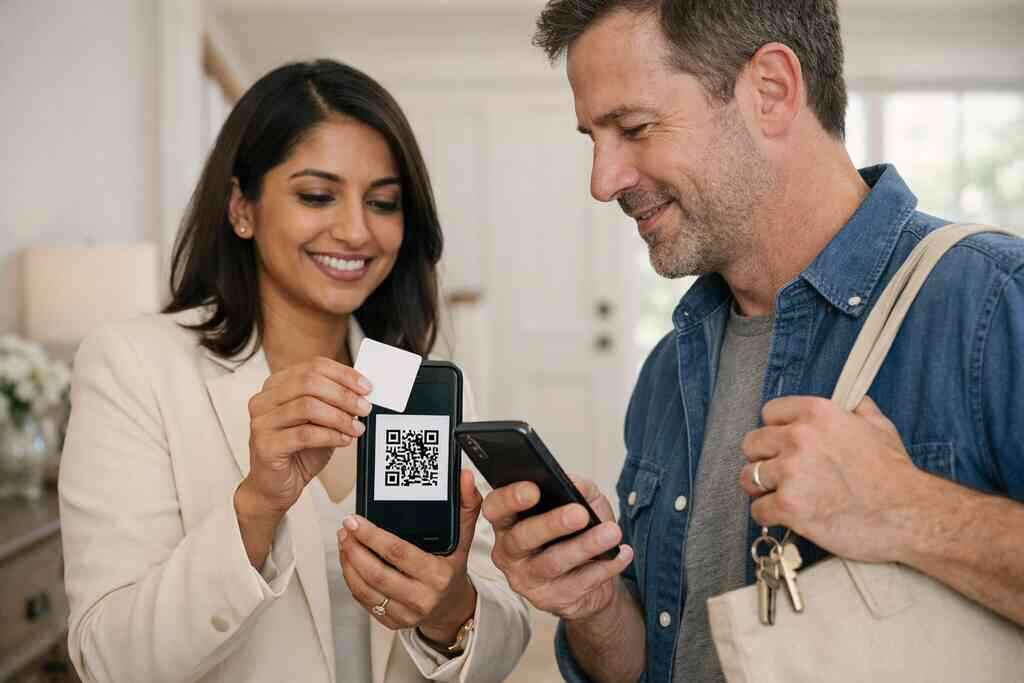
This is useful because not every contact needs the same follow-up. A real estate agent, for example, may want a buyer’s timeline. A freelancer may want scope and budget. A corporate team may want department and project size. That is where the flow becomes strategic.
Why digital card analytics matter when you want more than a save
Digital card analytics show what happened after the scan. Did the card open? Did the person click? Did they submit the form? Those signals tell you whether the lead is warm or just curious. This is the moment where tracking becomes valuable. You stop guessing. You start seeing patterns. If one headline gets more replies, use it. If one button gets ignored, remove it. That is the logic behind digital business card analytics to track lead quality. ### How lead tracking supports sales professionals, freelancers, and small business teams
Lead tracking matters because time is limited. Sales professionals need to know who deserves a call back. Freelancers need to know which inquiries look real. Corporate teams need consistency across multiple reps.
A clean system also helps reduce the “I thought someone else handled it” problem. That is common in busy teams. With good tracking, your next message is based on action, not memory. That is better for everyone involved.
-
When CRM integration and follow-up automation stop leads from going cold
A lead is never more fragile than in the first few hours after contact. That is why CRM integration and follow-up automation matter so much. They keep the conversation moving before interest cools. This is where a digital business card app becomes part of your sales funnel, not just a contact tool.
The mistake we see most often is delay. Someone collects names at an event, then waits until later to enter them. Later turns into tomorrow. Tomorrow turns into never. A better system cuts that gap.
What happens when a digital business card app connects to your pipeline
When a digital business card app connects to your pipeline, the handoff gets easier. A scanned contact can move into the next stage with less manual work. That means less typing, fewer missed details, and a faster response cycle.
If your stack allows it, this can be a huge help for busy teams. You capture the lead once. Then the system carries the basics forward. If you are exploring setup options, how to create a digital business card with CRM integration is the right place to start.
How CRM integration reduces manual entry after events and meetings
Manual entry is the slow leak in most follow-up systems. Someone scribbles a note. Someone else retypes the name. A typo slips through. Then the lead falls into the wrong bucket.
CRM integration reduces that drag. It moves contact details and activity into one place faster. That is especially useful after trade shows, client visits, and local events around Long Island. When you leave Hauppauge or commute back from NYC, the fewer steps you need, the better.
Why follow-up automation helps corporate teams stay consistent
Follow-up automation helps teams stay on message. A new lead can trigger a thank-you note, a meeting prompt, or a useful next step. That does not replace human judgment. It supports it.
Corporate teams benefit because the process becomes more repeatable. No one has to remember every detail. No one has to chase the same contact twice. For a wider look at team use, digital business cards for networking and CRM integration covers the workflow well.
Which digital business cards for networking use cases benefit most from this setup
This setup helps anyone who meets people often. Sales professionals, real estate agents, freelancers, and growing small business teams all gain from quicker follow-up. The more meetings you have, the more valuable automation becomes.
We also see value in mixed environments, where people move between in-person and remote contact. Someone might meet you in Suffolk County, then review your card later on a train into NYC. That is exactly where automation protects momentum. It turns intent into action.
-
The exact feature mix that works for real estate agents, freelancers, and corporate teams
Different roles need different tools. A real estate agent needs speed and trust. A freelancer needs polish and clarity. A corporate team needs consistency and easy sharing. The best digital business card features support all three without making the experience complicated.
That is why feature selection matters more than novelty. You do not need every option. You need the right ones. And you need them to fit the way you actually network.
Why real estate agents need fast share paths and clean branding
Real estate moves fast. So do prospects. A card has to work in the driveway, at an open house, or during a brief hallway conversation. That is why how digital business cards help real estate agents close more is so relevant.
Real estate agents need:
- Fast QR or tap sharing
- Clear branding
- Easy phone and text buttons
- A clean property-friendly profile
- Simple contact capture
A strong digital business card for LinkedIn can also help agents keep their professional presence consistent across platforms.
How freelancers can use a digital card example to look established fast
Freelancers often need credibility before they need complexity. A sharp digital business card example gives that quickly. It shows services, specialties, and contact paths without making the viewer hunt for details.
This is where digital business card templates help. A good template creates structure. Then your work, not your layout, becomes the focus. If you are just starting, a simple electronic business card can look far more established than a paper card ever could.
What corporate teams need from an electronic business card exchange
Corporate teams need consistency. They also need control. An electronic business card exchange should keep the brand aligned across reps. It should also make sharing easy on phones, tablets, and laptops.
For teams, the key question is not only “Can we share contact info?” It is also “Can we do it the same way every time?” That is why team-based tools matter. If you are comparing options, What Is the Best Digital Business Card App for Teams 2026 is worth reviewing.
Which digital business card features matter most for mobile-first networking in Suffolk County and NYC
Mobile-first networking is the norm now. In Suffolk County and NYC, people are constantly moving between meetings, transit, and events. That means your card must be quick, readable, and reliable.
For most users, the most useful features are:
- Contactless sharing
- Digital card analytics
- Custom branding
- CRM integration
- Lead capture
- Follow-up automation
Those are the features that turn a card into a tool. They help with professional networking without adding friction. They also support a better digital business card for LinkedIn presence when someone wants to verify you later.
-
Which platform is worth trusting when the goal is lead capture, not just a pretty card
A beautiful card that does nothing is still a weak tool. You want a platform that helps you capture leads, follow up, and stay organized. That means comparing the best digital business card platforms by function, not by hype.
Start with the basics. Then test the workflow. If the setup feels clumsy, the card will not get used. If it feels simple, people will use it more often.
How to compare the best digital business card platforms without getting distracted
Do not get lost in flashy extras. Compare the basics that affect lead capture. Look at share speed, branding flexibility, analytics, and contact flow. Then ask whether the platform helps you act on the lead.
A practical checklist:
- Easy to create digital business card pages
- Clear digital business card design tools
- Useful digital card analytics
- CRM integration options
- Mobile-friendly sharing
- Simple team management
If a platform struggles with those, move on. If you want to see the broader comparison, Reviews can help you narrow choices.
When free digital business card tools are enough and when premium digital card plans make sense
A free digital business card can be enough for basic sharing. That may work if you only need one card and light use. But if lead capture matters, premium digital card plans may make more sense.
The decision usually comes down to scale and control. If you need analytics, team features, or stronger branding, free tools may feel limiting. If you only need a simple presence, free can be a fine starting point. A clear Pricing & Plans page should help you compare options without guessing.
What to check in digital card pricing before you commit
Do not look at price alone. Look at value per workflow. Ask what is included, what is limited, and what requires an upgrade. That matters more than the monthly number.
Before you commit, check:
- Number of cards or users
- Branding controls
- Analytics access
- Team features
- Support access
- Sharing methods
If a platform hides important details, that is a warning sign. A good service should be clear about its digital business card pricing and what each tier supports.
Why a local business in Long Island should care about support, reliability, and secure contact exchange
Local businesses do not need drama. They need tools that work on a Monday morning and during a Friday event. That is especially true for Long Island teams who move between offices, clients, and commuter-heavy schedules.
Reliability matters because broken sharing kills trust fast. Secure contact exchange matters because people are careful with personal details. And local support matters because fast answers save time. If you are on Long Island and want a practical place to start, a platform built for Long Island SMBs is worth a close look.
You do not need to solve everything today. Start by choosing one use case: events, sales, or team sharing. Then build one card, test one contact flow, and compare how it feels against paper. If you want a cleaner setup, review How It Works and make one small change this week.
Frequently Asked Questions
Question: What makes digital business cards better than paper for lead capture at events in Long Island, New York, NY and Suffolk County?
Answer: Digital business cards help keep contact details available after the conversation ends, which is the main weakness of paper cards. At conferences, open houses, mixers, and quick introductions, a paper card can get lost, damaged, or entered incorrectly later. A digital business card gives people a faster way to share contact info, save your details, and choose the best next step while the lead is still warm. For sales professionals, real estate agents, freelancers, small business owners, and corporate teams, that can make follow-up much easier. It also supports paperless networking and sustainable business cards without making the exchange feel complicated. For a local business in Long Island, that reliability matters because networking often happens in fast-moving rooms where every minute counts.
Question: How does the blog post Top 7 Digital Business Card Features for Lead Capture in 2026 explain contactless sharing with QR code business cards and NFC business cards?
Answer: The blog focuses on contactless sharing because it reduces friction at the moment someone is interested in learning more. QR code business cards and NFC business cards both help with instant sharing, but they work in slightly different ways. QR codes are universal and easy to scan, while NFC business cards allow a quick tap experience on supported devices. Both can support a scan-to-save contact flow that feels smooth and natural. That kind of electronic business card exchange is useful in professional networking because it lets the recipient decide how they want to connect, whether by phone, email, website, or message. Digital Business Cards is designed to make that process simple, so the lead does not cool off before follow-up begins.
Question: What digital business card features matter most for lead capture, lead tracking, and CRM integration?
Answer: The most useful digital business card features for lead capture usually include a branded profile page, a contact capture form, digital card analytics, CRM integration, and follow-up automation. A clear profile page helps people remember you after the meeting. A contact capture form lets you qualify interest without asking for too much information. Digital card analytics can show which cards are being opened and which actions are getting clicks, which helps with lead tracking and prospect qualification. CRM integration can reduce manual entry, especially after events or meetings, and follow-up automation can keep new leads moving through your sales funnel. These features are especially valuable for corporate teams, sales professionals, and small business users who need a more organized way to manage networking and lead generation.
Question: How can a digital business card design and business card template improve branding and response rates?
Answer: A strong digital business card design helps people understand who you are and what to do next. Simple layouts often work best because they make your name, title, company, and main call to action easy to find. Using a business card template can help you stay consistent with your website, LinkedIn profile, and outreach materials, which improves recognition and trust. Custom branding also matters because a polished online business card or virtual business card looks more credible and more memorable. For anyone learning how to make a digital business card, starting with a clean template is usually the smartest approach. It keeps the focus on the business card details that matter most and supports better conversion-focused networking.
Question: Are free digital business card options enough, or should I consider premium digital card plans for better lead capture?
Answer: A free digital business card can be a good starting point if you only need simple sharing and a basic online business card presence. But if lead capture is important, premium digital card plans may be worth considering because they often make it easier to manage analytics, branding, team use, and workflow control. The right choice depends on how often you network, whether you need CRM integration, and whether your team needs a more consistent electronic business card exchange. For a freelancer or solo professional, a free option may be enough to test the process. For sales professionals, real estate agents, or corporate teams, a paid plan can be more practical if it supports better organization and follow-up. The best way to compare digital card pricing is to look at the workflow, not just the monthly number.
Question: Can Digital Business Cards help me create a digital business card that works for LinkedIn, mobile networking, and local Long Island use?
Answer: Yes, the goal is to make it easy to create digital business card profiles that fit modern networking habits, including mobile-first networking and digital business card for LinkedIn use. A well-built card should be easy to share, easy to save, and easy to revisit later. That is especially useful for Long Island, New York, NY and Suffolk County professionals who move between office meetings, client visits, and commuter networking. A digital business card app that supports quick sharing, a clear profile, and contact capture can help people keep your details in one place instead of scattered across paper cards and notes. If you want to compare options, it helps to look at the best digital business card platforms based on ease of use, branding, analytics, and follow-up support rather than flashy extras. That approach usually leads to a more reliable lead capture process and a better overall networking experience.