
Why that paper card in your pocket stops working the moment you need it most
Last Tuesday, a commuter stepped out near Penn Station, reached for a card, and found a bent, coffee-stained corner. That tiny moment can ruin a strong introduction. If you feel frustrated by that, it makes sense. You are trying to look prepared, not dated. Yet paper often fails at the exact moment you need speed.
The moment a wrinkled card, smudged ink, or full wallet ruins a good introduction
A paper card can look polished for seconds. Then it gets folded, lost, or tossed into a bag with receipts. Ink smudges after rain, and tiny fonts become hard to read. That is the real weakness of old-school networking. The card is static, but your work is not.
A digital business card solves that problem by staying usable after the first exchange. It keeps your contact details, links, and brand in one place. That makes the handoff feel cleaner and more professional. It also fits the way people actually connect now, especially at crowded events, client meetings, and quick introductions in Suffolk County. If you have ever fumbled through a wallet while someone waits, you already know the pressure.
What makes a digital business card different from an online business card or virtual business card
People use the terms digital business cards, online business card, virtual business card, and electronic business card almost interchangeably. In practice, they all point to the same idea: your contact details live in a shareable format, not on paper. The difference is mostly in emphasis. A digital card often suggests a complete profile, while an online card can sound like a web-based version of a traditional card. A virtual business card may focus more on remote sharing.
Here is the part most people miss. The value is not just the format. It is the speed of exchange, the ease of updating, and the chance to share contact info without reprinting anything. A good digital business card also supports paperless networking in a way paper never can. That matters if you want your details to stay current after a title change, phone update, or new email.
Why Long Island professionals are switching from paper handoffs to contactless sharing
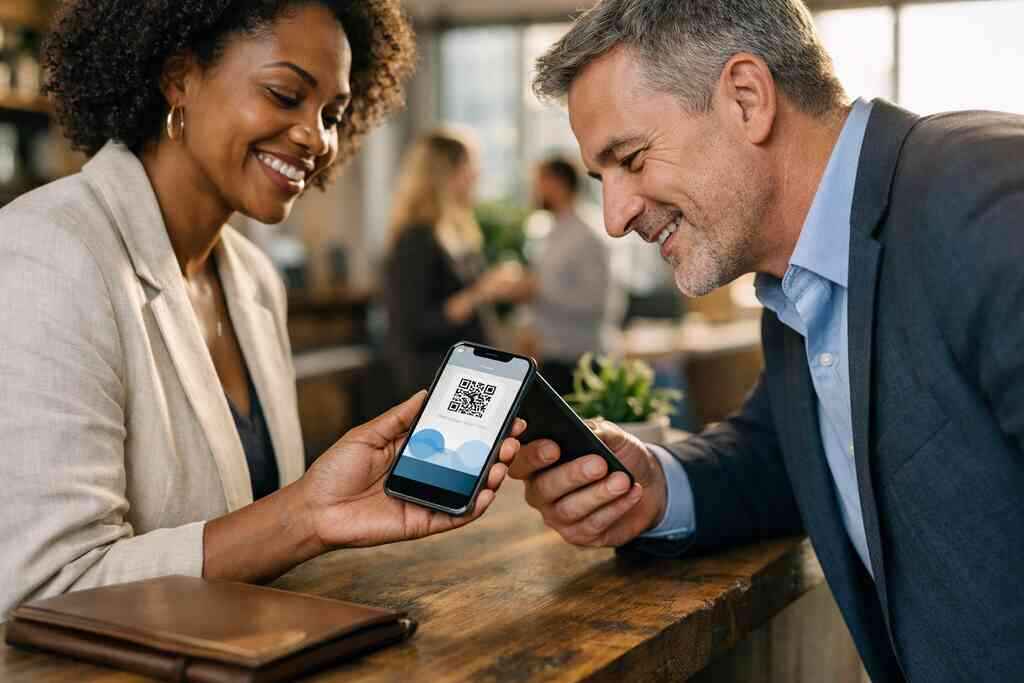
Long Island professionals move fast. They bounce between meetings in Nassau, client calls in Suffolk County, and city trips into NYC. Paper cards do not keep up well with that rhythm. Contactless sharing does. A QR code scan or tap can send business card details in seconds, even in a loud room.
We hear this from sales professionals, real estate agents, freelancers, and corporate teams all the time. The question is rarely, “Should I keep paper?” It is usually, “How do I stop losing follow-ups?” One real estate agent in Garden City told us the card exchange was never the problem. The problem was everything after it. A digital card helped keep the lead in motion after the handshake ended. That is why sustainable business cards and digital business cards for networking are becoming normal, not niche.
What a digital business card actually is when the jargon gets stripped away
A digital business card is a simple tool with a big job. It stores your business card details in one place and lets you share them without paper. That can include your name, phone number, email, website, social profiles, and other useful contact points. The point is not to overwhelm people. The point is to make it easy to reach you later.
How an electronic business card stores business card details in one place
An electronic business card acts like a living contact hub. You update it once, and everyone sees the latest version. That avoids the awkward moment when someone calls an old number or sends mail to the wrong address. It also reduces the risk that a lead slips away because a detail was outdated. For busy professionals, that is a practical advantage.
The best way to think about it is simple. A paper card hands out information. A digital card manages it. That difference matters when your work spans multiple channels, from email to LinkedIn to mobile text. If you want a clear overview, what is a digital business card is a useful place to compare the basic structure with the traditional card format.
Where QR code business cards, NFC business cards, and smart business card tools fit in
QR code business cards, NFC business cards, and smart business card tools are three common ways to share the same profile. QR code business cards use a scannable code that follows the ISO/IEC 18004 standard. NFC business cards use near-field communication, which relies on short-range wireless data exchange. Smart business card is a broader label that can include either method. Each option has its place.
In simple terms, QR code business cards are familiar and easy for most phones. NFC business cards feel faster when tap-to-share works well. Apple’s Core NFC framework helps support that tap behavior on compatible devices, while ISO 14443 underpins many NFC exchange standards. For Long Island networking events, that means you can choose a sharing style that fits your audience. If you want to compare the tap model more closely, NFC business cards explain the practical side well.
The simple flow behind create digital business card and share contact info instantly
The process is straightforward. First, you create digital business card details in a profile. Next, you choose how to share them, usually by QR code, link, or tap. Then the other person opens your card and saves what they need. That is the whole point. No paper trail. No reprint delay.
A good how digital business cards work page should make that flow easy to follow, because confusion kills adoption. Here is a quick example. You meet someone at a Hauppauge business mixer. They scan your card while standing near the coffee table. Before the conversation ends, your contact details are already on their phone. That is contactless sharing doing real work.
The design choices that turn a digital card from a link into a real networking tool
Design changes everything. A digital card can feel forgettable if it looks generic. It can also feel polished, credible, and useful if the layout is intentional. That is why digital business card design matters just as much as the technology behind it. The visual structure shapes first impressions before the first message is even sent.
How digital business card design and business card template choices shape first impressions
Good digital business card design starts with clarity. Your name should be easy to read. Your core contact details should sit where the eye lands first. And the visual rhythm should match your industry, not fight it. A business card template can help you move faster, but it still needs judgment.
The strongest virtual card design feels calm, not crowded. It should look good on a phone screen, because that is where it will live. If you work in a client-facing role, that first screen matters more than most people realize. For a deeper structure, a digital business card template can give you a strong base without making the card feel copied. Keep the hierarchy simple. That is what people remember.
What to include in a digital business card example for sales professionals, freelancers, and corporate teams
A good digital business card example depends on the user. Sales professionals may need direct phone access, calendar links, and quick qualification paths. Freelancers often need portfolio links and service summaries. Corporate teams usually need a cleaner, brand-consistent layout with less clutter. The card should match the job.
A smart business card example usually includes:
- Full name and role
- Mobile phone and email
- Company and website
- LinkedIn or social link
- Clear call to action
- Optional portfolio or service page
If you are in real estate, you may want industry-specific examples that show listings or a short intro. That is where digital business cards for real estate agents can be especially helpful. The right details reduce friction. They also help prospects know what to do next.
Why custom branding and digital business card templates matter for a polished virtual card design
Custom branding does more than look nice. It helps people recognize you faster. Colors, logos, fonts, and image choices all shape trust in small but meaningful ways. Digital business card templates are useful because they save time. However, they still need your brand voice to feel authentic.
Here is what almost no online guide mentions. A card that feels too empty can look unfinished. A card that feels too busy can look desperate. The sweet spot is a clean layout with enough personality to feel memorable. If you want a faster setup path, how to create a digital business card can help you get the structure right without overcomplicating the build. That matters whether you are a freelancer or a corporate team lead.
When the paper card loses and the digital version keeps the conversation moving
Paper cards still have a place, but the comparison is not close in active networking. A digital card keeps the contact exchange alive after the introduction ends. It gives the other person a fast way to act while interest is still fresh. That difference matters in real life, not just in theory. On a busy trade floor, seconds count.
Digital card vs paper card in real networking moments at meetings, mixers, and trade events
The digital card vs paper card debate usually ends in the same place. Paper is passive. Digital is active. A paper card can be handed out, but it cannot respond, update, or guide someone to the next action. A digital card can do all three. That is why it works better at meetings, mixers, and trade events. 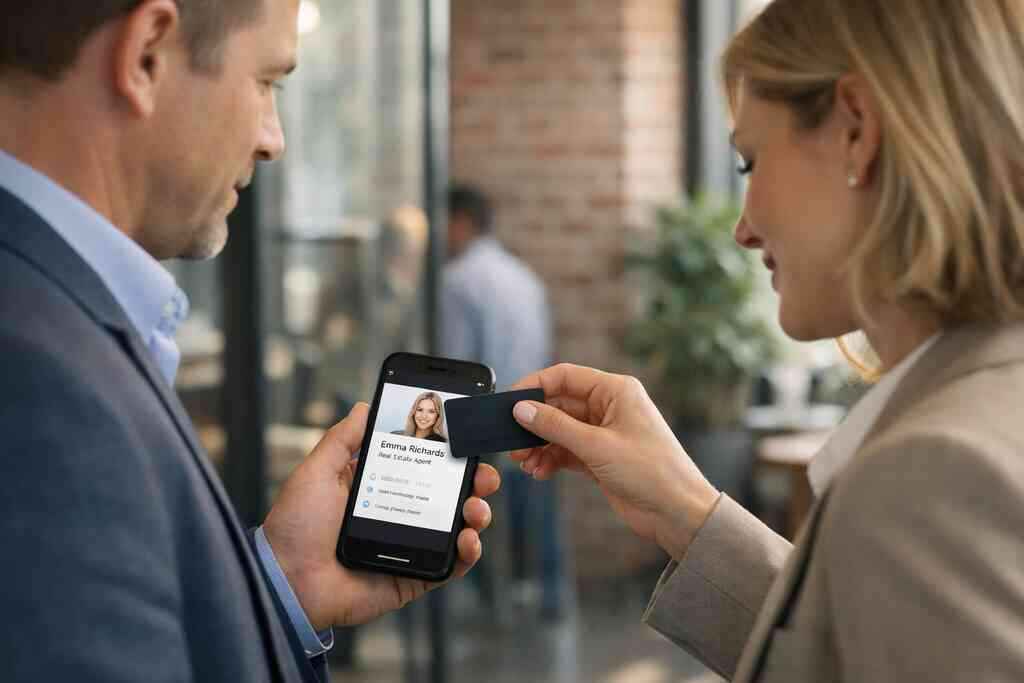
FactorPaper CardDigital CardUpdate speedReprint neededUpdate onceSharingPhysical handoffQR, link, or tapFollow-upManualEasier to trackSustainabilityUses paperMore paperlessReachOne person at a timeEasy to resendThe local reality matters too. At a Commack co-working space, you may meet five people in one hour. At a Manhattan meeting, you may meet ten. A card that survives those moments without stuffing your pocket is simply easier to use. If you want a direct comparison, digital business card vs paper card gives you a grounded view.
Why paperless networking helps small business owners, real estate agents, and NYC commuters stay ready
Paperless networking is not just trendy. It is efficient. Small business owners need simple tools. Real estate agents need fast sharing. NYC commuters need cards they can access on the move. A digital system supports all three.
One client who split time between Long Island and Midtown kept missing follow-ups because paper cards got buried in a tote bag. After switching to a virtual business card, the exchange became immediate. The person could open the card, save the contact, and move on. That sounds small. It is not. In practice, it means fewer lost opportunities and less friction after the meeting. If you are looking at local use, paperless networking on Long Island shows how this fits the market here.
How digital card analytics, CRM integration, lead capture, and follow-up automation can support better outreach
This is where digital tools start paying for themselves. Digital card analytics can show when people open or interact with your card. CRM integration helps move those contacts into a sales workflow. Lead capture collects relevant details without manual typing. Follow-up automation keeps the conversation moving without delay. These tools do not replace good outreach, but they support it well.
If you want to measure results, start with digital business card analytics before assuming the card is just a fancy link. GDPR considerations also matter if you store or process shared contact data across regions. That is a reminder to think carefully about consent and data handling. The best setup is useful, simple, and respectful of privacy.
What to do next if you want a digital business card that fits your work and your market
The right card depends on your goals. A salesperson, an architect, and a startup founder will not need the same layout. That is normal. The best setup feels tailored without becoming difficult to manage. Start with your audience, then build around the actions you want them to take.
How to make a digital business card that matches your goals and your industry
To make the card useful, ask three questions. What do you want people to do after they meet you? What details matter most to them? What should they see first? Those answers shape the build better than any trend list. They also keep the card focused.
Use this simple checklist:
- Clarify your main goal
- Choose your primary sharing method
- Add only the most useful contact details
- Match the visual style to your brand
- Test the card on a phone before sharing it
If you want a practical setup path, how to create a digital business card keeps the process simple. That is especially useful if you are new to digital card maker tools. Keep the friction low. That is what makes the card stick.
When to compare free digital business card options with premium digital card plans and pricing page details
A free digital business card can be enough for basic sharing. It may help you test the format before committing. Premium digital card plans usually make more sense when branding, organization, or team use becomes important. The decision is less about hype and more about fit. You need to match the tool to the work.
Before choosing, review the digital card pricing page details carefully. Look for the differences that matter to you, not just the headline. If you need team consistency, custom branding, or more advanced workflows, the paid path may be more practical. If you want to compare options directly, digital business card pricing and plans is the right place to start. Just avoid assuming every platform offers the same digital business card features.
Which setup path makes sense for Long Island, New York users looking at networking, LinkedIn sharing, and local business growth
For Long Island, New York users, the best path is usually the one that supports repeat use. If you network in Suffolk County, commute into NYC, or meet prospects through LinkedIn, consistency matters. A digital business card for LinkedIn can bridge online and offline networking cleanly. That helps when a contact wants to save you now and follow up later.
If you are comparing platforms, focus on best digital business card platforms only after checking what you truly need. Do you want simple sharing, or do you want deeper workflow support? Do you need an Apple Wallet business card or Google Pay card option? Are you building for solo use or for corporate teams? These questions shape the answer. For local context, digital business cards in Long Island is worth a look if you want a regional lens. You do not have to overhaul everything today. Pick the setup that makes your next introduction easier, and let that momentum do the rest.
Frequently Asked Questions
Do digital business cards work without an app?
Yes, many digital business cards work through a link or QR code, so the other person may not need an app. Some platforms also support tap-to-share through NFC business cards. That said, the exact experience depends on the provider and device. Always check the platform details before you choose. If you want setup clarity, the How It Works page is a good reference.
Can I customize the design of my digital card?
Usually, yes. Most digital business card templates let you adjust branding, colors, logos, and contact details. The level of control depends on the platform. If you want the card to match your business card design or personal brand, custom branding matters. A polished layout makes a stronger impression than a crowded one.
Are NFC business cards safe for sharing contact info?
NFC business cards are generally safe for basic contact sharing because they use short-range communication. They do not broadcast your data broadly. Still, you should understand what information is stored and shared. Good privacy habits matter, especially if you collect leads or store contacts. For a practical breakdown, review the platform’s NFC details before use.
What should I include in a digital business card example?
Include the details people need to reach you quickly. That usually means your name, role, phone number, email, company, and website. You can also add LinkedIn, a portfolio, or a call to action. Keep it clean. A digital business card example should help someone contact you, not make them hunt for the right button.
Is a free digital business card enough for networking?
A free digital business card can be enough if you only need basic sharing. It works well for testing the format or networking casually. However, if you need custom branding, team use, or deeper tracking, premium digital card plans may fit better. Compare the pricing page carefully before deciding.
How do I make sure my card works for LinkedIn and mobile sharing?
Test the card on your own phone first. Then open it from a desktop, a mobile browser, and, if relevant, LinkedIn. Make sure the links are easy to tap and the business card details load fast. If you work across Long Island and NYC, this matters even more. A smooth share today can save you several follow-up headaches later.