
When a paper card gets lost before the follow-up, what sales teams actually lose
A sales card slips into a coat pocket. It bends, smudges, and disappears under receipts. Then the follow-up never happens, and the lead quietly cools. If that has happened to you, the frustration is real. It is not just about paper; it is about momentum.
The quiet cost of smudged ink, bent corners, and cards that vanish after events
Most people think a lost card is a small problem. In practice, it often means a lost conversation, a lost calendar reminder, and a lost chance to stay top of mind. A 2023 Adobe survey reported that many professionals have lost a paper card before following up, which matches what sales teams feel every week. Paper is fragile after a trade show, a jobsite visit, or a long day of back-to-back meetings. It also leaves you guessing who still has your details.
Here is the part most teams miss. A paper card does not tell you whether someone used it, saved it, or ignored it. That silence makes follow-up slower and less precise. By the time you notice the gap, the buyer may already be talking to someone else. That is why many sales professionals now compare digital business cards and paper cards as a pipeline issue, not a stationery issue.
One rep from a Hauppauge business mixer told us he left with a full pocket and an empty CRM. The cards were there. The contacts were not. By Monday, half the names were unreadable, and two promising conversations were already buried in email clutter. That is a common story for sales team networking in busy, high-volume environments.
Why a digital business card changes the handoff from memory to measurable contact sharing
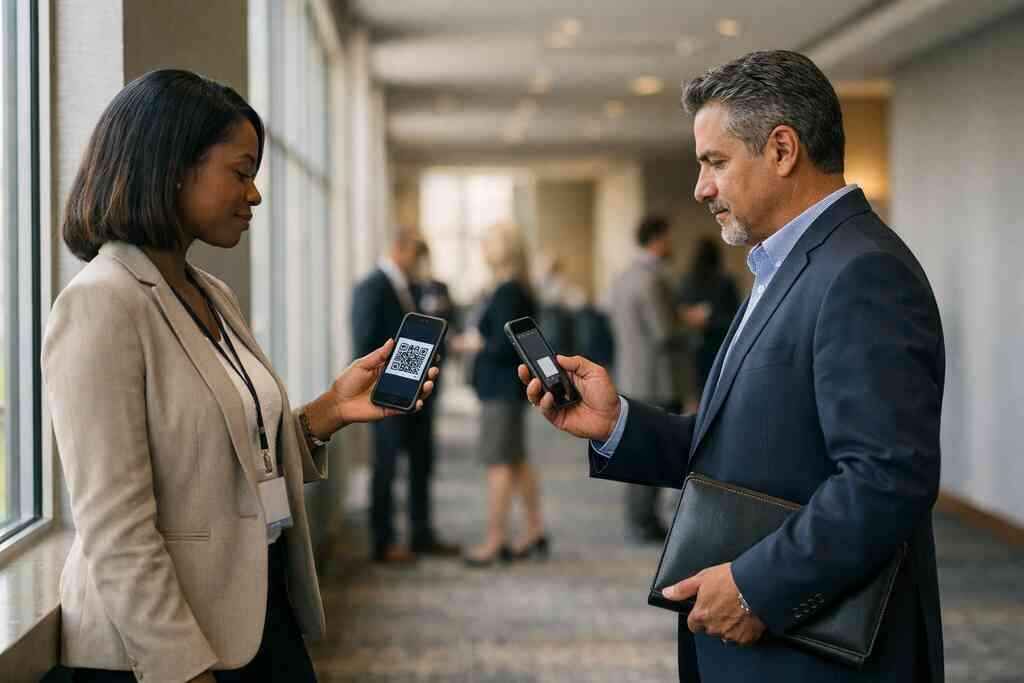
A digital business card changes the handoff from physical exchange to instant contact transfer. Instead of handing over something someone must store, you share a digital card they can save immediately. That makes contactless sharing easier, faster, and more reliable. It also supports paperless networking, which matters when you meet dozens of people in a day. In simple terms, the card stops being a souvenir and becomes a usable contact path.
A strong online business card or virtual business card can also reduce friction during busy introductions. You do not need to hunt for a pen. You do not need to worry about bent corners. You just help the other person share contact info in a way they can act on quickly. For many sales professionals, that is the real win.
If you want a practical overview of the process, the company’s page on how digital business cards work for contactless sharing is the clearest place to start. It explains the basic flow without making the process feel technical. That matters, because salespeople do not need more complexity. They need less.
What Long Island, New York sales reps face at mixers, site visits, and commuter-heavy meetings
Long Island sales work has its own rhythm. You may be moving between Suffolk County offices, Garden City client meetings, and NYC commuter-heavy appointments in the same week. Add a parking lot conversation, a site visit, and a crowded networking room, and paper starts to show its limits. Wind, weather, and movement are not kind to paper cards. Neither are long days.
We hear this from teams across Long Island, New York, especially those who split time between the island and Manhattan. One real estate agent in Garden City shared a card at a showing, then followed up from the driveway using a digital share instead of waiting until she got back to the office. That simple shift kept the conversation warm. It also removed the usual excuse: “I’ll enter that later.” Later often means never.
For reps who search digital business cards near me, the local advantage is simple. You need a tool that matches how you actually sell in Long Island, NYC, and surrounding markets. Digital business cards for networking work well because they travel with you, not in your briefcase. That is a practical edge, not a trendy one.
Why the digital card vs paper debate is really about speed trust and pipeline control
The real debate is not paper versus digital. It is speed versus delay. It is trust versus forgetfulness. It is whether your networking system helps you control the pipeline or leaves it to chance. Sales teams feel that difference quickly. You usually do not need a long trial to see it.
QR code business cards and NFC business cards compared in real selling moments
QR code business cards and NFC business cards solve the same problem in different ways. QR is simple, visible, and widely understood. NFC is quick, elegant, and built for tap-to-share moments. Both can support an electronic business card exchange without the awkwardness of spelling out a name twice. For many teams, the best choice depends on the setting.
OptionBest use caseStrengthWatch-outQR code business cardsEvents, open networking, printed displaysEasy to scanRequires camera accessNFC business cardsFast in-person handoffFast tap-to-shareNot every device handles it the same wayPaper cardsBackup useFamiliarEasy to lose or damageIf you are comparing tech more closely, the company’s post on QR code and NFC business cards compared is a useful reference point. It keeps the conversation grounded in actual sales moments. That is where the decision should be made, not in theory.
A QR code follows the ISO/IEC 18004 standard, which is one reason it is so widely recognized. NFC commonly relies on standards such as ISO 14443 for short-range data exchange. On Apple devices, tap experiences often relate to the Core NFC framework. None of that matters to your prospect in the moment, but it matters to reliability. Reliable tools feel invisible.
How a smart business card supports mobile-first networking without extra friction
A smart business card should fit the way people actually network now: on phones, in hallways, outside meeting rooms, and between calls. That means the experience has to be simple. If someone needs three steps, you lose the moment. If they need an app they do not want to install, you lose more time. The best tools reduce work on both sides.
That is why mobile-first networking matters so much for sales professionals, freelancers, and corporate teams. People are already checking calendars, directions, and emails on their phones. A digital business card app should meet them there. It should help them save your contact without creating a new chore. That is especially helpful at crowded Long Island events and quick NYC handoffs.
A smart setup can also support instant contact sharing across channels. Some people prefer a QR scan. Others prefer a link in text or email. Some want a tap. A flexible digital card maker gives you options without forcing one behavior on everyone. That flexibility matters when your audience ranges from small business owners to enterprise buyers.
Where digital card analytics lead capture and CRM integration can help a sales team stay organized
This is where digital pulls ahead for many teams. A paper card cannot tell you what happened next. A digital system may provide digital card analytics, which can help you see interaction patterns more clearly. That makes lead capture and follow-up automation easier to manage. It also helps sales managers coach better, because they can see what is actually being used. If your process includes CRM integration, the value increases again. Contact details can move into your system faster, and that reduces manual entry errors. It can also support cleaner tagging and faster response times. For teams that live inside pipelines and dashboards, this is not a minor detail. It is the difference between organized follow-up and scattered notes. If analytics and CRM matter to your workflow, the company’s guide on digital business card analytics for lead follow-up is worth a look. So is any internal process review around data handling. If you store or track shared contact details, think about privacy carefully. GDPR principles are a helpful reminder even for U.S.-based teams that work with international contacts. 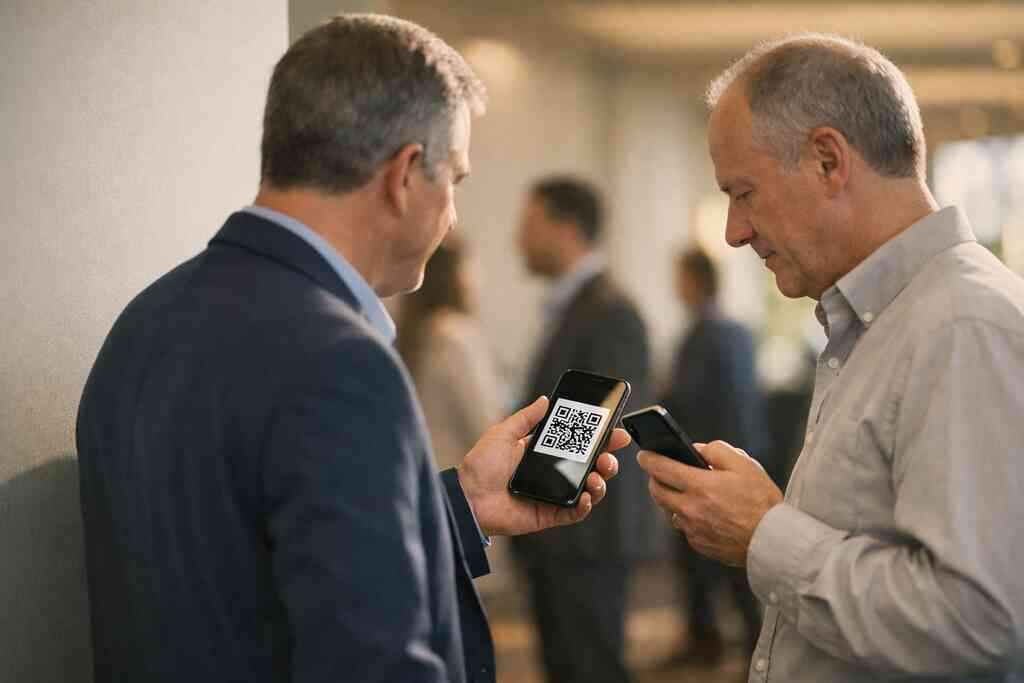
What custom branding and business card design say before the first pitch lands
People judge the handoff before they judge the pitch. That is why custom branding and business card design matter so much. A sharp digital business card design signals order, professionalism, and attention to detail. A messy one signals the opposite. You do not get a second chance to make the first exchange feel credible.
Think of it as visual shorthand. Your business card details should be easy to read. Your virtual card design should reflect your brand without cramming every inch. A clean business card template can do more for trust than flashy colors ever will. The same is true for digital business card templates. Good structure sells calm.
If you are building around brand trust, the article on business card design for brand trust gives a helpful framework. The point is not to look fancy. The point is to look dependable. In sales, those are different things.
The decision that turns networking into a system instead of a stack of cards
The smartest sales teams stop treating contact exchange like a side task. They turn it into a system. That means choosing tools with a plan, not just a preference. It also means knowing when digital should lead and when paper can still play a backup role. The goal is not novelty. The goal is repeatable follow-up.
When a digital business card app makes sense for sales professionals freelancers and corporate teams
A digital business card app makes sense when you need speed, consistency, and a cleaner follow-up process. That is true for sales professionals who live in meetings, freelancers who network constantly, and corporate teams that need a unified look. It is also useful for small business owners who want fewer loose ends. If your contacts are scattered, your sales process usually is too.
The best use cases are easy to spot. You meet new prospects often. You want fewer manual updates. You care about digital contact management and better organization. You need a card that works whether you are at a conference, a client site, or a coffee shop in Commack. That is where digital has a real advantage.
Some teams also look for a free digital business card before moving into premium digital card plans. That can be a sensible way to test the workflow. Just make sure you understand what is included and what is not. If you want to compare options, the company’s digital business card pricing and plan options page is the place to review current details carefully.
How to make a digital business card that fits real world selling on Long Island and in NYC
If you want to know how to make a digital business card, start with the real job it must do. It should help people save you fast. It should make your contact easy to trust. It should work well in bright rooms, rushed hallways, and mobile-heavy environments. That is the standard, not decoration.
A practical build usually starts with a clear photo, accurate title, current phone number, email, and key links. Then you decide how you want to create digital business card details around your role. Some people add a digital business card for LinkedIn so prospects can review their profile later. Others focus on one main action and keep the rest minimal. Less clutter often converts better.
For people who want a simple workflow, the company’s how to create a digital business card guide offers a clean starting point. If you work across Long Island and NYC, design for quick scanning and easy mobile reading. That is what supports real selling, not what looks clever on a desktop.
What to check on /templates/ /pricing/ /features/ and /how-it-works/ before you choose a platform
Before you choose a platform, check four things. First, review the digital business card templates or business card template options. Second, look at the digital card pricing page and understand the difference between basic and premium access. Third, review the digital business card features carefully. Fourth, read the setup flow so you know how the system actually works. That order keeps you grounded.
A quick checklist helps:
- Does the template match your brand?
- Can you update details without support tickets?
- Does the platform explain sharing clearly?
- Are analytics or follow-up tools included, if needed?
- Can your team stay consistent across users?
If you want to compare setup, the company’s how it works page and templates page are worth reviewing together. You should never buy a tool just because it sounds modern. You should buy it because it fits your process. That is how sales teams stay sane.
When paper still has a place and when virtual business cards should take over the follow-up
Paper still has a place. It can work as a backup at large events, especially if a venue has poor connectivity. It can also help teams that need a familiar handoff during a transition period. But paper should not be your main follow-up system if speed matters. That is the honest answer.
Virtual business cards should take over when you want cleaner contact capture, better organization, and less lost opportunity. They are especially strong for digital business cards for sales teams in Long Island that move fast between office parks, client sites, and city meetings. They also fit remote-friendly teams and those who care about sustainable business cards. Less waste is a real benefit, not just a nice one.
The question is not, “Can digital replace paper?” The better question is, “Where does paper still earn its keep?” For many teams, the answer is limited. For most follow-up, digital wins on speed, trackability, and convenience. If you want a working example, explore the company’s simple onboarding flow and compare it to how your team currently shares contact details. Then decide what should be automatic.
A final note for privacy-minded teams: if you capture shared contacts, keep your storage practices clear and consent-based. That is especially important when buyers may be in multiple regions. Trust is part of sales, and trust includes handling data responsibly.
You do not need to overhaul everything this week. Pick one rep, one event, and one workflow. Test a digital handoff at your next Long Island meeting or NYC appointment, then compare how many follow-ups actually happen. If the process feels smoother, it probably is. And if you want to keep it simple, start by reviewing digital business cards for sales teams in Long Island.
Frequently Asked Questions
Question: Can Digital Business Cards replace paper cards for sales teams in Long Island, New York and NYC?
Answer: Yes, for many sales professionals they can replace paper cards for everyday networking and follow-up. A digital business card makes it easier to share contact info instantly, reduce lost cards, and keep your details accessible after meetings, site visits, mixers, and conferences. For teams working across Long Island, Suffolk County, and NYC, that can mean smoother paperless networking and better organization. Paper can still be useful as a backup, but if your goal is faster contact capture and cleaner follow-up, a digital card often offers a stronger workflow than a traditional paper card.
Question: What is the difference between QR code business cards and NFC business cards for professional networking?
Answer: QR code business cards and NFC business cards are both forms of electronic business card exchange, but they work a little differently. QR code business cards are scanned with a phone camera, which makes them simple and widely familiar. NFC business cards allow a tap-to-share experience, which can feel very quick in one-on-one introductions. For professional networking, both options can support contactless sharing, but the best choice depends on how your team meets people. If you spend time at events, open networking sessions, or busy sales meetings, a digital business card platform that supports flexible sharing can help you adapt to the moment instead of relying only on paper.
Question: How do digital business cards help with lead capture and follow-up automation for sales professionals?
Answer: Digital business cards can help sales professionals move from a quick introduction to a more organized follow-up process. Instead of hoping a paper card survives the day, a digital business card can make it easier for prospects to save your details right away. Depending on the platform, digital card analytics may also help you see when people interact with your card, while CRM integration can reduce manual entry and support lead capture. That is helpful for corporate teams, freelancers, and small business owners who want a more consistent system. While features can vary by provider, the overall advantage is clear: digital tools can make follow-up more timely, more structured, and less dependent on memory.
Question: What should I look for in a digital business card app or digital card maker before I choose one?
Answer: Start with the basics. A good digital business card app or digital card maker should make it easy to create digital business card details, share them quickly, and keep your business card details up to date. Review the digital business card templates, business card template options, and digital business card design tools to see whether they fit your brand. Custom branding matters because it helps your online business card feel professional and consistent. You should also check whether the platform explains its sharing process clearly and whether it supports the kind of networking your team actually does. If pricing is important, review the digital card pricing page carefully so you understand whether there are free digital business card options or premium digital card plans, without assuming features that are not listed.
Question: How do I make a digital business card that works well for sales teams using digital business cards for networking?
Answer: The best way to make a digital business card is to keep it simple, clear, and easy to use on mobile. A strong digital business card should include accurate contact details, a clean profile image, and any links that help prospects connect with you later, such as a digital business card for LinkedIn. Good virtual card design should make it easy to scan, tap, or open on a phone without clutter. For sales teams, the goal is not just a polished look, but a smooth handoff that supports instant contact sharing and paperless networking. If your team works in Long Island, NYC, or surrounding New York markets, a digital card that is easy to use in real-world selling situations can help keep conversations moving after the first meeting.