

Why your follow up gets ignored after the handshake
You left the event feeling good. The conversation clicked, the handshake was firm, and the card exchange felt smooth. Then the card went into a pocket, a notebook, or a laptop sleeve. By Monday, the details were fuzzy, and the reply never came. That silence feels personal, but it usually isn’t.
Most people do want to respond. They just lose track of your details before they act. A paper card can bend, smudge, or disappear under receipts. A digital business card keeps the contact path open, so the follow-up starts from memory, not guesswork. That is a small shift, but it changes everything.
Here is the part most people miss. Follow-up failure is often a systems problem, not a writing problem. If your contact details vanish, even a strong message gets buried. That is why paperless networking matters so much for sales professionals, freelancers, and small business owners.
The hidden cost of paper cards that end up in a jacket pocket
Paper cards look simple, but they create friction fast. The recipient has to type your email, save your number, and remember why you met. That extra work matters. A 2023 Adobe survey found that many professionals had lost a paper card before following up, and that is no surprise after a crowded mixer.
One client at a Hauppauge business event told us his stack of cards sat in his coat for two weeks. By the time he opened it, three names were unreadable because of coffee stains. That is the hidden cost. You lose momentum, and momentum is often the whole point of professional networking.
Why a digital business card keeps contact details from getting lost
A digital business card removes that delay. Instead of handing someone a card to store, you let them save your details instantly. That can happen through QR code business cards, NFC business cards, a link, or email. The contact reaches the phone before the conversation fades.
A strong online business card setup also supports email contact retention. The recipient does not need to interpret messy handwriting or retype anything. They can open your profile, share contact info, and act later. That is why virtual business card exchange feels cleaner than the old paper shuffle.
What Long Island professionals notice after busy mixers in Hauppauge and Commack
Long Island professionals feel this problem quickly because local networking can move fast. In Hauppauge, people often meet in large rooms with constant movement. In Commack, New York, conversations start and stop between meetings. When the room is busy, paper cards get mixed together.
We hear this from clients almost every week. The ones who switch to digital business cards notice fewer dead ends. A real estate agent in Garden City once said her contacts stopped “disappearing into the car console.” That is practical, not dramatic. In Long Island, New York, where people commute, juggle meetings, and answer email on the move, easy access wins.
What makes the best email marketing follow up actually work
The best email marketing follow up is not about sounding clever. It is about being clear, timely, and easy to reply to. Your goal is simple: remind the contact who you are, why you connected, and what happens next. A solid email-follow-up strategy respects attention while making action effortless.
The strongest messages feel like a continuation, not a pitch. They reference the conversation, the context, and the next useful step. That is why B2B lead nurturing works better when it feels human. You are not asking for a decision right away. You are preserving the thread.
The timing window that matters after a networking meeting
Timing does more than most people think. If you wait too long, the meeting becomes vague. If you send too soon, the message can feel automated. The sweet spot is usually soon enough that the conversation is fresh, but not so fast that it feels scripted.
What we have seen in 2026 specifically is that follow-up works best when it feels tied to the event itself. Mention the mixer, the panel, or the shared topic. If you met at a Long Island networking event, say so. The right post-networking follow-up sounds like memory, not machinery.
How subject lines change open rates without sounding pushy
Subject lines should help the person remember you. They should not pressure, chase, or perform. A plain subject line usually beats a flashy one because it feels safe. You want recognition first, curiosity second.
Try subject lines like these:
- Great meeting you at the Hauppauge mixer
- Following up on our conversation about lead capture
- Here is the digital card I mentioned
- Nice connecting through Long Island networking
These are simple, but they work because they lower resistance. A good subject line is a door, not a billboard. If you are sending the best email marketing follow up for digital business cards, keep the tone direct and specific.
Why one email is rarely enough for sales professionals and freelancers
One email often gets buried. That is normal. Sales professionals and freelancers compete with inbox noise, client requests, and calendar changes. A single message rarely carries enough weight to turn interest into action.
A short sequence works better. The first email thanks them and resets the conversation. The second adds value. The third gives a simple next move. That rhythm respects busy people while keeping you visible. It also supports appointment booking follow up without sounding desperate.
How a digital business card turns a simple share into a cleaner lead capture system
A digital business card is more than a modern replacement for paper. It is a cleaner lead capture system. Instead of relying on memory or manual entry, you create a direct path from introduction to follow-up. That is the real advantage.
The best systems do two jobs at once. They make sharing easy, and they make storing contact details easier. That matters for corporate teams, small business owners, real estate agents, and freelancers alike. If your contact data is cleaner, your follow-up is stronger.
Using QR code business cards and NFC business cards for contactless sharing
QR code business cards and NFC business cards both support contactless sharing. QR works well because almost every phone can scan it. NFC works well because a tap can feel instant and smooth. Both support paperless networking without extra friction.
For QR, the underlying standard is ISO/IEC 18004. For NFC, tap-to-share reliability depends on hardware support and established frameworks, including Apple’s Core NFC framework for compatible devices. If you want a deeper comparison, QR code business cards and contactless sharing is a useful place to start. If you prefer tap-based exchanges, NFC business cards for paperless networking may fit your style better.
What a virtual business card can carry beyond a name and phone number
A virtual business card can hold far more than basic business card details. It can include your title, website, social links, service areas, and even a business card example tailored to your role. For LinkedIn-heavy networking, that matters. You do not want someone to guess how to find you later.
Depending on the platform, a smart business card may also support digital business card design, custom branding, and direct paths to a digital business card for LinkedIn. Some users also prefer wallet-based sharing, such as an Apple Wallet business card or a Google Pay card, if the platform supports it. For setup guidance, the how it works page can help you understand the flow without overcomplicating it.
How digital card analytics can tell you which contacts are warm
Digital card analytics help you see what happened after the share. Did someone open your card? Did they tap your link again? Did they revisit your profile after the event? Those signals matter because they tell you who is still thinking about you. 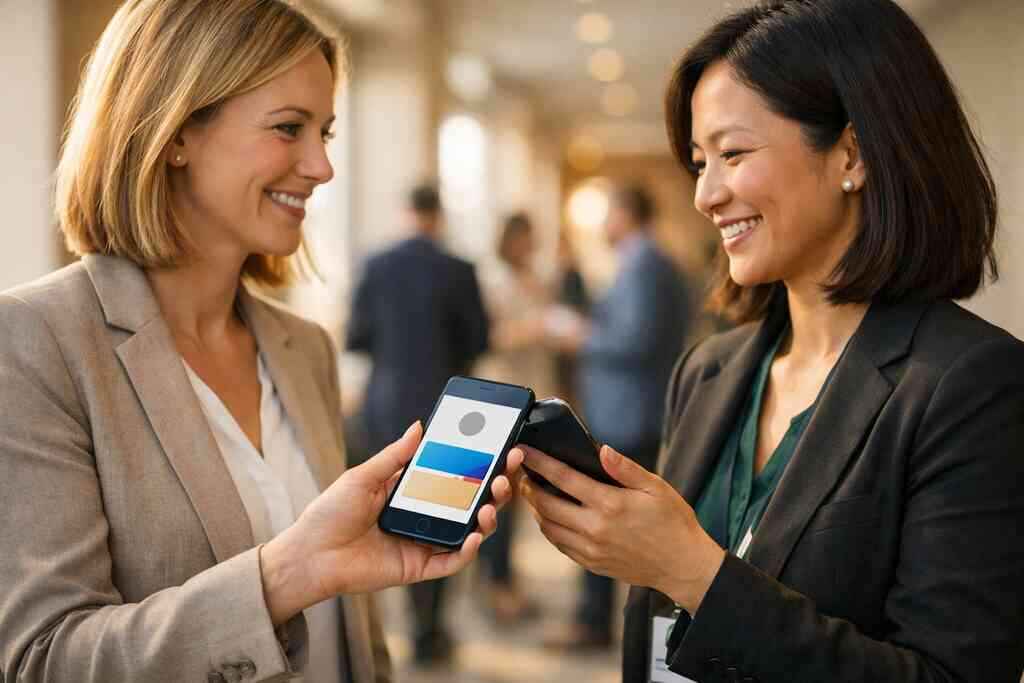
That is where lead capture becomes more intelligent. Instead of guessing, you can prioritize the contacts who actually engaged. A simple digital card analytics for warm lead follow up approach helps sales professionals focus on real intent. It also supports better CRM integration later, which saves time and reduces manual tracking.
The email nurture sequence that keeps your name in the room
An email nurture sequence works because it spreads attention across multiple moments. People are busy. They need reminders, but they also need value. The sequence should feel natural, not mechanical.
Think of it as a quiet conversation. The first message says, “I remember you.” The second says, “Here is something useful.” The third says, “If this matters to you, here is an easy next step.” That pattern works for client acquisition funnel planning, especially in B2B lead nurturing.
The first follow up email template that feels personal instead of scripted
Your first email should be short and specific. Mention where you met. Mention one detail from the conversation. Then give one clear reason to reply. That is enough.
A simple follow-up email template might look like this:
- Subject: Great meeting you at the Commack event
- Open with the shared context
- Reference one specific topic you discussed
- Include your digital business card link
- End with one easy question
This is not about sounding polished. It is about sounding remembered. If you want more structure, email follow-up strategy with digital business cards can give you a cleaner framework.
The second and third touchpoints that build trust without pressure
The second touchpoint should add value. Share a resource, answer a common question, or send a useful idea tied to the meeting. The third touchpoint should be lighter still. You are not chasing. You are remaining present.
This is where freelancers and small business owners often get stuck. They send one good message, then go silent. That leaves opportunity on the table. A good sequence gives the contact space while keeping your name familiar. It also works well for follow-up automation when the message content is thoughtful.
Where CRM integration and follow up automation fit into the handoff
CRM integration is useful when you need structure without losing the personal touch. Once someone scans or saves your digital business card, the contact can move into your CRM workflow. That lets you tag the source, segment the lead, and schedule your next email with less manual effort.
For teams, this is especially helpful. Corporate teams and sales professionals often need a clean handoff from event to inbox. A digital business cards with CRM integration for follow-up setup can reduce missed leads. If your process is clunky, a better digital business card lead capture and follow up automation flow may be the missing piece.
What to do next when you want better replies and fewer dead ends
Better replies usually come from better preparation, not better luck. Your digital business card, your email sequence, and your branding should all work together. If they do, you create consistency. That consistency builds trust faster than a polished pitch ever could.
A few small choices matter more than people expect. The details on your card should match your message. Your design should feel recognizable. And your platform should support the way you network in Long Island, New York, and beyond.
How to create digital business card details that support the follow up message
When you create digital business card content, think beyond your title. Include the details that help someone remember the conversation later. Your role, service area, and one clear action path all help. This is especially useful for real estate agents, freelancers, and small business owners.
Good business card details might include:
- Your name and role
- A short service description
- Location cues like Suffolk County or NYC coverage
- Your preferred contact channel
- A link to book or reply
If you want a practical starting point, check the digital business card template for LinkedIn networking. A strong template helps your follow-up message feel consistent from the first share onward.
Where custom branding and digital business card design help your email stand out
Custom branding makes the handoff more memorable. When your digital business card design matches your email signature, your logo, and your colors, people recognize you faster. That recognition lowers friction. It also makes you look organized.
The best designs are simple. They use clear type, good spacing, and direct actions. If your card looks messy, your email often feels messy too. For design guidance, custom branding tips for digital business cards can help you tighten the visual side without overdoing it.
Choosing the right digital business card platform for Long Island New York networking and beyond
The right platform should fit your actual networking habits. If you meet people in person, QR and NFC both matter. If you follow up mostly by email, the handoff and contact storage matter more. If you work across Long Island, New York, NYC, and Suffolk County, mobility matters too.
You should also think carefully about pricing and scale. A free digital business card may be enough for basic use, but premium digital card plans may suit teams or heavier networking. We cannot verify exact digital card pricing here, so check the provider directly. For a practical overview, the pricing page is the right place to compare options. If you serve local clients, Long Island SMB digital card maker tips can help you choose with more confidence.
A few things to verify before you commit
Before you choose a platform, ask a few grounded questions:
- Does it support easy contactless sharing?
- Can you create a digital business card quickly?
- Does it support custom branding and useful templates?
- Can it help with lead capture and follow-up automation?
- Does it fit your team size and networking style?
If you are comparing the best digital business card platforms, look for clarity over hype. You want reliable sharing, clean contact storage, and a follow-up workflow that feels natural. For local teams, especially those working in NYC or Long Island, that practicality matters more than flashy features.
The smartest move is simple. Review your current follow-up email template, then compare it against your digital card setup. If the two do not match, fix that gap today. Start with one message, one profile update, and one contact you plan to follow up with tonight. You do not have to solve everything now, and you do not have to do it alone.
Frequently Asked Questions
Question: How does the Best Email Marketing Follow Up with Digital Business Cards improve post-networking follow up for sales professionals and freelancers?
Answer: Digital Business Cards help make post-networking follow up easier by keeping your contact details accessible the moment someone meets you. Instead of relying on a paper card that can get lost, damaged, or forgotten, a digital business card gives people a quick way to save your information through contactless sharing. That makes it easier for sales professionals, freelancers, real estate agents, and small business owners to continue the conversation by email while the interaction is still fresh. When your card includes clear business card details, a useful business card example, and an easy path to reply, your email follow-up strategy becomes much more effective.
Question: What digital business card features help with lead capture and follow-up automation after a networking event in Long Island, New York?
Answer: The most useful digital business card features for lead capture are the ones that make sharing and storing contact info simple. A QR code business card or NFC business card can help people access your online business card quickly, while a strong digital card design can make your profile easier to remember later. Depending on the platform, digital card analytics may also help you see which contacts opened your card or revisited it after the event, which can support smarter follow-up automation and CRM integration. For professionals networking in Long Island, Suffolk County, or NYC, that means less manual tracking and a cleaner handoff from introduction to email follow-up.
Question: How do I create digital business card details that support a strong email nurture sequence?
Answer: To create digital business card details that support an email nurture sequence, keep the information focused, clear, and useful. Include your name, role, service area, preferred contact method, and one simple next step such as a booking link or reply option. If you work in professional networking, that structure helps the recipient remember who you are and why they should respond. A well-organized digital business card template can also keep your branding consistent across your card, email signature, and follow-up email template. That consistency builds trust and makes your next message feel like a natural continuation of the conversation rather than a cold outreach attempt.
Question: What is the difference between digital card vs paper when it comes to email contact retention and paperless networking?
Answer: The main difference between digital card vs paper is reliability. Paper cards can be misplaced, damaged, or forgotten before the recipient ever types your information into their phone. A digital business card, on the other hand, lets people share contact info instantly, which improves email contact retention and supports paperless networking. That matters for corporate teams, real estate agents, freelancers, and anyone who attends busy local business networking events. A virtual business card also gives you more room to include useful links, digital business card design elements, and business card template options that help people recognize you later when they are ready to follow up.
Question: Can Digital Business Cards help me with digital business card design, custom branding, and a digital business card for LinkedIn?
Answer: Yes, a thoughtfully designed digital business card can support custom branding and make your follow-up messages feel more polished. When your digital business card design matches your email signature, website, and LinkedIn presence, people are more likely to remember you after the meeting. That is especially helpful if you use a digital business card for LinkedIn or want to present a consistent virtual card design across multiple channels. While every platform differs, the goal is the same: make it easy to create digital business card details that look professional, feel recognizable, and support your broader networking email best practices. If you are comparing the best digital business card platforms, look for one that fits your workflow, your team size, and your local networking habits in Long Island, New York, without making assumptions about pricing or features that are not clearly listed.