
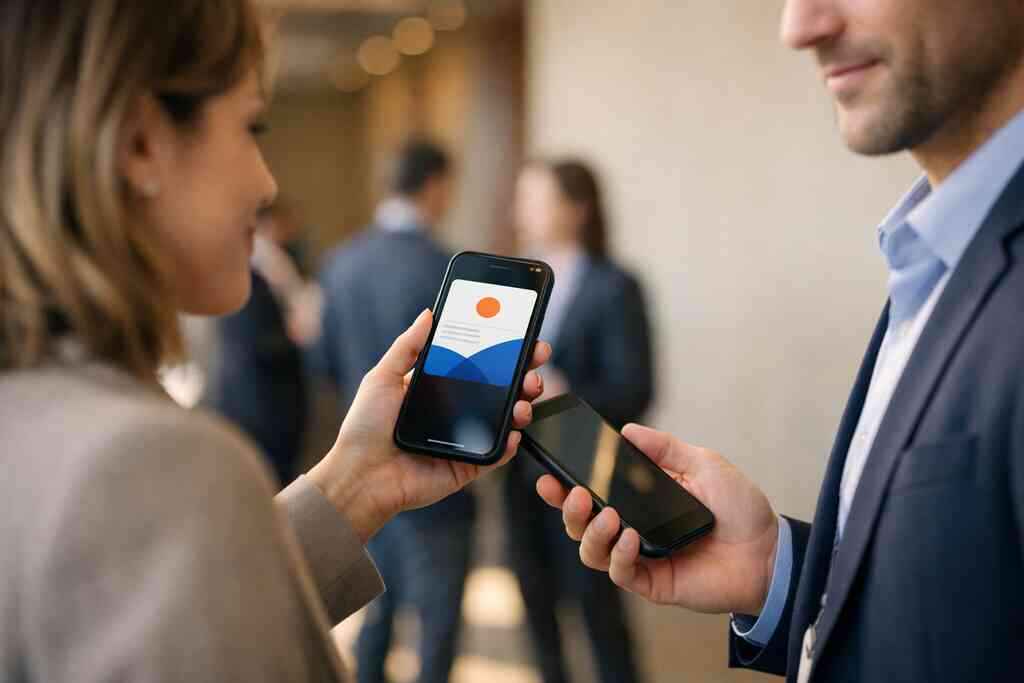
When a paper card disappears before the follow-up does
If you have ever left a mixer with a pocket full of paper cards, you know the feeling. The conversation felt strong, but the follow-up somehow fell apart. That gap is where a lot of LinkedIn networking breaks down, and it usually starts with contact details living on paper instead of in a system you can use again. If you are frustrated by lost names, blurred ink, or a stack of cards you keep meaning to sort, that reaction makes sense.
Why LinkedIn networking breaks down when contact details live on paper
Paper cards are easy to hand out, but they are hard to act on later. You may get back to your desk, open LinkedIn, and realize the person’s name is half-readable or missing entirely. Then the momentum fades. A digital business card for LinkedIn connection sharing keeps the contact path cleaner because the same profile can be shared again without retyping anything.
Here is the part most people miss. LinkedIn works best when the handoff is immediate and accurate. A paper card creates delay, and delay creates drop-off. Digital business cards, online business cards, and virtual business cards reduce that friction because they let you share contact info in one scan or tap. That matters when you are trying to turn a short meeting into a real professional connection.
The hidden cost of a smudged pocket card at meetings and mixers
A smudged card is more expensive than it looks. You lose time, you lose context, and sometimes you lose the lead entirely. At a Hauppauge business mixer, that can mean the difference between a useful LinkedIn message and a forgotten handshake. One sales rep I spoke with kept two dozen cards in a jacket pocket, then spent the next morning guessing which one belonged to which conversation. That is not a people problem. It is a system problem.
If you are juggling meetings, coffee chats, and a train ride back from Manhattan, the friction gets worse fast. Paper cards bend, blur, and disappear into glove boxes or tote bags. A digital business card app removes that weak link by keeping your business card details in one place. It also supports contactless sharing, which feels much smoother in busy rooms. That is why the digital card vs paper debate is no longer about style. It is about workflow.
Why Long Island professionals are moving toward digital business cards for networking
On Long Island, networking is often local, repeat-based, and relationship-heavy. You see the same people at Suffolk County chambers, Commack co-working spaces, and NYC commuter events. That makes digital business cards for networking especially practical, because you can share the same reusable networking profile again and again. If you need digital business cards for networking on Long Island and in New York, the value is in speed and consistency.
What we have seen in 2026 specifically is that people want less clutter and faster follow-up. They want a smart business card that feels professional, not gimmicky. They also want something that fits real life in Long Island, New York, where work often moves between Nassau, Suffolk County, and NYC. For many professionals, that means a digital card maker, QR code business cards, or NFC business cards that make the next exchange simple. The goal is not novelty. The goal is remembering the person after the room gets loud.
What makes a digital business card actually work on LinkedIn
A digital business card only works if it helps you keep the conversation going. It should make your LinkedIn profile easier to share, easier to remember, and easier to revisit. That is the difference between a pretty virtual card design and a practical networking tool. If the card does not support a clean exchange, it is just decoration.
How a digital business card for LinkedIn networking turns a profile into a reusable networking profile
A strong digital business card for LinkedIn networking acts like a reusable networking profile. Instead of handing out separate contact channels, you share one organized page with your name, role, company, and preferred next step. That makes online contact exchange feel natural. It also helps you stay consistent across events, client meetings, and follow-up messages.
A 2023 Adobe survey found that many professionals have lost a paper card before following up, and that rings true in the field. Forrester also reported broad B2B comfort with digital business cards after the pandemic. The takeaway is simple: people now expect faster digital exchange. If you want a smooth professional networking on LinkedIn experience, a reusable profile is easier to maintain than scattered paper.
QR code business cards vs NFC business cards for contactless sharing
QR code business cards and NFC business cards both support contactless sharing, but they behave differently. QR code business cards work on nearly every smartphone camera and can be scanned without special setup. NFC business cards use near field communication, which can feel even quicker when the phone supports it. Apple’s Core NFC framework and the ISO 14443 standard both help explain why tap-based sharing has become reliable enough for mobile-first networking.
Here is a practical comparison:
FormatBest forStrengthsWatch-outsQR code business cardsBroad compatibilityEasy scanning, simple setupRequires camera accessNFC business cardsTap-to-share momentsFast, polished, memorableNot every device taps the same wayFor most people, either option can work. The right choice depends on your audience and comfort level. If you want the deepest compatibility, QR code business cards are often the safer default. If you want a tactile, smart business card experience, NFC has real appeal.
What business card details should be front and center for professional networking on LinkedIn
The best digital business card example keeps only the essentials front and center. You do not need to crowd the page. Instead, focus on the business card details that help someone remember and reach you. That usually means:
- Full name and title
- Company name
- LinkedIn profile link
- Email and phone
- Primary service or specialty
- A clear call to connect
If you work as a sales professional, real estate agent, freelancer, or part of a corporate team, the mix may change slightly. For a real estate agent in Garden City, the emphasis may be contact speed. For a freelancer, it may be portfolio access. The point is clarity. People should know who you are in five seconds or less.
How custom branding and digital business card design shape first impressions
Your digital business card design says something before you type a word. Clean spacing, readable fonts, and consistent colors create trust quickly. That is where custom branding matters. If your card looks like a generic business card template, it can feel forgettable. If it reflects your brand identity and professional networking goals, it feels intentional.
One client in a Commack co-working space kept hearing, “That looks polished,” after switching from a plain contact page to a branded digital business card design. Nothing about the service changed. The visual structure changed. That is why digital business card design with custom branding deserves real attention. It is not vanity. It is signal.
Why Apple Wallet business card and Google Pay card options can simplify mobile-first networking
Mobile-first networking is often about reducing one more step. An Apple Wallet business card or Google Pay card can make your contact details easier to keep close. When someone saves your card into a wallet, they do not have to hunt through email later. That can help with instant profile sharing after a conference or client meeting.
Still, these options should support your process, not replace it. You want a system that keeps your card accessible and your follow-up easy. For some professionals, the wallet format fits neatly into a larger how it works setup. For others, it is just one more useful channel. Either way, the goal is simple: remove steps between meeting and message.
The move from casual connection to qualified lead
A good networking tool does more than exchange names. It helps you spot interest, track movement, and stay organized. That is where digital business cards start to feel like a lead tool instead of a contact tool. If you are serious about LinkedIn lead generation, that difference matters.
How to create digital business card links that make sharing contact info instantly feel effortless
When you create digital business card links, you make the handoff feel immediate. The other person can open your card, save your details, and connect on LinkedIn without friction. If you want a practical how to make a digital business card that converts leads, the key is a clean link, clear name, and obvious next action. That is what makes sharing contact info instantly feel normal.
On the projects we have seen this year, the best results come from simple flows. One link. One tap. One clear follow-up path. That approach works in Suffolk County business networking and in NYC professional networking, where people move fast and check messages later. The fewer decisions you force, the better your response rate usually looks.
Where digital card analytics, lead capture, and follow-up automation fit into your networking flow
Digital card analytics matter because they show what happens after the share. Did someone open the card? Did they click your LinkedIn link? Did they save your contact? These signals help you understand interest without guessing. If your platform offers digital card analytics for lead capture and follow-up automation, you can follow up with better timing.
That said, analytics should stay useful, not invasive. GDPR considerations also matter when you store shared contact details, especially across borders or larger teams. Keep data handling clear and respectful. The best workflow is usually simple: capture interest, note the source, and follow up promptly. That is enough for most small business networking use cases.
When CRM integration matters for sales professionals, real estate agents, freelancers, and corporate teams
CRM integration becomes important once you need repeatable follow-up. Sales professionals may want leads pushed into a pipeline. Real estate agents may want contacts tagged by neighborhood or property interest. Freelancers may want prospects segmented by project type. Corporate teams may need a shared process that keeps every contact from getting lost.
If your networking volume is modest, you may not need heavy setup yet. But once the follow-up list gets messy, CRM integration saves time. A CRM integration for digital business cards can reduce manual entry and keep records cleaner. That is especially useful for electronic business card exchange at conferences, trade shows, and after-hours events.
How to think about digital card vs paper when your goal is real LinkedIn connection sharing
Digital card vs paper is not about nostalgia. It is about what happens next. Paper can still work, but it relies on memory and manual effort. Digital business cards support LinkedIn connection sharing more directly because the person can move from scan to profile faster. That shortens the path from “nice meeting you” to “let’s stay in touch.”
GoalPaper cardDigital business cardQuick LinkedIn follow-upSlowerFasterContact accuracyEasy to mistypeDirect and reusableBrand consistencyLimitedStrongerSharing in busy roomsAwkwardSmoothThat table is the real story. If your networking depends on follow-through, the digital side usually wins. The only question is how much control you want over design, analytics, and sharing.
What to look for in digital card pricing without guessing at features you do not need
Digital card pricing should make sense for your actual workflow. Do you need one card or many? Do you need custom branding, analytics, or team sharing? Do you want a free digital business card to test the idea, or do premium digital card plans fit better because you need more control? You should ask those questions before comparing numbers. A digital business card pricing and plan comparison helps only if you know your use case. Do not buy features you will never open. Do not reject a platform because it includes more than you need. The smartest choice is usually the one that fits today and leaves room for growth later. ### Why Long Island networking, Suffolk County business networking, and NYC professional networking reward faster digital exchange 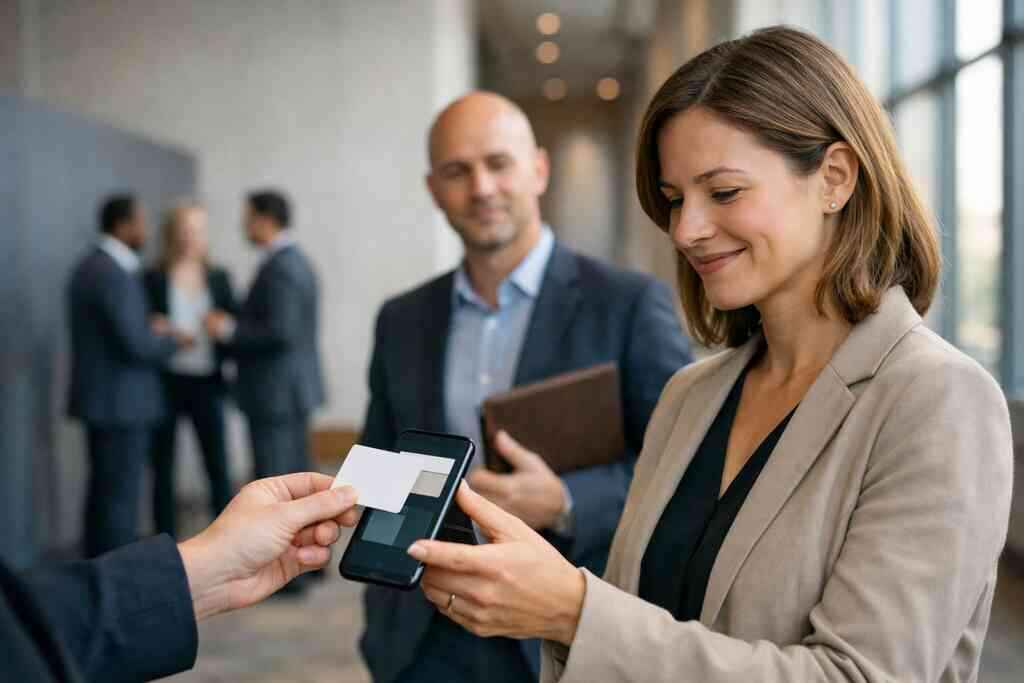
Long Island networking tends to be relationship-driven, but it is still fast-paced. People meet at breakfasts, open houses, industry lunches, and commuter-adjacent meetups. Suffolk County business networking often includes repeat contacts, which makes speed and recall even more important. In NYC professional networking, the pace is even tighter. People move, compare, and decide quickly.
That is why a digital card shines in this region. You can share your online business card during the conversation instead of hoping someone types your name correctly later. If you work across Long Island, New York, and Manhattan, that efficiency compounds. It saves time now and creates cleaner follow-up later.
What to choose before you put the card in anyone’s hands
Choosing the right setup matters because your card becomes part of your professional identity. You want something that fits your role, your audience, and your networking rhythm. The best choice feels easy to use and easy to trust. Anything else gets abandoned.
How to make a digital business card that matches your role and audience
If you are learning how to make a digital business card, start with your audience. A consultant, a broker, and a corporate manager will not need the same layout. Your card should match how you work and what you want people to do next. That is why a digital card maker is useful when it keeps the structure flexible.
A strong card usually includes the most relevant business card example elements for your field. For some, that means service pages. For others, it means booking links or a LinkedIn button. The more the card matches your role, the more natural the exchange feels.
When a business card template helps and when a custom digital card maker is the better fit
A business card template is a fast start. It works well when you need something simple and professional. But a custom digital card maker becomes the better fit when your brand needs more personality or structure. That is especially true for teams with multiple roles or departments.
What a digital business card looks like in 2026 often depends on whether the design starts from a template or a custom build. Templates save time. Custom builds improve control. Your choice should reflect how much brand consistency matters to you.
How digital business card templates support fast setup without weakening your brand
Digital business card templates can save hours. They help you launch quickly, test layouts, and keep your brand clean. Used well, they do not weaken your identity. They simply give you a reliable structure to build from. The trick is to customize enough that the card still feels like you.
That balance matters for small business networking and corporate teams alike. If every card looks identical, people forget them. If every card is chaotic, people mistrust them. Templates work best when they provide consistency without flattening your voice. That is a simple but important distinction.
What to check before choosing free digital business card options or premium digital card plans
Free digital business card options can be useful, especially if you are testing the idea. But free rarely tells the full story. Check whether the platform limits branding, analytics, or sharing methods. Then compare that with premium digital card plans only if those limits affect your workflow.
Here is a quick checklist:
- Can you customize the design?
- Can you share by QR, tap, or link?
- Can you update details without reprinting?
- Can you track usage?
- Can you support team members later?
That checklist helps you compare digital card pricing without guessing. It also keeps the decision grounded in real use, not hype.
How to compare the best digital business card platforms without overbuying
The best digital business card platforms are not always the most feature-heavy. They are the ones that fit your daily habits. If you need lead capture, CRM integration, and analytics, choose accordingly. If you mainly need clean sharing and custom branding, a lighter setup may be enough.
A digital business cards versus paper cards for networking costs comparison should include more than print expense. Think about time, follow-up, and consistency. That broader view usually makes the decision clearer. Overbuying is just as wasteful as underbuying.
Why digital business cards near me can matter for local service and support in Long Island, New York
Searches for digital business cards near me often mean something practical. You want responsive support, local understanding, or at least a provider that knows your market. For Long Island, New York, that can matter more than people expect. Local service feels easier when your business context is regional, not generic.
If you are based on Long Island, you may care about setup help that understands Nassau, Suffolk County, and NYC commuting patterns. That context shapes how you network. It also shapes how your card should function. Local fit is not a gimmick. It is part of trust.
Your next move for LinkedIn networking that keeps working after the handshake
The best networking tools feel invisible after setup. You use them in the room, then they keep working later. That is the real advantage of digital business cards. They support repeatable, paperless networking without forcing you to rebuild your process each time.
How to use your online business card in conferences, client meetings, and commuter-heavy New York networking
Your online business card should be ready before you walk into the room. At conferences, keep the QR code visible. In client meetings, keep the link close. On commuter-heavy New York networking days, make sure the card opens quickly on mobile. Small details matter when people are moving between conversations.
One Garden City professional told us her best responses came from sending the card during the meeting, not after. That timing kept the conversation alive. It also reduced the chance of lost details. The lesson is simple. Share while attention is still warm.
Why small business networking and corporate teams need a simple sharing system they can repeat
Small business networking works best when everyone uses the same playbook. Corporate teams need that too. If one person uses paper, another uses a QR link, and a third uses email only, the process gets messy fast. A simple sharing system makes follow-up easier and reporting cleaner.
That is why repeatable electronic business card exchange matters. It creates consistency across people and events. It also helps managers understand what is working. The more repeatable the process, the easier it is to improve.
How paperless networking supports sustainable business cards and a cleaner brand identity
Paperless networking is not just about convenience. It also supports sustainable business cards and a cleaner brand identity. You print less, carry less, and reissue less. That matters when your brand wants to look modern without overpromising. A digital business card does that quietly.
For teams and solo professionals alike, the visual effect matters. A neat digital profile feels organized. It feels current. It also avoids the stale look of outdated print stock. That is a small thing until a prospect notices.
What to review before publishing your final digital card design and business card example
Before you publish, review the details carefully. Check spelling, title, phone number, and LinkedIn link. Make sure your business card design matches your brand and your audience. Then open the card on a phone and test the flow yourself. If it feels slow or crowded, trim it.
A good business card example is easy to read and easy to act on. It should answer three questions fast: who are you, what do you do, and how should someone follow up? If it does not, simplify it again. That extra review saves awkward follow-up later.
How to use the how it works process and pricing page to decide whether now is the right time to switch
If you are close to switching, use the how it works process and the pricing page together. That pairing helps you evaluate setup, sharing, and plan fit without guessing. It also keeps the decision grounded in your actual networking habits. You do not need to solve everything today. You only need a card that makes the next conversation easier, cleaner, and more likely to continue.
Start by reviewing your current LinkedIn follow-up process this afternoon. If it depends on memory, paper scraps, or too many manual steps, that is your signal. Choose one meeting, one event, or one team role to convert first. Then build from there, one contact at a time.
Frequently Asked Questions
Question: What makes a digital business card better than a paper card for LinkedIn networking in 2026?
Answer: A digital business card can make LinkedIn connection sharing much smoother because it removes the delay that often happens with paper. Instead of hoping someone keeps a card safe and enters your details later, you can share an online business card, virtual business card, or electronic business card instantly through QR code business cards, NFC business cards, or a simple link. That helps keep professional networking on LinkedIn moving while the conversation is still fresh.
For many professionals, digital card vs paper is really about follow-through. Paper cards can be misplaced, smudged, or hard to read, while a digital business card design can keep your name, title, company, LinkedIn profile, and contact details in one reusable networking profile. For people in Long Island, New York, Suffolk County, and NYC professional networking circles, that speed matters even more because meetings often happen in busy, fast-moving environments. Digital Business Cards is based in Long Island, so the focus stays practical: help people share contact info faster, keep business card details organized, and make it easier to continue the relationship after the handshake.
Question: How do I create digital business card links that help with LinkedIn lead generation and follow-up automation?
Answer: The best way to create digital business card links is to keep the path simple. A strong digital card maker should let you build one shareable link that opens your digital business card, shows your business card details clearly, and makes it easy for someone to connect on LinkedIn or save your contact information. That kind of online contact exchange can support lead capture and follow-up automation without making the process feel complicated.
When you create digital business card links, the goal is not to overwhelm people with too many choices. It is to help them act quickly. A clean digital business card for LinkedIn networking should include the essentials, such as your name, role, company, LinkedIn profile, and a clear next step. If your workflow includes CRM integration, that can be helpful for sales professionals, real estate agents, freelancers, and corporate teams that need to track contacts after events or meetings. Digital Business Cards is designed around that kind of practical sharing process, so you can move from first contact to follow-up with less manual work.
Question: What should I look for in digital business card design if I want a professional business card example for networking?
Answer: Good digital business card design should make the right information easy to find in seconds. A strong business card example usually includes your full name, title, company, LinkedIn profile, email, phone, and a clear action such as connect, save, or contact. If you work in small business networking, corporate teams, or as a freelancer, your design should fit the way you work and the people you meet.
Custom branding is important here. A card that reflects your brand identity can feel more polished than a generic business card template. Some users may start with digital business card templates to launch faster, then adjust the virtual card design later. That can be a smart way to balance speed and style. Digital Business Cards can help you keep the design clean, the layout readable, and the flow simple enough for mobile-first networking. The result is a digital business card example that feels professional instead of cluttered.
Question: In the blog title Digital Business Cards for LinkedIn Networking in 2026, why is contactless sharing so important for Long Island and NYC networking?
Answer: Contactless sharing matters because networking in Long Island, New York, Suffolk County, and NYC often happens in fast-paced settings where people do not have time to dig through a stack of paper cards or retype information later. With QR code business cards or NFC business cards, you can share contact info instantly and keep the conversation moving. That is especially useful for Long Island networking, commuter-heavy New York networking, and professional networking events where timing and recall are everything.
The value is not just convenience. It is consistency. A digital business card app or online business card can keep your details current, which means fewer mistakes and less friction after the event. It also supports paperless networking and sustainable business cards, which many professionals appreciate when they want a cleaner brand identity and a more modern first impression. For people searching for digital business cards near me, local relevance matters too. Being based in Long Island means Digital Business Cards understands how regional networking works across Nassau, Suffolk County, and NYC.
Question: Which digital business card features are most useful for sales professionals, real estate agents, freelancers, and corporate teams?
Answer: The most useful digital business card features are the ones that help people share, track, and follow up without extra steps. For sales professionals, lead capture and follow-up automation can make a big difference. For real estate agents, a clear digital business card design with quick access to contact details can help during open houses and client meetings. Freelancers often benefit from an easy-to-update online business card that links to a portfolio or booking page. Corporate teams usually need consistency, so team-friendly branding and CRM integration can help keep contact records organized.
It is also worth comparing options like Apple Wallet business card and Google Pay card support, if those fit your workflow, because mobile-first networking often works best when people can access your card quickly later. If you are comparing digital card pricing, free digital business card options, or premium digital card plans, look closely at what you actually need before overbuying. Digital Business Cards focuses on helping users create digital business card setups that support real networking goals, not unnecessary complexity. That makes it easier to choose a tool that works for your role, your audience, and your follow-up process.