
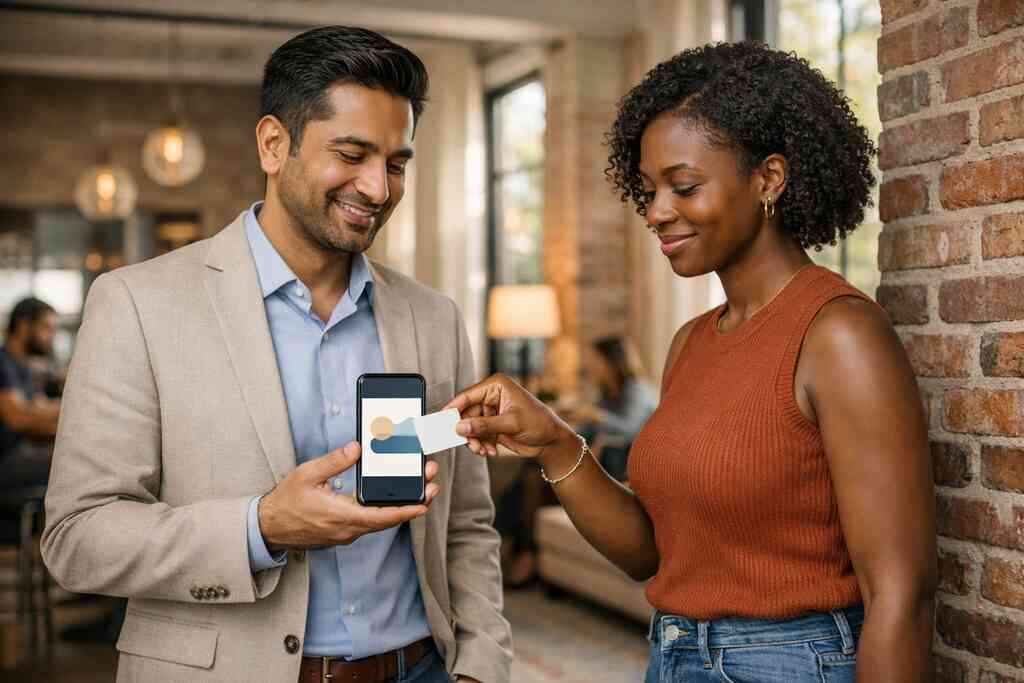
Why your best lead still slips through after the handshake
The worst part is not the handshake. It is the silence afterward. You meet someone promising at a mixer, swap a quick smile, and then the paper card disappears into a pocket, a purse, or a desk drawer. If you are reading this because that keeps happening, the frustration is real. You do not need more contacts. You need better capture.
The paper card problem that kills follow-up before it starts
A paper card looks simple, but it creates friction at the exact moment you need speed. Ink smudges. Names get misspelled. Phones stay locked while someone tries to type a URL later. The card itself becomes a delay machine. That delay is where leads go stale.
A paperless networking and sustainable business cards approach fixes that gap by letting contact details move instantly. Digital business cards, online business cards, and virtual business cards all reduce the chance that your information gets lost. They also make it easier to share contact info in one clean exchange. That matters for professionals who meet dozens of people in a week.
On the projects we’ve seen this year, the biggest miss is still timing. Someone says, “I’ll follow up later,” and later never arrives. A digital card changes that habit because the contact lives on a phone, not in a pile. That is a small shift with a large payoff.
What digital card analytics can reveal that your memory never will
Memory is useful, but it is not a lead system. Digital card analytics gives you a record of what happened after the share. You can see whether someone opened the card, tapped a link, or submitted a form. That turns a vague impression into usable signal.
A guide to digital business card analytics for lead capture helps you measure what matters most. Instead of asking who “seemed interested,” you can look at behavior in a digital card analytics dashboard. That may include scan tracking for business cards, click-through analytics, and contact conversion metrics. For sales professionals, that is the difference between guessing and prioritizing.
One client at a Hauppauge business mixer told us she met three likely buyers in one hour. Two looked polite. One clicked her service page right away. The analytics made the answer obvious. The polite contacts waited. The active one got a same-day follow-up.
Why Long Island networking moments need faster contact capture
Long Island networking moves quickly. People leave corporate meetings in Melville, catch a train, or head into NYC before the conversation cools. In those moments, a slow exchange is a weak exchange. You need fast contact capture while attention is still high.
That is especially true for digital business cards in Long Island for networking. At a Commack co-working space, at a Suffolk County chamber event, or during NYC professional networking, nobody wants a clunky handoff. A smart business card lets the other person scan, tap, or save in seconds. The result is simpler, cleaner, and easier to track.
Here is the part most people miss. A quick exchange also improves follow-up automation later. If the contact is already structured, the next message can be precise. That is why paperless networking often leads to better discipline, not just better convenience.
What the scan actually means and why most people read it wrong
A scan is not the whole story. It is only the beginning of the interaction. Many people see a scan and assume interest, but that is too simple. A scan can mean curiosity, urgency, or just convenience.
QR code business cards versus NFC business cards for trackable exchanges
QR code business cards and NFC business cards both support contactless sharing, but they behave a little differently. QR codes work well because nearly every modern phone can read them. NFC business cards use tap-to-share behavior and often feel faster in person. Both can support digital card analytics when the platform tracks the interaction properly.
If you want a technical reference point, QR systems follow the ISO/IEC 18004 standard. NFC sharing is based on near-field communication and commonly aligns with ISO 14443. Apple’s Core NFC framework also supports tap-based experiences on compatible devices. That is why NFC business cards often feel seamless in a busy room.
The better choice depends on your audience. QR code business cards may be easier for mixed-device networking. NFC business cards often feel cleaner in face-to-face settings. For a deeper comparison, QR and NFC business cards for trackable exchanges explains the practical tradeoffs.
What counts as a scan click share or conversion in a digital card app
A scan is one metric. A click is another. A share is another. A conversion is the one that matters most when lead capture is the real goal. In a digital business card app, these actions may be tracked separately, which helps you see intent more clearly.
A scan shows initial interest. A click-through often shows deeper curiosity. A contact form submission usually shows the strongest intent. If someone downloads your card, opens your LinkedIn profile, and then submits a form, that is a much warmer signal than a single glance. Digital business card features only matter if they let you read that sequence clearly.
That is where digital business card features for lead generation become useful. You are not just sharing a card. You are recording a trail. And that trail tells you who deserves follow-up now.
How contactless sharing turns a casual meet into measurable intent
Contactless sharing removes the awkward pause. No one needs to fish for a pen. No one needs to retype your name later. The exchange happens immediately, and the data stays attached to it.
A digital card example might start with a scan at a real estate open house, then move to a click on a listing page, then a form fill. That path shows measurable intent. In business networking and contactless lead generation, the sequence matters more than the single touch. The app does not just store contact details. It can help reveal customer journey tracking.
A real estate agent in Garden City shared one card after a quick hallway conversation. The prospect later opened the card from the train into Manhattan, clicked a listing, and asked for a callback. That did not happen because of luck. It happened because the contact was captured well enough to track.
The analytics signals that matter when lead capture is the real goal
Not every metric deserves your attention. Some are noise. Others are gold. If you want lead capture with digital business cards for networking, focus on signals that show action, not vanity.
Scan tracking for business cards and what it says about interest
Scan tracking for business cards helps you separate casual curiosity from real attention. A single scan may mean someone is being polite. Multiple opens, repeat visits, or a click after the scan suggest stronger interest. That is the practical value of smart business card analytics.
The strongest use of scan tracking for QR code business cards is pattern recognition. If a contact opens your digital card twice and then clicks your calendar, that is a different lead from someone who bounces after two seconds. You do not need perfect certainty. You need better prioritization. That is what conversion tracking for networking should do.
If you want to see how this looks in practice, scan tracking for QR code business cards explains how follow-up ROI gets measured. The point is simple. Track the behavior that predicts the next conversation.
Click-through analytics and which links tell you who is serious
Click-through analytics is more useful than most people expect. The link someone taps first tells you a lot. A LinkedIn profile click signals professional curiosity. A portfolio click suggests evaluation. A pricing page click often signals buying intent. That is why online business card tracking matters.
If you offer multiple paths, your analytics should show which one gets used most. For freelancers, a calendar link may matter most. For corporate teams, a team page or service overview may matter more. For sales teams, the pattern often shows how close the prospect is to a real conversation. These are not random clicks. They are clues.
A strong digital business card analytics dashboard for sales makes those clues visible. It helps you spot the people who deserve a fast response. It also keeps low-intent contacts from clogging your pipeline.
Contact form lead capture and the moments that deserve follow-up automation
Contact form lead capture is where analytics becomes action. A scan is helpful. A click is useful. A submitted form is the moment worth building follow-up automation around. That is the cleanest lead signal in most digital business cards.
If someone fills out a form after scanning, do not wait two days. Speed matters. A brief, relevant reply feels professional and attentive. The more timely your response, the less likely the lead gets distracted. This is especially true for small business marketing, where every lead has real value.
A well-built digital card app can trigger follow-up automation based on behavior. That keeps the process consistent. It also makes lead qualification from scans much easier to manage. If you want more examples, lead capture with digital business cards for networking is a helpful place to compare behaviors.
Using CRM integration to move a shared contact out of limbo
A contact sitting in limbo helps no one. It is neither a lead nor a lost opportunity. CRM integration solves that by moving the shared contact into your sales workflow immediately. That matters if you handle high volume. 
The best CRM integration for digital business cards reduces manual sorting. It can push new leads into the right list, assign tags, and keep notes attached. That way, your team does not rely on memory or scattered screenshots. For corporate teams, that consistency is a major advantage.
CRM integration for digital business cards is worth reviewing if your pipeline depends on speed. It is especially useful when multiple team members share contacts at the same event. The goal is simple. No lead should vanish between the handshake and the CRM.
What high-performing professionals change in the card itself
The card matters. A lot. If the design is confusing, the analytics will be weak. If the layout is clear, the data becomes more useful. Good digital business card design supports both attention and tracking.
Digital business card design choices that increase engagement
Strong design starts with clarity. Your name should be easy to read. Your primary action should be obvious. Your business card details should not crowd the screen. Simple layouts usually outperform cluttered ones.
Digital business card design also affects engagement. A clean visual hierarchy helps users know what to tap first. Mobile-first networking rewards fast decisions, so your card should guide the eye. That is true whether you use a digital card maker or a more custom setup.
A business card template can help you move quickly without sacrificing polish. Still, the best digital business card platforms usually let you adjust the layout enough to fit your audience. That balance matters. A card should look intentional, not generic.
Custom branding and business card details that make people remember you
Custom branding is not decoration. It is memory support. Color, logo placement, font choice, and concise business card details all help someone remember who you are later. That matters when the lead is warm but not ready.
A smart virtual card design can feel more personal than paper. It can also carry more context without feeling crowded. If you work in a competitive field, custom branding often gives your card a stronger aftertaste. People remember what feels clear.
One mistake we see often is trying to fit too much into one screen. Less can do more. A digital business card example should show your role, one strong CTA, and a few relevant links. Anything beyond that should earn its place.
When a business card template helps and when a custom virtual card design wins
Templates are useful when you need speed, consistency, or team rollout. They are especially practical for small business teams and corporate groups. A template gives you a reliable structure and keeps the brand aligned. It also helps new users launch faster.
A custom virtual card design wins when your role needs distinction. Real estate agents, freelancers, and client-facing specialists often need layouts that match their sales motion. A custom layout can highlight listings, services, portfolios, or booking links. That can improve conversion tracking for networking because the card matches the goal.
If you are comparing options, best digital business card platforms often differ most in flexibility, not just appearance. The right choice depends on your workflow. The card should help the next action happen quickly.
Why sales professionals real estate agents freelancers and corporate teams need different layouts
Sales professionals need quick paths to calendar links and follow-up. Real estate agents often need listings, map links, and trust signals. Freelancers may need portfolio samples and a clean contact form. Corporate teams usually need consistency and shared brand control.
These groups all share one thing. They need digital business cards for networking that support lead capture without friction. But the priorities are different. That is why one layout rarely fits everyone. The structure should match the job.
For digital business cards for real estate agents, a strong listing path matters. For digital business cards for sales teams, fast lead handling matters more. The smartest setup reflects the way you actually work.
The follow-up system that turns digital card analytics into booked conversations
Analytics without follow-up is just decoration. The point is to move from interest to action. If you build the system well, your card becomes a quiet sales assistant. It keeps working after the event ends.
How to make a digital business card that supports conversion tracking
If you want conversion tracking, build the card for it. Keep the actions limited. Choose one main CTA. Add only the links that support your sales process. That makes behavior easier to read later.
When people ask how to make a digital business card, the answer is not just about design. It is also about structure. A card should tell the viewer what to do next. It should also let you see whether they did it. That is the essence of digital card analytics for follow-up.
The simplest setup often performs best. Use one contact path, one service path, and one tracking point. If you need setup help, how it works can clarify the flow without overcomplicating it. Clarity helps conversion.
Using lead qualification from scans to sort warm contacts from casual ones
Lead qualification from scans saves time. Not every scan deserves the same response. A serious buyer deserves a faster note than someone browsing out of curiosity. That distinction protects your energy.
A practical rule is to sort by behavior. Someone who scans and clicks once may be warm. Someone who revisits, shares the card, or fills out a form is much warmer. Someone who only glances may still be worth noting, but not prioritizing. This is where digital card analytics becomes a working system.
On a recent NYC commute, a consultant we spoke with checked her analytics before arriving in Manhattan. She saw one contact had opened her card twice and clicked the services page. That prospect got a short, direct email before lunch. The timing helped.
What paperless networking looks like at a Hauppauge mixer or in a NYC commute
Paperless networking feels different because it is lighter. No stack of cards. No lost corners. No unreadable handwriting. A Hauppauge mixer becomes easier to manage when contacts are captured on the spot. A train ride into NYC becomes a quiet follow-up window.
That is the real benefit of sustainable business cards and electronic business card exchange. They keep momentum alive. They also reduce the chance that good contact details get buried. In Long Island, New York, that matters because many professionals move between local meetings and city meetings all week.
The best digital business cards in NYC for professional networking help bridge those environments. They turn the downtime between meetings into a usable sales moment. That is a practical advantage, not a gimmick.
The next move from analytics dashboard insight to a cleaner sales pipeline
Your analytics dashboard should lead to one action. Segment the lead. Send the message. Schedule the conversation. Then move the contact into the right pipeline stage. That is how the system earns its keep.
If your current process still relies on memory, you will keep losing good contacts. If it relies on a structured digital business card app, you can follow up with confidence. The data does not have to be perfect. It just has to be useful. That is enough to improve your response rate.
Start by reviewing three recent contacts and checking which one clicked, which one converted, and which one never moved beyond a scan. Then refine your card around the behavior you want more of. You do not have to fix everything today, and you do not have to do it alone. If you want a cleaner process, build it around digital business card analytics to track lead quality and keep the next conversation simple.
Frequently Asked Questions
Question: What makes digital business cards better than paper cards for lead capture and follow-up automation?
Answer: Digital business cards reduce the delay that often happens with paper cards. Instead of someone putting your information in a pocket and meaning to follow up later, a digital business card lets them share, save, and revisit your details right away. That immediate access supports paperless networking, contactless sharing, and better lead capture because the connection stays active while interest is still high. With a digital business card app, you can also keep your contact information in one place, make it easier to share contact info, and support follow-up automation once someone interacts with your card. For sales professionals, real estate agents, freelancers, and corporate teams in Long Island, New York, that can make networking feel more organized and far less dependent on memory.
Question: How does Guide to Digital Business Card Analytics for Lead Capture help me understand which networking contacts are actually interested?
Answer: Guide to Digital Business Card Analytics for Lead Capture is useful because it explains how digital card analytics can turn a simple exchange into a clearer signal. Instead of guessing who seemed interested, you can look at scan tracking for business cards, click-through analytics, and contact form lead capture to see who took action. A scan may show initial curiosity, while repeated visits, link clicks, or a form submission can point to stronger intent. That kind of online business card tracking helps with lead qualification from scans and makes it easier to prioritize follow-up. For anyone doing digital business cards for networking in Suffolk County or NYC professional networking, that insight can be especially valuable because timing often matters more than volume.
Question: Should I use QR code business cards or NFC business cards for better virtual business card engagement?
Answer: Both QR code business cards and NFC business cards can support a strong electronic business card exchange, and the better choice depends on how you network. QR code business cards are widely accessible because most phones can read them easily, which is helpful for mixed-device audiences. NFC business cards can feel faster and more seamless in face-to-face settings because they use tap-based sharing. Either option can work well in a smart business card setup if the digital business card app supports tracking and contact capture properly. If your goal is stronger virtual business card engagement, the key is less about the format alone and more about how clearly the card guides the next step, whether that is a website visit, LinkedIn profile tap, or contact form submission.
Question: What digital business card features matter most for sales professionals and small business marketing?
Answer: The most useful digital business card features are the ones that support lead capture, clarity, and follow-up automation. For many sales professionals, that means a clean digital business card design, one clear call to action, and easy access to the right links. For real estate agents, portfolio or listing links may matter more. For freelancers, a simple business card example with service details and a contact form can work well. For corporate teams, consistency, custom branding, and CRM integration are often the priority. A strong digital card analytics dashboard can help you see which actions are happening most often, while digital card analytics for sales can show which contacts are worth prioritizing. When the card is built well, it becomes more than an online business card. It becomes part of a practical networking system.
Question: How can I create digital business card layouts that improve conversion tracking for networking?
Answer: If you want stronger conversion tracking for networking, the best place to start is with the card structure itself. When you create digital business card layouts, keep the design simple and mobile-first so the viewer knows exactly what to do next. A good digital card maker should let you adjust the layout, add custom branding, and focus on the most important business card details without crowding the screen. It also helps to use digital business card templates or a business card template as a starting point, especially if you are building cards for a team. The goal is to make behavior easy to read later. If someone clicks your LinkedIn link, opens your site, or submits a form, that path becomes part of your digital card analytics. For Long Island digital business cards and NYC professional networking, that kind of structure can make a real difference because quick, clear action is often what turns a casual introduction into a booked conversation.