
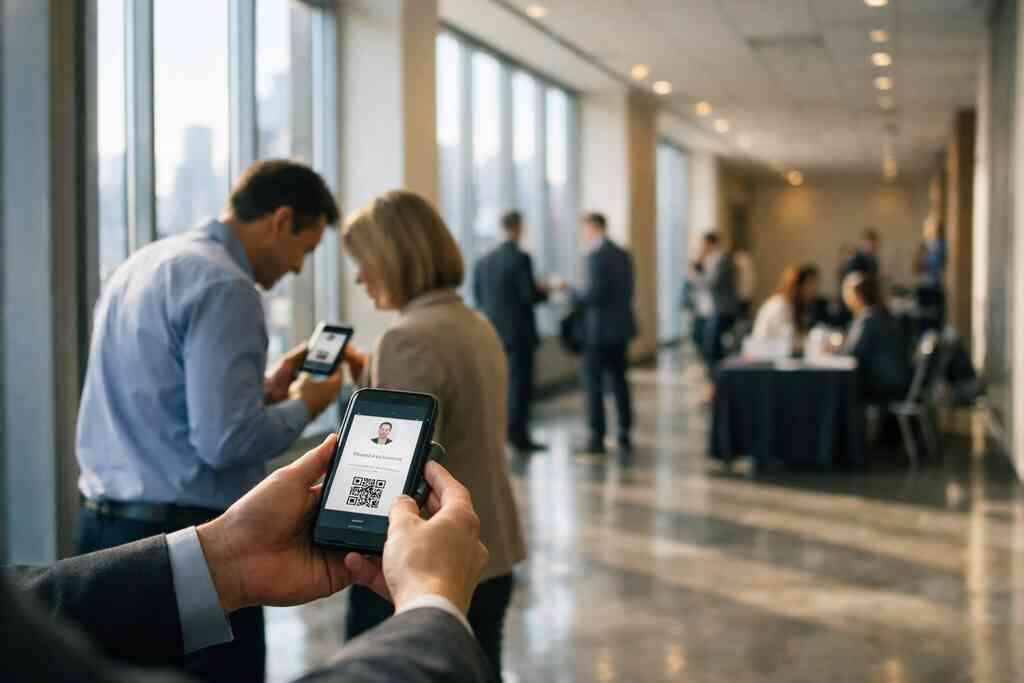
Why sales teams lose deals before the follow-up even starts
The most common sales leak is not the pitch. It is the gap after the handshake, when your contact details slip into a pocket and disappear. We hear this from sales teams all the time, and it is frustrating because the fix is simple. If you are reading this after losing a warm lead to a missed follow-up, that sting is real. A digital business card closes that gap fast.
The expensive habit of handing out paper cards that disappear by Monday
Paper cards feel familiar, but familiar is not the same as effective. A card can bend, smear, land in a car cupholder, or get tossed with lunch receipts. A 2023 Adobe survey found that many professionals have lost a paper card before ever following up. That is a painful outcome for something designed to start a conversation. By Monday, the card is often the first thing to vanish.
Here is what we see on real sales floors. One rep at a Hauppauge business mixer passed out thirty cards in one night. By the next week, only four names were still easy to find, and two were missing email addresses. That is not a talent problem. It is a system problem. Paper creates friction right where speed matters most.
How a digital business card keeps contact info searchable instead of buried in a desk drawer
A digital business card works because it stores your details in a form people can actually use. Instead of hoping someone remembers your name, they can save, tap, or scan your profile in seconds. That makes your contact info searchable, not lost. It also makes sharing contact info feel cleaner for both sides. In plain terms, you make follow-up easier before the meeting even ends.
This matters for sales professionals who live on short windows. A virtual business card, electronic business card, or online business card can sit on a phone, in a browser, or inside a digital business card app. Some teams also pair that with an Apple Wallet business card or Google Pay card for quick access. That is useful when your next stop is a parking lot call, a showroom visit, or a client site. The contact stays with you, and that is the point.
Why Long Island and NYC sales reps need faster contactless sharing at events and site visits
Long Island and NYC sales reps do not work in calm, one-meeting days. They move through networking events, train rides, office buildings, and quick site visits. In that pace, contactless sharing is not a luxury. It is a practical advantage. You need a smart business card that works in a crowded room and on the move.
On Long Island, the small details matter. A rep leaving a Commack co-working space may meet three prospects before lunch. Someone commuting into NYC may meet four more by evening. If your card takes more than a few seconds to share, you lose momentum. That is where digital business cards for sales teams in Long Island fit naturally into daily work.
What a digital business card really changes in the sales cycle
The biggest change is not the format. It is the behavior after the meeting. A digital business card versus paper changes how fast someone can save you, revisit you, and pass you along. That matters because sales rarely die in the pitch. They die in the silence that follows.
Digital business card versus paper and why the difference matters after the meeting ends
Paper gives you one chance to be remembered. Digital gives you a second, third, and fourth. With an online business card, your prospect can open your details later, not only in the moment. That reduces the chance they will mistype your email or forget your phone number. It also helps when someone else on the buying team needs your details.
There is also a trust angle. A clean digital card design feels organized, and organized feels prepared. That matters for sales teams, freelancers, real estate agents, and corporate teams. The digital card vs paper difference is not only about novelty. It is about whether your prospect can act without extra effort. If they cannot act quickly, they often do nothing.
When a virtual business card helps more than a static LinkedIn profile
LinkedIn is useful, but it is not a complete substitute for a virtual business card. Your profile is broader, slower, and sometimes distracting. A digital business card example gives people only the details they need to reach you. That means faster electronic business card exchange and less hunting through tabs. In sales, less friction usually means more follow-up.
One Garden City real estate agent told us they used to rely on LinkedIn after open houses. The problem was simple: prospects checked the profile, got pulled into posts, and never saved the contact. After switching to a digital card for LinkedIn sharing, the contact handoff got cleaner. The difference was not dramatic on paper. It was dramatic in response time. That is often where deals quietly turn.
Which business card details belong on the card and which ones should stay off
Not every detail deserves screen space. Your card should include the essentials that make follow-up easy. Keep it focused. Too much information creates hesitation, and hesitation reduces action.
Use this simple filter:
- Include your name, title, company, and primary phone number.
- Include your email, website, and one clear call to action.
- Include relevant social links only if they help sales conversations.
- Keep personal clutter, secondary numbers, and long bios off the card.
That approach helps your business card details stay useful. It also supports better business card design and cleaner virtual card design. If you want a practical setup guide, how to create a digital business card that converts leads is a strong place to start.
The card design choices that make prospects actually act
Design is not decoration. It is decision support. A strong digital business card design helps someone understand who you are in seconds. A cluttered one makes them hesitate. In sales, hesitation is costly.
How to make a digital business card that looks sharp without crowding the screen
The best digital card maker options keep the layout simple. You want enough detail to feel credible, but not so much that the screen feels crowded. Think of it like a good sales deck: one message, one action, one clear path forward. That principle works just as well for digital business card templates.
Start with the basics. Use a short headline, a clear photo, and one primary action button. Then add only the links that support your sales process. If you include every possible field, the card looks busy and harder to use. When a prospect opens it, they should know what to do next without thinking too hard.
Picking a business card template that fits sales professionals, freelancers, and corporate teams
A business card template should match how you actually work. Sales professionals often need fast contact sharing and lead capture. Freelancers may want a more personal presentation. Corporate teams usually need consistency across roles and departments. The right template supports each use case without forcing the same structure on everyone. 
Here is the part most people miss. A business card template is not just visual. It shapes behavior. A good one can help someone tap a phone number, save an email, or share your card with a teammate. That is why digital business card templates matter. They reduce guesswork and make your digital business card example easier to act on.
Why custom branding and clean virtual card design build trust faster than busy layouts
Custom branding does a lot of quiet work. It tells people you are organized, serious, and consistent. Clean virtual card design does the same thing. Busy layouts, flashing colors, and too many buttons can feel rushed. That is not the impression most salespeople want to leave.
What we have seen in 2026 specifically is that buyers respond better to cards that feel intentional. A simple logo, matching color palette, and readable typography go further than decorative clutter. If your team wants a polished look, custom branding for smart business cards can help you align the presentation with the brand. The goal is not to impress people with noise. It is to make them trust the next click.
The sharing moment that turns a scan into a lead
This is where sales teams either win or waste the moment. The card itself matters, but the handoff matters more. A scan, tap, or share should feel instant. If it feels awkward, people hesitate. If it feels easy, they stay engaged.
QR code business cards versus NFC business cards and where each one works best
QR code business cards and NFC business cards solve the same problem in different ways. QR code business cards work well on badges, booth signs, printed materials, and phone screens. NFC business cards work well when you want a tap-to-share moment. Both support contactless sharing, but each has its own setting where it shines. If you want a deeper comparison, The Difference Between QR Code and NFC Business Cards in 2026 is the most direct reference.
NFC depends on compatible phones and proximity. Apple’s Core NFC framework and the ISO 14443 standard support reliable short-range exchange. QR codes use the ISO/IEC 18004 standard and work almost everywhere with a camera. That makes QR especially practical at crowded conferences. NFC feels smoother in one-on-one meetings. Many teams use both because flexibility is the real advantage.
How contactless sharing helps at conferences, walk-ins, and client meetings
Contactless sharing saves time when attention is tight. At conferences, no one wants to type names while standing in a noisy aisle. At walk-ins, no one wants to fumble with paper cards after greeting a prospect. At client meetings, no one wants the awkward pause of “Did you get my email?” A digital business card removes that pause.
One sales manager we spoke with at a Long Island networking event kept a card holder full of paper backups. After one rainy commute and a soggy pocket, half the stack was unusable. They switched to a mobile-first setup and used the same digital card at a NYC lunch meeting the next day. The workflow got faster. More importantly, the follow-up got cleaner. For teams focused on professional networking, Guide to Digital Business Cards | Digital Online Business Cards supports that shift well.
What sales teams should know about lead capture, follow-up automation, and CRM integration
This is where digital cards move from convenient to strategic. Lead capture helps you record contact details quickly. Follow-up automation helps you respond without delay. CRM integration helps your team keep records aligned. Together, they reduce the chance that a promising conversation gets lost.
If your system connects correctly, a scanned card can become a logged lead in minutes. That means less manual typing and fewer mistakes. It also helps managers see where conversations start and where they stall. For teams that want a more advanced setup, How to Integrate Digital Business Cards with CRM in 2026 and Ultimate Guide to Digital Business Card Analytics for 2026 are worth reviewing together. Analytics and automation do not replace selling. They simply make your selling easier to measure.
The move that keeps your pipeline warm after the handshake
A good sales system does not end at the introduction. It keeps working after the event, after the call, and after the office visit. That is why the choice between free and paid tools matters. You want a setup that fits your team now and still works when your volume grows.
How to choose between free digital business card options and premium digital card plans
A free digital business card can be useful for testing. It lets you learn the workflow and see how people respond. Premium digital card plans usually make more sense when you need consistency, branding, or team coordination. The right choice depends on how much sharing your team does and how important tracking is to your process.
Use this comparison to think clearly:
OptionBest forTradeoffFree digital business cardTesting, solo use, light sharingMay be limited for teamsPremium digital card plansBranding, scaling, team consistencyRequires a budget decisionIf you want to compare those paths carefully, Pricing & Plans is the page to review. Keep your eye on value, not just cost. The cheapest option is not always the smartest one if it slows your pipeline.
What to review on the pricing page before picking a digital card maker
Pricing pages can be confusing because they often mix basics with add-ons. Look for the parts that affect your daily sales work. Check whether the plan supports custom branding, contact sharing, and any tracking you need. Also check whether the setup fits individual reps, small business use, or corporate teams. If you are building a system for multiple users, that matters more than a low headline price.
Ask these questions before you commit:
- Does the plan match how many people need cards?
- Does it support the digital business card app experience you want?
- Can it grow with your sales team networking needs?
- Does it fit paperless networking without extra steps?
- Does it support the features your team will actually use?
If you want a clear starting point, How to Create a Digital Business Card That Converts Leads pairs well with the pricing review. That way, you are comparing plans against real use, not guesses.
The smartest next move for Long Island sales teams ready to replace paper with paperless networking
For Long Island sales teams, the next move should be practical. Pick one rep, one event, and one digital card workflow. Test it at a Hauppauge mixer, a Commack meeting, or a NYC client visit. Watch how quickly people save the contact. Watch whether follow-up becomes easier. That tells you more than a long planning session ever will.
If your team sells in Suffolk County, Garden City, or across New York, the local rhythm already favors speed. People move fast. Meetings stack up. Contacts get lost. Paperless networking gives you a cleaner way to share contact info and stay memorable. If you want more context on fit and use, Guide to Digital Business Cards | Digital Online Business Cards can help your team decide with less guesswork.
The best next move is simple. Choose one rep, one template, and one shared process. Then test it at your next meeting and see how much smoother the handoff feels. You do not have to fix every sales workflow today, and you do not have to do this alone. Start with one card, one scan, and one better follow-up.
Frequently Asked Questions
Question: What makes digital business cards better than paper cards for sales professionals, real estate agents, freelancers, and corporate teams?
Answer: Digital business cards make it easier to share contact info instantly and keep it searchable after the meeting ends. Unlike paper, an online business card or virtual business card does not get lost in a pocket, desk drawer, or cupholder. That matters for sales professionals and anyone doing professional networking because the follow-up often depends on how quickly a prospect can save your details. A digital business card also supports cleaner digital business card design, clearer business card details, and faster electronic business card exchange. For teams in Long Island, Suffolk County, and NYC, that speed is especially useful at networking events, site visits, and client meetings where contactless sharing saves time and reduces friction.
Question: How do QR code business cards and NFC business cards help with paperless networking?
Answer: QR code business cards and NFC business cards both support paperless networking, but they work a little differently. QR code business cards are highly flexible because most phones can scan them quickly, making them practical for conferences, walk-ins, and even a digital business card for LinkedIn sharing. NFC business cards create a tap-to-share experience that feels smooth in one-on-one meetings, though phone compatibility can vary. Many sales teams like to use both options because each helps with contactless sharing in different situations. If your goal is to create digital business card workflows that make sharing easy, pairing QR and NFC can make your card more useful across Long Island, New York, and NYC networking settings.
Question: What should sales teams include in their business card details when using a digital business card app?
Answer: The best digital business card examples stay focused and simple. Include your name, title, company, primary phone number, email, website, and one clear call to action. You can also add relevant social links if they support sales conversations, but it is best to avoid clutter, extra numbers, and long bios. This keeps your business card design clean and makes your virtual card design easier to act on. A strong business card template helps prospects quickly save your contact and move toward follow-up. That balance is important whether you are a freelancer, a real estate agent, or part of a corporate team using a digital business card app for everyday networking.
Question: How can the Ultimate Guide to Digital Business Cards for Sales Teams help my team choose between free digital business card options and premium digital card plans?
Answer: The Ultimate Guide to Digital Business Cards for Sales Teams helps you think through the tradeoffs before choosing a plan. A free digital business card can be a good way to test paperless networking and see how your team responds to contactless sharing. Premium digital card plans are usually better when you need custom branding, team consistency, or stronger digital card analytics for lead capture and follow-up automation. The guide also encourages you to review digital card pricing carefully so you can compare value, not just cost. If your sales process depends on CRM integration, digital business card templates, and a polished business card design, a premium option may be the more practical fit.
Question: Can digital business cards support lead capture, follow-up automation, and CRM integration for sales team networking?
Answer: Yes, digital business cards can be a smart part of a sales workflow when they are connected to the right tools. In many cases, a digital card maker or digital business card platform can help you organize contact sharing, track interactions, and make follow-up easier. That means a scanned card can become a more useful lead capture step instead of just a quick introduction. CRM integration is especially valuable for sales team networking because it helps keep records aligned and reduces manual typing. Follow-up automation can also help your team respond faster, which is often the difference between a warm lead and a missed opportunity. For Long Island and NYC teams, that efficiency supports the fast pace of professional networking without adding extra friction.