
Why a paper card still gets lost on the PATH train and what NYC agencies should use instead
You know the feeling. You leave a meeting in Midtown, reach into your coat, and realize the card you needed is gone. Maybe it slipped into a subway pocket, maybe it landed in a coffee spill, or maybe it is buried under six other cards by the time you get back to Long Island. That frustration is exactly why paperless networking tools for NYC agencies keep replacing paper.
The hard part is not collecting contact details. The hard part is keeping them usable. We hear this from clients almost every week, especially after a packed day in Manhattan or a fast-moving mixer in Nassau or Suffolk County. If you are reading this while trying to fix a messy follow-up list, take a breath. There is a cleaner way to handle it.
The exact moment a paper business card fails after a hectic client meeting in Manhattan or Long Island
A paper card usually fails after the meeting, not during it. The handoff feels fine, then the card gets folded, smudged, or misplaced before you ever send the email. A 2023 Adobe survey found many professionals had lost a paper card before following up, and that matches what we see in real networking. The loss is not dramatic. It is quiet, and that is what makes it expensive.
One client in a Commack co-working space told us she met three prospects in one afternoon. She placed the cards in her bag, then found them later with a coffee ring and one torn corner. By the time she tried to reconnect, she could not tell which card belonged to which conversation. That is the kind of friction a virtual business card for professionals is designed to remove. It keeps the exchange clean, searchable, and immediate.
What agencies really need from a virtual business card for professionals beyond a nicer design
A strong digital business card does more than look polished. It should help you share contact info, reduce manual typing, and make follow-up easier. In plain terms, it turns a fragile object into a living contact profile. That matters for agencies, because agency work moves fast and the next message often decides whether a lead goes cold.
You also need flexibility. A good online business card should work in email, on a phone screen, in a QR code scan, and in an electronic business card exchange at a conference. It should support a digital business card design that matches your brand without forcing you into a rigid business card template. If you are comparing digital business cards, think about how they behave after the handshake, not just how they look in the moment.
Why paperless networking for NYC agencies has become a practical workflow choice, not just a trend
Paperless networking is not a style preference. It is a workflow decision. Agencies in NYC juggle client meetings, subway delays, site visits, and follow-up windows that close quickly. A paper stack cannot help with that. A smart business card can.
What we have seen in 2026 specifically is that teams want less re-entry work and more continuity. They want one profile they can update once, then reuse across sales calls, real estate showings, and internal introductions. That is why digital business cards for networking have become so common among sales professionals, real estate agents, freelancers, corporate teams, and small business owners. It is also why sustainable business cards are more than a green talking point now. They are a practical, paperless networking tool.
Which digital business card tools actually fit the way agencies share contact info
Not every tool fits every workflow. That is the part most people miss. A solo freelancer does not need the same setup as a corporate sales team or a real estate office in Garden City. The best digital business card platforms make contact sharing simple while still leaving room for branding, updates, and tracking. If a tool slows the handoff, it fails the test.
Here is the part most people miss: the best option is not always the fanciest one. It is the one your team actually uses under pressure. If someone is standing in a noisy lobby at the Javits Center, the process needs to be almost effortless. A clunky setup will get ignored.
QR code business cards versus NFC business cards when speed matters at conferences and site visits
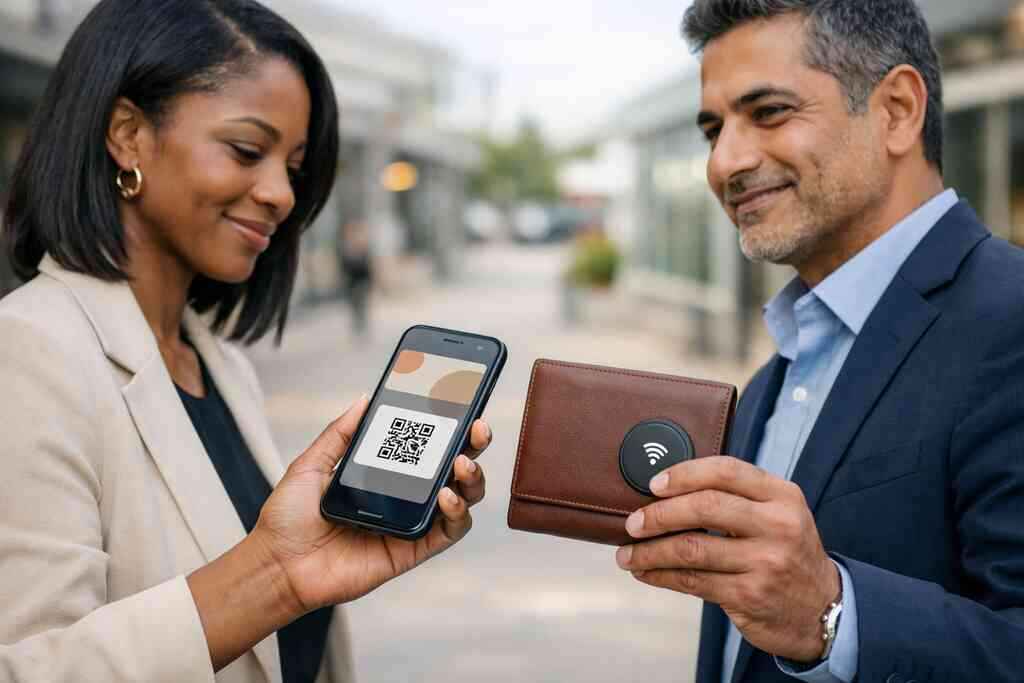
QR code business cards are familiar and easy to deploy. People scan them with a phone camera, and the exchange is fast. NFC business cards are even quicker in some settings, because a tap can launch the card. Both are useful, but they serve different habits and environments.
If you want a deeper breakdown, compare QR code and NFC business cards for NYC teams. QR works well when you need broad compatibility, while NFC business cards shine when speed matters and the other person is already comfortable tapping. Apple’s Core NFC framework and the ISO 14443 standard both support reliable contactless behavior on compatible devices. QR code contact sharing follows the ISO/IEC 18004 standard, which is why scanning remains widely supported. In short, both can work well. The right choice depends on the audience, not the hype.
What a smart business card should do for sales professionals, real estate agents, freelancers, and corporate teams
A smart business card should reduce friction in the real world. It should help sales professionals move from introduction to follow-up. It should give real estate agents a cleaner way to share listings, office details, and direct lines. It should help freelancers look polished without printing another stack. And it should give corporate teams a consistent format across departments.
For real estate-specific workflows, many teams like to review real estate digital card examples before choosing a setup. That helps them think through business card details such as title, office number, social links, and a clear call to action. A smart business card should also support a digital business card app experience that is easy on mobile. If the card takes too many taps, people stop using it.
Why custom branding, digital card templates, and mobile-friendly contactless sharing change the handoff
The handoff matters because first impressions are sticky. A well-built digital card design tells people who you are before they read a full bio. Custom branding helps you align colors, logo placement, and tone with the rest of your business. That is where digital business card templates can save time without making the card feel generic.
Mobile-friendly contactless sharing also changes behavior. When the card loads cleanly on a phone, people keep it open long enough to act on it. That is the difference between a digital card example that gets admired and one that gets saved. If you are making a digital business card, keep the layout simple. Use one clear action, one clean headline, and one easy path to respond.
A small agency in Long Island once told us they changed nothing about their pitch, only their handoff. They used the same meetings, the same leads, and the same language. What changed was that each rep could send a card in seconds, then follow up without retyping a single number. That small shift cut their post-meeting scramble.
How to choose the platform that keeps working after the handshake
This is where good intentions turn into results. A lot of people choose a platform because the design looks clean. Then they discover the sharing flow is awkward, the updates are slow, or the team cannot track what happened next. The better move is to compare the system behind the card, not just the card itself. If you are serious about professional networking, the back end matters.
You should also ask one blunt question: does this tool still help after the first exchange? If it does not support contact management, analytics, and simple updates, it is only half a solution. That is true for agencies in New York, and it is especially true for teams moving between Long Island and the city.
What to compare in digital card pricing, free digital business card access, and premium digital card plans
Pricing should be clear before you commit. Look for a free digital business card option if you want to test the workflow first. Then compare premium digital card plans only after you know what your team actually needs. Do not pay for complexity you will never use. 
For a direct comparison, review digital card pricing and premium plans. A good comparison should help you weigh flexibility, team usage, and setup effort. If you are evaluating a digital card maker for agency use, ask how quickly you can create digital business card profiles and update them later. A lower price means little if the platform creates more admin work. Strong digital card pricing is about fit, not just numbers.
Comparison pointFree accessPremium plansBest forTesting and solo useTeams and branded useFlexibilityUsually limitedUsually broaderTeam rolloutHarder to standardizeEasier to manageSupport needsBasicOften stronger### When lead capture, CRM integration, and follow-up automation matter more than a pretty digital card design
Pretty design gets attention. Workflow gets results. If your agency depends on prospects moving quickly into a pipeline, then lead capture for agencies should be near the top of your list. CRM integration can save hours of manual entry, and follow-up automation can keep conversations alive after the event ends. That is where the platform earns its keep.
If you want to see how this fits into a real process, CRM integration for digital business cards is worth reviewing. The same is true for lead capture and ROI with digital business cards. Digital card analytics can show what gets tapped, scanned, or opened, which helps you understand which channels are working. That kind of visibility matters more than a decorative layout. It tells you what to improve next.
The decision frame for Long Island, New York, and NYC agencies choosing between digital card vs paper and the next move on How It Works and Pricing
The decision is simpler than it looks. If your work depends on speed, repeat sharing, and follow-up, digital card vs paper is not a close contest. Paper is fine for handing out once. Digital is better for every step after that. That is especially true for Long Island, New York, and NYC agencies that live on tight schedules.
If you want to see the setup process, the How It Works page is the best place to start. If you want to check actual plan structure, compare that with the Pricing & Plans page. You can also browse digital business cards for corporate teams if your team needs consistency across roles. The right platform should help you look polished, share contact info instantly, and keep the conversation moving. That is the real win.
If you are still weighing your options, do one practical thing today. Compare your current card handoff against a digital card example and notice where friction appears. Then test one platform with your own business card details, not a generic demo. You do not have to figure it all out today. Start with one contact, one scan, and one cleaner follow-up.
Frequently Asked Questions
Do digital business cards work without an app?
Yes, many do. The best setups let people open your card through a browser, QR scan, or direct link. That makes sharing easier for guests who do not want to download anything. If you are comparing options, check whether the experience is mobile-friendly and fast on both iPhone and Android. A smooth no-app flow often makes the biggest difference in live networking.
Can I customize the design of my digital card?
Usually, yes, but the level of control varies by platform. Look for digital business card design options that let you adjust colors, logo placement, contact fields, and social links. A good business card template should help you stay on brand without creating extra work. If your team needs uniformity, ask whether digital business card templates support multiple users with consistent branding.
Is NFC safe for sharing contact info?
In general, NFC contact sharing is designed for short-range exchange, which is one reason it is popular. It does not automatically expose every personal detail unless you choose to share them. Still, you should review what data appears on the card and how it is stored. If you collect or store shared details, GDPR-style privacy thinking is smart even for U.S.-based teams. For device behavior, near field communication for contactless sharing explains the basics clearly.
What is better for NYC agencies, QR code business cards or NFC business cards?
Both can work well. QR code business cards are broadly compatible and easy to scan in almost any setting. NFC business cards are excellent when speed matters and the audience is comfortable with tap-to-share. Many agencies use both, especially for conferences, site visits, and mixed-device audiences. If you want a practical side-by-side view, compare how each fits your actual meeting flow.
Can digital business cards help with LinkedIn networking?
Yes. A digital business card for LinkedIn networking can make it easier to move from an introduction to a real connection. You can place your LinkedIn profile beside your phone, email, and website so people do not have to search for you later. That saves time and reduces drop-off after events. If LinkedIn is a key channel for you, make sure the card keeps the next action obvious.
Are digital business cards useful for real estate agents in NYC?
Very much so. Real estate agents often move from showing to showing, and paper cards do not keep up well. Digital business cards for real estate agents in NYC make it easier to share office details, contact info, and follow-up links in one place. They are also useful when a buyer, tenant, or referral partner wants to save the card instantly. For role-specific ideas, see digital business cards for real estate agents in NYC.
How do I make a digital business card for my agency?
Start with the essentials: name, title, phone, email, company, and one clear call to action. Then add branding that matches your team. After that, test how it looks on a phone and how quickly someone can save it. If you want a guided setup, review how to create a digital business card for leads and then compare it with the platform’s templates. That keeps the process simple and practical.