

When a paper card disappears before the follow-up, what actually costs the lead
A client in Hauppauge once left a trade show with twelve promising conversations and one crumpled stack of paper cards. By Monday, two of those names were already gone. That is the quiet cost of paper. If you are reading this because follow-up keeps slipping through the cracks, that frustration makes sense.
Why digital business cards solve the lost card problem for SEO leads
A paper card can be lost, bent, or buried. A digital business card stays available as a link, QR code, or tap-to-share option. That matters for SEO leads because attention fades fast, and speed wins follow-up. On our digital business cards for SEO leads page, the core idea is simple: make the contact easy to save and even easier to revisit.
Here is the part most professionals miss. A lead does not vanish only because the card is lost. The lead vanishes when the next action becomes inconvenient. If your contact details are one scan away, the odds of a reply improve because friction drops immediately.
How a digital business card keeps your contact info searchable and shareable
A digital business card gives you more than a name and number. It can keep your contact info organized, shareable, and ready to send again when needed. That helps when a prospect asks for your details after a meeting, during a commute, or while checking email later that night. It also supports paperless networking, which feels cleaner and easier in busy environments.
The real advantage is recall. A person can search your name, open your digital card, and share it with a colleague without retyping anything. If you have ever watched someone misplace a paper card in a jacket pocket, you know how useful that is. One small-business owner in Commack told us her best networking conversations happened after she switched to a link-based card, because people could save it on the spot.
The difference between a paper card handshake and a contactless share that gets remembered
A handshake and paper card exchange feels polite. A contactless share feels immediate. That difference matters because memory follows the action that feels easiest and most modern. When a prospect scans your QR code business cards or taps your NFC business cards, the exchange becomes memorable without adding awkward steps.
The same moment also signals professionalism. A smart business card suggests that you respect the other person’s time. It also makes follow-up more natural, because the contact is already on their phone. On Long Island, where meetings can move from a Suffolk County office to a Manhattan train ride, that convenience is hard to ignore.
Why Long Island professionals are using digital card makers for faster networking in local meetings
Long Island professionals often network in fast-moving settings. Think Hauppauge business mixers, Commack co-working spaces, and quick introductions before an NYC commute. In those settings, a digital card maker can help you create a digital business card asset that works in seconds. That is why many sales professionals, real estate agents, freelancers, and corporate teams are paying closer attention.
We have seen that local pace firsthand. The question is not whether someone can collect a card. The question is whether they can act on it before the day gets away from them. For a virtual business card exchange using QR code style workflow, that speed is the whole point.
What a digital business card really is and why search-driven leads treat it differently
A digital business card is a shareable contact profile built for quick exchange. It can live online, appear as a QR code, or be passed through a tap-enabled card. Search-driven leads treat it differently because it works more like a micro landing page than a printed rectangle. That gives you more room for business card details, lead capture, and follow-up paths.
Digital business card vs online business card vs virtual business card vs electronic business card
People use these terms almost interchangeably, but there are useful differences. A digital business card usually refers to the overall system. An online business card emphasizes the web-based format. A virtual business card or electronic business card points to the contact-sharing experience rather than the paper substitute. If you want a clear digital business card app and paperless networking setup, the label matters less than the workflow.
What matters is what happens after the share. Can the person save your details quickly? Can they send your profile to someone else? Can they find you later without digging through a drawer? That is where digital card systems outperform a traditional card in practical use.
How QR code business cards and NFC business cards change the exchange moment
QR code business cards and NFC business cards both remove the awkward handoff. With QR, the other person scans. With NFC, they tap. Both make the exchange fast, clean, and contactless. The underlying standards are familiar too: QR follows the ISO/IEC 18004 standard, and NFC uses near field communication protocols that mobile devices recognize.
Apple’s Core NFC framework also supports reliable tap-based interactions on compatible devices. That makes the experience feel smooth in real use, not just on a product page. If you want a deeper comparison, our QR code business cards and NFC business cards guide breaks down the difference without the fluff. The point is simple: both can work well if the setup is clean.
What belongs in business card details when the goal is lead capture, not just contact sharing
A strong digital card should not feel crowded. It should include the details that move a person toward action. That usually means your name, title, company, phone, email, website, and a short description. If lead capture matters, you may also include links that support direct follow-up, such as LinkedIn or a contact form.
Keep the business card details useful, not decorative. You do not need every credential in the first view. You need enough information for trust, enough context for relevance, and enough clarity for a next step. That balance helps more than a long block of text ever will.
Why digital card vs paper matters for sales professionals, real estate agents, freelancers, and corporate teams
The difference between digital card vs paper is not only convenience. It is also adaptability. Sales professionals can track outreach faster. Real estate agents can share listings and contact info in one motion. Freelancers can look polished without printing a thousand cards. Corporate teams can keep branding consistent across many employees.
On the projects we have seen this year, the biggest gain has been consistency. Paper cards scatter. Digital cards scale. That matters when several people on the same team need the same clean look and the same follow-up path. If you want examples tailored to property work, see our digital business cards for real estate agents in NYC resource.
The anatomy of a card that turns attention into action
The best card does not just share contact info. It creates a path. That path starts with design, continues through trust, and ends in follow-up. If your card looks cluttered or generic, people hesitate. If it feels clear and polished, they move faster.
How to make a digital business card with strong digital business card design and clean virtual card design
A clean card starts with one decision: what should happen after someone opens it? That question shapes the layout, colors, and wording. Strong digital business card design makes the main action obvious. Clean virtual card design reduces friction by keeping the most important items visible first. If you want a practical walkthrough, our how to make a digital business card guide is built for that purpose.
You do not need flashy effects. You need structure. Use short labels. Keep spacing generous. Make the tap or scan action easy to spot. A card should feel like a clean business introduction, not a crowded flyer.
Why business card template choices affect trust, clarity, and conversion
Template choice changes first impressions fast. A professional business card template helps people trust what they see. A messy template can do the opposite, even if the contact details are accurate. This is where design affects conversion directly. 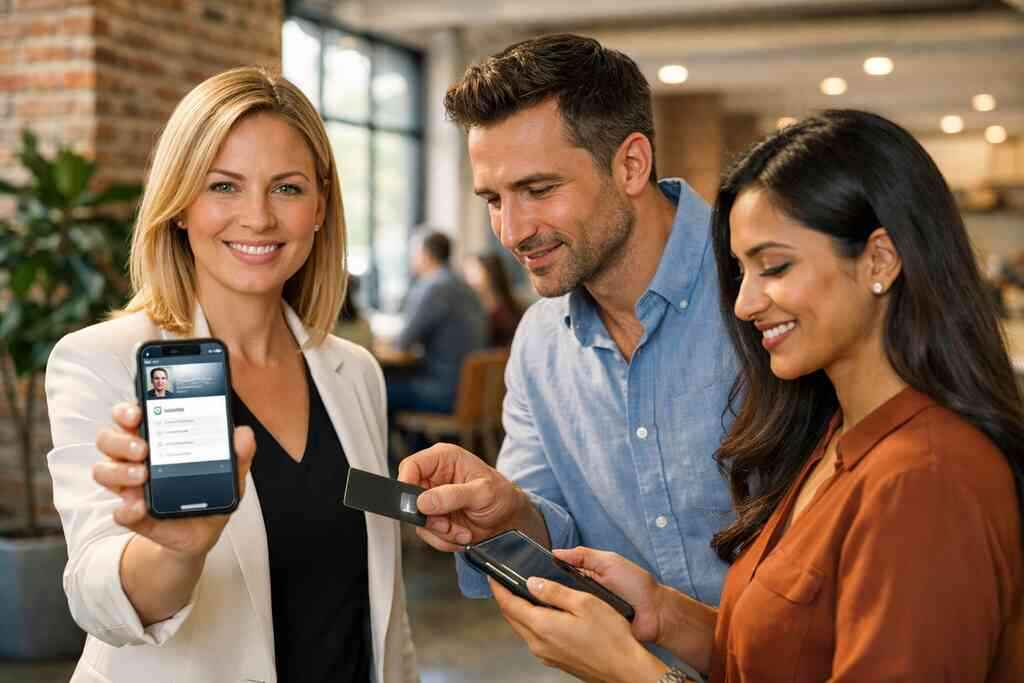
Here is a simple comparison: Template choiceWhat it signalsRisk if done poorlyClean, minimal layoutConfidence and clarityToo sparse if key details are missingBranded layoutConsistency and recognitionCan feel heavy if overdesignedMobile-first layoutEase of useHard to read if text is crowdedFor many small business owners, the safest move is a restrained layout with one strong action. Our business card templates for small business branding page shows how templates can support a stronger first impression without overcomplicating the card.
When custom branding and digital business card templates make a small business look more established
Custom branding matters because people judge professionalism in seconds. Colors, fonts, and logo placement should match your broader brand. That does not mean everything must be identical. It means the card should feel like it belongs to your business.
For a small business, that sense of order can be powerful. It tells a prospect you have systems, not chaos. It also helps a solo operator look more established without pretending to be a giant firm. That is especially useful in local markets like Long Island, New York, NY, where reputation and presentation often travel together.
How digital card analytics, CRM integration, and follow-up automation help keep SEO leads moving
Once the card is shared, the real work begins. Digital card analytics can show when a card gets opened or reused, depending on the platform’s available features. CRM integration can help route a new contact into your system. Follow-up automation can then trigger the next message or reminder. For a deeper look, our CRM integration and follow-up automation for digital business cards article explains the workflow clearly.
This is where SEO leads benefit most. They often arrive with intent, but not urgency. Analytics and automation keep them from cooling off. If your card connects to a reliable system, you spend less time chasing and more time speaking with people who already showed interest.
Where Apple Wallet business card and Google Pay card fit into a mobile-first workflow
Apple Wallet business card and Google Pay card options can make mobile sharing feel even smoother. They fit best when your audience already lives on their phone. That includes commuters, conference attendees, and busy local contacts who want a quick save option. They also reinforce the idea that your business is easy to reach.
Still, the wallet format should support your workflow, not replace it. Some people will scan a QR code. Others will tap. Others will open a link later. A good setup respects all three habits.
Which setup choices matter most for local networking across Suffolk County and NYC commutes
Local networking moves quickly across Suffolk County and into NYC. That means your setup should work in a crowded room, on a train platform, and during a quick introduction. Use a short title. Keep your phone and email easy to find. Make sure the card loads quickly on mobile.
A Garden City agent once told us that a tap-and-save card helped her during a rushed referral introduction in Manhattan. The other person could store the details before the elevator opened again. That is the kind of quiet efficiency that turns social contact into real follow-up. In these moments, speed is not a luxury. It is the difference between remembered and forgotten.
What smart buyers look at before they choose a digital card platform
Choosing a platform is not only about style. It is about reliability, clarity, and fit. Some people only need a simple share link. Others need templates, branding, analytics, or CRM connections. The right choice depends on how you network and how you follow up.
How to compare free digital business card options with premium digital card plans without guessing
Free digital business card options can be useful for testing. They help you learn the flow before committing. Premium digital card plans may offer more structure, but you should never assume they fit your needs without checking. Since we do not list pricing details here, the safest move is to review the current digital card pricing and premium digital card plans information directly.
The comparison should focus on value, not just cost. Ask what supports your workflow. Ask what improves your team’s consistency. Ask what saves you time after each event. That is the real measure.
Which digital business card features deserve attention when lead capture matters
The features that matter most are usually the ones that reduce friction. Look for easy sharing, clear contact display, and support for follow-up. If you need lead capture, pay attention to any tools that help connect a visitor to your next step. You should also check whether the platform supports contactless sharing and digital card analytics for lead capture.
Useful features often include:
- QR and tap sharing
- Branded layouts
- Simple editing
- Contact save options
- Analytics or tracking
- Team-friendly management
Not every platform offers the same mix, so read carefully. The best feature list is the one your team will actually use.
Why contactless sharing and electronic business card exchange should feel instant and simple
If the exchange feels slow, people will not use it twice. That is why contactless sharing must feel instant. The digital business card app or web page should open quickly. The save action should be obvious. The experience should feel easier than digging for paper.
That simplicity also improves trust. People do not want to wrestle with a clunky process during a networking event. They want something smooth, predictable, and secure. When the exchange works well, the card becomes part of the conversation instead of a distraction.
How to judge the best digital business card platforms for professional networking and paperless networking
The best digital business card platforms usually make the basics feel effortless. They should help with professional networking, not complicate it. Look for clean design tools, straightforward sharing, and dependable mobile performance. If you need a broader overview, start with digital business cards vs. paper cards for networking.
You should also think about fit by use case. Sales professionals need speed. Real estate agents need polish. Freelancers need flexibility. Corporate teams need consistency. The platform should support the kind of work you actually do.
Where /templates/ /pricing/ /how-it-works/ /features/ and /nfc-digital-business-cards/ fit into the decision
Those pages answer the questions buyers ask in order. Templates show design options. Pricing explains the commitment. How it works shows the setup flow. Features explain what is available. NFC pages clarify tap-based sharing. For local users, the digital business cards for professional networking in Long Island, New York angle matters because regional networking tends to be faster and more relationship-driven.
If you are evaluating a platform today, use those pages as a checklist. Do not guess. Compare the experience. Then choose the setup that supports your real meetings, not an imaginary marketing scenario.
What a practical next move looks like for Long Island New York professionals who want more qualified SEO leads
Start with the contacts you already meet most often. Think clients, referral partners, and local event introductions. Build one clean card. Test it in a live conversation. Then see how quickly people save and reshare it. That simple trial will teach you more than a dozen opinions.
If you are in Long Island, New York, you already know how valuable fast trust can be. The right digital business card shortens the gap between introduction and action. You do not have to figure it all out today. Pick one platform page to review, one template to compare, and one upcoming meeting to test your new share flow.
Frequently Asked Questions
Question: What are digital business cards, and how do they help SEO leads follow up faster in Long Island, New York, NY?
Answer: Digital business cards are shareable contact profiles that let you send your information by link, QR code, or tap instead of handing over paper. For SEO leads, that matters because the contact stays easy to access after the first meeting. A digital business card can help someone save your details quickly, revisit your profile later, and share it with a colleague without retyping anything. That kind of paperless networking reduces friction and makes follow-up feel more immediate. For professionals in Long Island, Suffolk County, and NYC, where meetings move quickly, that speed can make a real difference. Digital Business Cards is focused on helping people create digital business card experiences that are simple, professional, and easy to share.
Question: In the blog What Are Digital Business Cards for SEO Leads in 2026, why do QR code business cards and NFC business cards matter more than paper cards?
Answer: The main advantage of QR code business cards and NFC business cards is that they make the exchange instant and contactless. Instead of relying on someone to keep a paper card safe, your digital business card can be opened on a phone right away. That improves the odds that your contact info gets saved before the conversation is forgotten. QR code business cards work well for quick scan-and-save sharing, while NFC business cards can make tap-based exchanges feel even smoother on compatible devices. Both fit well into professional networking, especially for sales professionals, real estate agents, freelancers, and corporate teams who need an efficient way to share contact info. Digital Business Cards supports this kind of streamlined workflow with a practical, mobile-friendly approach.
Question: What should a strong digital business card design include if the goal is lead capture, CRM integration, and follow-up automation?
Answer: A strong digital business card design should keep the most important business card details visible first, such as your name, title, company, phone number, email, website, and a clear next step. If lead capture is the goal, the card should make it easy for someone to save your info or move toward contact quickly. Clean digital business card templates can help keep the layout easy to read and professional, while custom branding can make the card feel consistent with your business. Some platforms may also support digital card analytics, CRM integration, and follow-up automation, but the exact tools vary by provider, so it is important to review current platform details carefully. Digital Business Cards is built around the idea that a digital card should do more than look polished — it should help you stay organized and keep leads moving.
Question: How do digital business cards compare with digital card vs paper for sales professionals, freelancers, and small business owners?
Answer: The difference between digital card vs paper is mostly about speed, flexibility, and consistency. Paper cards can be lost or forgotten, while digital business cards stay available as a link, QR code, or tap-to-share option. That makes them especially useful for sales professionals who need fast follow-up, freelancers who want a polished and reusable online business card, and small business owners who want to look established without printing constantly. Digital business cards also support professional networking better because they are easier to resend, easier to update, and easier to share across devices. For teams, that can mean more consistent branding and less wasted effort. If you are looking for a smarter way to share contact info, a virtual business card or electronic business card is often the more practical choice.
Question: How do I choose the best digital business card platforms and digital card pricing without guessing?
Answer: The best digital business card platforms are usually the ones that make sharing, editing, and follow-up simple. When comparing options, look at how easy it is to create digital business card profiles, how clean the digital business card app or web experience feels on mobile, and whether the platform supports the workflow you actually need. If pricing is important, review the current digital card pricing directly from the provider, since free digital business card and premium digital card plans can change and should not be assumed. It also helps to check for useful digital business card features such as contactless sharing, digital card analytics, and business card template options. Digital Business Cards is designed for people who want a straightforward, professional setup that works well for Long Island, New York, NY networking and beyond.