
Why SEO teams keep losing momentum with paper cards and what changes when contact sharing goes digital
The worst part is not the handoff. It is the silence after it. You meet someone at a conference, tuck away a paper card, and then the card ends up in a pocket, notebook, or trash. If you are reading this because follow-up keeps slipping, that frustration makes sense.
The hidden cost of one missed follow-up after a conference or client meeting
SEO teams live and die by timing. A warm lead from a meetup in Long Island, New York, can go cold fast if you miss the next step. That is especially true after crowded events, where cards blur together and names get fuzzy. A digital business card reduces that drag by putting contact details where they can be saved immediately.
Here is the part most teams miss. A missed follow-up is not just a lost lead. It can delay referrals, content partnerships, and even backlinks from the wrong kind of conversations. One consultant I spoke with after a Hauppauge mixer had three promising contacts from one night, but only one made it into a CRM the next morning. The other two stayed on paper and never got touched again. That is how momentum disappears.
Paper cards also create a messy handoff for busy SEO teams. You may collect ten cards, but only two get entered correctly. That means extra admin work, more mistakes, and fewer useful connections. For teams that already track rankings, audits, and reporting, that extra friction is expensive.
Why a digital business card is more than a modern-looking online business card
A digital business card is not just a nicer-looking online business card. It is a shareable contact hub that can hold your business card details in one place. You can send it by link, QR code, or tap, depending on the setup. That makes it closer to a living contact system than a static card.
For SEO teams, that matters because networking is rarely about one exchange. It is about recall, context, and fast follow-up. A virtual business card can support those goals better than an electronic business card buried in a drawer. It can help people save your info, revisit your profile, and contact you through the channel they prefer.
We have seen that shift change behavior in real meetings. A freelancer in Commack told us she stopped handing out paper cards entirely during client presentations. She used a smart business card instead, then watched prospects save her details on the spot. The point was not novelty. The point was removing friction from the first touch.
How paperless networking changes the way SEO teams capture leads and share contact info
Paperless networking changes the exchange itself. Instead of hoping someone types your details later, you let them share contact info with a digital business card immediately. That simple difference matters at trade shows, pitch meetings, and local mixers. It also helps your team keep a cleaner contact list.
For SEO teams, this can improve both speed and consistency. You can use one digital card for introductions, another for campaigns, or team-specific cards for sales professionals and corporate teams. Many teams also like the flexibility of digital business cards for networking because they fit the pace of real business conversations. You are not forcing someone to remember anything later.
A recent Adobe survey is often cited for a reason: professionals lose paper cards more often than they expect. That is not a small issue. It is the entire problem. A digital card maker helps solve it by making the exchange instant, searchable, and easier to store. If your work depends on staying top of mind, that matters.
What actually sits inside a digital business card and why SEO teams should care
A useful digital business card is not mysterious. It is a focused set of contact and brand elements, presented so the other person can act fast. The best versions are simple, clear, and easy to share. SEO teams should care because clarity improves conversion at the exact moment interest is highest.
Business card details that matter most when a lead is one scan away
The strongest digital business card features are the ones that reduce doubt. Think name, role, company, phone, email, website, and one clear action path. You may also include social links, but only if they support your follow-up plan. Too many choices can slow people down.
A clean business card details structure helps here because it makes contact saving smoother across devices. The card should feel like a direct answer, not a brochure. If someone scans your QR code business cards during a conference aisle conversation, they should know exactly who you are in seconds. That is the standard.
A simple business card example can outperform a flashy one. In fact, the best business card design usually removes clutter. Here are the essentials most SEO teams should keep close:
- Full name and title
- Company name
- One phone number
- One email address
- Website or landing page
- Main social profile, if useful
- Clear brand logo or headshot
QR code business cards versus NFC business cards in real field use
The debate around QR code business cards versus NFC business cards is mostly about context. QR codes work well because nearly every modern phone can scan them, and the standard behind them is widely recognized. NFC business cards are great when a tap feels smoother, especially in face-to-face networking. Both can work well if your audience understands them.
A practical comparison is easier than a technical one. QR is visible, fast, and familiar. NFC is elegant, quick, and less dependent on pointing a camera. In field use, many teams keep both options ready. That gives you flexibility during conferences, restaurant meetings, and crowded event floors.
Option Strength Best Use
QR code business cards | Easy scanning and broad familiarity | Large events and quick introductions NFC business cards | Fast tap-to-share interaction | In-person meetings and premium handoffs Paper cards | Simple, but easy to lose | Rarely ideal for ongoing follow-up
Apple’s Core NFC framework and the ISO 14443 standard help explain why tap sharing can be reliable. QR systems also follow the ISO/IEC 18004 standard. So the tech is not guesswork. The real question is which path your contacts will actually use.
Custom branding, digital business card design, and business card templates that match your agency voice
Your card should sound like your agency before you even speak. That is where digital business card design and branding matters. The colors, logo placement, typography, and photo style should feel like your site and proposals. If they do not match, trust weakens a little.
Templates help, but only if they support the brand. A good business card template gives structure without flattening personality. Digital business card templates are useful for teams that need consistency across employees. Still, the design should leave room for role-specific details and a direct call to action.
Here is what almost no online guide mentions. People judge the card before they judge the copy. A sleek virtual card design can make an SEO agency feel more organized, while a messy one can make a strong team look casual. That is why digital card maker tools should support both branding and clarity, not just decoration.
When digital card analytics, lead capture, and CRM integration change the follow-up game
This is where digital cards move from nice-to-have to useful infrastructure. Digital card analytics for follow-up ROI can show which shares, clicks, or scans actually happened. That helps SEO teams understand what networking channels produce real conversations. It also makes reporting less abstract. 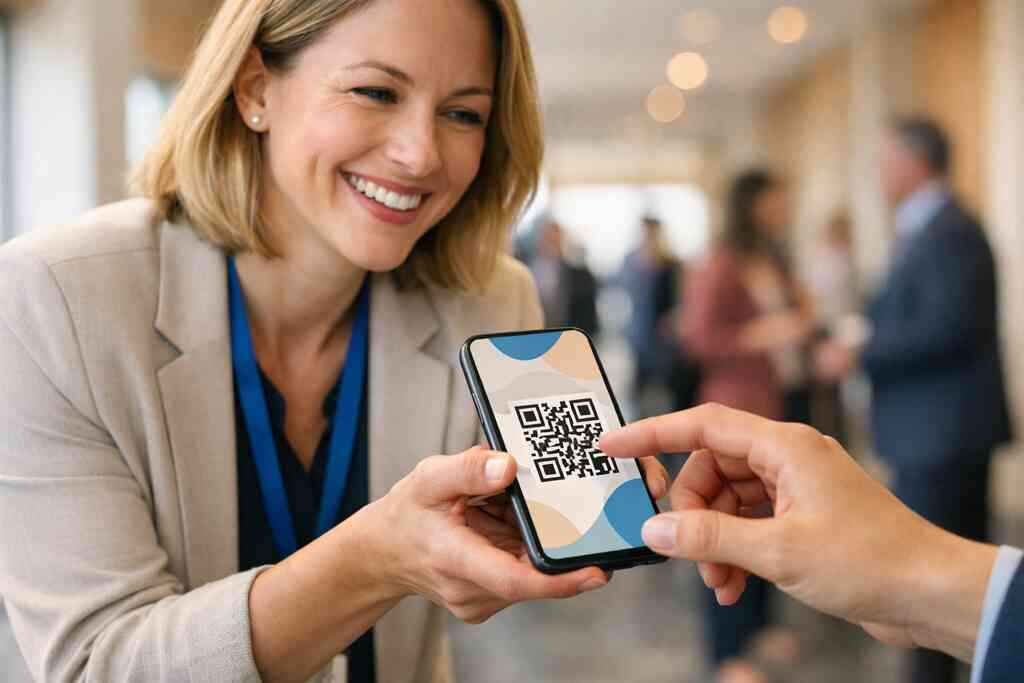
Lead capture matters because it shortens the gap between interest and response. If a contact submits information through your card, that data can move into your workflow faster. With lead capture and CRM integration for digital business cards, follow-up automation becomes less manual. That does not replace human outreach. It just makes it easier to do on time.
The mistake we see most often is assuming analytics are only for marketers. They are not. Sales professionals, freelancers, and corporate teams all benefit from knowing what gets opened, saved, or clicked. GDPR-style thinking also matters here. If you store shared details, you need to handle them carefully and transparently.
How to make a digital business card that works on LinkedIn, Apple Wallet, and Google Pay
If you are asking how to make a digital business card, start with the path the user will actually take. A strong card should open cleanly on mobile and support easy sharing through LinkedIn growth workflows. That makes it more useful after the first meeting. It also keeps your contact info within reach.
Many teams like wallet-based access because it keeps the card handy. An Apple Wallet business card or Google Pay card can make repeat access easier, especially for people who dislike installing extra apps. That said, the card still needs to be readable, branded, and updated. If the content is stale, the convenience does not matter.
For teams planning setup, the best approach is simple. Use one clear profile, one clean image, and one primary CTA. Then test it on your own phone before sharing. If the card feels confusing to you, it will feel confusing to everyone else.
The decision that turns a simple contact card into a pipeline tool
A digital business card becomes powerful when it supports a process, not just a profile. For SEO teams, that process is usually contact capture, follow-up, and trust-building. The card should fit that workflow from the start. Otherwise, it stays a clever accessory.
When a free digital business card is enough and when premium digital card plans make sense
A free digital business card versus premium plans decision depends on your goals. If you only need basic sharing and a simple profile, a free digital business card may be enough. If you need branding control, analytics, team management, or CRM connections, premium digital card plans may make more sense. The right answer depends on how much follow-up matters to your business.
Digital card pricing should be evaluated against time saved, not just monthly cost. A small team that meets prospects often may recoup value quickly if the card helps capture leads sooner. On the other hand, a solo consultant who networks lightly may not need every feature. Be honest about your usage.
A quick rule helps here:
- Use free tools for basic contact sharing
- Use paid tools for branding consistency
- Use premium tools when follow-up needs structure
- Use team plans when multiple people represent the same brand
What SEO teams should look for in the best digital business card platforms without guessing
The best digital business card platforms are not always the flashiest. Look for dependable sharing, strong editing tools, and clear support for team use. Also check whether the platform handles contactless sharing smoothly across mobile devices. That matters more than clever marketing.
If you are comparing options, use a practical lens. Can you update details fast? Can you control branding? Can you measure engagement? Can the card support a team without creating confusion? Those questions matter more than a long feature list. If you need a broader comparison, see best digital business card platforms for teams and top 6 online business card features NY professionals need now.
For agencies and internal teams, digital business cards for corporate teams can standardize outreach. That keeps the brand consistent across departments. It also prevents one person from using an outdated title or phone number. Small mistakes like that can quietly slow down trust.
How digital card vs paper changes trust at events in Long Island, New York, NY, Suffolk County, and NYC
The digital card vs paper question is really about signal. Paper can still feel personal, but it can also feel outdated if the rest of your brand is modern. In Long Island, New York, NY, Suffolk County, and NYC, people move quickly and expect easy access. A digital card often matches that pace better.
At a Garden City networking lunch, one broker shared her digital card after a brief introduction. The prospect saved it immediately and emailed her before the check arrived. That was not magic. It was convenience meeting timing. A paper card might have worked later, but later often means never.
For local visibility, many teams use digital business cards in Long Island, New York, and NYC to stay consistent across county lines. That is useful when you serve both NYC commuters and Suffolk County clients. It makes follow-up feel less fragmented. And in crowded rooms, that matters.
Why Long Island teams from Hauppauge mixers to Commack co-working spaces are shifting to sustainable business cards
Sustainable business cards are not just a talking point. They reduce reprints, waste, and the pile-up of outdated cards in drawers. That matters to teams that network often. It also fits the practical mindset many Long Island businesses share.
If you spend time in Hauppauge mixers or Commack co-working spaces, you already know the rhythm. People want quick intros, fast context, and an easy way to stay in touch. That is why sustainable business cards in Suffolk County and NYC keep gaining attention. They are not about appearing trendy. They are about reducing friction and waste at the same time.
What we have seen in 2026 specifically is simple. Teams that network weekly want fewer physical leftovers and more useful touchpoints. That is especially true for small business owners and freelancers who cannot afford to lose leads in the shuffle.
The next move for sales professionals, freelancers, real estate agents, and corporate teams who want a smarter handoff
Different users need different setups. Sales professionals usually want speed and tracking. Freelancers often want brand control and a simple pitch path. Real estate agents may want fast sharing during showings or open houses. Corporate teams care about consistency and compliance.
If you want a smarter handoff, start by matching the card to the role. A real estate agent in Suffolk County may need one style of card. A corporate recruiter in NYC may need another. A freelancer may need a clean portfolio link. For more role-specific examples, real estate digital card examples can help you picture the difference.
If you want a simple action plan, use this:
- Pick the contact details you want shared.
- Choose a design that matches your brand.
- Decide whether QR, NFC, or both fit your audience.
- Connect the card to your follow-up process.
- Test it with three real contacts before your next event.
You do not need to solve everything today. Start with one card that makes it easier for people to reach you. If you want a local Long Island option that keeps the process simple, Digital Business Cards is built for exactly that kind of handoff.
Frequently Asked Questions
Question: What is a digital business card, and how is it different from an online business card or virtual business card?
Answer: A digital business card is a shareable contact hub that lets people save and use your details quickly, usually through a link, QR code, or tap. Compared with a paper card, it is built for contactless sharing and easier follow-up. Compared with a basic online business card or virtual business card, it can be structured to support business card details, branding, and a smoother electronic business card exchange. For SEO teams, that matters because every missed follow-up can mean a lost lead, referral, or partnership opportunity. Digital Business Cards, based in Long Island, New York, helps make that handoff simpler by giving you a clean way to share contact info without the paper hassle.
Question: How does What Is a Digital Business Card in 2026 for SEO Teams explain the value of paperless networking for sales professionals, freelancers, and corporate teams?
Answer: The main idea is that paperless networking removes the delay between meeting someone and staying in touch. Instead of hoping a paper card gets saved, a digital business card lets the other person scan or open your profile right away. That is especially useful for sales professionals, freelancers, real estate agents, and corporate teams that network often and need fast, organized follow-up. A smart business card can also help keep your brand consistent, which is valuable when multiple team members represent the same company. Digital Business Cards supports this kind of workflow by helping businesses create digital business card profiles that are easy to share in real meetings, on mobile devices, and in professional networking settings across Long Island, Suffolk County, and NYC.
Question: What digital business card features should SEO teams look for when comparing QR code business cards and NFC business cards?
Answer: SEO teams should look for features that make sharing fast, clear, and easy to act on later. That usually includes strong digital business card design, a simple business card template, clear contact details, and a call to action that fits your follow-up process. QR code business cards are often the most familiar choice because nearly everyone knows how to scan them, while NFC business cards can feel especially smooth in face-to-face meetings because people can tap to share. The best setup depends on your audience and where you network. A well-built virtual business card should also support custom branding so your agency looks professional from the first scan. Digital Business Cards can help you create a digital business card that keeps the focus on business card details, not clutter.
Question: How do digital card analytics, lead capture, and CRM integration help with follow-up automation?
Answer: These tools help turn networking into a more organized process. Digital card analytics can show whether your card was viewed, opened, or engaged with, which gives SEO teams a better sense of what is working. Lead capture can shorten the gap between first contact and follow-up by moving details into your workflow sooner. With CRM integration, those contacts can be easier to track and manage without extra manual entry. That is useful for small business teams, freelancers, and corporate teams that want a cleaner pipeline. Digital Business Cards focuses on practical digital business card features that support real-world follow-up automation, not just a pretty profile. That makes it easier to keep momentum after conferences, client meetings, and local networking events.
Question: How to make a digital business card that fits LinkedIn, Apple Wallet business card access, and Google Pay card sharing?
Answer: A good place to start is with one clear profile, one clean image, and one primary action. If you are wondering how to make a digital business card, think about the channel your contacts are most likely to use after they meet you. A digital business card for LinkedIn can help keep your contact information close to where professional conversations already happen. Apple Wallet business card and Google Pay card options can also make your card easier to access later, especially for people who prefer keeping important details in their phone wallet instead of installing another app. The key is making sure the card is readable, branded, and easy to update. Digital Business Cards helps Long Island professionals build that kind of digital card maker experience without overcomplicating the process.
Question: Is a free digital business card enough, or should I look at premium digital card plans and digital card pricing?
Answer: It depends on how you network and what you need your card to do. A free digital business card may be enough if you only want basic sharing and a simple online business card presence. If you need stronger custom branding, team consistency, digital card analytics, or CRM integration, premium digital card plans may be worth considering. The best way to evaluate digital card pricing is to compare it with the time saved and the leads preserved through better follow-up. For teams in Long Island, New York, NY, and Suffolk County, that can matter a lot if you attend events regularly or manage multiple contacts each week. Digital Business Cards can help you choose a setup that matches your goals without guessing or overbuying features you do not need.