

Why paper cards get ignored after one Long Island handshake
You know the moment. The handshake ends, the crowd shifts, and your paper card slips into a pocket. Then the night gets busy, and that card never sees daylight again. If that frustrates you, you are not imagining the problem. We hear this from professionals across Long Island all the time. The issue is not effort. The issue is friction.
The moment a card goes into a wallet and never comes back out
A paper card looks simple, but it depends on memory, storage, and later sorting. That is a lot to ask after a busy mixer in Hauppauge or a crowded room near the LIRR. Most people mean to follow up, yet the card blends into receipts, tickets, and old notes. A 2023 Adobe survey found that many professionals have lost a paper card before following up. Even when the card survives, the details may be smudged or incomplete. That is enough to slow a warm lead.
I watched a sales rep at a Commack co-working event stuff five cards into a jacket pocket beside a coffee receipt. He was not careless. He was overloaded. By Monday, only one card was still readable, and that contact had already found another vendor. That is the quiet cost of paper. It is not dramatic. It is just forgotten.
How missed follow-up happens when contact details live on paper
Paper cards make follow-up depend on a second action. Someone must type the name, email, and phone number into their phone later. That extra step sounds minor. In practice, it is where momentum dies. People get distracted, misread handwriting, or postpone the task until it feels awkward to revive the conversation. Then the lead cools.
This is where a digital business card app changes the process without making things complicated. A digital business card lets you share contact info in one place, so the handoff is cleaner. You can send an online business card, virtual business card, or electronic business card without forcing anyone to retype a thing. That matters in professional networking because speed shapes memory. The easier you make the exchange, the more likely the follow-up happens.
What Long Island professionals notice when networking gets busy at local events
Long Island events move fast. A Hauppauge business mixer, a Garden City lunch, or a nearby NYC meeting can produce ten useful conversations in one evening. That pace exposes the weakness of paper quickly. You may collect more cards, but not more connections. The stack grows while the quality drops.
What we’ve seen in 2026 specifically is that teams want cleaner, contactless sharing. They want a smart business card that works in seconds. They also want sustainable business cards that do not create waste after one use. For many local professionals, the appeal is practical, not trendy. They need a simple electronic business card exchange that keeps up with real business rhythms.
What makes a digital business card easier to use than a paper stack
A digital business card solves a storage problem and a timing problem at once. Instead of carrying a stack of paper, you keep one profile that can be shared again and again. That profile can function as an online business card, a virtual card, or a digital card maker output, depending on how you use it. The main advantage is control. You update once, and everyone sees the same current details.
How a digital business card keeps contact info in one place
Paper splits your details across many printed copies. A digital business card keeps the information centralized. That is useful when your role changes, your email updates, or your company grows. It also helps if you need different versions for different audiences. For example, a freelancer may want one version for clients and another for partners.
A solid digital business card example usually includes your name, title, company, phone number, email, and website. Some people also include LinkedIn, location, and a short service summary. The point is clarity. A polished business card details section should answer three questions fast: who you are, what you do, and how to reach you. That is why digital business cards for networking often outperform paper during first contact.
Why QR code business cards and NFC business cards change the exchange speed
QR code business cards and NFC business cards both reduce friction. With a QR code, someone scans and lands on your card. With NFC, they tap a phone or compatible device and open the same profile. The exchange feels immediate. There is no fumbling and no need to hand over a physical card that can be lost.
For teams comparing options, QR code business cards and NFC business cards usually come down to context. QR works widely because most phones can scan it. NFC feels even faster in the moment, especially for in-person sales conversations. Apple’s Core NFC framework and the ISO 14443 standard support reliable tap behavior in compatible setups. QR follows the ISO/IEC 18004 standard, which keeps scanning familiar and broadly supported. Both can work well when the setup is thoughtful.
When an online business card makes more sense than a printed design
An online business card makes sense when you change details often or meet people across multiple channels. It is better than a printed design when your team needs one current version everywhere. It also works well if you want to track activity, because paper cannot tell you who opened what. That is where digital card analytics can help you see patterns without being intrusive.
Here is the part most people miss. A printed design can look beautiful and still fail under pressure. The card can bend, fade, or run out just when you need it. An electronic business card avoids that risk. It also makes contactless sharing easier for crowded rooms, open houses, and trade events. For many Long Island professionals, that tradeoff is obvious.
The setup decisions that shape trust, branding, and lead capture
A digital business card only works well if the setup feels trustworthy. Sloppy formatting can make even a strong offer feel uncertain. Clean details build confidence. Consistent branding helps people remember you. And thoughtful setup supports lead capture without making the experience feel pushy.
How to create digital business card details that look polished and clear
If you want to create a digital business card, start with the basics. Use your full name, correct title, and a direct phone number. Keep your email professional. Add a short line about what you do, but keep it plain. A reader should understand your role in one glance.
You can use a business card template as a starting point, but do not let the template do the thinking for you. Good digital business card design uses space carefully. It avoids clutter. It prioritizes readable type, clear hierarchy, and easy taps. If your design looks crowded on a phone, it will feel crowded in person too.
What strong digital business card design should include for sales professionals and small business teams
For sales professionals and small business teams, the design should support trust first. That means a clean photo or logo, a visible call to action, and easy access to contact info. It also means consistent colors and a tone that matches your brand. A smart business card should feel like you, not like a random page.
A good virtual card design usually includes:
- A clear headshot or brand mark
- A short role description
- Clickable contact buttons
- Social links that matter
- A simple call to save or share contact info
On the projects we’ve finished this year, the strongest cards were the least crowded. People do not want to hunt for a phone number. They want to move fast. That is especially true for sales teams meeting prospects between sessions. If you want examples, digital business card examples for teams show how clarity beats decoration.
Where templates, custom branding, and digital business card templates help and where they fall short
Templates are useful because they remove guesswork. They help teams launch faster and keep branding consistent. They are also helpful when you need multiple cards for one company. Still, templates can create sameness if nobody customizes them. That is the weak spot.
A strong business card template should guide layout, not flatten identity. That is why digital business card templates work best when you can still adjust logos, headings, and action buttons. Custom branding matters most when your team meets clients in person. People remember the card that feels specific. They forget the one that looks mass-produced. For a local firm in Suffolk County, that difference can shape trust quickly.
Why features like CRM integration, lead capture, and follow-up automation matter for growing teams
This is where the practical value shows up. If your card can send contact details into a CRM, your team saves time. If it supports lead capture, you avoid manual entry. If follow-up automation is built in, you reduce the chance that a promising conversation disappears. Those three things matter when multiple people share cards every week.
You can learn more about digital business cards and CRM integration for teams if your workflow depends on organized follow-up. The same logic applies to digital business card analytics for lead capture. You do not need every feature. You need the right ones. That is the difference between a card that looks modern and a system that actually helps.
How Long Island teams turn one share into better next moves
Long Island, New York, has a specific pace. Meetings happen across Nassau, Suffolk County, and NYC commutes. People expect efficiency. They also expect professionalism. That makes paperless networking a natural fit. It respects time without losing the human touch. 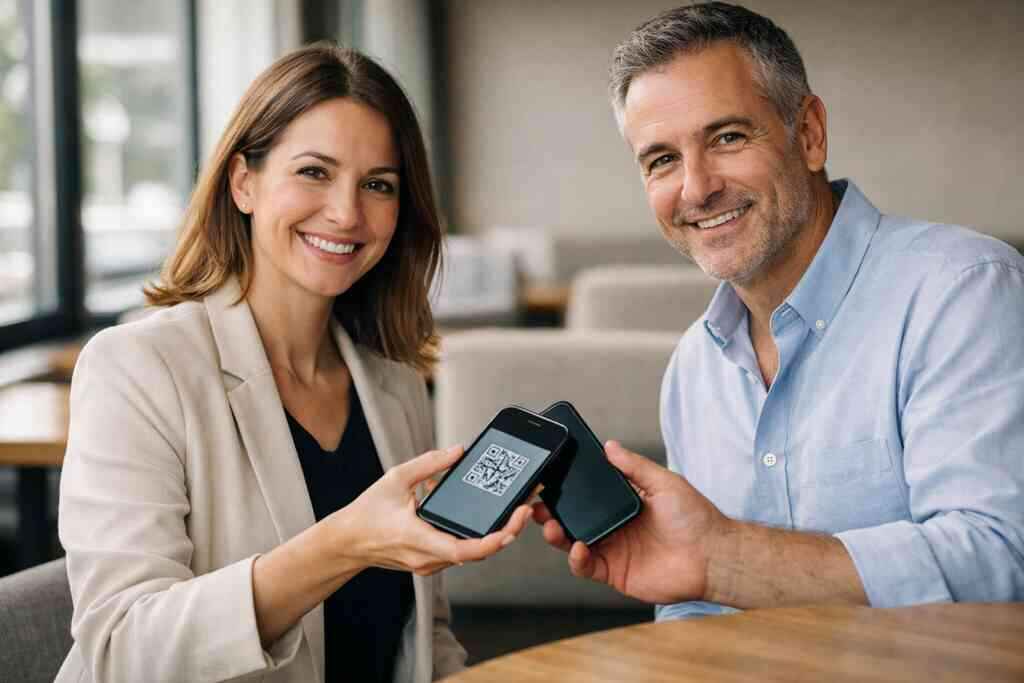
Why paperless networking fits the pace of Long Island, New York, and nearby NYC meetings
Paperless networking works because it removes small delays. A card can be shared at an office, on a train platform, or after a client meeting in Midtown. That flexibility matters for commuters who split their week between Long Island and NYC. It also helps when weather, traffic, or schedule changes interrupt plans. A digital card still travels.
There is also a sustainability angle. Sustainable business cards reduce waste, which matters more to many teams than they admit publicly. The shift to paperless networking in Long Island and NYC has been steady because the workflow is simple. Share contact info. Save it instantly. Follow up faster. That is exactly what many local professionals need during busy weeks.
How real estate agents, freelancers, and corporate teams use digital card sharing differently
Different roles need different card behavior. Real estate agents often want fast sharing during open houses and listing meetings. Freelancers may want a card that highlights services and portfolio links. Corporate teams usually care more about consistency, reporting, and brand control. The tool is the same. The use case is not.
If you work in property, digital business card templates for real estate agents can help you present listings, reviews, and contact options cleanly. If you are in a larger organization, your team may prefer standardized digital business card features with controlled branding. Here is a simple comparison:
User TypeMain NeedBest EmphasisReal estate agentsFast lead responseListings, phone, text, save contactFreelancersPersonal brandingServices, portfolio, direct bookingCorporate teamsConsistency and trackingBrand control, analytics, CRM linksOne agent in Garden City told us her best lead came from a quick scan after a showing. She did not hand over a paper card at all. She shared a QR version, and the contact saved it before leaving the driveway. That small shift changed how she worked. It made follow-up easier and less awkward.
When to compare pricing pages, free digital business card options, and premium digital card plans
If budget matters, compare the options carefully. A free digital business card can be useful for testing the format. Premium digital card plans may make more sense for teams that need branding or management tools. The key is to match the plan to the workload. Do not pay for features you will not use.
Before you choose, review digital card pricing and plan options with your actual use case in mind. Ask who needs access, how often the card will be shared, and whether team controls matter. A low-cost plan is not always the cheapest if it creates extra manual work. A premium plan is not always too much if it saves time every week. The best choice is the one that fits how your people actually network.
What to check before choosing the best digital business card platform for your team
Before you commit, check a few basics. Can the platform support your brand cleanly? Can it handle team use without confusion? Is the card easy to share on mobile? And can people save your information without friction? Those questions matter more than buzzwords.
Also ask how support works if something needs adjustment. A reliable platform should make it easy to contact the team when needed. If you want help, you can contact digital business cards support or review the company background first through about digital business cards company info. The best digital business card platforms do the simple things well. That is usually the real test.
How to decide whether a virtual business card belongs on LinkedIn, in Apple Wallet, or in a QR code
Use the channel that fits the moment. LinkedIn works well when you want to keep the relationship in a professional network. Apple Wallet can be useful when you want quick access on an iPhone. A QR code is best when you want instant scanning in person or on printed materials. Each path serves a different behavior.
A digital business card for LinkedIn can help keep your profile and contact details connected, especially after a meeting. Apple Wallet business card setups are handy for people who like quick access from their phone. QR remains the easiest universal option. Just remember privacy and consent. GDPR-style thinking still matters when you store or share contact details, even if your audience is local. Keep it simple, clear, and respectful. That always ages well.
Frequently Asked Questions
Do digital business cards work without an app?
Yes, many do. A person can often open a digital business card through a QR code, link, or tap-based share without installing anything. That convenience is a major reason teams switch from paper. If you want a setup that feels low-friction, start with how digital business cards work.
Can I customize the design of my digital card?
Usually, yes. Most platforms let you adjust colors, logos, headshots, contact fields, and action buttons. The best designs stay clean and readable on a phone. If you want inspiration, look at card layouts before you build your own.
Is NFC safe for sharing contact info?
NFC is generally safe for contact sharing when used properly. It sends a small amount of data over a very short range, which limits accidental sharing. The better question is how your information is stored and updated after the tap. For more context, compare NFC digital business cards with QR-based sharing.
Are free digital business card options enough for a small business?
They can be, depending on your needs. Free options may work for solo users or light networking. However, teams often need stronger branding, admin control, or tracking. If follow-up matters, compare the free version with premium digital card plans before deciding.
What is the biggest advantage of digital business cards for networking?
The biggest advantage is speed without losing accuracy. You share once, and the other person gets clean contact details immediately. That reduces errors and saves follow-up time. It also makes your networking feel more modern and more organized, especially at busy Long Island events.
Can digital business cards help with lead capture?
Yes, if the platform supports it. Lead capture can turn a simple exchange into a trackable contact record. That matters for teams that need organized follow-up later. If this is important to you, review digital business card analytics for lead capture.
What should I do before switching my whole team?
Start with one use case and one small group. Test the card at real meetings, not just in the office. Check how it looks on different phones and how easily contacts save it. Then refine the design and sharing method before rolling it out wider.