
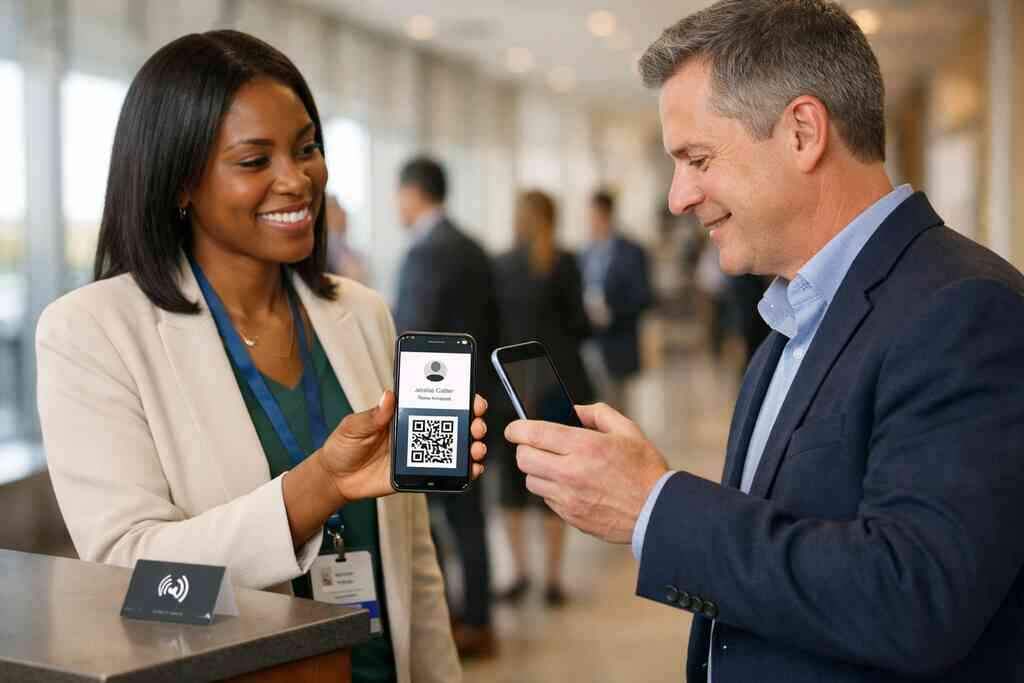
A polished paper card can still fail you. I saw that frustration again last week in a Hauppauge hallway after a busy mixer. The card looked sharp, but it slid into a jacket pocket and never resurfaced. That is the problem corporate teams feel most: effort spent, contact lost. If you are weighing digital business cards against paper, the stress is real. You want every introduction to lead somewhere useful.
Why the corporate card that looks polished can still lose the deal
What happens when a paper card gets left behind after the meeting
A paper card depends on memory, pocket space, and follow-through. That is a fragile chain. One coffee spill, one crowded commute on the LIRR, one unread stack on a desk, and the lead goes cold. We hear this from clients almost every week. A card that looks expensive can still disappear before anyone saves it.
There is also a quieter loss. The person you met may mean to act later, but later gets crowded out. A digital business card changes that moment because it gives them an immediate path to save and share contact info. That is why paperless networking feels less like a trend and more like a practical fix. For many teams, the choice is really digital card vs paper.
Why corporate teams need digital business card design that matches the brand
Corporate teams need more than a contact file. They need a branded experience that feels consistent across departments, roles, and regions. Weak digital business card design can make one rep look premium and another look accidental. That inconsistency slows trust before the conversation even starts. A strong design keeps the brand message steady.
On the projects we’ve finished this year, the best results came from simple business card details and clear visual hierarchy. Keep the name, title, company, phone, email, and one clear action near the top. Then let custom branding do the rest through color, logo placement, and a controlled business card template. If you need a starting point, the digital business card design for corporate teams resource shows the logic behind cleaner team layouts. The goal is not decoration. The goal is recognition.
How a weak first impression hurts follow-up before the contact is even saved
The first impression does not end when the meeting ends. It keeps working on the phone screen. If your online business card opens with clutter, the prospect may delay saving it. Delay is dangerous. Delay kills follow-up.
Here is the part most teams miss. A prospect is often deciding in seconds whether your virtual business card feels worth keeping. If the layout looks crowded, the card feels like work. If the layout feels calm and readable, the card feels easy. That ease supports contactless sharing, faster saves, and better response rates. It also helps digital business cards for networking because the handoff feels natural instead of forced.
Which virtual business card layout actually gets more taps and replies
The design signals that make a digital business card feel worth opening
Good layouts send a simple signal: this will help me later. That signal starts with spacing, contrast, and a single clear action. A smart business card does not ask the viewer to hunt for value. It shows value immediately. That is what gets taps.
Think of the best digital business card platforms as mobile-first communication tools, not tiny billboards. The best layouts usually include:
- One strong profile photo or logo
- Clear title and company name
- A direct save or share action
- Short, readable business card details
- One secondary action, not five
A digital business card example should feel effortless on a small screen. The cleaner the path, the more likely the card gets opened again later.
Why clean business card details beat crowded layouts on mobile screens
Mobile screens punish clutter. That is especially true during conference hallway conversations, client meetings, or quick introductions outside a Commack co-working space. Crowded layouts make people pinch, scroll, and hesitate. Clean layouts reduce friction. That matters more than flash.
A good digital card maker should support this simplicity. You want business card design choices that separate essential information from optional extras. If a prospect needs your phone, calendar, and LinkedIn, do not bury them under banners and badges. If you need a team-ready setup, business card templates should make that hierarchy easy to maintain. The best virtual card design respects attention.
When QR code business cards outperform NFC business cards for fast sharing
There is no single winner for every situation. QR code business cards often outperform NFC business cards when the exchange needs to happen instantly and visibly. A scan works on most modern phones, and the motion is obvious to both people. NFC can feel smoother for tap-to-share moments, but it depends more on device compatibility and user comfort. QR is also easier when someone is moving quickly through a booth or reception line.
One client in a Garden City sales role used QR sharing during a crowded networking lunch. The room was noisy, and nobody wanted to fumble with phones. A visible code shortened the exchange to one scan and one save. That is why the right format depends on context, not hype. For a deeper side-by-side view, the QR code and NFC business card comparison explains the tradeoffs clearly. If your team values universal access, QR often wins.
How digital business card templates should change for sales professionals and team members
Sales professionals need speed. Team members need consistency. That means the same template rarely serves both perfectly. Sales teams usually benefit from prominent calls to action, easy scheduling, and lead capture paths. Internal team members may need a cleaner, quieter card that reinforces corporate identity.
A useful template for sales professionals should support follow-up automation and make the next step obvious. For team members, the template should emphasize role clarity and branded contact sharing. If you want a practical framework, virtual business card templates for sales professionals can help you compare structure and intent. The best digital business card templates adapt by role without losing the brand line. That balance matters most in corporate teams.
The brand system behind corporate teams that share one identity without looking identical
How custom branding keeps every team member profile card on message
Custom branding is not just visual polish. It is the system that keeps every team member profile card aligned. That includes colors, type, logo treatment, and tone of voice. When those elements match, the brand feels organized and trustworthy. When they drift, the company feels larger than it is and sloppier than it should be.
What we’ve seen in 2026 specifically is that corporate teams want flexibility without chaos. They want one identity, but not one rigid script. A digital business card app should let each person share contact info in a way that feels personal and still branded. That is where custom branding earns its place. It protects recognition while leaving room for individual roles.
Why digital card vs paper matters when multiple departments hand out contact info
Paper cards break down fast in multi-department settings. Marketing hands out one version. Sales uses another. Operations has a different title format. Before long, the company looks fragmented. Digital card vs paper matters because digital systems can keep the structure aligned.
This is especially useful for corporate identity consistency. A team can update titles, phone numbers, and departments without reprinting stacks. That helps reduce waste too, which supports sustainable business cards goals. It also makes electronic business card exchange easier across teams with different functions. If you need a broader overview, digital business cards for corporate teams and networking covers the organizational angle well.
What corporate teams in Long Island New York should keep consistent across in-person meetings and NYC commutes
Long Island teams live in two rhythms at once. There are local meetings in Suffolk County, and then there are fast NYC commutes where everyone is moving. That mix changes how contact sharing should work. Cards need to be clear in a conference room and quick on a train platform. They also need to look equally polished on a laptop, tablet, or phone.
That is why teams in Long Island, New York, should standardize the essentials. Use the same logo treatment, the same title format, and the same core business card example across profiles. Keep any Apple Wallet business card or Google Pay card option visually consistent with the main brand. One rep should not look unrelated to the next. Consistency helps people remember you after the rush is over.
Where digital card analytics and lead capture support follow-up without adding friction
Follow-up gets better when the system does some work for you. Digital card analytics show what gets tapped, saved, and shared. Lead capture can also reveal which introductions deserve priority. That helps without making the prospect feel tracked or pressured. The key is subtlety. 
If you want that layer, digital card analytics for lead capture and follow-up explains how measured engagement supports better timing. CRM integration can then move the contact into the right place with less manual entry. That reduces errors and speeds response. For busy corporate teams, that is often the real conversion gain. It is not flashy. It is efficient.
The next move when you want a digital business card design that works across the whole team
How to make a digital business card that feels simple for staff and clear for prospects
The best rollout is the one staff can use without thinking too hard. Start with one clear profile structure, then remove anything that does not help the prospect act. Keep the card details readable. Keep the primary action obvious. Keep the experience consistent. If you are figuring out how to make a digital business card, start with the process, not the decoration. A practical digital business card creation guide should walk staff through setup, sharing, and updates. That is where how to make a digital business card with CRM integration becomes useful for teams that need clean handoffs. When the card is simple, staff actually use it. That matters more than having a fancy design no one remembers. ### When to choose a business card template, when to request custom branding, and when to test both
Templates are useful when you need speed and scale. Custom branding is better when your team needs tighter identity control. Testing both is often the smartest move. In practice, many organizations start with a business card template, then refine it after a short internal pilot. That approach lowers risk.
A small team may prefer custom branded digital card templates for small teams if they need a quick launch with consistent visuals. Larger corporate groups may want more control before rollout. In either case, compare the template against actual use in meetings, at events, and during NYC commutes. If it slows anyone down, it needs adjustment. Good design should disappear into the workflow.
Why smart business card choices should match your pricing tier and rollout plan
Digital card pricing should fit your rollout plan, not the other way around. Some teams only need a free digital business card setup for a small pilot. Others need premium digital card plans for more control, scaling, or coordination across departments. The right choice depends on how many people will use it and how much brand oversight you need. Spending more than necessary helps no one.
If you are comparing options, start with the internal question: what must this card do on day one? Then look at our pricing page to align the plan with that answer. A smart business card choice should support the team without creating admin drag. That is the whole point of a digital business card app. It should simplify, not complicate.
What to review before launching share contact info across corporate teams and small business groups
Before launch, test the full path. Open the card on an iPhone, an Android, and a laptop. Check whether the name, role, and company display cleanly. Confirm that QR code business cards scan fast and that NFC business cards behave as expected. Review the save path, because that is where many conversions quietly fail.
Also check privacy and contact storage practices. If you collect shared contact details, think carefully about consent and handling. GDPR considerations matter even for small teams working across borders or with international prospects. Apple’s Core NFC framework and ISO 14443 support give NFC exchanges a strong technical basis, but usability still depends on the user experience. If your team wants to create digital business card workflows with less friction, review the onboarding process before rollout. Then train staff on the exact sharing steps. That small discipline prevents messy launches.
Frequently Asked Questions
Question: Which Digital Card Design Converts Best for Corporate Teams?
Answer: For most corporate teams, the digital business card design that converts best is the one that is simple, branded, and easy to act on quickly. A strong online business card should highlight the name, title, company, and one clear next step without clutter. That kind of virtual card design works well for paperless networking because it reduces friction on mobile screens and makes contactless sharing feel natural. At Digital Business Cards, we recommend using a clean business card template with clear business card details, custom branding, and a layout that supports fast saving and sharing. For corporate teams, consistency matters just as much as design, so the best card is usually the one that keeps the brand recognizable while making it effortless for prospects to save the contact.
Question: How do QR code business cards and NFC business cards compare for corporate teams?
Answer: Both QR code business cards and NFC business cards can work well, but the best choice depends on how your team shares contact info. QR code business cards are often easier for universal access because almost any smartphone can scan them quickly, which makes them a strong option for events, meetings, and busy networking moments. NFC business cards can feel smooth and modern for tap-to-share interactions, but device compatibility and user comfort can vary. For many corporate teams, using both formats can be a practical approach. If your goal is fast electronic business card exchange with minimal friction, QR is usually the most flexible. If you want a polished smart business card experience in person, NFC can add convenience. Digital Business Cards helps teams think through these options so the format supports real-world use, not just style.
Question: How can digital business cards help corporate teams with follow-up, lead capture, and CRM integration?
Answer: Digital business cards can make follow-up easier because they help turn introductions into organized contact sharing instead of lost paper cards. When someone saves a digital business card, the prospect has an immediate path back to the conversation, which supports follow-up automation and better timing. Digital card analytics can also help teams understand which cards are being opened or shared, while lead capture and CRM integration can reduce manual entry and keep contacts moving into the right workflow. For sales professionals and corporate teams, that means less friction and fewer missed opportunities. A well-designed digital card maker setup can support these goals without making the experience feel complicated for the person receiving the card. That is one reason digital business cards for networking have become so useful for busy teams.
Question: Can Digital Business Cards help us create digital business card templates with custom branding for multiple departments?
Answer: Yes, a strong digital business card template strategy is especially useful for corporate teams with multiple departments. The goal is to keep corporate identity consistency while allowing enough flexibility for different roles. A good business card template should support custom branding, clear business card design, and consistent presentation across sales, marketing, operations, and leadership. That way, each team member profile card feels personal but still connected to the same brand. This is especially important when teams need branded contact sharing across offices, events, and remote meetings. Digital Business Cards is based in Long Island, New York, and understands how important it is for local and regional teams to stay aligned while still looking professional in every interaction.
Question: What should corporate teams in Long Island, New York review before they create a digital business card rollout?
Answer: Before you create a digital business card rollout, it helps to review how the card will work across real situations such as office meetings, field visits, and NYC commutes. Corporate teams in Long Island, New York, should make sure the business card example is easy to read on mobile devices, that the digital business card design matches the brand, and that the share contact info process feels simple for staff. It is also wise to test the card as a virtual business card and an electronic business card on different devices so the user experience stays consistent. If your team plans to use QR code business cards, NFC business cards, Apple Wallet business card options, or Google Pay card support, confirm that the setup fits your workflow. Digital Business Cards can help teams think through these choices so the final result supports practical, professional networking.
Question: Does Digital Business Cards offer guidance for choosing between free digital business card options and premium digital card plans?
Answer: Yes, Digital Business Cards can help teams evaluate digital card pricing in a way that matches their rollout plan, even though the right choice depends on your goals and the level of control you need. Some small business users may start with a free digital business card approach for a pilot, while larger corporate teams may prefer premium digital card plans for stronger brand consistency, workflow support, or team coordination. The best option is the one that supports your current needs without adding unnecessary complexity. If your team needs a scalable system for sustainable business cards, digital card analytics, and easier follow-up, it is worth comparing the available setup carefully. The focus should always be on choosing a smart business card solution that helps your team share contact info more effectively and maintain a polished professional networking presence.