
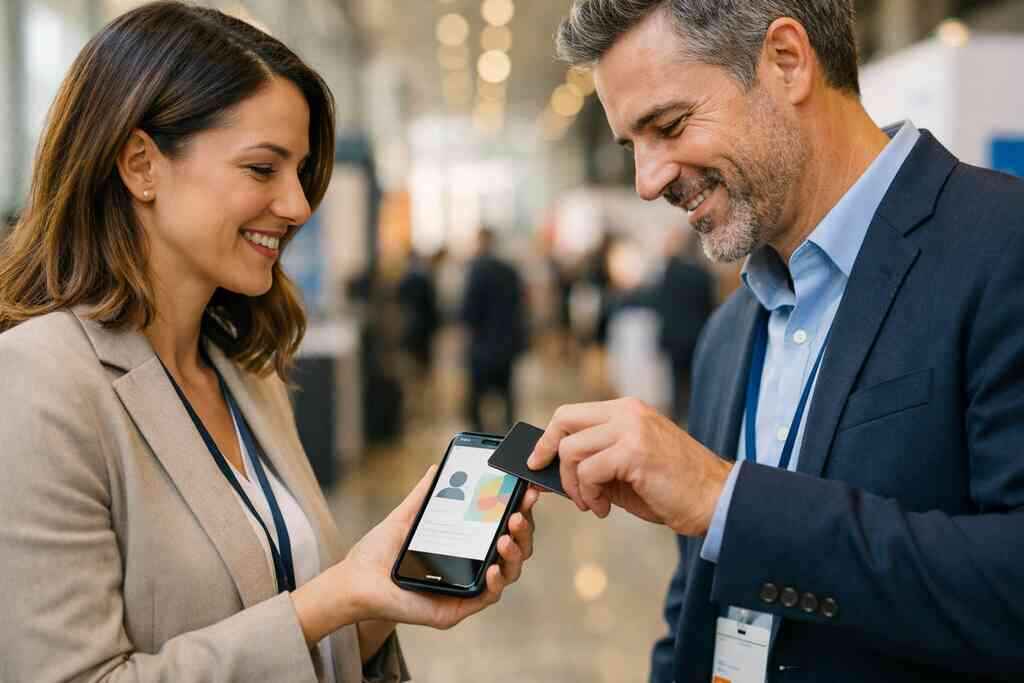
When a paper card dies in your pocket before the follow-up does
A paper card looks harmless. Then it gets bent in a jacket pocket, smeared by rain, or buried under receipts after a Midtown meeting. If you have ever found a stack of cards three weeks later and felt that small rush of panic, you know the problem. The contact was real, but the connection was already fading. That gap is exactly why digital business cards have become so practical for busy teams.
Why NYC teams lose momentum with paper cards after conferences and site visits
At a packed conference, people leave with ten or twenty cards and almost no time. The best conversation can disappear under the noise of the next session. On site visits, you may shake hands, swap paper, and then drive back to the office without entering a single contact. That delay costs momentum. It also costs follow-up, which is where deals usually move or stall.
We hear this from clients almost every week. A salesperson from Long Island told us about a stack of cards from a Hauppauge mixer that sat in a laptop bag for two weeks. By the time he opened them, half the names meant nothing. The paper had kept the contact, but not the context. That is the real loss.
What changes when a digital business card keeps contact details alive and searchable
A digital business card keeps your information in a live, searchable format. Instead of a card that can get damaged, you have an online business card or virtual business card that stores your business card details cleanly. That makes it easier to share contact info and easier to find later. It also gives the recipient a smoother next move, which matters in professional networking.
Here is the part most people miss. Searchability changes behavior. If your contact lives in a phone, CRM, or inbox, it can be tagged, sorted, and used. If it lives in a drawer, it is gone. A well-built electronic business card keeps the connection active without asking the other person to do extra work.
How Long Island professionals use one digital card across trains, offices, and client meetings
Long Island professionals move fast between the city and the suburbs. A consultant might start the morning on the LIRR, meet a client in Manhattan, then end the day in Suffolk County. A single smart business card makes that rhythm easier. It also supports paperless networking and more sustainable business card habits, which many teams now prefer.
One account manager we worked with kept paper cards in three places and still forgot them. She switched to one digital card maker setup and used the same digital business card app across every meeting. That simple change reduced the scramble. It also made her follow-up feel more deliberate, which is usually what busy prospects notice first.
What a CRM-connected digital business card actually changes in the sales day
A CRM-connected card is not just a nicer way to swap contact details. It changes how the handoff works after the conversation. The moment someone scans, taps, or opens your card, you can move from introduction to record. That shift matters for sales professionals, real estate agents, freelancers, and corporate teams alike. It turns a quick exchange into something your pipeline can actually use.
How shared contact info moves from a handshake into a usable lead record
Traditional networking creates a gap between meeting and action. You shake hands, exchange a card, and then someone has to type the data later. That lag creates errors. It also creates excuses. A digital business card app can shorten that gap by organizing shared contact info immediately.
A good CRM-connected flow gives your team a clean entry point. The contact can be labeled, routed, and assigned without retyping the basics. That matters in contact management sync, because the smallest typo can break a follow-up. It also supports marketing pipeline tracking, which helps sales and marketing teams stay aligned without messy spreadsheets.
Why contactless sharing matters more for sales professionals, real estate agents, and freelancers
Contactless sharing feels normal now, but it still solves a real problem. In crowded rooms, nobody wants to hunt for a pen, open a wallet, or juggle loose cards. QR code business cards and NFC business cards make the exchange fast. That speed matters for anyone who meets prospects all day.
For real estate agents, a clean exchange can be the difference between a warm lead and a forgotten name. For freelancers, it can make a one-person operation feel more polished. For corporate teams, it creates consistency across many employees. One Garden City agent told us she used a digital share at an open house and had the lead saved before the guest reached the driveway. That kind of timing matters.
What CRM integration should help with: lead capture, follow-up automation, and contact management sync
The best CRM integration should help with three things. First, lead capture should be simple and reliable. Second, follow-up automation should reduce manual work without sounding robotic. Third, contact management sync should keep records aligned across devices and teams. Those are the basics that actually matter in daily sales work.
If a platform also supports digital card analytics, that is even better. You can see which cards get opened, which shares happen most, and where leads come from. That does not guarantee revenue, and no honest platform should promise that. But it does help you spot patterns and improve sales workflow automation over time. For setup details, how digital business cards work for contactless networking is the best place to start.
The share path that decides whether a lead gets saved or forgotten
The way you share your card changes what happens next. A prospect can only respond if the handoff feels easy. That is why the sharing method matters so much in mobile-first networking. In a city like New York, speed and convenience are not extras. They are the whole point.
QR code business cards versus NFC business cards in fast-moving NYC networking
QR code business cards are flexible and simple. Most phones can scan them, and the QR code business card exchange has become familiar across events, offices, and storefronts. NFC business cards feel even faster because they work with a tap, which is why some teams like them for live networking. Both options support digital business cards for networking if the setup is clean and the path is obvious.
If you want the technical standard, QR codes follow ISO/IEC 18004, and NFC follows ISO 14443. That sounds dry, but it matters. Standards help systems work consistently across devices. Apple’s Core NFC framework also supports reliable tap-to-share behavior on compatible devices. For teams deciding between formats, the difference between QR and NFC cards for NYC teams is a useful reference.
Share methodBest useStrengthWatchoutQR codeEvents, emails, printed surfacesEasy, broad compatibilityRequires camera scanNFCQuick in-person exchangesFast tap-to-shareDevice compatibility mattersLinkEmail, texts, social profilesWorks anywhereCan be ignored if buriedWallet passMobile-first follow-upEasy to keep accessibleNeeds thoughtful setup### When an electronic business card exchange needs a link, email, or wallet handoff
Not every meeting happens face to face. Sometimes you meet in a Zoom room, a LinkedIn thread, or a late email chain. In those cases, a link may work better than a QR code or tap. An electronic business card exchange can also happen through email or messaging, especially when the prospect is already on a desktop.
Wallet handoffs can help keep your contact close. An Apple Wallet business card or Google Pay card option gives people another path to save you without hunting for details later. That is useful for commuter-heavy teams. It is also useful for clients who meet many vendors in a week and want one place to keep names organized. For broader context, what digital business cards are and how they work is a clear overview.
How Apple Wallet business card and Google Pay card options fit mobile-first networking
Wallet options fit the way people already use their phones. A prospect may not want another app, another password, or another login. A wallet pass lowers friction. That is especially helpful for digital business cards near me searches, where people want fast local utility, not complexity. Here is a simple rule: use the fastest path your audience will actually complete. If your team networks at trade shows, QR may be enough. If your team does field sales, NFC can save seconds every hour. If your audience lives on mobile, wallet access keeps the card reachable. That small convenience can make a big difference in digital contact exchange. 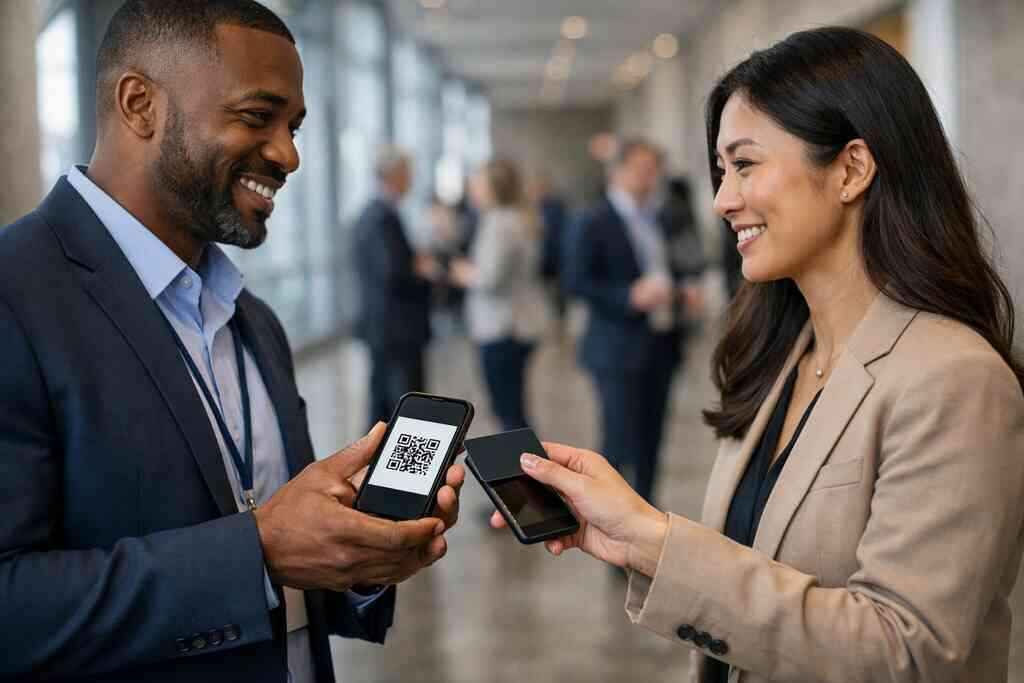
Designing a digital card that looks sharp and still feeds the pipeline
Good design is not decoration. It is routing. A well-built card tells people who you are, what to do next, and how to remember you. It should feel like your brand, not a generic profile page. It should also support the sales process without clutter.
Choosing digital business card design that stays on brand across every touchpoint
Your digital business card design should match the rest of your brand materials. That includes color, logo placement, tone, and the way you present your name and title. If your website feels polished, your card should not feel like an afterthought. Consistent custom branding builds trust faster than flashy graphics.
A strong virtual card design also works across devices. It should read well on a small screen and still look clean on a laptop. That matters for business card design because many people will open it at arm’s length while moving between meetings. If you want examples, digital business card design for corporate teams can help you compare approaches.
When to use templates instead of building a custom digital card maker layout from scratch
Templates are useful when speed matters. A good business card template or set of digital business card templates can help teams launch faster and keep design consistent. That is especially helpful for corporate teams and small business groups that need standardization. It also helps when you want to create digital business card profiles without spending hours on layout decisions.
Still, templates are not always the final answer. If your team has multiple departments, custom fields, or distinct sales roles, you may need more control. That is where a digital card maker with flexible editing can help. The right choice depends on your rollout, not your ego. If you want a practical place to compare setup paths, templates are a natural starting point.
Which business card details belong on a virtual business card and which should stay out
This is where many people overdo it. A virtual card should include the details someone needs right now. Too much information slows the decision. Too little makes the card feel incomplete. Balance matters.
Keep these items on the card:
- Name
- Title
- Company
- Primary contact method
- Website or landing page
- Social links that matter for the role
- Brief call to action
Leave these out unless they are truly necessary:
- Long bios
- Too many phone numbers
- Multiple competing links
- Dense paragraphs
- Old titles or outdated roles
That simple editing improves brand-consistent card design and keeps the card usable. It also supports digital business card for LinkedIn sharing, which works best when the profile is clean and current. If you are unsure what to include, think about what helps the other person respond in under ten seconds.
The next move for NYC teams that want cleaner networking and better follow-up
Rolling out digital cards across a team should feel structured, not overwhelming. You do not need every feature in the market. You need the right setup, the right controls, and a rollout your people will actually use. For teams in New York City and on Long Island, practicality wins.
How to compare digital card pricing and premium digital card plans without guessing
The best way to compare digital card pricing is to look at fit, not just cost. A free digital business card may work for light personal use. A premium digital card plan may make more sense for teams that need branding, control, or CRM workflow support. You are really buying consistency and time back.
Before you compare, make a short list of needs:
- Team size
- Branding requirements
- CRM connection needs
- Analytics needs
- Admin control
- Support expectations
That list keeps the decision grounded. It also makes the digital card vs paper comparison easier, because paper only looks cheaper until you count lost leads and manual entry. For a direct view, digital business card pricing and team plans is the right place to check current options.
What to look for on the pricing page before rolling out cards across a team
A pricing page should answer more than cost. It should explain how onboarding works, what controls the team gets, and what support exists after launch. It should also be clear about digital business card features that matter to your use case. If the page is vague, the rollout will probably be vague too.
Look for clear answers on these points:
- Team assignment and admin access
- Branding controls
- CRM integration support
- Lead capture tools
- Contact sharing methods
- Analytics access
For teams that want more detail, digital business cards for networking and CRM integration offers a helpful planning view. If you are comparing vendors, also read any available user feedback carefully. Real-world usage matters more than polished claims.
How Long Island and Suffolk County businesses can set up a rollout that works in the field and in the city
Local rollout works best when it respects local movement. On Long Island, people move between office parks, client sites, and city meetings constantly. In Suffolk County, smaller teams often need one system that works for field staff and office staff at the same time. That is where a simple launch plan helps.
A practical rollout looks like this:
- Choose one card format for the whole team
- Set naming and branding rules
- Connect the card to CRM fields
- Train staff on sharing methods
- Test scans, taps, and links before launch
- Review early contact data after the first few weeks
One small business owner in Commack told us the launch only worked after they removed three optional fields and standardized the contact form. The card became faster, and the team actually used it. That is the real lesson. Simplicity wins. If you are based on Long Island, digital business cards for Suffolk County small businesses is a useful next read, and digital business cards boost ROI for NYC teams can help you think about value in practical terms.
Frequently Asked Questions
Do digital business cards work without an app?
Yes, many do. A person may open your card through a link, scan a QR code, or tap an NFC card without installing anything. That reduces friction and helps more people actually save your contact. The best setup depends on how your audience prefers to share and store contact details. If you want a setup overview, see how it works.
Can I customize the design of my digital card?
Usually, yes. Most teams want control over colors, logos, titles, and contact fields. That is where digital business card design matters most. A clean layout makes the card easier to use and better aligned with your brand. Templates can help if you want speed, while custom layouts help if your team has specific needs.
Is NFC safe for sharing contact info?
NFC is generally safe for contact sharing when used properly. It transmits short data over close range, which limits casual interception. The larger question is how your platform handles stored contact details afterward. That is where privacy practices matter, especially for teams that work with customer data or regulated industries.
What should a CRM-connected digital business card capture?
At minimum, it should capture the person’s name, contact method, source, and any notes tied to the exchange. Better systems also support tagging, routing, and follow-up automation. That helps your team move from first contact to real follow-up faster. If lead capture is your goal, review digital business card analytics for lead capture.
Are digital cards better than paper cards for NYC teams?
For most active teams, yes. Paper cards can get lost, damaged, or forgotten. Digital cards stay searchable and easier to share across phones, email, and wallet apps. They also support team-wide contact sharing and faster follow-up. For a direct comparison, what digital business cards are and how they work is worth a look.
Can real estate agents and sales teams use the same setup?
They can, but they should not always use the same layout. A sales team may need different calls to action than a real estate agent. Still, both groups benefit from fast sharing, strong branding, and CRM sync. If your team works in property or client service, real estate digital card examples can help you compare what fits best.
Where should I start if my team is still using paper cards?
Start with one person, one card, and one workflow. Test sharing in real meetings, then review how contacts enter your CRM. Do not try to solve everything at once. You do not have to figure this out alone, and you do not have to figure it all out today. Begin with the card format that your team will actually use tomorrow.