
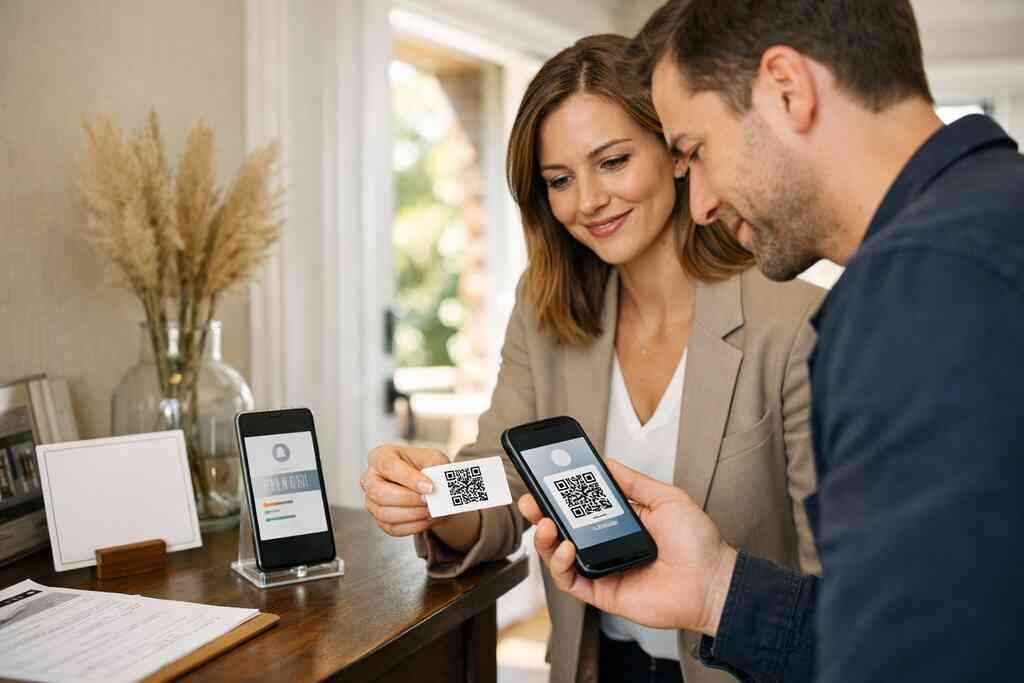
Most agents have felt this sting: you leave an open house with a pocket full of damp paper cards, and half the names are unreadable. Then the real frustration hits. The best lead may already be gone by the time you sort through the mess. If that feels familiar, take a breath. There is a cleaner way to handle contact exchange, follow-up, and branding.
Digital Business Cards help make that shift practical. A digital business card for real estate leads can support paperless networking without turning your day into a tech project. For real estate agents on Long Island, that matters during busy weekends in Garden City, Commack, and nearby markets. The goal is simple: make it easier for serious buyers to reach you fast, then make it easier for you to follow up well.
1) Open House Sign Ins That Turn Walkbys Into Real Leads
Why a QR code on the welcome table beats a clipboard full of half-legible names
A clipboard looks outdated fast. More importantly, it creates friction at the exact moment you want momentum. A QR code on the welcome table gives visitors a simple choice: scan, share contact info, and move on. That is why QR code business cards for real estate agents in Long Island work so well at open houses. They fit the way people already behave. They also support contactless sharing for open houses, which feels smoother to buyers who do not want a sales pitch at the door.
One agent told us about a Saturday showing near a busy Suffolk County corridor. The paper sign-in sheet filled up quickly, but the handwriting was all over the place. She switched to a QR code sign-in, placed beside a short note, and the room felt calmer immediately. People scanned, browsed, and asked better questions. That is the part most agents miss. Less pressure often creates better lead capture for real estate.
How to use contactless sharing for open houses without making buyers feel pushed
The trick is tone. If the code looks like a demand, people resist it. If it looks like a helpful option, they accept it. Keep the message short and calm. Try language like, “Scan for listing details and easy follow-up.” That keeps contactless business card sharing useful instead of awkward.
You should also make the value obvious. Many buyers will scan only if they know what they gain. Offer photos, agent contact details, property notes, and a simple way to ask questions later. That makes the exchange feel balanced. It also supports digital business cards for networking, which is useful beyond one property. Here is the part most homeowners miss: a great open house handout should reduce uncertainty, not increase it.
What lead capture should collect beyond a name if you want better follow up automation for agents
A name alone is weak. You need enough context to make the next message relevant. Good lead capture for real estate often includes phone, email, and a simple question about the buyer’s timeline. If the tool supports it, add interest level or preferred contact method. That gives you better follow-up automation for agents without sounding robotic.
You do not need a huge form. In fact, shorter is usually better. Ask for only what helps you respond with purpose. Think of it as a digital business card app working alongside your sales process. The cleaner the input, the cleaner the follow-up. If you use follow-up automation with digital business cards, you can send a relevant message while the house is still fresh in their mind.
Where to place the code so it gets scanned before visitors drift toward the kitchen or backyard
Placement matters more than most people think. Put the code at eye level near the front entry, where visitors naturally pause. If you bury it on a kitchen counter, many people will miss it. If you place it on a neat stand with one clear instruction, scans usually rise. The best location is where the visitor slows down for a second.
A simple setup works well:
- One sign at the front door
- One small card near the sign-in area
- One backup code on the flyer table
That keeps the digital card details visible without clutter. It also helps your business card design feel intentional. In real estate, visible convenience often beats heavy explanation. The point is to get scanned before people drift toward the backyard or start talking about paint colors.
How Long Island real estate agents can use this at crowded weekend showings in Garden City, Commack, and beyond
Long Island open houses can move quickly. That is especially true when the weather is decent and buyers are already driving from appointment to appointment. In those moments, a QR code business card for real estate agents in Long Island does two jobs at once. It gathers contact details and gives visitors a simple memory anchor. They may forget a paper card. They rarely forget a quick scan that gave them the listing link.
We have seen agents use this approach during packed weekend showings in Garden City and Commack. The difference was not flashy tech. It was organization. People found the code fast, scanned without hesitation, and left with something useful in their phones. For agents who want a stronger local edge, this also connects neatly with real estate open house lead capture with digital cards. That is a practical win, not a gimmick.
2) Listing Flyers That Keep Buyers on Your Property Long After They Leave
How a virtual business card for real estate turns one flyer into a mobile property hub
A flyer should not be a dead end. It should open a path. That is where a virtual business card for real estate agents in NYC style approach helps. With one scan, the flyer can point buyers to property notes, your contact information, and a clean way to ask questions later. The result feels more like a mobile property hub than a sheet of paper.
This works especially well when buyers are touring several homes in one afternoon. They do not want to carry bulky packets. They want clarity. A virtual business card, online business card, or electronic business card keeps the listing available after they leave the driveway. That is the practical advantage. The flyer becomes a doorway, not a dead end.
Which listing details belong behind the scan and which should stay on the printed sheet
Not every detail belongs on the paper. Keep the printed flyer clean and readable. Put the essentials in front: address, price range, bed and bath count, and one strong photo. Then let the scan reveal the rest. That might include floor plans, neighborhood notes, contact details, and a short property story.
This approach also helps your digital business card design feel polished. Overloading the printed sheet with ten phone numbers and seven URLs usually weakens the message. A smart business card for agents should guide attention, not fight it. If you want more structure, look at a good business card template for real estate and adapt it to your listing style. Clean spacing matters. So does restraint.
Why a smart business card for agents works better than stuffing every phone number onto the page
A smart business card gives a buyer one clean place to start. That reduces confusion. It also helps the reader decide what to do next without hunting for the right number. If someone wants your direct line, they can tap it. If they want the listing page, they can open that instead. That is much better than a crowded flyer.
In our experience, clutter makes people hesitate. Hesitation kills response. A smart business card for agents keeps the conversation simple. It also fits paperless networking and sustainable business cards trends without sounding preachy. Buyers notice clean design. They may not say it out loud, but they feel it.
How to connect instant property inquiry sharing to faster responses from serious buyers
The best leads often act quickly. If your flyer includes instant property inquiry sharing, you remove a common delay. Buyers can ask a question while they are still emotionally engaged. That matters. A question asked at the curb usually gets answered faster than one asked two days later.
You can use concise prompts like “Ask about open house hours” or “Request a private showing.” That keeps the flow simple. It also helps you qualify interest naturally. If the platform supports digital business card features for real estate agents, use them to keep the inquiry path short. The easier the action, the faster the reply.
What makes a mobile-friendly business card design feel polished instead of cluttered
Polished design is mostly about breathing room. Keep your text short. Use one strong headline. Choose one or two calls to action. Avoid squeezing every detail into tiny fonts. Mobile-friendly business card design should feel effortless on a phone screen.
A good test is simple. If you had ten seconds in a parking lot, could you understand it? If not, simplify it. Add only the most useful business card details for listings. If you want a sharper starting point, use a digital card maker workflow and refine from there. A tidy design feels more trustworthy than a crowded one.
3) The Follow Up Shortcut That Stops Hot Leads From Going Cold
Why share contact info instantly matters more than collecting stacks of paper cards
Paper cards disappear. Phones do not. That is why instant sharing matters. When you share contact info instantly, the buyer can save it before the conversation ends. That reduces loss and improves memory. It also makes your follow-up less awkward because the contact is already in their phone.
A 2023 Adobe survey found many professionals lose paper cards before following up. That lines up with what agents tell us constantly. The stack gets misplaced. The jacket goes in the car. The good lead goes quiet. A digital business card app changes that pattern. It keeps the exchange immediate, clean, and easy to revisit later.
How digital card analytics can tell you which contacts are worth calling first
Analytics are useful because they show behavior, not guesses. If a contact opened your card twice, clicked a listing, or shared the card again, that is a signal. It tells you who is warming up. That is what digital card analytics can do for an agent who needs better time management. You do not have to call every lead in the same order.
This is where digital business card analytics for lead tracking becomes valuable. You can see which prospects are engaging and which ones are still browsing. That helps you prioritize without becoming frantic. For real estate agents, that means less guessing and more useful outreach. It is a smarter way to manage the pipeline.
Where CRM integration helps real estate agents keep tracking simple after an event
CRM integration matters because events create clutter fast. You may collect names at an open house, a broker mixer, and a community event in the same week. Without a system, those contacts scatter. With CRM integration, the notes stay organized. You can tag each lead by source, interest level, or next action.
If you want a practical route, review digital business cards for networking and CRM integration. The idea is not to replace your process. It is to make the process easier to maintain. That matters for Long Island agents balancing showings, closings, and commuter traffic. A clean CRM habit keeps good conversations from fading.
How to pair a digital business card app with email and text follow up without sounding robotic
Generic follow-up feels cold. Personal follow-up feels useful. Use the digital business card app to pull the event context into your message. Mention the property, the neighborhood, or the question they asked. Keep the tone human. Keep the message short. Then invite a reply. A good follow-up can sound like this: “It was great meeting you at the open house on Main Street. I’m sending the property details we discussed, and I’m happy to answer any questions.” That is simple and respectful. It also works well alongside how to create a digital business card for real estate leads. The goal is to sound like a professional, not a template. 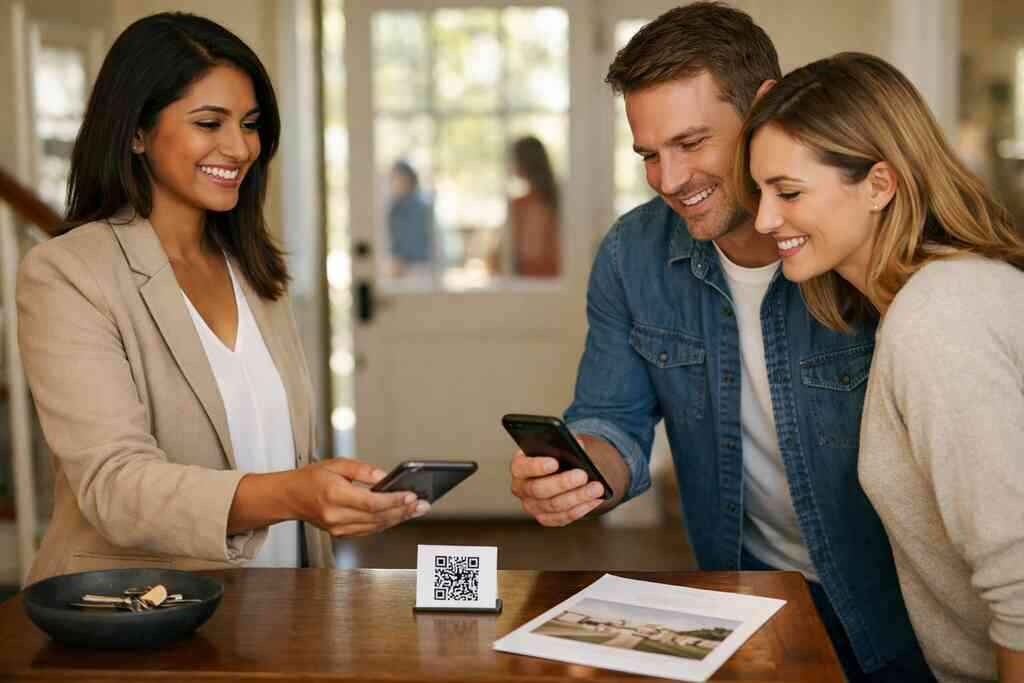
What agents in Suffolk County and NYC commuter markets can gain from faster response timing
Speed changes outcomes. In Suffolk County and commuter-heavy markets, buyers often compare several homes in one day. If you wait too long, you fall out of the conversation. Faster response timing keeps you relevant. It also signals that you are organized and attentive.
For agents serving Long Island and nearby NYC buyers, this matters even more. Commuters expect efficiency. They often appreciate a virtual business card for real estate agents in NYC that works across phone, email, and messaging. That kind of access removes friction. It also supports electronic business card exchange in a way paper never can. Fast is not flashy. Fast is effective.
4) Personal Branding That Makes a Real Estate Agent Look Ready Before the First Handshake
How custom branding for agents changes the way clients judge your professionalism
People judge quickly. Sometimes they judge before they speak. That is why custom branding for agents matters. A coherent color palette, a clean headshot, and a consistent tone all suggest that you pay attention. Buyers and sellers notice that. They may not analyze it consciously, but they feel the difference.
Custom branding for digital business cards can help you look prepared without looking overly styled. The point is not to impress with noise. The point is to look dependable. In real estate, dependability builds trust before a contract ever appears.
Which digital business card design choices help a broker look modern without trying too hard
Modern design should feel simple. Use white space. Use readable fonts. Use one or two accent colors that match your brand. Avoid flashy effects that distract from the information. A polished digital business card design looks calm and organized.
You also want the structure to make sense on a phone. That is where a digital business card example can help you visualize the flow. Keep the essential details near the top. Put secondary items lower down. This approach supports digital card vs paper comparisons in a fair way. Paper can be elegant. Digital can be cleaner.
Why business card template for real estate options save time when you need fast updates
Real estate changes quickly. Listings update. Titles shift. Phone numbers change. A flexible business card template for real estate saves time when you need to move fast. It also reduces the risk of sending outdated information.
If you want a faster path, start with top digital business card templates for realtors in New York. Templates are not a shortcut around quality. They are a structure for staying current. That matters when you are juggling listings, showings, and direct mail. A clear template keeps your brand steady while the details change.
How Apple Wallet business card and Google Pay card style sharing can support everyday networking
Wallet-based sharing can be convenient. It keeps your card within easy reach during daily networking. That matters at coffee meetings, brokerage events, and neighborhood gatherings. Apple Wallet business card and Google Pay card style sharing also reduce the chance of losing the contact. People keep their phones close. That makes the exchange feel natural.
If you are evaluating options, learn more about Integrating Digital Business Cards Into Apple Wallet Guide. The benefit is not novelty. It is accessibility. When your card lives where people already look, it gets used more often.
What to include in your business card details so the card feels useful at first glance
Useful cards answer basic questions immediately. Who are you? How do I reach you? What market do you serve? What should I do next? Those business card details matter more than decorative extras. Keep the answer easy to scan.
A practical set of details might include:
- Name and title
- Mobile number
- Email address
- Brokerage or team name
- Service area
- One clear call to action
If you need a better structure, review your VCard details and remove anything that does not help a buyer act. A good card should feel like a useful tool, not a puzzle.
5) The Pocket Sized Nudge That Keeps Your Name in the Room
When NFC business cards make more sense than a QR scan and when they do not
NFC business cards can be excellent in the right setting. They shine when you want a fast tap-to-share moment at close range. That works well in coffee meetings, hallway introductions, and broker mixers. But QR codes still win when the other person prefers to scan from a distance or when their phone does not support NFC easily. Both have a place.
If you want a deeper comparison, look at QR code and NFC business cards for networking. NFC uses near field communication, which relies on short-range exchange. QR codes rely on camera scanning and the ISO/IEC 18004 standard. In plain English, both are practical. The better choice depends on the room.
How electronic business card exchange fits coffee meetings, broker mixers, and community events
These settings are all about quick connection. You do not want to fumble for a paper card while someone is already heading to the next conversation. Electronic business card exchange shortens that awkward pause. You tap, scan, or share a link. Then you keep talking.
What we see often at Long Island business gatherings is simple. The cleaner exchange wins. A digital business card keeps the conversation moving. It also works well for sales professionals, freelancers, and small business owners who meet people across different venues. The format is flexible. The exchange stays easy.
Why digital business cards for networking are stronger than paper card handoffs at busy Long Island events
Busy events create pressure. People talk fast. Tables get crowded. Cards bend in pockets and disappear in bags. Digital business cards for networking avoid that problem. They keep the exchange available after the event ends. That is especially useful at Long Island events where attendees may also be commuting back into NYC.
A best digital business card platforms search usually starts with convenience, but it should end with trust. You want a platform that feels simple, not complicated. You also want something that respects privacy and contact sharing. That is where the digital card vs paper conversation becomes real. Digital is often easier to keep, easier to search, and easier to follow up from.
How a digital business card example can help small business owners and sales professionals share contact info cleanly
A good example helps people picture the result. That matters for agents, sales professionals, and small business owners alike. A clean digital business card example shows what belongs up front and what can wait behind a tap. It makes the whole idea less abstract. It also makes adoption easier for teams.
If you are still deciding, compare a few options and review digital business card features. Focus on clarity, speed, and ease of use. Those three traits matter more than bells and whistles. You want something people actually keep using.
What to do next if you want to create digital business card options that fit your style and your market
Start with the version you would actually use, not the fanciest one. Choose one format, test it at your next meeting, and notice what feels natural. That could be QR code business cards, NFC business cards, or a hybrid setup. The best choice is the one that fits your daily rhythm.
If you want a practical starting point, use a create digital business card workflow and build from there. Keep your design tight. Keep your contact details current. Then bring it to your next open house, broker breakfast, or community event on Long Island. You do not have to fix everything today. Start with one card, one clean scan, and one better follow-up message.
Frequently Asked Questions
Question: How can QR code business cards help real estate agents with open house lead capture and contactless sharing for open houses?
Answer: QR code business cards make open house sign-ins much easier by letting visitors scan, share contact info instantly, and move on without dealing with a clipboard. For real estate agents, that means less friction at the door and better lead capture for real estate because the exchange feels natural instead of forced. A digital business card can also support paperless networking, which is especially helpful during busy weekend showings in Long Island, Suffolk County, and NYC markets. When buyers can view listing details, reach your digital business card app, and ask questions right away, you create a smoother path to follow-up automation for agents. Digital Business Cards is a practical fit here because its approach is built around simple contact sharing, clear presentation, and easy access to your information in one place.
Question: What should I include in a virtual business card for real estate so my listing flyers and business card details actually help buyers follow up?
Answer: A strong virtual business card for real estate should make it easy for buyers to understand who you are, what you represent, and how to reach you. At minimum, include your name, title, mobile number, email, brokerage or team name, service area, and one clear call to action. If you are using listing flyers, keep the printed sheet simple and let the scan reveal deeper information like property notes, floor plans, or a direct inquiry option. That approach works well for business card details for listings because it avoids clutter and keeps the message clear. A well-structured business card design for agents can also feel more modern and trustworthy than a crowded flyer. Digital Business Cards supports that style of presentation by helping you create digital business card options that are easy to share as an online business card, electronic business card, or virtual card design that fits your market.
Question: In Top 5 QR Code Business Card Uses for Real Estate Agents, how does a smart business card for agents improve follow-up automation and CRM integration?
Answer: The main advantage is speed and organization. When someone scans a smart business card for agents, their interaction can be captured quickly and used to support follow-up automation for agents instead of leaving you with a stack of paper cards to sort later. That matters because open houses, broker mixers, and community events can generate a lot of contact activity at once. With better CRM integration for lead management, you can keep leads organized by event, interest level, or next step, which makes it easier to prioritize serious buyers. Digital card analytics can also help you see who is engaging with your card, giving you a clearer picture of which contacts are worth calling first. Digital Business Cards is a useful option for this kind of workflow because it centers on easy sharing, clean contact capture, and a practical digital business card app experience that supports real estate agents, sales professionals, freelancers, and small business networking.
Question: Should real estate agents use NFC business cards, QR code business cards, or both for professional networking and paperless networking?
Answer: For many real estate agents, both can be useful depending on the setting. QR code business cards are often best when you want quick, visible contactless sharing at open houses, listing tables, or crowded events. NFC business cards can be especially convenient in close-range settings like coffee meetings, broker mixers, or hallway introductions because the exchange is very fast. A hybrid approach gives you flexibility and helps your digital card vs paper strategy feel practical rather than theoretical. If you want a format that supports digital business cards for networking while still fitting different situations, it helps to choose a platform that lets you share contact info in more than one way. Digital Business Cards is well aligned with that need because it supports easy sharing and keeps your contact information accessible in a format that is simple for Long Island, New York, and NYC professionals to use in real-world networking situations.
Question: How do custom branding, digital business card design, and business card template for real estate options help agents look more professional right away?
Answer: Custom branding for agents can shape a buyer’s or seller’s first impression before the first handshake even happens. A clean digital business card design, with readable fonts, clear spacing, and a consistent color palette, helps you look organized and prepared. Using a business card template for real estate also saves time because it gives you a structure you can update quickly when listings, phone numbers, or market details change. That is especially useful for agents who need a polished digital business card example without spending hours rebuilding the same layout. The best approach is to keep the design simple enough for mobile-friendly business card design while still reflecting your brand identity. Digital Business Cards is a helpful fit for this because it lets you create digital business card materials that are easy to update, easy to share, and suitable for paperless client outreach in Long Island and beyond.