

The five features that matter most for sales teams are QR code sharing, NFC tap-to-share, custom branding, lead capture with follow-up tools, and pricing that fits your rollout. If you are tired of paper cards getting lost before the follow-up, digital business cards solve that problem fast.
Key Takeaways
- QR code business cards help sales reps share contact info instantly, even in crowded or fast-moving settings.
- NFC business cards are ideal for quick in-person handoffs, especially when both people want a contactless exchange.
- Custom branding and templates keep a corporate team consistent while still allowing each rep to personalize key details.
- Lead capture, CRM integration, and follow-up automation turn a simple card exchange into a repeatable sales process.
- Digital card pricing should be weighed against paper costs, missed follow-ups, and the time saved by paperless networking.
1) The QR Code Share That Keeps a Sales Lead From Ever Going Cold
A QR code business card is one of the fastest ways to share contact info because it works in seconds and does not depend on someone keeping a paper card. For sales teams, that speed matters. A clean scan can preserve the moment after a meeting, trade show conversation, or hallway introduction before interest fades.
Why a scannable card beats digging for a paper stack after a meeting
Paper cards disappear into pockets, coat liners, and desk drawers. A digital business card with a QR code keeps the exchange immediate and simple. The other person scans, saves, and moves on with your details already stored.
That matters in sales because timing is everything. The follow-up that happens after a scan is much more likely to happen than the one that depends on a fragile paper card.
A real estate agent in Garden City once told us the problem was never meeting people. It was getting contact details back into the CRM before the day got away from them. A QR-based electronic business card cut that delay down to one scan and one save.
Where QR code business cards fit in client events, trade shows, and quick intros around Long Island, New York
QR code business cards fit almost anywhere a rep is moving fast. That includes a Hauppauge business mixer, a client lunch in Nassau County, or a quick introduction after a presentation in NYC. They also work well for Top 5 QR Code Business Card Uses for Real Estate Agents use cases where speed beats formality.
For sales professionals, the use case is simple:
- trade shows with noisy aisles
- networking breakfasts
- walking meetings
- field visits
- conference floors where people do not want to fumble with paper
If you want broader tactics, our guide to sales networking covers how to make every exchange count.
What makes a clean scan possible when the room is crowded, dim, or moving fast
A good QR scan depends on contrast, size, and placement. The code should be large enough to scan quickly, printed or displayed clearly, and not buried under too much text. ISO/IEC 18004 is the QR standard behind that reliability, which is why a well-made code works in real conditions, not just on a design mockup.
Keep the design simple. If the room is dim, the phone is moving, or people are standing shoulder to shoulder, clutter is the enemy. That is why a clean digital business card design usually performs better than a crowded card with too many graphics.
2) NFC Tap to Share That Feels Effortless in a Busy Pipeline
NFC business cards are often the fastest choice when both people are face to face and want a near-instant exchange. A tap can open the same kind of card experience as a scan, but with less friction. For many sales teams, that feels smoother during live conversations and busy field work.
When NFC business cards are the faster choice for in person sales conversations
NFC works well when you want a physical card that still acts like a smart business card. A tap can trigger contact sharing without asking the other person to type, search, or photograph anything. That is especially useful in sales calls where the conversation is moving quickly.
Apple’s Core NFC framework and the broader ISO 14443 standard support this kind of tap-to-share interaction on compatible devices. The point is not novelty. The point is speed that feels natural.
How tap to share supports smoother handoffs on the move without extra steps
Tap-to-share works best when your sales process involves frequent introductions. A rep can hand over a virtual business card or electronic business card exchange point in one motion, then keep the conversation going. No app download is needed for recipients on many platforms, which lowers the chance of drop-off.
Here is the part most teams miss: the less work the recipient has to do, the better the exchange tends to feel. That is why a well-built NFC business card can save time in meetings, elevators, lobbies, and events.
What sales teams should know about compatibility, device habits, and real world use
NFC is strong, but it is not universal in every workflow. Some people prefer scanning a QR code. Others keep NFC disabled until they need it. Sales teams should plan for both.
FormatBest useMain advantageMain limitationQR codeEvents, quick scans, large groupsWorks broadly and is familiarNeeds camera useNFCIn-person handoffsFast tap-to-shareDevice compatibility variesLinkEmail, text, LinkedIn follow-upEasy to resendLess memorable in personA balanced rollout gives your team options. That is why many of the best virtual business card tools support both QR and NFC sharing.
3) Custom Branding That Makes Every Rep Look Like the Same Team
Strong digital business card design builds trust before the follow-up even starts. When every rep uses the same visual system, the card feels professional and organized. That consistency matters for corporate teams, small business groups, and anyone trying to look polished in front of a prospect.
Why a strong digital business card design builds trust before the follow up even starts
People notice visual order. A clean online business card with clear colors, a recognizable logo, and readable business card details feels more credible than a crowded paper card. It also helps the recipient remember the company, not just the person.
That is especially important for sales professionals who work across multiple channels. Your digital card should look as sharp in a LinkedIn message as it does on a phone at a live meeting.
How business card templates and custom branding help corporate teams stay consistent
Templates make rollout easier. They give teams a repeatable structure, which saves time and reduces mistakes. If you need a consistent business card template for multiple reps, a shared design system keeps everyone aligned. 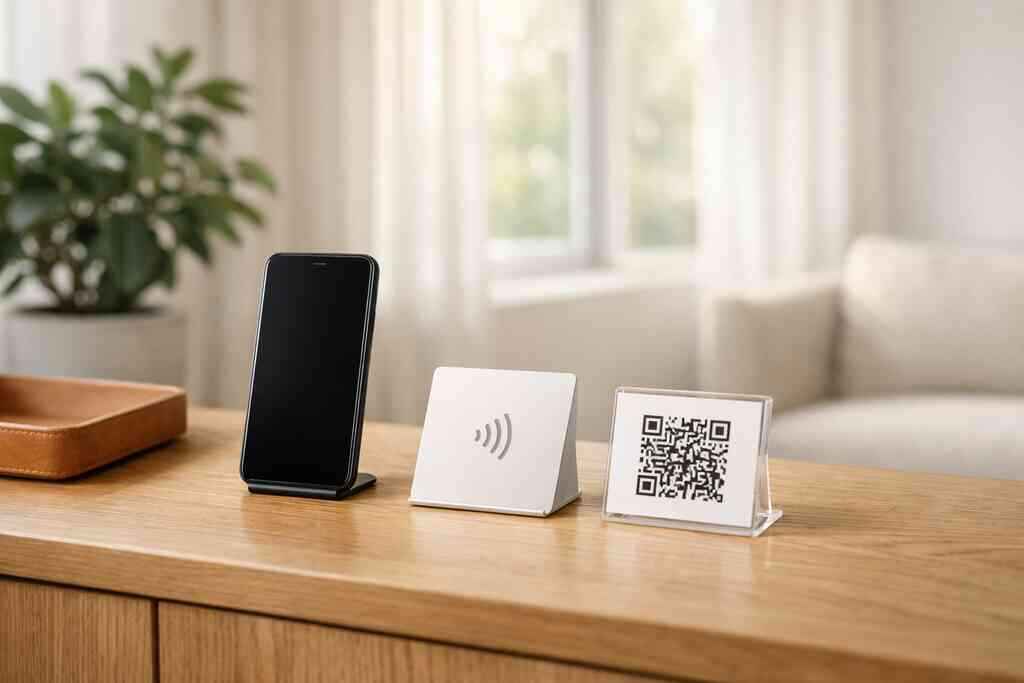
Here is a simple comparison:
Design choiceTeam benefitBest forShared templateFaster rolloutCorporate teamsCustom brandingStronger identitySmall business and sales teamsIndividual photo and titleMore personalFreelancers and real estate agentsIf your team sells in different markets, a template can still allow for local variations. A rep in Suffolk County might need a different focus than a rep working in NYC, but both should still look like the same brand. You can see how business card templates support that consistency without making the card feel rigid.
Which details belong on a virtual business card so the card feels polished, not crowded
A polished virtual business card should include only the essentials:
- name
- title
- company
- phone
- website or landing page
- social links when relevant
- a clear call to action
Do not overload the card with every possible link. The best digital card design keeps attention on the next conversation. If you need inspiration, a concise digital business card example shows how simplicity often works better than decoration.
4) Lead Capture and Contact Sharing That Turns a Swap Into a Sales System
A digital business card app matters most when it helps sales professionals collect business card details without the paper shuffle. The real value is not just sharing contact info. It is making sure the exchange becomes part of a repeatable sales system with follow-up built in.
How a digital business card app can help sales professionals collect business card details without the paper shuffle
Paper cards create manual work. Someone has to type in names, email addresses, and phone numbers later. A digital business card app can reduce that friction by organizing contact sharing in one place and making it easier to store details cleanly.
That saves time for sales teams, real estate agents, freelancers, and corporate teams. It also lowers the chance of losing a lead because a card got misplaced before it was entered.
Why CRM integration and follow up automation matter after the first handshake
The handshake is only the start. If your card can connect to CRM integration and follow-up automation, the lead does not sit in a pile. It gets routed into a process.
That matters for teams that already use structured sales workflows. A card that feeds into your pipeline helps you move from “nice to meet you” to an actual next step. It also aligns with SBA marketing guidance, which emphasizes consistent outreach and organized sales activity.
What digital card analytics can reveal about who opened, shared, or saved the card
Digital card analytics show whether your card was viewed, shared, or saved. That does not replace judgment, but it does help you prioritize follow-up. If a prospect opened the card twice, that is useful signal.
Analytics also help you compare events and channels. If one trade show produces far more saves than another, you can adjust your approach. If you want a deeper breakdown of tracking options, our guide to digital business card analytics for lead capture covers the basics of digital card analytics and related tools.
5) The Smarter Choice for Sales Teams Ready to Replace Paper for Good
Digital card pricing starts to make sense when you count the hidden costs of paper: reprints, outdated titles, and missed follow-ups. A free digital business card can be enough for a solo user, while premium digital card plans may fit teams that need branding, analytics, and rollout support.
When digital card pricing, free digital business card options, and premium digital card plans start to make sense
The right choice depends on how often you network and how many people need access. A solo freelancer may start with a free digital business card. A growing sales team may need a paid plan for consistency and control.
NeedLikely fitWhyBasic contact sharingFree digital business cardLow barrier to startTeam rolloutPremium digital card plansBranding and coordinationSales trackingPaid featuresAnalytics and workflow supportIf you are comparing options, our pricing page is the place to review what is available without guessing.
How to create digital business cards that work for sales professionals, real estate agents, freelancers, and corporate teams
To create digital business card profiles that actually get used, start with the basics and keep them current. Use one clean photo, one clear title, and one primary action. Then tailor the card for your audience.
For real estate agents, that may mean a listing link. For freelancers, it may mean a portfolio. For corporate teams, it may mean a direct route to the right rep. If you need industry-specific ideas, real estate digital card examples are a good reference point.
What to compare on the best digital business card platforms before you commit to a rollout
Before you choose a platform, compare these items:
- QR and NFC sharing options
- custom branding
- analytics
- contact storage and export
- onboarding speed
- team consistency
- recipient experience with no app required
That last point matters more than most buyers think. If the recipient has to jump through hoops, the card loses value. If you want a platform built for easy sharing and paperless networking, Digital Business Cards is a strong option to review because it supports QR, NFC, and link-based sharing in one place.
If you are ready to move off paper, start by reviewing the card setup flow and pick one rep to pilot it this week. Then compare how the digital version performs at your next meeting or networking event in Long Island, New York.
Frequently Asked Questions
Question: What makes digital business cards a better choice than paper cards for sales professionals, real estate agents, and corporate teams?
Answer: Digital business cards make it much easier to share contact info instantly, keep business card details updated, and reduce the risk of losing a lead after a meeting. Unlike paper cards, a virtual business card or electronic business card can be shared through QR code business cards, NFC business cards, a link, or email, which supports paperless networking and contactless sharing. For sales professionals, real estate agents, freelancers, and corporate teams, that means fewer missed follow-ups and a smoother way to move from an introduction to a real conversation. If your team wants a smart business card option that feels modern and practical, Digital Business Cards offers a straightforward way to create digital business card profiles without the paper hassle.
Question: How does the blog Top 5 Digital Business Card Features for Sales Teams help me choose the right digital business card features for my team?
Answer: The blog highlights the features that matter most for a sales team: QR code business cards, NFC business cards, custom branding, lead capture with follow-up automation, and pricing that fits a rollout. That makes it easier to compare digital business card features without getting distracted by extras you may not need. If you are deciding between a digital card maker, a digital business card app, or different digital card vs paper options, the article gives a clear framework for what to look for. It also helps teams think about practical rollout needs like business card template consistency, digital business card design, CRM integration, and digital card analytics. For a growing team based in Long Island, New York, this kind of guidance can make it easier to choose a platform that fits both local networking and broader professional networking needs.
Question: Can Digital Business Cards support custom branding and digital business card templates for a consistent team look?
Answer: Yes, custom branding and business card template consistency are two of the most important factors for team use. A polished digital business card design helps your company look professional, while digital business card templates keep every rep aligned with the same brand style. That matters for small business teams, corporate teams, and sales professionals who want every online business card to feel consistent across events, meetings, and follow-up messages. A strong template can still leave room for individual business card details like title, phone number, email, and a clear call to action. When used well, this creates a clean digital business card example that looks credible and is easy to share. If your team is trying to create digital business cards that feel unified but still personal, Digital Business Cards is built around that kind of practical rollout.
Question: How do QR code business cards and NFC business cards help with lead capture and follow-up automation?
Answer: QR code business cards and NFC business cards help turn a quick introduction into a repeatable sales process. With QR scanning or tap-to-share contactless sharing, the exchange happens fast, which makes it easier for someone to save your details right away. That can support lead capture because the recipient is less likely to lose the card or forget the conversation before follow-up. In many workflows, a digital business card app can also support CRM integration and follow-up automation, so the contact does not sit in a pile of paper cards waiting to be entered later. That is especially useful for sales teams, real estate agents, and freelancers who want to keep professional networking organized. The result is a smoother electronic business card exchange that saves time and helps keep the next step moving.
Question: What should I compare when looking at digital card pricing and the best digital business card platforms?
Answer: When comparing digital card pricing, it helps to look beyond the price alone and focus on the value your team actually needs. A free digital business card may work for an individual user, while premium digital card plans may make more sense for teams that need custom branding, business card templates, digital card analytics, and rollout support. You should also compare how easy it is to share contact info, whether the platform supports QR code business cards and NFC business cards, and whether the recipient can use the card without downloading an app. The best digital business card platforms should make it easy to create digital business card profiles, keep business card details current, and support both paperless networking and professional networking. If you are in Long Island, New York, and want a practical option that works for local meetings as well as NYC networking, Digital Business Cards offers a simple path to get started.