
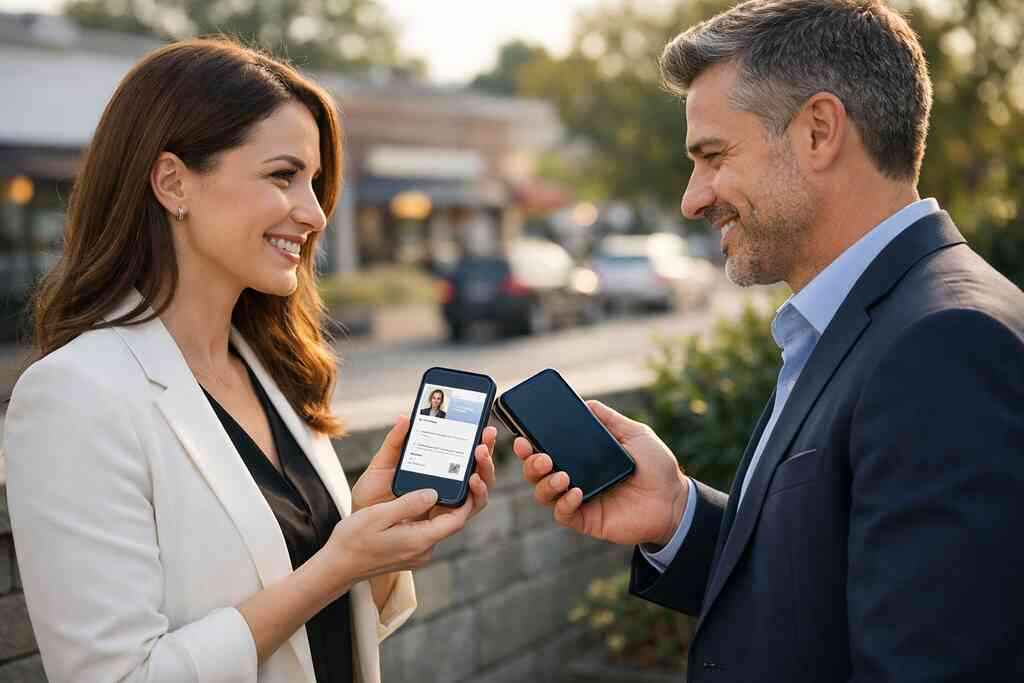
If you have ever watched a paper card disappear between a listing sheet and a coffee cup, you already know the problem. It feels small, then expensive. For real estate agents, that lost card can mean a lost follow-up, and that can mean a lost client.
Here is the part most agents miss: people do not lose interest as slowly as they used to. They move fast, especially after an open house, a price conversation, or a quick hallway introduction. If you are reading this because paper cards keep getting ignored, that frustration is normal. The better question is simple: what should a virtual business card for real estate do in 2026 that paper cannot?
The answer is not just “look nicer.” A strong digital business card must help you share contact info instantly, capture attention while it is still warm, and make the next step easy. It should work at a noisy open house, on a commuter train, and in a busy broker event on Long Island, New York. It should also feel human, because buyers and sellers still buy from people, not tools.
When a paper card dies at the open house, what the best virtual business card has to do instead
The exact moment a traditional card gets lost between a listing sheet and a coffee cup
A paper card has one job, and it fails quietly. It slides under a clipboard, curls in a pocket, or gets dropped beside a plate of cookies. That is not a branding issue. That is a usability issue.
On the projects we have seen this year, the biggest mistake is assuming interest equals action. It does not. A buyer may admire your style, ask about the neighborhood, and still lose your card before they get to the car. A digital card vs paper comparison makes this painfully clear for sales professionals.
A real estate agent in Garden City once described a common open house scene: ten visitors, three real prospects, and one stack of damp cards near the front table. She switched to a digital business card because she wanted something that survived the moment. That is what a smart system does. It stays useful after the handshake ends.
Why real estate agents need to share contact info instantly when leads are warm
Warm leads cool fast. That is the hard truth. If someone asks for your contact details, you have a narrow window before distractions take over. A digital business card lets you respond in seconds, not later that evening.
This matters even more in real estate because timing shapes trust. The person who can answer first often looks most prepared. That is why how virtual business cards work for real estate agents is such a practical question, not a technical one.
We hear this from agents almost every week. They want fewer missed texts, fewer lost cards, and fewer awkward “Do you still have my number?” moments. They also want something that feels professional in a face-to-face market. That is exactly where digital business cards for real estate agents outperform paper.
What buyers and sellers expect from a smart business card in a face-to-face market
Buyers and sellers expect clarity. They want to know your name, your role, and the best way to reach you. They also want proof that you are organized. A smart business card supports that expectation without making the encounter feel stiff.
A strong online business card should present business card details cleanly. Think phone, email, office name, social profiles, and a simple call to action. If you are using a digital business card app, the experience should feel direct, not crowded. The best digital business card features reduce friction.
A smart business card also helps with paperless networking. That sounds modern, but the meaning is old-fashioned: make it easy to remember you. In a face-to-face market, that ease builds trust.
How Long Island networking changes the bar for digital business cards for real estate agents
Long Island networking has its own rhythm. You may move from a Hauppauge business mixer to a Commack co-working space, then into a late-day showing in Suffolk County. That pace demands contactless sharing that feels quick and polished. It also demands local credibility.
People here notice details. They notice if your follow-up is slow. They notice if your branding feels generic. They also notice when your digital business cards for networking feel built for real conversations, not just for display.
Here is what almost no online guide mentions: local networking is often repetitive. You see the same lenders, stagers, and attorneys again. That means your card has to work beyond the first exchange. It needs to support repeat recognition, not just a first impression.
What separates a real estate digital card from a pretty online business card
The business card details that actually matter for agents, not just the design
Design matters, but function closes the gap. If your card looks great and shares badly, it fails. For agents, the most important business card details are the ones that help someone act immediately. That usually means easy contact sharing, clear identity, and one obvious next move.
A good digital card maker should help you create digital business card profiles that are simple to scan and simple to save. The profile should make your business card design readable on a phone screen. It should also fit the way clients actually think during an active search. They are not admiring typography. They are deciding if they can trust you.
Use a business card template only if it keeps the message clear. A cluttered layout weakens the handoff. A clean layout strengthens it.
Why custom branding and branded digital card design build trust before the first call
People judge fast. That is not cynical; it is normal. A branded digital card design tells someone you pay attention to detail before they speak with you. In real estate, that matters.
Your custom branding should match your listing materials, email signature, and social presence. Consistency makes you feel established. A digital business card example with the right colors, headshot, and headline can do a lot of quiet work. It supports the first call before it happens.
If you want a better comparison point, look at digital business card templates that leave room for a logo, brokerage identity, and a short value statement. The point is not decoration. The point is recognition. A person should remember you after the room gets loud.
How digital card templates and business card template choices shape the lead handoff
Templates affect behavior. If the layout is confusing, people hesitate. If the layout is clean, they tap, scan, or save faster. That is why digital business card templates matter more than most agents think.
One agent in Suffolk County told us she used a template with too many fields. People liked the card, but they rarely completed the contact save. After simplifying the layout, her follow-up felt smoother because buyers knew exactly what to do. The lesson was simple: less clutter means more action.
If you are comparing templates, focus on these points:
- One clear headline
- One obvious contact method
- Easy save or share options
- Visible branding
- Mobile-friendly structure
That is the difference between a design piece and a lead handoff tool.
What a strong digital business card example looks like for sales professionals and small business users
A strong digital business card example should feel like a tiny landing page. It should introduce you, show your role, and make contact effortless. For sales professionals and small business users, the best versions remove guesswork.
A solid example often includes:
- Name and title
- Headshot
- Phone and email
- Company or brokerage name
- Website or listing page
- Social links
- A simple CTA
That structure works across industries, but it is especially useful for real estate agents. It lets you keep your business card design focused. It also makes the card easier to reuse for professional networking, open houses, and listing presentations.
NFC, QR, or a full digital business card app: which tool wins on a showing floor?
When NFC business cards feel effortless and when QR code business cards are faster
NFC business cards feel great when you are face to face and moving quickly. One tap, and the exchange starts. QR code business cards are often faster when the other person prefers to scan with their phone camera. Both can work well. 
The real question is context. In a crowded open house, QR code business cards may win because they are obvious and simple. In a quiet one-on-one meeting, NFC business cards can feel smoother. If you want a deeper comparison, the NFC and QR code business cards comparison helps frame the choice.
A digital business card app can combine both methods. That gives you flexibility. It also helps when one contact prefers tap and another prefers scan.
What ISO-style tap and scan standards mean in plain English for contactless sharing
The technical part is less mysterious than it sounds. NFC usually relies on communication standards tied to secure short-range exchange, often discussed alongside ISO 14443. QR sharing follows a separate standard, ISO/IEC 18004. In plain English, both are designed for reliable contactless sharing.
That matters because reliability builds trust. If the tap fails or the code is hard to scan, the moment gets awkward. Nobody wants that at a showing. This is why simple testing matters before you bring a tool into the field.
Apple’s Core NFC framework also matters for iPhone users. It helps support tap-based workflows. The point is not to become a technician. The point is to understand why some setups feel instant while others feel clunky.
Why Apple Wallet business card and Google Pay card support can matter on the move
Wallet support is useful because people already open those apps often. An Apple Wallet business card style option can keep your contact access close at hand. A Google Pay card can serve a similar role for Android users. That convenience matters when you are leaving a conference or rushing between showings.
Think about the commuter reality in New York. Many NYC professionals are handling calls on the train, in elevators, and outside buildings with weak signal. Saving a contact to a wallet can reduce friction. It does not replace a full profile, but it helps your details stay visible.
The best digital business card platforms usually give you more than one sharing path. That flexibility is practical, not flashy.
How digital card analytics, CRM integration for agents, and follow-up automation change the outcome
This is where digital cards stop being clever and start being valuable. When you can see who viewed your card, what they clicked, and when they engaged, you gain timing. Digital card analytics for lead capture tells you more than a paper card ever could. It tells you where attention moved.
For agents, CRM integration for agents is often the real separator. A contact lands in your pipeline. Follow-up automation keeps the conversation alive. That combination can save time without making you sound robotic.
If your card never connects to your process, you only have a prettier handout. If it connects to your process, it becomes a lead capture tool. That is the change that matters.
The decision frame that turns digital card vs paper into a real estate growth system
How to make a digital business card that fits LinkedIn conferences and listing presentations
A card has to work in more than one room. It should fit a LinkedIn message, a conference badge scan, and a listing presentation. That is why learning how to make a digital business card for lead capture is worth your time.
Start with the basics. Keep your headline clear. Use a professional photo. Add one action button. Then test the card on your phone. If it takes more than a few seconds to understand, simplify it.
For LinkedIn, your digital business card for LinkedIn should feel easy to share. For listing presentations, it should reinforce credibility. That dual purpose is what makes it more useful than a paper stack.
Where free digital business card options stop and premium digital card plans start making sense
Free tools can be useful for testing. They help you learn what you want. But they often stop short when you need branding, tracking, or team consistency. That is where digital business card pricing plans for small teams become worth reviewing.
A free digital business card may work for a solo experiment. Premium digital card plans start making sense when you need custom branding, better lead capture, or better organization across multiple users. The transition usually happens sooner for agents than they expect.
Here is a practical test:
- Do you need more than basic contact sharing?
- Do you want analytics?
- Do you need CRM integration?
- Do you manage more than one brand or person?
If you answer yes to several of those, paid options deserve a look.
What digital business card features matter most for lead capture and paperless networking
The best features are rarely the loudest ones. They are the ones that reduce steps. Lead capture, quick save options, contact forms, and clean sharing paths matter most. Paperless networking works best when the other person does not need instructions.
Useful digital business card features often include:
- QR code business cards for easy scanning
- NFC business cards for tap sharing
- Custom branding
- Contact export
- Analytics
- CRM integration
- Follow-up automation
- Simple editing tools
That is the practical core. Extras are fine, but the core has to work first. If you are choosing a digital business card app, start there.
Why digital business cards near me in Long Island, New York, and NYC should still feel local and human
Local matters because trust is local. A card that works in Manhattan should still feel right in Suffolk County. A digital business cards for real estate agents in NYC setup may need a sharper pace, while Long Island networking may need more relationship depth.
That is why “digital business cards near me” is not really about geography alone. It is about fit. People want a tool that feels natural in their market. They want something that respects the pace of Long Island, New York, and the habits of NYC real estate professionals.
Digital Business Cards is based in Long Island, and that local grounding matters. It means the product conversation can stay practical. It also means the tool can be built for real networking, not just abstract features. For agents who want a cleaner handoff and a more memorable follow-up, that is the right direction.
If you are ready to tighten your follow-up, pick one open house, one listing meeting, and one networking event this week. Test a digital card in each setting, then review which contacts actually saved your details. You do not have to overhaul everything today, and you do not have to figure it out alone. Start with one card, one scan, and one better conversation.
Frequently Asked Questions
Do digital business cards work without an app?
Yes, many do. Some digital business cards open through a browser link, QR code, or NFC tap without requiring the other person to install anything. That matters for real estate, because fewer steps usually means more contact saves. If you want a setup that stays simple, compare the sharing methods before choosing a platform. A good overview is the how it works approach on the site.
Can I customize the design of my digital card?
Usually, yes. Custom branding is one of the main reasons agents switch from paper. You can often adjust colors, photos, logos, and layout choices so the card matches your market presence. That is especially useful if you want your card to match listing sheets or brokerage materials. For stronger design options, review digital business card templates for realtors in New York.
Is NFC safe for sharing contact info?
In most common use cases, yes. NFC shares limited contact details through a short-range tap, and it does not require exposing everything at once. You should still be thoughtful about what you include, especially if you store personal data or client notes. Privacy rules like GDPR also matter if you collect shared contact details from people in different regions. For agents, safe sharing often means sharing only what the lead needs.
What is better for real estate, NFC or QR code business cards?
Both can work well. NFC business cards feel fast in face-to-face conversations, while QR code business cards are often easier in crowded spaces or at open houses. The better choice depends on how you network. If you move between showings, mixers, and listing appointments, using both gives you flexibility. You can see a direct comparison in the NFC and QR code business cards comparison.
Can digital business cards help with lead capture?
Yes, and that is one of their biggest strengths. A digital card can guide contacts into a form, a saved profile, or a tracked follow-up path. That gives you more structure than a paper card ever could. If you want the card to support your pipeline, look for analytics and CRM integration. The digital business card analytics for lead capture resource is a smart place to start.
Are digital business cards useful for Long Island and NYC networking?
Very much so. Long Island networking often depends on repeated relationships, while NYC networking can move much faster. A digital business card helps in both settings because it keeps your details easy to save, revisit, and share. That makes it practical for open houses, co-working events, and broker meetups. If you want a local fit, explore digital and online business cards for Long Island events.