
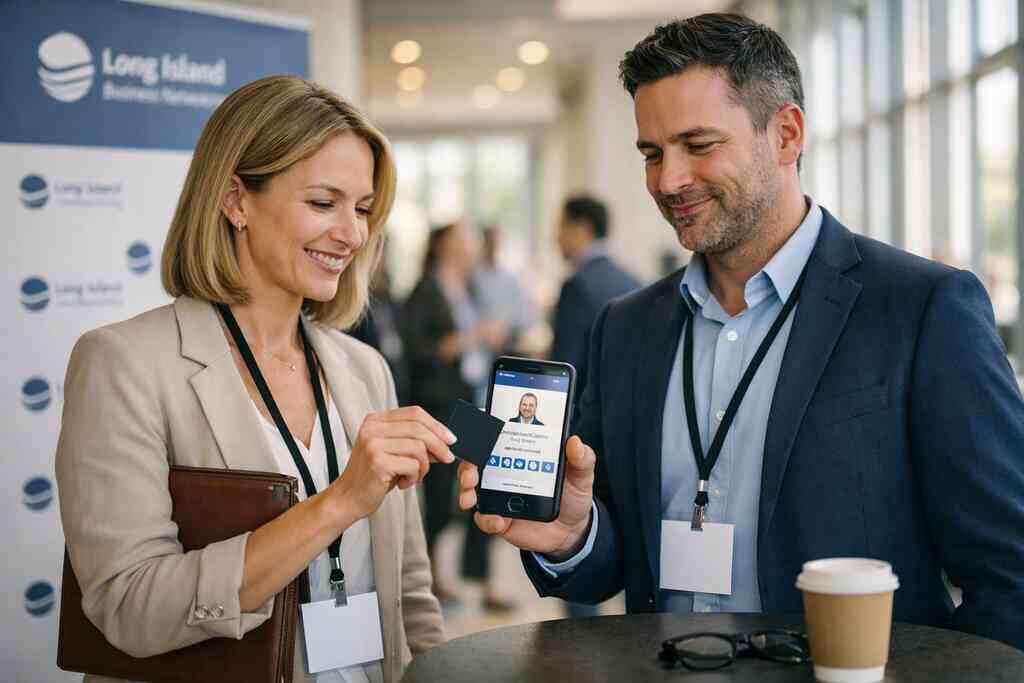
When a paper card dies in your pocket, what actually wins: NFC or QR?
If you have ever found a bent card at the bottom of a coat pocket, you know the feeling. The ink is smeared. The number is half readable. The lead is already cooling off. That tiny moment is why so many SMBs are moving to digital business cards for paperless networking in Long Island.
We hear this from clients almost every week. Someone met a prospect at a Hauppauge business mixer, then lost the card before Monday. That is frustrating, especially when your next paycheck depends on follow-up. Digital business cards, virtual business cards, and electronic business cards solve that weak spot by keeping contact info ready to share.
Why SMBs keep losing leads to smudged ink, forgotten wallets, and stalled follow-up
Paper cards fail in quiet ways. They get tossed after a conference. They get soaked in rain near Penn Station. They sit in a desk drawer until the lead is gone. For small business owners, that is not just inconvenient; it is expensive.
A 2023 Adobe survey reported that many professionals have lost a paper card before following up. That lines up with what we see in real networking. The problem is not the design alone. It is the gap between meeting someone and making contact stick. A digital business card closes that gap faster.
One client in Garden City kept excellent paper cards but still missed follow-ups after client meetings. He switched to a smart business card because he wanted contactless sharing that did not rely on memory. The result was simple: fewer lost contacts, less friction, and a cleaner handoff during meetings. That is the real advantage of digital card vs. paper.
Where NFC tap to share feels faster and where QR scan to share is simply more reliable
NFC business cards feel almost magical in the right moment. You tap. The phone responds. The contact details open fast. That speed matters when you are standing in a busy hallway, on a trade show floor, or between trains in NYC. A near field communication (NFC) setup can make sharing feel effortless.
QR code business cards, though, win in more situations than people expect. They do not require chip proximity. They work with a camera. They are easy to show on a screen, badge, or printed card. When the room is crowded, noisy, or moving fast, QR scan to share can be simpler and more reliable.
Here is the part most people miss: NFC feels smoother, but QR often has fewer compatibility headaches. If a person’s phone cannot tap well, the scan still works. If the light is poor, the code may need a little adjustment, yet the process remains familiar. That is why many small businesses use both inside one digital business card design.
The Long Island reality of client meetings, trade shows, and quick exchanges across NYC commutes
Long Island networking has its own rhythm. You may meet someone at a Commack co-working space in the morning, then catch a prospect on the LIRR that afternoon. You may also be introducing yourself in Manhattan, where people are moving fast and attention is thin. In that flow, paper cards are easy to misplace.
For professionals in Suffolk County, NY, speed matters, but so does reliability. A salesperson leaving a meeting on Long Island does not want to fumble with a stack of cards. A freelancer heading into NYC needs something that can be shared in seconds. Contactless sharing with a virtual business card in NYC works well because the exchange matches how people already move through the region.
The best choice depends on your setting. At a quiet one-on-one meeting, NFC business cards can feel polished. At a crowded expo, QR code business cards may be easier to display and scan. Many teams now treat the two as partners, not rivals. That practical mix is often the smartest move for paperless networking.
The technical split that changes the whole handoff: NFC business cards versus QR code business cards
The difference between NFC business cards and QR code business cards is not just the gimmick. It is the handoff. NFC uses a chip and close proximity. QR uses an image and a camera. Both can share contact info, but they do it in very different ways.
That matters because the method affects how often the card actually gets used. If the process feels awkward, people stop. If it feels natural, they keep it. For SMBs, the best digital business card is the one that works in the real world, not just on a spec sheet.
How NFC business cards use Core NFC and ISO 14443 to move contact details with one tap
NFC business cards rely on near field communication standards. On Apple devices, the how to create a digital business card with CRM integration flow often starts with Core NFC support and close-range tap behavior. The underlying standard is ISO 14443, which helps devices exchange data over short distances. That short range is part of the security and part of the appeal.
In plain English, NFC tap to share means two devices communicate when they are very close. That close range helps reduce accidental triggers. It also keeps the motion fast. Tap, open, save, done. For many sales professionals, that beats typing a name into a phone.
Still, NFC is not magic. The other person’s phone must support it well enough. The surface needs to be positioned correctly. And the card must be configured properly in the digital business card app or smart business card platform. When the setup is right, though, it feels clean and professional.
How QR code business cards rely on ISO IEC 18004 and camera access instead of chip proximity
QR code business cards work differently. They use the QR code standard approach, known as ISO/IEC 18004, and any phone camera can usually read them. That is why QR code business cards are so popular for everyday sharing. No chip is needed. No special tap angle is required.
This method is also flexible. You can place a QR code on a digital business card, printed insert, badge, email signature, or Apple Wallet business card-style pass. You can show it on a laptop screen or an event badge. That makes QR a practical choice for corporate teams, freelancers, and small businesses that need easy sharing across mixed devices.
A QR code business card can also be easier to explain. People already know how to scan a code. That familiarity reduces hesitation. In busy networking spaces, familiar often wins. That is especially true when you are trying to share contact info instantly without a long demo.
When one electronic business card fits real estate agents, sales professionals, and corporate teams better than the other
Different jobs create different networking patterns. Real estate agents often move between showings, open houses, and quick client introductions. Sales professionals split time between meetings and outreach. Corporate teams need consistency across many employees. Each group has a slightly different best fit.
Use caseNFC business cardsQR code business cardsReal estate agentsFast at in-person showingsEasy on signs and listing sheetsSales professionalsPolished for direct handoffsReliable at events and demosCorporate teamsStrong for brand consistencySimple across large groupsFreelancersGreat for quick meetingsEasy to show on screensFor digital business cards for real estate agents in New York, QR often works well because listings, open houses, and open phones are common. For direct introductions, NFC can feel more premium. For large corporate teams, QR can be easier to standardize. The right answer depends on how your people meet others, not just how they like gadgets.
Why a smart business card can still feel simple when the design and business card details are done right
A smart business card should not feel complicated. The user should not need a tutorial. Good digital card design removes friction. It puts the name, title, phone, email, and preferred action in the right order. It keeps the business card design and branding for digital cards clean, readable, and on brand. 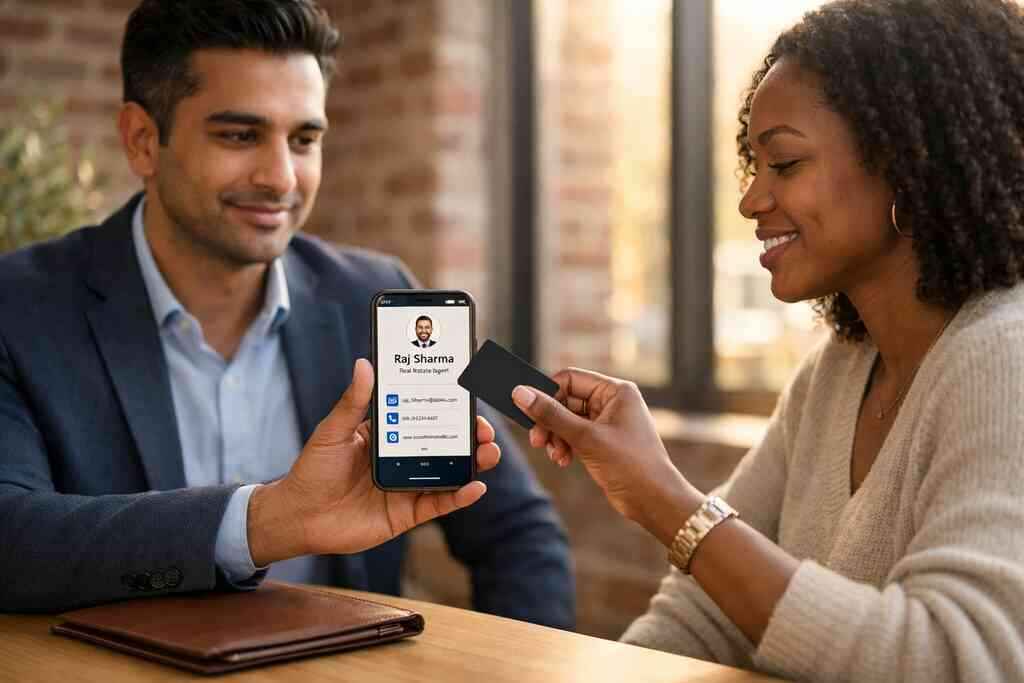
Here is the mistake we see most often. People overload the card with too many buttons or too much text. That makes the handoff slower, not faster. A better digital business card template keeps only what matters. It should feel like a sharp business card example, just without the paper.
If you are using a digital card maker, test the experience on a real phone. Ask yourself if the business card details are obvious in three seconds. Ask whether the visitor knows what to do next. A smart business card earns its name by staying simple.
Choosing the card that fits your workflow and gets followed up on
The best card is the one your team will actually use. That sounds obvious, but it is where many SMBs stumble. They choose based on features they never touch. Or they choose based on price alone and miss the follow-up value. For best virtual business card tools for sales teams in NYC, adoption matters as much as style.
What we have seen in 2026 specifically is this: the winning teams match the tool to the workflow. They think about who hands out cards, where, and why. Then they choose the format that gets shared again. That is how digital business cards become useful, not just trendy.
The SMB decision tree for paperless networking across freelancers, small business teams, and local professionals in Suffolk County, NY
Start with your network pattern. If you meet people one on one, NFC may feel natural. If you meet large groups, QR may be easier. If your team spans offices, events, and remote work, you may need both. That is especially true for Long Island business networking for local teams.
Ask three questions. Do you need speed? Do you need broad compatibility? Do you need a simple rollout across many users? Freelancers often want a lightweight virtual business card. Small business teams often want a shared standard. Corporate teams often want custom branding and easy administration.
The question we get more than any other from first-time buyers is simple: what will get followed up on? That is the right question. Not which option sounds newer. Not which one feels more advanced. The card that gets used the most usually wins.
How digital card pricing, free digital business card options, and premium digital card plans change the buy decision
Price matters, but price alone can mislead you. A free digital business card may be enough for an individual who wants simple sharing. Premium digital card plans may make more sense for teams that need organization and control. The right choice depends on how many people need access and what kind of business card features you expect.
If you are comparing digital card pricing and premium plans for small teams, look beyond the sticker. Ask what happens when you add users. Ask how updates are handled. Ask whether the platform fits your branding and workflow. A low price is not a win if no one uses the card.
A practical rule helps here:
- Choose a free digital business card if you are testing the format.
- Choose premium if you need team consistency.
- Choose a platform that supports growth, not just a trial.
- Review the setup for mobile ease before committing.
That way, your digital business card app choice follows your actual needs.
What to look for in digital business card features like custom branding, digital card analytics, CRM integration, and lead capture
Features should serve the handoff. Custom branding makes your digital card look like your business. Digital card analytics show what people click. Lead capture helps you collect contact info cleanly. CRM integration pushes data into your system, which supports how digital business cards improve follow-up automation for teams.
If you want more than a contact exchange, focus on the right features. Look for:
- Custom branding
- Digital card analytics
- Lead capture
- CRM integration
- Follow-up automation
- Easy contact export
- Strong mobile display
That mix is often more useful than an expensive bundle of extras. A digital business card for LinkedIn should connect your public presence with your outreach. A digital business card features for lead capture and analytics setup can also reveal which networking events actually produce engagement. That is useful data, not vanity.
How to create digital business card designs that travel well on LinkedIn, Apple Wallet, and Google Pay
Good design travels. A strong digital business card design should look sharp in a browser, on LinkedIn, and inside wallet formats. It should also survive a quick glance on a small screen. That means clean spacing, readable type, and a focused call to action.
If you are learning how to make a digital business card, start with the essentials. Use one clear headline. Add only the business card details people need right away. Then test the virtual card design on a phone. If it feels crowded, simplify it.
Apple Wallet business card and Google Pay card support can be useful for convenient access, but only if the design stays legible. The same goes for digital business card templates. You want the card to work in a pocket, on a screen, and in a follow-up sequence. That is what makes the whole system practical.
The next move if you want a digital business card that matches your brand and actually gets used
Do not start by asking for every feature. Start by asking how you will share. Then choose the format that matches your pattern. If you are a real estate agent, a sales rep, or a small team leader, think about where the conversation happens most often. That answer usually points you toward NFC, QR, or a hybrid setup.
If you want a simple path, build around a clear template and one strong CTA. Keep your business card design clean. Keep your business card example focused. Then make sure your team can share contact info without hesitation. That is the point where digital business cards stop being a novelty and start supporting real professional networking.
If you are ready to compare options, review your digital business cards near me choices with your actual workflow in mind. You do not need to solve everything today. Start with one card, one use case, and one clear follow-up path.
Frequently Asked Questions
Question: What is the difference between NFC business cards and QR code business cards for small business networking?
Answer: NFC business cards use near field communication for a tap-to-share experience, while QR code business cards use a camera scan to open your contact details. Both are effective forms of digital business cards, but they fit different networking situations. NFC tap to share can feel fast and polished in one-on-one meetings, while QR scan to share is often more flexible because almost any smartphone camera can read it. For many small business and professional networking use cases, the best choice is the one that makes it easiest to share contact info instantly and follow up without friction.
Question: In The Difference Between NFC and QR Business Cards for SMBs, which option is better for sales professionals, real estate agents, and freelancers?
Answer: There is no single best option for every role, because each workflow is different. Sales professionals often appreciate NFC business cards for quick, professional handoffs during meetings. Real estate agents may prefer QR code business cards because they are easy to display at open houses, listing sheets, and events. Freelancers often like the flexibility of a virtual business card or electronic business card that can be shared by link, QR code, or tap. The most practical approach is to choose the format that matches how you meet people most often, then build a clean digital business card design around it.
Question: Can Digital Business Cards help me create a digital business card with custom branding, CRM integration, and lead capture?
Answer: Yes, the goal is to make it easier to create digital business card setups that support professional networking and follow-up. A strong digital business card should present your business card details clearly, reflect your brand, and make it simple for people to share contact info. If your workflow includes CRM integration, lead capture, or follow-up automation, those are important things to review before choosing a digital business card app or platform. We recommend looking for tools that fit your process rather than adding complexity. The best digital business card platforms are the ones that help your team stay organized and keep the handoff simple.
Question: Are digital business cards better than paper cards for paperless networking in Long Island, Suffolk County NY, and NYC?
Answer: For many businesses, yes, especially when the goal is to reduce the chance of losing contact information after a meeting. Paper cards can be damaged, misplaced, or forgotten, while digital business cards are designed for easier contactless sharing and faster follow-up. That can be especially helpful for Long Island, Suffolk County NY, and NYC business networking, where meetings often happen quickly and across different settings. A digital card vs. paper comparison usually comes down to reliability, convenience, and how easy it is to share contact details in the moment. For teams that want sustainable business cards and a smoother workflow, a virtual card design can be a practical upgrade.
Question: How do I choose between free digital business card options and premium digital card plans?
Answer: Start by thinking about how many people need access and what you want the card to do. A free digital business card may be enough if you are just testing the format or need a simple electronic business card for yourself. Premium digital card plans may make more sense for small business teams, corporate teams, or groups that need consistency, custom branding, or more structured administration. When comparing digital card pricing, it helps to focus on workflow rather than price alone. If your team wants a business card template that can grow with you, review the available features carefully and make sure the platform supports the way you share contact info and manage follow-up.
Question: What should I look for in a business card example or digital business card template before I get started?
Answer: A good business card example should be simple, readable, and focused on the actions you want people to take. The same is true for digital business card templates. Look for a clean digital business card design that highlights only the most important business card details, such as name, title, phone, email, and a clear next step. If you are using a digital card maker, test the layout on a mobile device and make sure it works as a strong digital business card for LinkedIn, email, and in-person networking. Good virtual card design should feel easy to use, look professional, and support contactless sharing without confusing the person receiving it.