
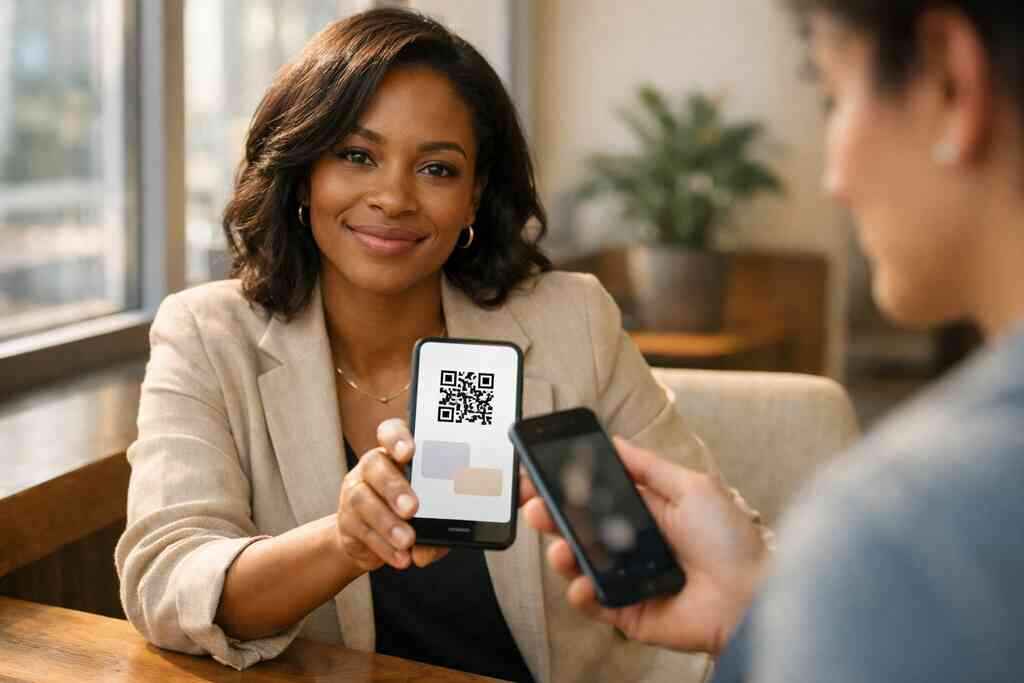
Why paper cards disappear before the follow-up ever starts
A paper card can look polished for ten seconds. Then it slips into a pocket, lands under a receipt, or gets tossed during the drive home. If you are reading this after a networking event on Long Island, you probably know that small sting already. The hard part is not handing out a card. The hard part is making sure someone actually saves you.
At a Hauppauge business mixer, I watched a sales rep fan through a stack of cards at the coat check. Two hours later, he could not remember which stack held the best lead. That happens more often than people admit. The room is loud, the conversation is rushed, and the old paper shuffle simply cannot keep up. A digital business card solves that friction by making it easy to save contact info immediately.
What Long Island professionals run into at events from Hauppauge to Commack
Long Island professionals move between conferences, local chambers, and client visits fast. One hour you are in Hauppauge. The next you are in Commack or heading toward a meeting in Suffolk County. In those settings, a paper card has to survive weather, crowds, and bad timing. It often does not.
Here is what we hear from clients almost every week: the best introductions happen at the worst moments. You are holding coffee. Someone is moving toward the next speaker. A paper card exchange turns into a quick handoff with no real follow-up path. A digital business card example gives that same meeting a cleaner ending. It lets the other person save your details before the moment fades.
How smudged ink and stuffed wallets quietly kill your business card exchange
Paper cards fail in small ways. Ink smudges after a rainy walk from the parking lot. Corners bend in a packed wallet. Phone numbers become hard to read after one humid afternoon. None of that feels dramatic, but it quietly ruins the exchange.
There is also the psychological side. If a card looks worn, people assume the contact is less current. If it looks generic, they may delay saving it. Delay is where leads disappear. A digital card avoids those weak points because the contact action happens on the spot. That is why digital business cards are replacing paper for so many professionals.
Why a digital business card changes the way contacts actually get saved
A digital business card changes the follow-up path, not just the format. Instead of handing over paper and hoping for the best, you create a direct route to your phone, email, website, or social profile. That means less friction and fewer lost opportunities. It also makes paperless networking feel natural rather than forced.
On the projects we’ve finished this year, the biggest difference has been speed. People scan, tap, or open a link, and the contact is stored immediately. For busy sales professionals, real estate agents, freelancers, and corporate teams, that speed matters. It is the difference between “I’ll save this later” and “I already saved you.”
What makes a digital business card work when the room is noisy and the meeting is rushed
The best digital business card design is simple, obvious, and fast. You do not want people hunting for buttons or guessing what to do next. In a noisy room, clarity wins. In a rushed meeting, one clean action wins again. That is why the right digital card maker matters.
A good setup also feels local and practical. Long Island people are often moving between office towers, train platforms, and client sites in New York, NY. A card that works fast in all three places is worth much more than a flashy profile. If you want the setup process explained clearly, the How It Works guide is the place to start.
QR code business cards versus NFC business cards in real-world use
QR code business cards and NFC business cards solve the same problem in different ways. QR codes work on almost any modern phone camera. NFC cards let a phone read the card with a tap, using near field communication for contactless sharing. NFC technology follows standards like ISO 14443, while QR codes use the ISO/IEC 18004 standard. Both can work well.
The real-world choice depends on behavior. QR is easier when people are cautious, rushed, or using older devices. NFC feels smoother when your audience is used to tapping. Apple’s Core NFC framework also supports reliable tap-to-share use on compatible devices. If you want a deeper comparison, check QR code business cards versus NFC business cards.
What to include in your business card details so people know what to do next
Your business card details should guide action. Start with your name, title, company, phone, email, and website. Then add one clear next step, like “Book a call,” “View listings,” or “Request a quote.” If you bury the call to action, people hesitate.
A strong business card example also includes the channels people actually use. That may mean LinkedIn, text, or a contact form. It may also mean an Apple Wallet business card or Google Pay card if your platform supports them. Keep it clean. Keep it useful. Then people know exactly what to do next.
How to create a digital business card that fits sales professionals, real estate agents, freelancers, and corporate teams
Different roles need different layouts. Sales professionals often need quick access to scheduling and follow-up. Real estate agents may need listings, a headshot, and a fast way to contact them after an open house. Freelancers usually need a sharper personal brand. Corporate teams may want a consistent structure across several users.
A digital business card for real estate agents in New York should emphasize trust and instant access. A small business owner may want simpler contact flow and stronger branding. The key is matching the card to the meeting. That is how you create digital business card experiences people remember.
Where custom branding and digital business card design shape the first impression
The first impression starts before the card is saved. It starts with color, spacing, image quality, and logo placement. Custom branding helps your card feel like part of your business, not a generic page. That matters because people judge speed and professionalism from visual cues.
A strong virtual card design should match your website, email signature, and social presence. That consistency builds trust quickly. It also makes your digital card feel intentional. If you want to refine the look, custom branding for digital business card design is worth reviewing before you publish.
When a business card template helps and when a virtual card design needs custom work
A business card template helps when you need speed, consistency, and a clean starting point. It is useful for solo professionals and growing teams. It also helps when you want to test a new format before committing to a full design. Templates reduce guesswork.
Custom work becomes important when your role is visual or brand-heavy. For example, a design consultant or high-end agent may need a more tailored layout. The same is true for digital business card templates used across multiple staff members. In those cases, the template should support the brand, not limit it. That is where a virtual business card becomes more than a contact file.
The setup that turns a digital card into a contact machine instead of a static profile
A digital card is only as strong as its setup. If the contact details are messy, the card feels unfinished. If the flow is too long, people drop off. If you keep it organized, though, the card can work like a quiet sales assistant. It keeps your name moving after the meeting ends.
This is also where trust matters. A platform should make setup simple without making promises it cannot prove. If you are comparing options, read the feature descriptions carefully and check the Pricing & Plans page before you choose. Some users need a free digital business card. Others need premium digital card plans for team use or branding consistency.
How to organize digital business card templates and keep your contact info clean
Start by trimming anything unnecessary. Old phone numbers, outdated titles, and duplicate links make your profile harder to trust. Keep your digital card and contact list management tidy. That way, the saved contact stays accurate long after the first scan.
A strong layout uses digital business card templates to keep fields consistent. That helps especially for corporate teams and small business owners with several team members. It also prevents confusion when someone saves multiple contacts from the same company. Clean structure feels professional. Messy structure feels risky.
When to add lead capture, CRM integration, and follow-up automation
Lead capture makes sense when you want the card to do more than store contact data. If someone scans your card at a trade show, you may want a form, tag, or notification. That helps you respond while the conversation is still fresh. It also reduces the chance of forgetting the lead later.
CRM integration becomes more useful as your volume grows. So does follow-up automation. For teams juggling multiple prospects, these tools can save real time. If that is your goal, lead capture and follow-up automation with digital cards is the right lens. Just make sure any data handling respects privacy rules, including GDPR considerations where they apply.
How digital card analytics can show what people tap, scan, and save
Digital card analytics help you understand what people actually do. Did they tap? Did they scan? Did they open your profile and leave? That information matters because it shows which outreach path works best. It also helps you improve your follow-up timing.
For example, if one version gets more scans from an event and another gets more email clicks, you can adjust your messaging. That is why digital business card analytics for lead tracking can be so valuable. It turns guesswork into pattern recognition, and that gives you a clearer next move.
What to compare on a digital card pricing page before choosing free or premium
A digital card pricing page should help you compare value, not just price. Look for how many cards or users are included, whether branding options exist, and what support is available. Compare the limits carefully. Free sounds attractive until you outgrow it. 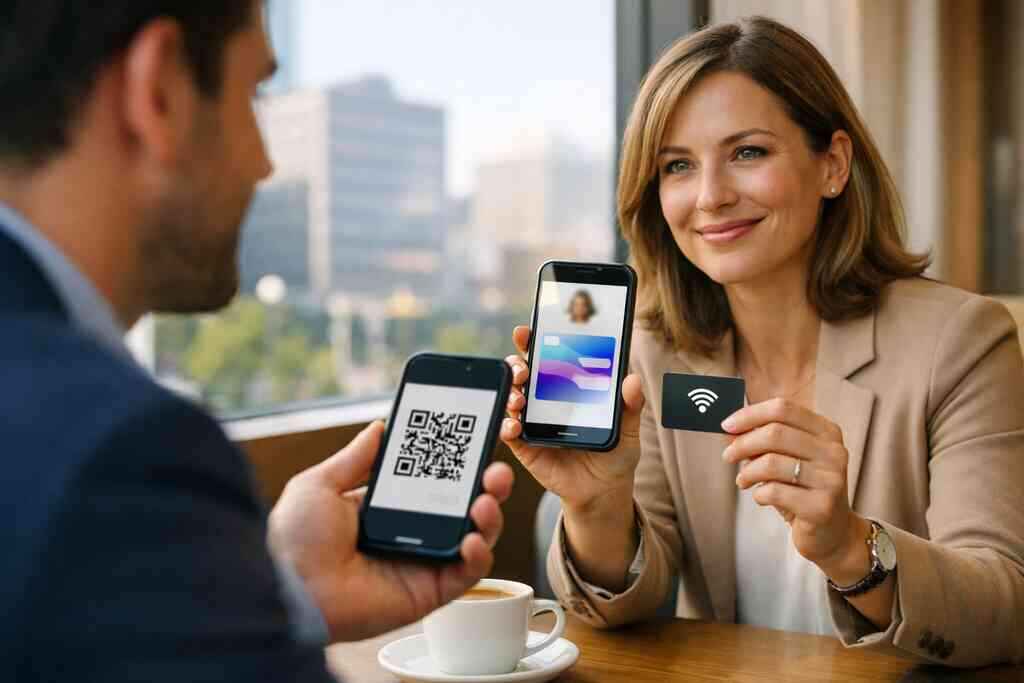
Use this quick checklist: – Branding control
- Team management
- Contact sharing options
- Analytics access
- Update flexibility
- Support responsiveness
If you need a deeper view, review digital business card pricing and plans before making a decision. The goal is to choose a setup that still works six months from now.
Why Long Island and NYC commuters need contactless sharing that works fast from office to train platform
Commuters do not have patience for awkward handoffs. A delayed scan, a slow page, or a clumsy search can end the exchange. Long Island and NYC professionals move too quickly for that. They need contactless sharing that feels immediate from office lobby to train platform.
That is where QR and tap both shine. They remove the extra steps. They also fit modern professional networking habits, where the conversation happens in motion. If the card loads instantly, the contact often sticks. If it stalls, the moment is gone.
What smart professionals do after the card is live
A live digital card is not the finish line. It is the start of a cleaner follow-up habit. Once the card is out in the world, the main job is consistency. You need to share it naturally, keep it current, and use it across the places people already expect to find you. That includes email, LinkedIn, meetings, and in-person events.
How to share contact info by link, email, QR, and tap without slowing the conversation
The best way to share is the fastest way the other person will actually use. Sometimes that is a QR code on your phone. Sometimes it is a tap. Sometimes it is a link in an email after the meeting. The point is to make sharing contact info feel effortless.
You can also send the card in a follow-up text or message. That works especially well when the room was noisy. One quick share beats a long explanation every time. A smart electronic business card exchange should feel like a convenience, not a task.
How a digital business card for LinkedIn supports networking after the handshake
LinkedIn is still a major follow-up channel, especially for B2B and recruiting. A digital business card for LinkedIn helps people connect after the handshake without hunting for your profile. It keeps the path from meeting to connection short. That matters when attention is already split.
If your role depends on visibility, use a card that reinforces your LinkedIn presence. A profile photo, headline, and contact link can work together. For practical examples, see business card design for LinkedIn growth. The handoff should feel seamless.
Where digital card vs paper matters most for small business and professional networking
The digital card vs paper debate gets decided in real situations. For small business owners, the cost of lost follow-up is higher than the cost of printing cards. For busy networkers, the risk of losing a contact is even higher. Digital wins when the goal is action.
That is especially true in digital business cards for networking settings like expos, mixers, and referral groups. Paper still has a place in some settings, but it is no longer the most reliable tool. If you want a broader breakdown, digital business cards for small business networking can help frame the trade-offs.
How to keep sustainable business cards aligned with a paperless networking mindset
Sustainable business cards are about more than paper savings. They are about reducing wasteful reprints and making your contact system easier to manage. A paperless setup is also easier to update. When your title changes, you do not need a new box of cards.
That is the quiet power of paperless networking. It supports cleaner habits, lighter carry, and quicker updates. The best version of sustainability is practical. If the system helps you stay current and reduce waste, it is doing real work.
What to check on /how-it-works/ /templates/ /pricing/ and /features/ before you publish
Before you publish, check the basics in order. Make sure the setup process is clear, the design options fit your brand, the pricing makes sense, and the features match your goals. That final review prevents small mistakes from becoming public ones. It also helps you catch awkward spacing or missing contact details.
Use these pages as a final checklist: how it works, templates, pricing, and features. The card should feel ready before it leaves your screen.
The next move that keeps your networking from going stale
A digital business card works best when you keep it active. That means checking the example, tightening the design, and making sure the sharing path still feels easy. If you treat it like a living tool, it keeps paying off. If you ignore it, it becomes another forgotten profile. That is the real difference.
How to review your digital business card example before you send it out
Before sending the card broadly, open it on your own phone. Test the tap or scan. Check the spacing, spelling, and photo quality. Make sure the person receiving it knows exactly what action to take.
This is the part most people skip. They publish too fast. Then they discover a broken link or a missing field after an important meeting. A careful review takes two minutes and saves embarrassment later.
When to upgrade your design for a client meeting, trade show, or team rollout
A simple layout works well at first. Later, you may need more polish for a client meeting or trade show. Team rollouts also benefit from a more controlled visual system. That is when design stops being decorative and starts being strategic.
If you are building for multiple people, consistent branding becomes even more important. It helps the team look unified. It also makes updates easier when roles change. One strong system scales better than five improvised profiles.
How to decide if an online business card should stay simple or become a smart business card
An online business card should stay simple if your main goal is quick contact sharing. Add complexity only when it serves a purpose. If you need lead capture, analytics, or richer follow-up paths, then a smart business card may be the better fit. Do not add features just to look advanced.
The best rule is practical. If a feature shortens the path to a real conversation, keep it. If it slows the exchange, remove it. That logic keeps the card useful instead of cluttered.
What Long Island professionals can do next with the right digital card maker and a clear sharing plan
Long Island professionals do best when the card fits the way they already work. That may mean a QR-first setup for quick scans, or NFC for a cleaner tap. It may mean stronger branding for a client-facing role, or simple contact flow for a busy team. The right digital card maker should make those choices easier.
If you are ready to move from paper to a cleaner system, start by reviewing your details and choosing a clear sharing method. Then test it in a real setting, like a client meeting, a Hauppauge mixer, or a commute into NYC. You do not have to figure out everything today. Start with one card, one clean design, and one real conversation.
Frequently Asked Questions
Question: How do I create a digital business card for Long Island 2026 that works well for networking in Hauppauge, Commack, Suffolk County, and NYC?
Answer: Start with a clean digital business card that includes the essentials: your name, title, company, phone, email, website, and one clear next step, such as “Book a call” or “View my listings.” For Long Island professionals, the goal is to make sharing simple during busy professional networking moments, whether you are at a mixer in Hauppauge, meeting a client in Suffolk County, or commuting into NYC. A good setup should let people quickly save your contact info without friction, which is why digital business cards are so practical for paperless networking. Depending on how you like to share, you can use QR code business cards, NFC business cards, or a link-based online business card. Digital Business Cards helps you create digital business card profiles that are easier to update than paper cards and better suited for modern contactless sharing.
Question: What is the difference between QR code business cards, NFC business cards, and a smart business card?
Answer: QR code business cards and NFC business cards both make it easier to share contact info quickly, but they work differently. QR code business cards are easy for almost any smartphone to scan, which makes them a flexible choice in noisy or fast-moving environments. NFC business cards use near field communication so someone can tap their phone to the card for contactless sharing. A smart business card usually refers to a digital business card with added functionality, such as lead capture, digital card analytics, CRM integration, or follow-up automation, depending on the platform. The best choice depends on your audience and how you network. If you want a simple electronic business card exchange, QR may be enough. If you want a smoother tap experience, NFC can be a strong option. Digital Business Cards focuses on helping you choose the format that fits your workflow rather than forcing a one-size-fits-all approach.
Question: What should I include in my business card details and business card design so people actually follow up?
Answer: Your business card details should make it obvious who you are and what to do next. Include your name, title, company, phone number, email address, website, and a clear call to action. If it makes sense for your role, you can also add LinkedIn, a booking link, or a contact form. Good business card design should stay simple, readable, and aligned with your brand through custom branding, logo placement, and consistent colors. For sales professionals, real estate agents, freelancers, corporate teams, and small business owners, the best digital business card design is the one that removes hesitation and makes saving your profile effortless. A strong digital business card example is one that works in the moment, not just one that looks polished on screen. Digital Business Cards can help you create that balance through thoughtful virtual card design and clear digital business card templates.
Question: How do digital card pricing, free digital business card options, and premium digital card plans usually compare?
Answer: Digital card pricing depends on what level of control and support you need. A free digital business card option may be useful if you only need a basic online business card for personal networking. Premium digital card plans are typically better for users who want stronger branding, team management, or more advanced digital business card features. Before choosing, compare what is included in each plan, such as digital business card templates, custom branding, sharing options, and any analytics or lead capture tools that may be available. It is also smart to review whether the platform supports your workflow for small business, corporate teams, or professional networking. Digital Business Cards keeps the decision focused on value and fit, so you can choose a plan that supports your goals without paying for what you do not need.
Question: What makes Digital Business Cards a good choice for paperless networking and digital business cards for networking on Long Island?
Answer: Digital Business Cards is built for people who want a more practical alternative to paper in Long Island, New York, NY, and nearby areas like Suffolk County and NYC. Instead of handing out cards that get lost or damaged, you can share a digital business card instantly by QR code, tap, email, or link. That makes paperless networking easier in fast-paced settings where timing matters. The platform is also a strong fit for digital business cards for networking because it supports the basics that matter most: clear business card details, easy sharing, and a more modern way to keep your contact information organized. If you are comparing digital card vs paper, the advantage is usually speed, convenience, and easier updates. For professionals who want a cleaner follow-up path, a virtual business card can help keep conversations moving after the handshake.