

Why the best CRM integration is the one that catches the lead before your paper card disappears
The real problem is not sharing contact info. It is what happens after the handshake. A paper card gets shoved into a pocket, and the follow-up gets delayed. If you are reading this because your last few networking leads went quiet, that frustration makes sense.
A 2023 Adobe survey found that many professionals lose a paper card before they ever follow up. That sounds small until it happens after a good meeting. Then the missed call feels expensive. The best CRM integration for digital business cards is the one that captures interest while it is still warm.
What gets lost when a contact is saved by hand after a networking event
Manual entry creates friction at every step. You copy a name, then a number, then an email address, and finally you hope you typed everything correctly. That is where mistakes slip in. One wrong digit can kill a follow-up.
Here is the part most people miss: the delay matters as much as the error. When you wait until later, the context is gone. You forget what the person cared about, and your message sounds generic.
A digital business card removes that lag. Instead of scanning a tray of paper cards, you can share contact details instantly through a QR code, tap, link, or email. That makes your electronic business card exchange feel cleaner and faster. It also supports paperless networking, which many sales professionals and freelancers now prefer.
Why digital business cards change the follow-up game for sales professionals and freelancers
Digital business cards are not just prettier versions of paper. They are built for action. A good virtual business card can help you share contact info, track interest, and move someone into a CRM workflow without delay. That matters when your income depends on response time.
One freelancer we spoke with in a Hauppauge networking room had a simple problem. She was meeting ten people a week, but only following up with three. After switching to a digital card maker, she could send her online business card during the conversation. The change was small. The result was much easier to manage.
For sales professionals, the difference is even sharper. A digital card vs. paper card comparison often comes down to speed, data quality, and next-step visibility. If your digital business card app supports follow-up automation, it becomes more than a contact card. It becomes a lead path.
How Long Island, New York professionals use contactless sharing to keep deals moving after the handshake
On Long Island, networking still starts with a handshake. That part has not changed. What has changed is how quickly people expect contact details after the meeting. In Suffolk County and across NYC commuter circles, contactless sharing saves time and keeps the conversation alive.
A real estate agent in Garden City told us her biggest win was simple. She stopped handing out cards that disappeared in purses. Instead, she used a smart business card with QR code business card sharing during open houses and local events. That made it easier to keep track of who wanted a call back.
Long Island, New York professionals also deal with mixed environments. Some events are polished and corporate. Others are casual, crowded, and loud. In both settings, digital business cards for networking reduce friction and make it easier to share contact details without fumbling through a wallet.
Which CRM actually fits the way your digital business card works in the real world
The best CRM is not always the biggest name. It is the one that fits how you actually collect leads. A digital business card CRM sync should match your sales process, not force you to rebuild it. That is especially true if you work in a small business, a corporate team, or a solo practice.
Most people get stuck here because they ask the wrong question. They ask, “Which CRM is best?” The better question is, “How will my card data move?” Once you answer that, the CRM choice gets much easier. If you want a deeper setup guide, the digital business card CRM sync path matters more than brand loyalty.
When a digital business card app should sync directly and when a middle layer is smarter
Direct sync works well when your team uses one CRM and one clean workflow. If you collect a contact and want it to land in a single list, direct integration is efficient. It is also simpler to explain to staff. That simplicity helps adoption.
A middle layer is smarter when you need routing, filtering, or enrichment. Some teams want every lead tagged by event, territory, or interest before it reaches the CRM. In that case, a connector can help. It gives you more control over virtual business card lead capture.
The mistake we see most often is overbuilding too early. You do not need three tools if one clean path will do. But if your sales team manages multiple segments, a little structure saves time later.
What small business CRM connections need versus what corporate teams usually ask for
Small business CRM connections usually need speed and clarity. You want contact capture from digital business cards to land in one place with minimal setup. You also want a simple way to follow up. That is enough for many freelancers and local teams.
Corporate teams usually ask for more. They may need role-based routing, compliance review, or shared visibility across departments. They also care about reporting and repeatable processes. In that setting, sales pipeline integration matters because the lead has to move through a larger machine.
NeedSmall BusinessCorporate TeamMain goalFast follow-upControlled routingBest setupSimple syncMulti-step workflowPriorityEase of useTeam visibilityRisk if ignoredMissed leadsBroken reportingThat table is the core difference. Simple is not weak. Simple is often exactly right.
Why QR code business cards and NFC business cards do not always need the same CRM path
QR code business cards and NFC business cards both support fast contact sharing. But they behave differently in the field. QR code business cards are universal because almost every phone can scan them. NFC business cards feel smoother when tap-to-share works on the device. The NFC business cards CRM integration should reflect that difference.
On the technical side, NFC often relies on hardware and frameworks like Apple’s Core NFC. It also aligns with ISO 14443 data exchange standards. QR codes follow ISO/IEC 18004. That sounds technical, but the point is simple: each method has a different sharing path, so the CRM setup should match the handoff.
If your audience includes mixed devices, QR often wins on reliability. If your audience is mostly modern phones and repeat meetings, NFC may feel more elegant. Either way, the CRM should not care how the lead arrived. It should care that the lead arrived cleanly.
How contact capture from digital business cards should support lead routing and follow-up automation
Good lead capture does more than store a name. It gives your team a usable record. That record should support notes, tags, ownership, and follow-up timing. Without that, the CRM becomes a digital junk drawer.
The strongest setups use contact capture from digital business cards to trigger action. A lead can route to the right rep, enter a nurture sequence, or get a same-day alert. That is where electronic business card follow-up automation creates real value.
For real-time teams, speed matters more than elegance. A missed lead in a busy week can slip away fast. That is why the best setups keep the handoff short and the next step obvious.
The integration stack that matters more than the logo on the CRM homepage
A familiar CRM logo can feel reassuring. Still, the logo is not what creates revenue. The stack behind it does. If your digital card analytics, automation, and routing are weak, the CRM cannot fix that. If they are strong, even a modest CRM can perform well.
On the projects we have finished this year, the strongest systems were boring in the best way. They captured contact details, tagged intent, and moved leads forward without drama. That is the goal. If you want a practical benchmark, best digital business card platforms should make this feel easy, not fragile.
How digital card analytics and CRM work together without turning simple networking into busywork
Digital card analytics should tell you what happened, not create homework. You want to know who viewed the card, who tapped it, and who submitted details. You do not need a dashboard that takes twenty minutes to decode. That is how tools lose trust. 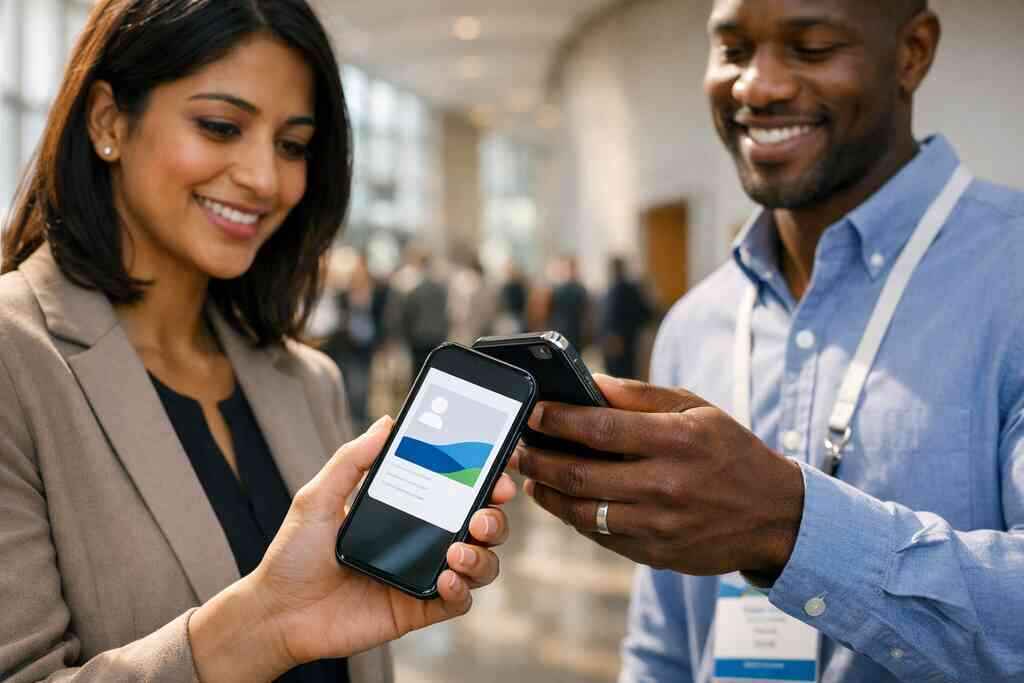
The strongest digital card analytics and CRM pairing turns activity into useful signals. Maybe a lead opened your card twice. Maybe they clicked your LinkedIn link. Maybe they shared it with a colleague. Those clues help you choose the right follow-up.
One common mistake is measuring everything and acting on nothing. Track enough to improve timing. Track enough to personalize outreach. Do not track so much that you stop using the system.
Why automated contact syncing, real-time lead notifications, and sales pipeline integration change speed to lead
Speed to lead is not a slogan. It is a real advantage. When your automated contact syncing sends a new contact into your CRM instantly, you can respond while the conversation is still fresh. That matters in busy industries.
Real-time lead notifications help even more. If a contact comes in after a conference, a mixer, or a property showing, your team can act the same day. A real-time lead notifications setup shortens the gap between meeting and message. That gap is where deals often die.
Sales pipeline integration then gives the lead a place to go. It should not sit in a general inbox forever. It should move into a stage, owner, and next action. That is how CRM workflow automation becomes practical.
What to look for in contact enrichment for digital business cards and business card scanner CRM import
Contact enrichment should make your records more useful, not more crowded. The goal is to add context. That can include company, title, event source, or lead source. It should not add noise. If the enrichment tool guesses too much, your data quality drops.
A good contact enrichment for digital business cards flow helps you qualify faster. It can support segmentation and better outreach. The same goes for business card scanner CRM import when you are moving older contacts into one system. Clean imports save hours.
Here is what almost no online guide mentions: enrichment is only useful if your team trusts it. If people stop believing the data, they stop using the CRM. Then the system fails quietly.
How custom branding, digital business card templates, and LinkedIn sharing affect trust before the CRM ever fires
Before a lead hits your CRM, it has already judged your card. That judgment happens fast. A clean layout, a clear name, and consistent visuals create trust. Sloppy design does the opposite.
That is why custom branding for digital business cards matters. So do digital business card templates, especially for teams that want consistency. If your card looks polished, people are more likely to share their details back.
LinkedIn sharing also helps. A digital business card for LinkedIn link feels natural in professional settings. It gives your card a familiar trust signal before the CRM logic ever starts.
What to do next when you want a CRM-ready digital card maker that actually helps you close
You do not need a perfect system. You need a usable one. Start with clean contact data, obvious follow-up, and a sharing method that fits your day. That is enough to make a digital business card useful right away.
If you are exploring setup options, the first decision is structure. The second is simplicity. The how it works flow should feel clear from the start. If it does not, people will not use it.
How to make a digital business card that supports clean data capture from the start
A strong card starts with strong basics. Use your correct name, title, company, phone, email, and a short description. Then test the sharing path. The goal is to make sure the data arrives where you need it.
Good create a digital business card and sync contacts setup begins with simple fields. Avoid clutter. If you add too many choices, people hesitate. If you keep it clear, they respond faster.
A card should also work in the real world. Test it after a busy event. Test it in low light. Test it on both tap and scan workflows. That is how you catch weak spots before they cost you leads.
When to compare digital card pricing, free digital business card options, and premium digital card plans
Pricing matters, but only after usefulness. A free plan can be fine for testing. Premium plans may make sense if you need branding, analytics, or team management. The key is to match the tool to the work.
If you are comparing options, review the pricing page with your actual use case in mind. Do you need one card or many? Do you need simple sharing or team controls? Those questions matter more than the label on the plan.
Here is a quick decision lens:
- Free digital business card: Good for testing and light use.
- Premium digital card plans: Better for teams, branding, and workflow control.
- Custom rollout: Best when multiple departments need consistent lead handling.
Why Long Island, Suffolk County, and NYC networking situations call for different sharing habits
Local context matters. A Hauppauge business mixer feels different from a Commack co-working session. NYC professional networking often moves faster and feels less personal. Suffolk County events may be more relationship-driven. Your sharing style should match the room.
In Long Island, New York, people still notice small details. A smooth tap or scan can feel thoughtful. A paper card that bends in your bag can feel dated. That is why digital business cards in Long Island for networking fit the rhythm of the region so well.
One marketer we met near a commuter-heavy event said he stopped chasing people later. He began sharing his card immediately after introductions. That small shift kept the conversation alive while everyone was still standing nearby.
What the right setup looks like for real estate agents, corporate teams, and sales professionals who need follow-up without the lag
Different users need different flows. Real estate agents need quick sharing and simple recall. Corporate teams need consistency and reporting. Sales professionals need lead speed. A single setup can support all three, but not if it is overcomplicated.
For property work, start with real estate digital card examples. For sales-heavy teams, focus on smart business card lead management. For internal consistency, keep templates and branding aligned. That is the difference between a tool people use and a tool people ignore.
The best setup is the one your team can repeat under pressure. If someone can share it after a noisy event, a commute, or a long day, you are on the right track.
How to move from contactless sharing to a working CRM workflow with the least friction
Start with one use case. Maybe it is sales meetings. Maybe it is local networking. Maybe it is real estate follow-up. Then connect the card to one CRM path and test it. Do not try to solve everything on day one.
Use the best CRM integration for digital business cards approach that fits your pace. Keep the form short. Keep routing simple. Keep the next step visible. If you need help shaping the rollout, a paperless networking CRM tools mindset is a smart place to start.
You do not have to figure out every part tonight. Start with one clean card, one CRM connection, and one follow-up rule. Then use that system at your next meeting, whether it is in Long Island, Suffolk County, or midtown NYC.
Frequently Asked Questions
Question: What is the best CRM integration for digital business cards if I want faster lead capture and follow-up automation?
Answer: The best CRM integration for digital business cards is the one that moves contact details into your sales process quickly and cleanly. For most sales professionals, freelancers, small business teams, and corporate teams, that means a setup that supports automated contact syncing, lead routing from digital business cards, and follow-up automation without extra manual steps. The goal is simple: when someone scans your QR code business card, taps your NFC business card, or shares details through your online business card, the information should land where your team can use it right away. A strong digital business card CRM sync helps reduce errors, cut down delays, and keep the conversation going while it is still fresh. If you are in Long Island, New York, or networking across Suffolk County and NYC, that speed can make a real difference after a meeting.
Question: How do digital business cards support contact capture from digital business cards and business card scanner CRM import?
Answer: Digital business cards are designed to make contact capture simpler than paper cards. Instead of relying on someone to type in business card details later, a digital card lets the contact information move through a cleaner workflow using a link, QR code, tap, or email. That makes business card scanner CRM import and contact capture from digital business cards much more reliable because the lead is captured at the point of interest, not after the moment has passed. For teams that use CRM workflow automation, this creates a better handoff from first meeting to follow-up. It also supports paperless networking, which many professionals prefer because it is faster, more organized, and easier to repeat at events. With Digital Business Cards, the focus is on helping you share contact info in a way that fits real networking situations without adding friction.
Question: How does What Is the Best CRM Integration for Digital Business Cards apply to QR code business cards, NFC business cards CRM integration, and digital card analytics and CRM?
Answer: The main idea behind What Is the Best CRM Integration for Digital Business Cards is that the best setup depends on how you share your card and how your team works. QR code business cards are often the most universal option because they work across most phones and are easy to use at professional networking events. NFC business cards CRM integration can feel even smoother when tap-to-share is the preferred method, especially in repeat meetings or modern office settings. In either case, digital card analytics and CRM should work together so you can see who viewed your card, who submitted their information, and which leads may be worth a faster follow-up. That combination helps turn a digital business card into more than a contact card. It becomes part of a smarter lead capture process. If your audience includes mixed devices or you work across Long Island, NY, and NYC, it is important to choose the sharing method that fits your environment and then connect it to the CRM path that keeps data organized.
Question: What should small business CRM connections and corporate team contact sharing look like for a CRM-ready digital card maker?
Answer: Small business CRM connections usually need speed, clarity, and a simple workflow. A CRM-ready digital card maker should help you create digital business card details that can be shared quickly and captured without confusion. For many small business owners, freelancers, and real estate agents, a straightforward path from contactless sharing to follow-up automation is enough. Corporate teams often need more structure, including sales pipeline integration, team visibility, and lead routing from digital business cards. That is why the same digital business card platform can serve both groups, but the setup should match the workflow. A clean digital business card template, strong custom branding for digital business cards, and an easy way to create a digital business card and sync contacts can help teams stay consistent. The best approach is the one that supports your business card design, keeps your lead data usable, and fits how your team actually networks.
Question: Can Digital Business Cards help with digital business card for LinkedIn sharing, Apple Wallet business card integration, and Google Pay card sharing?
Answer: Digital Business Cards is built around making contact sharing easier, so options like digital business card for LinkedIn sharing, Apple Wallet business card integration, and Google Pay card sharing can be valuable touchpoints if they are supported in your workflow. The most important thing is that the card should help people share contact info in the way that feels natural for professional networking. A good online business card should work across the channels your contacts already use, whether that is a QR code business card, a link, or a mobile wallet-style experience. For Long Island digital business cards, this kind of flexibility is especially useful because networking situations can vary from casual Suffolk County meetups to fast-moving NYC professional networking environments. If you are comparing digital card pricing, free digital business card options, or premium digital card plans, focus first on whether the sharing method supports your lead capture goals and your CRM integration needs.