
When a paper card dies before the follow-up does
A great conversation can disappear fast. You shake hands, trade names, and then the paper card gets buried under receipts, swag, and a charger. That loss feels small in the moment, but it breaks the email handoff that turns interest into business. If you have ever found a damp, bent card after a conference, you know the frustration.
We hear this from professionals all the time. The meeting felt strong, but the contact was weak. A 2023 Adobe survey found that many professionals lost a paper card before following up, and that matches what people see on the ground. On Long Island, that problem gets worse at busy mixers, open houses, and commuter-friendly meetups in NYC. The card survives the handshake, then disappears before the inbox ever sees it.
Why contacts disappear after a great meeting and why that breaks the email handoff
The problem is rarely the conversation. The problem is the handoff. Paper cards depend on memory, transcription, and timing, and each step creates room for error. A name gets misspelled. A phone number gets typed wrong. The email follow-up automation never starts because the data never made it in cleanly.
This is where many people feel stuck. You know the meeting mattered, but you do not have a reliable record. That is especially painful for sales professionals who meet ten people in one evening. One client at a Hauppauge business mixer described stuffing five paper cards into a jacket pocket, then realizing two had no clear emails by the next morning. That kind of delay weakens momentum fast.
How a digital business card keeps business card details ready for lead capture
A digital business card changes the storage problem immediately. Instead of handing over paper business card details that can fade or tear, you share a digital card that stays accessible. A digital business card app can present your contact information in a clean online business card or virtual business card format. That makes it easier to capture, store, and reuse the contact data without retyping.
For the reader, the appeal is simple. You create digital business card details once, then share them by link, QR code business cards, NFC business cards, or email. In practice, that supports paperless networking and sustainable business cards at the same time. It also gives your contact a mobile-friendly way to save your info. For anyone comparing digital card vs paper, that alone is a strong advantage.
What makes contactless sharing work better at crowded events in Long Island and NYC
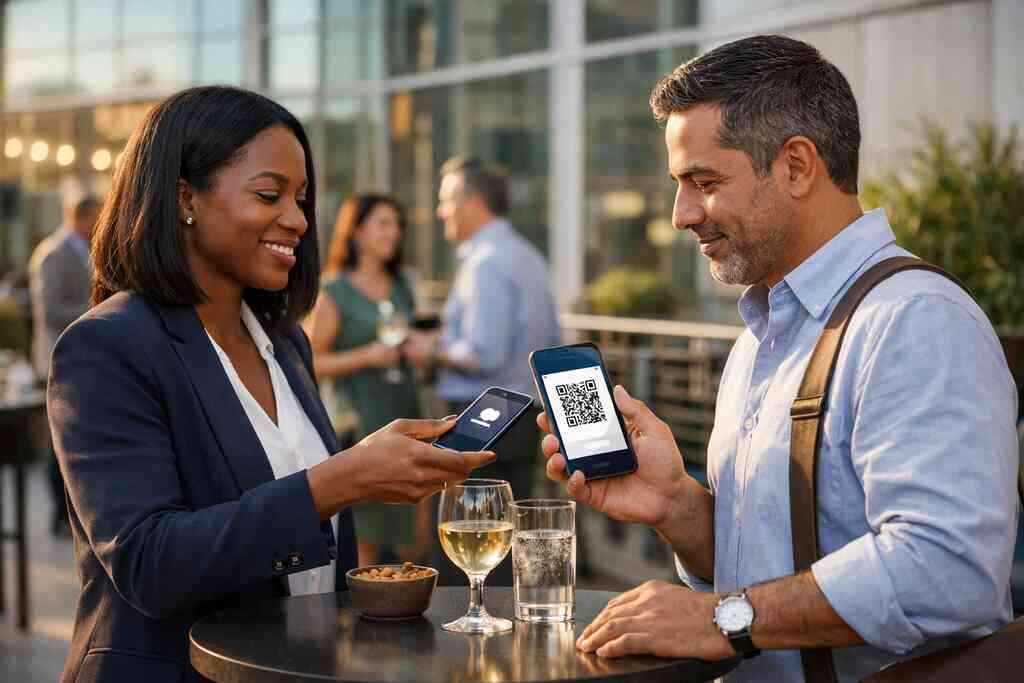
Crowded rooms change behavior. At a packed Commack co-working space or a Manhattan rooftop event, nobody wants to pause for clumsy exchanges. Contactless sharing reduces friction. A quick scan or tap works faster than searching for a pen, and that matters when the room is loud.
The best digital business cards for networking make this feel easy. They let you share contact info in seconds, then move on before the conversation cools. That matters in Long Island, New York, Suffolk County, and across NYC, where many professionals move between meetings on tight schedules. A smart business card also feels cleaner in the hand. No smudged ink. No bent edges. No lost lead.
The hidden handoff between a scan and the inbox
The real value is not the scan itself. It is what happens after the scan. A QR code business card or smart business card should do more than display a profile. It should move a contact into a follow-up system that supports email follow-up automation, prospect nurture emails, and organized customer relationship management.
That hidden handoff is where many teams either gain speed or lose it. When it works, the contact lands in the right place with less friction. When it fails, someone has to copy data by hand. On busy days, that means the lead waits. Here is the part most people miss: speed only helps if the data is usable.
How a QR code business card or NFC business card can move a contact into your follow-up flow
A QR code business card follows the ISO/IEC 18004 standard for QR structure, which is why it scans reliably across devices. An NFC business card uses near-field communication, and Apple’s Core NFC framework supports tap-based interactions on compatible devices. In plain English, both options can create a fast path from first contact to saved information. That path matters because it reduces drop-off before the follow-up flow begins.
If you want a deeper comparison, the choice often depends on context. QR code business cards work well when you need broad compatibility. NFC business cards feel seamless when tap-to-share fits the moment. Many professionals use both. For a practical overview, you can compare QR code business cards and NFC business cards. That way, your outreach matches the setting instead of forcing one method everywhere.
Why digital card analytics matter when you want to know who actually engaged
Not every scan means interest. Some people scan out of curiosity. Others save your contact and come back later. Digital card analytics help you separate those behaviors, so your sales follow-up is smarter. That matters when you are deciding who deserves a same-day email and who belongs in a slower nurture path.
This is where digital business card features become more than convenience. Analytics can show whether someone viewed your card, clicked a link, or revisited your profile. That information gives you clues without overpromising certainty. We have seen this help freelancers and small business teams spot warmer leads faster. It is not magic. It is simply better signal.
Where CRM integration fits so sales follow up does not depend on memory
CRM integration turns a scan into a record. Instead of trusting memory, you feed the contact into your customer relationship management system. That creates consistency for sales professionals who cannot afford to lose details between meetings. It also supports organized post-meeting follow-up.
If you are comparing platforms, start with the How It Works page and see how contact sharing is handled. Then look for whether the system supports contact enrichment or export into your existing workflow. I would also review Digital Business Cards Analytics To Track Lead Quality if you care about which contacts deserve priority. On the projects we’ve finished this year, that combination has saved a lot of manual cleanup.
What every sales professional gets wrong about automation
Automation fails when people treat it like a shortcut instead of a system. The email sequence itself is not the problem. The contact data is usually the weak link. If the source record is incomplete, the sequence becomes awkward fast. That is why many automated email sequences sound generic or miss the point.
You feel this most after events. The inbox fills, but the context is thin. That creates a strange kind of pressure, because you know you should follow up quickly. You just do not want to sound random. The solution is not more email. It is better input.
Why automated email sequences fail when the contact data is incomplete
Incomplete data breaks personalization. If you only have a first name, your outreach can feel flat. If the company name is missing, routing becomes messy. If the email is wrong, the sequence stops before it starts. That is why lead capture has to happen at the source.
A good electronic business card exchange should collect the core business card details cleanly. Then your follow-up automation workflow can use those details without guesswork. In many cases, that means combining a digital card maker, a card sharing method, and a proper CRM connection. Without that structure, automation looks efficient but performs poorly. That gap is where most teams lose time.
How to shape a follow-up automation workflow around post-meeting follow-up
Think of post-meeting follow-up as a sequence, not a single email. First, confirm the contact is clean. Next, send a short message that references the meeting context. Then add a second touch that offers value, like a recap or relevant resource. Finally, route the lead based on interest level.
A useful workflow often looks like this:
- Capture the contact through a digital business card or QR code business card.
- Sync the record into your CRM integration.
- Send a first email within your normal response window.
- Add a second email with one useful next action.
- Move engaged contacts into a nurture path.
That structure keeps the process calm. It also helps sales follow up feel human instead of mechanical. If you want a broader strategy on digital business cards and email marketing follow-up, the logic is the same: use the card to start the relationship, then let the system do the organizing.
What makes digital business cards for networking better for real estate agents, freelancers, and corporate teams
Different roles need different speed. Real estate agents often meet prospects in motion, at open houses, showings, and community events. Freelancers need a quick way to look polished without extra admin. Corporate teams need consistency across many people. That is why digital business cards for networking work so well across these groups.
For real estate agents, local relevance matters even more. A Garden City agent can share a clean digital card after a showing and keep the follow-up in motion. For corporate teams, a unified digital card design helps everyone present the same brand. For freelancers, it avoids the awkwardness of carrying outdated paper stock. If you want role-specific examples, see best digital business cards for real estate agents in NY 2026 or Top 7 Digital Business Cards for Sales Teams in 2026.
The design choices that make a digital card worth sharing
Design shapes trust faster than people admit. Before a reply, people judge tone, clarity, and professionalism. That applies to digital business card design just as much as business card design in print. A sharp virtual card design can make the first follow-up feel credible before anyone opens the email. 
The mistake we see most often is overcomplication. Too many colors. Too many links. Too much clutter. The card should feel like a clean handshake, not a brochure. That is why good digital card maker tools and thoughtful branding matter so much.
How custom branding and virtual card design affect trust before the first reply
Custom branding tells people you are organized. It also helps your digital business card example feel aligned with your real business, not a random template. When the logo, colors, and structure all match, the card feels intentional. That can make the first email after a scan feel more natural. Trust also depends on restraint. A smart card does not need every possible field. It needs the right business card details, presented clearly. If you work in professional networking, that simplicity matters. It helps people remember you for the right reasons. If you want to compare styles, Professional Digital Business Cards for LinkedIn Growth can show how cleaner layouts support stronger first impressions. ### Why digital business card templates can speed up setup without making the card feel generic
Templates are useful when they give structure without flattening personality. A good business card template can help you launch fast, especially if you need multiple versions for teams or departments. Digital business card templates also save time during setup, which matters when you are managing launches for several people at once. The key is editing enough details so the card still feels like yours.
That balance is especially useful for small business owners and corporate teams. You can create digital business card variants without rebuilding every page from scratch. You can also keep branding consistent across roles. The card should feel tailored, not mass-produced. If design speed is your main need, template options are worth reviewing early.
When a business card template should lead to a stronger digital card vs paper comparison
A fair digital card vs paper comparison should focus on what happens after the exchange. Paper is simple, but it is static. A digital card is dynamic, measurable, and easier to update. That matters when your phone number changes, your title shifts, or your offer evolves.
Here is the practical comparison:
FactorDigital cardPaper cardUpdatesEdit anytimeReprint requiredSharingLink, QR, NFCHand-to-hand onlyTrackingDigital card analytics possibleNo native trackingFollow-upEasier CRM integrationManual entry neededBrandingFlexible custom brandingFixed once printedFor many teams, that table settles the debate. It is also why sustainable business cards keep gaining traction. If you are still deciding between formats, Digital Business Cards vs Paper Cards: Which Is Better gives a sharper side-by-side view.
The next move that turns one scan into a real pipeline
The best setup is the one you will actually use. Some people need a free digital business card to test the process. Others need premium digital card plans because their team depends on scale, branding, or reporting. The goal is not to buy the most expensive option. The goal is to make follow-up easier without adding friction.
Before you commit, look at the moving parts. Check the pricing page, the features page, and the setup flow. Then compare those with how you actually network. A card that looks impressive but is hard to use will not help your pipeline. In Long Island, New York, that practical choice matters because people move quickly between local events, client meetings, and NYC commutes.
How to choose between free digital business card options and premium digital card plans
A free digital business card can be a good test if you are new to paperless networking. It lets you see how sharing feels before you invest more. Premium digital card plans often make sense when you need stronger branding, team management, or broader workflow support. The right choice depends on volume, not ego.
If you are comparing options, use a simple lens:
- Can you share contact info quickly?
- Can the card reflect your brand?
- Can the system support lead capture and follow-up automation?
- Can your team use it without training headaches?
If you need to compare cost and value, Pricing & Plans is the right place to start. And if your team is growing, Seven Digital Business Cards Features For Corporate Teams can help frame the decision.
What to check on the pricing page, the features page, and the how it works page before you commit
Do not buy blind. Review the pricing page for the available options. Review the features page for actual digital business card features. Review the how it works page for the sharing flow. That simple check prevents confusion later.
Also, be honest about your workflow. If you need NFC business cards, make sure the tap experience fits your audience. If you need QR code sharing for contactless business cards, confirm that it works smoothly on phones people already use. If you care about compliance, ask how contact details are stored and shared under GDPR principles. That matters more than marketing language. For setup clarity, the how it works for digital lead sharing page is the most useful place to begin.
How Long Island professionals can use a smart business card system for better networking follow-up and prospect nurture emails
Long Island networking is personal, but it is also fast. You might meet someone in Suffolk County in the morning, then a downtown NYC contact by evening. A smart business card keeps that pace without creating extra admin. It helps you move from first handshake to prospect nurture emails with less delay.
One real estate agent we spoke with used a digital card after a Garden City showing and followed up the same afternoon. The important part was not the card alone. It was the clean contact handoff that made the message easy to send. That is the real promise here. If you want a local angle, How Digital Business Cards Drive ROI in Long Island 2026 is a good resource, especially for teams that split time between Nassau, Suffolk, and NYC.
Frequently Asked Questions
Do digital business cards work without an app?
Yes, many do. A contact can often open a link or scan a QR code without downloading anything. That makes sharing easier at events and client meetings. Some platforms also support wallet-style saving or browser-based viewing, which reduces friction further. If you want a smoother setup, review the How It Works page before choosing.
Can I customize the design of my digital card?
Usually, yes, but the level of customization depends on the platform. Look for options that let you adjust colors, logos, contact fields, and layout. Good digital business card design should feel like your brand, not a generic card template. If you need a clearer visual starting point, template options can help.
Is NFC safe for sharing contact info?
NFC is generally safe for basic contact sharing because it transfers a small amount of data over a very short range. It does not broadcast your full details to everyone nearby. Still, you should always choose a provider that handles data carefully and explains storage clearly. If you want to compare tap and scan methods, see QR code business cards and NFC business cards.
How do digital business cards help email follow up automation?
They reduce manual work. Instead of typing contact details after an event, you capture the lead digitally and move it into your email and CRM workflow faster. That makes post-meeting follow-up more consistent. It also improves the odds that your message includes the right name, role, and company. For a deeper breakdown, Ultimate Guide to Digital Business Cards for Email Follow Up is a useful place to read next.
Are digital business cards useful for real estate agents?
Yes, especially for agents who meet people in motion. Open houses, showings, community events, and referral introductions all benefit from fast contact sharing. A digital card makes it easier to follow up before interest cools. It also supports local branding in places like Garden City, Suffolk County, and NYC. For more role-specific guidance, see Why Digital Business Cards Work for Real Estate Agents.
What should I check before choosing a digital business card platform?
Start with the basics: sharing methods, customization, analytics, pricing, and setup flow. Then check whether the platform fits your real workflow, not just your wishlist. If you work with a team, look for consistency and simple management. If you care about follow-up automation, make sure CRM integration and lead capture are clear. That combination matters more than flashy extras.