
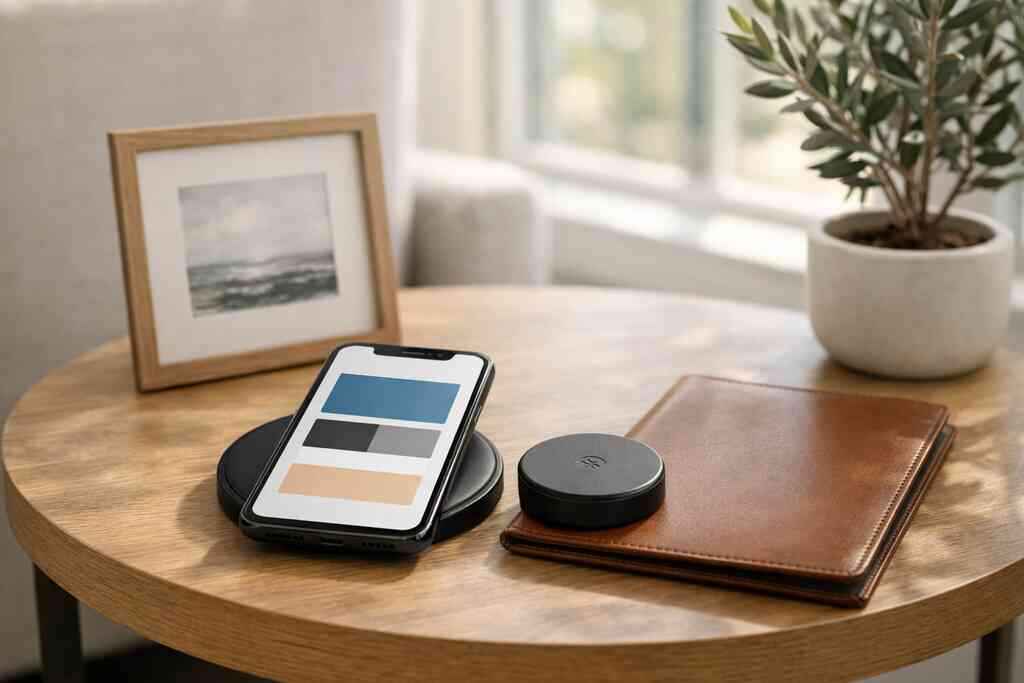
A digital business card converts when it makes sharing easy, builds trust quickly, and gives people one clear next action. The best ones replace paper clutter with a clean online business card that lets someone tap, scan, save, or reply in seconds.
Key Takeaways
- A converting digital business card should make contact sharing immediate, mobile-friendly, and obvious within the first few seconds.
- The most effective virtual business card includes only the details that help someone reply, book, or call.
- Strong custom branding and a clear business card design matter because people judge trust before they read a word.
- QR code business cards work well for fast contactless sharing, while NFC business cards are best when tap-to-share feels natural.
- If you want a simple way to create digital business card assets without paper waste, a well-built platform can support paperless networking and follow-up.
If you are reading this after another networking event where cards ended up in a pocket, take a breath. That frustration is real, and it is exactly why digital business cards have become a practical tool for professional networking on Long Island and beyond. One quick scan should do more than store a name. It should start the conversation.
Why a paper card gets tossed and the digital version gets remembered
A paper card gets lost because it depends on memory, pocket space, and later effort. A digital business card gets remembered because it turns a brief meeting into an instant action: save the contact, open the link, or send a reply right away. That shift matters when you want follow-up, not just a handshake.
The exact moment a paper card loses the follow up and how a digital business card keeps the contact alive
The problem usually starts after the event. Someone takes your card, says they will follow up, and then the card lands on a desk, in a wallet, or in the wash. On the other side, a digital card maker lets you share contact info immediately through a link, QR code, or tap, so the lead never depends on later sorting.
A paper card also gives people too many decisions. Should they type the number now? Save the email later? Search your company name when they get home? A digital business card app removes that friction. It lets the person act while interest is still warm, which is the real difference between a contact and a conversion.
I have seen this play out at local mixers in Hauppauge and at more casual meetups in Commack. The people who exchange a paper card often mean well, but the ones who send a clean digital card before they leave usually get the quicker reply. That is not magic. It is just less friction.
What a converting virtual business card needs to say in the first five seconds after a scan or tap
A converting virtual business card should answer three questions fast: who you are, what you do, and what the other person should do next. If the page feels crowded, the visitor hesitates. If it feels obvious, they move.
Use this simple structure:
- Name and title
- Primary call to action
- Phone, email, and one main link
- Short proof point or specialty
- Easy way to save or share
Here is the part most people miss: the first screen is not a résumé. It is a decision point. If someone scans your QR code business card while standing in line at a conference in NYC, they should not have to hunt for the next move. Make the reply button, booking link, or contact-save option impossible to miss.
For a useful reference point, the FTC’s guidance on online marketing and disclosures is a good reminder that clarity builds trust faster than clever wording does: FTC advertising guidance. That principle applies to your card too.
What belongs on a digital business card if you want action not just information
A card that converts does not try to say everything. It highlights the few business card details that help someone act now. The goal is to reduce hesitation, not fill every pixel. The strongest electronic business card is lean, clear, and easy to use on a phone.
The business card details that actually move a prospect toward a reply, a booking, or a call
Start with the details that support a next step. For most sales professionals, real estate agents, freelancers, and small business owners, that means contact methods and a clear offer. If you sell service-based work, a direct booking link can matter more than a long bio. Include only what supports action: – Full name and role
- Phone number
- Email address
- Website or booking link
- One-line service summary
- Location or service area
- Optional social links, such as a digital business card for LinkedIn

If you use lead capture, keep the form short. Ask only for what you will actually use in follow-up automation or CRM integration. Longer forms reduce completions. Short forms help conversations start.
The U.S. Small Business Administration has practical guidance on keeping marketing focused and measurable, which aligns well with this approach: SBA marketing guidance. That is the same mindset behind a good digital business card example: clear offer, clear action, clear outcome.
How custom branding, business card design, and digital card templates shape trust before the first message
People judge trust before they read much. That is why custom branding and clean digital business card design matter. A card with consistent colors, a readable font, and a simple layout feels more credible than one packed with too many buttons or mismatched visuals.
Good digital card templates also help you move faster. They give you a polished starting point, which is useful if you need a business card template for a solo practice, a digital business card for teams, or a branded profile for a growing company. The best template is the one that makes your message easy to scan on a phone.
One common mistake is overdesigning the card. Bright backgrounds, tiny text, and too many icons can hurt trust. A cleaner virtual card design usually performs better because it looks intentional, not improvised. If your audience meets you at a Garden City open house or a Suffolk County business lunch, they will notice polish immediately.
For structure and templates, this is where a focused resource helps: card templates. If you want a broader setup guide, see how it works.
NFC or QR code business cards which one fits the way people meet in Long Island New York
The right choice depends on how you meet people. NFC business cards are best when you want a quick tap and a polished feel. QR code business cards are best when you need universal access, fast sharing, and easy contactless sharing in busy settings like conferences, commuter routes, and open networking events across Long Island, New York.
When tap to share wins for sales professionals real estate agents and corporate teams on the move
NFC business cards work well when you are face-to-face and want the interaction to feel smooth. One tap can open your card on a nearby phone, which makes it ideal for sales professionals, real estate agents, and corporate teams who meet people all day and do not want to fumble through files or apps.
NFC is based on established short-range communication standards, including ISO 14443, and Apple’s Core NFC framework supports the tap experience on compatible devices. That does not mean every phone behaves the same, so it is smart to pair NFC with another sharing method. For a deeper look at the format, use NFC card basics.
A simple comparison helps:
OptionBest forStrengthLimitationNFC business cardsIn-person meetingsFast tap-to-shareDevice compatibility variesQR code business cardsBroad accessWorks with most camerasRequires scanningDigital link sharingFollow-up after eventsEasy in email or textLess tactile in person### Why QR code business cards still matter for NYC commuters conferences and simple contactless sharing
QR code business cards still matter because they are easy, familiar, and nearly universal. A camera scan works well for NYC commuters on the move, trade shows, and crowded Long Island events where people do not want to download anything. QR codes also fit electronic business card exchange because they are simple to show on a phone, badge, email signature, or wallet pass.
The QR standard, ISO/IEC 18004, is one reason these codes remain dependable across devices. That reliability matters when you want to convert leads with QR code sharing instead of hoping someone remembers your name later. It also helps with sustainable business cards and broader paperless networking, since one digital card can be reused across many meetings.
If you are comparing formats for networking in Suffolk County or NYC, think about context. Tap works best in a smooth one-to-one exchange. QR works best when speed and compatibility matter most. A lot of people use both, which is usually the smartest move.
For setup and sharing options, the article on faster contact sharing is a useful next read. If you want to review options before deciding, this is a good time to compare digital card vs paper with your actual workflow, not just the marketing copy.
If you want a modern, paperless way to share contact details and make networking easier, Digital Business Cards is a smart place to create a polished digital card in minutes.
Frequently Asked Questions
Question: How do you make a digital business card that actually converts instead of just looking good?
Answer: A converting digital business card should do three things quickly: make sharing easy, build trust fast, and give the viewer one clear next step. Start with a clean online business card that includes your name, title, phone, email, website or booking link, and one short line that explains what you do. Keep the design simple, mobile-friendly, and easy to scan so people can act in seconds after a tap or scan. If you are creating a digital business card for networking, the goal is not to cram in every detail. It is to reduce friction and make follow-up effortless. A strong digital business card design, a clear call to action, and smart business card details are what turn a quick introduction into a real conversation.
Question: What should I include on a virtual business card to get better responses from sales professionals, real estate agents, freelancers, or small business clients?
Answer: The best virtual business card includes only the information that helps someone contact you, book with you, or remember your value. For most sales professionals, real estate agents, freelancers, and small business owners, that means your full name, role, phone number, email address, website, and one clear service summary. You can also add a location or service area if that helps people understand where you work, especially for businesses in Long Island, New York, Suffolk County, or NYC. If you use lead capture, keep it short so people do not drop off. A clean digital business card example should feel like a helpful shortcut, not a long profile. That is why a focused business card template or digital business card templates can help you present the right business card details without overwhelming the viewer.
Question: What is the difference between QR code business cards and NFC business cards, and which one is better for contactless sharing?
Answer: QR code business cards and NFC business cards both support contactless sharing, but they work best in different situations. NFC business cards are ideal when you want a quick tap-to-share experience in person and want the interaction to feel polished. QR code business cards are better when you want broad compatibility because almost any smartphone camera can scan them without extra setup. If you are networking at conferences, meetings, or local Long Island events, using both can be the smartest approach. That way, your digital business card is easy to access whether someone prefers to tap, scan, or open a shared link. For many people, a smart business card works best when it combines flexibility, convenience, and a smooth electronic business card exchange.
Question: How do custom branding and digital business card design affect trust before someone even contacts me?
Answer: People judge trust very quickly, so custom branding and thoughtful digital business card design matter more than many realize. A clean layout, readable font, consistent colors, and a simple structure make your card feel professional and credible. Too many buttons, mismatched visuals, or cluttered sections can make a card feel rushed or confusing. A strong virtual card design helps your audience focus on what matters: who you are, what you do, and how to reach you. If you are using a digital card maker or comparing digital card pricing and premium digital card plans, choose the option that makes your branding look consistent across every contact point. The right design supports professional networking and helps your digital business cards feel like a real extension of your business.
Question: How do I create digital business card assets for paperless networking and follow-up automation in Long Island or NYC?
Answer: If you want to create digital business card assets for paperless networking, start with a simple profile that can be shared by link, QR code, or tap. That makes it easier to share contact info after a meeting, at a trade show, or during a quick introduction in Long Island or NYC. A good setup should support easy contact sharing, a mobile-friendly experience, and a clear path for follow-up. Many people also look for features like CRM integration, lead capture, or digital card analytics, but the most important step is making the first interaction easy. Whether you need a digital business card for LinkedIn, a reusable networking card, or a modern online business card for your team, Digital Business Cards offers a practical way to replace paper with a cleaner, more efficient experience. It is a smart fit for small business owners, freelancers, corporate teams, and anyone who wants more consistent professional networking without the paper hassle.