
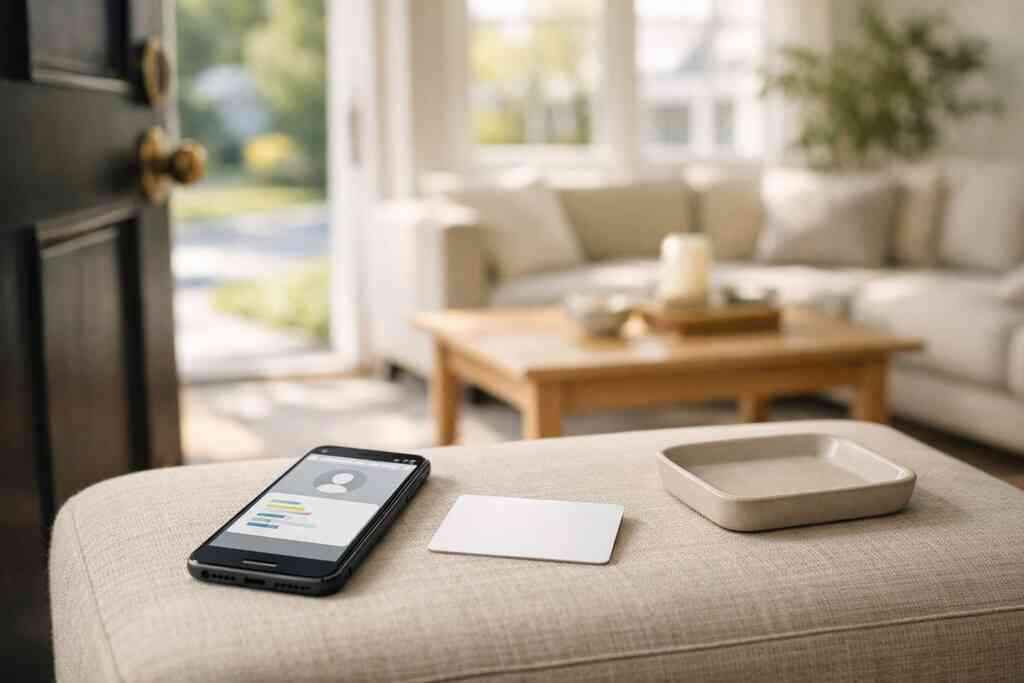
NFC business cards let someone share contact details with a tap, while QR code business cards use a camera scan. Both are forms of digital business cards, and both make paperless networking faster than paper alone.
Key Takeaways
- NFC business cards work by tap-to-share contact details, usually through a phone’s built-in NFC reader.
- QR code business cards work by scan-to-save contact information, which makes them widely compatible across phones.
- The best choice depends on context: NFC feels faster in close conversations, while QR is more universal for mixed audiences.
- Many professionals keep both ready because it reduces friction during professional networking in New York, Long Island, and beyond.
- A strong virtual business card should support clean design, easy sharing, and clear next steps for follow-up.
Why one card tap works while another needs a camera
The practical difference between NFC business cards and QR code business cards in a real handshake is simple: NFC uses a tap, and QR uses a scan. NFC feels a little smoother in person, while QR code business cards are easier to use on almost any phone. For busy professionals, that difference can decide whether contact info gets saved on the spot or forgotten later.
At a Hauppauge business mixer, I watched one person hand over a sleek smart business card while another fumbled for a printed stack that had already curled at the corners. The first exchange took seconds. The second took a pause, a camera, and a little explanation. That pause matters. It is exactly why digital business cards for networking keep replacing paper.
The practical difference between NFC business cards and QR code business cards in a real handshake
NFC business cards are best when you want a near-instant, hands-free moment. QR code business cards are best when you want broad compatibility and a clear visual prompt. In both cases, the goal is the same: share contact info without making the other person type anything.
Here is the clean comparison:
FeatureNFC business cardsQR code business cardsHow they workTap phone to cardScan code with cameraSpeedVery fastFast, but requires aiming the cameraDevice compatibilityBest with NFC-enabled phonesWorks on most smartphonesFeel in personSleek and modernFamiliar and easy to explainBest use caseHigh-touch meetings and repeat demosEvents, signage, and mixed-device audiencesFor many people, the real choice is not either-or. It is about which digital card vs paper workflow fits the moment. One tap can feel polished. One scan can feel more universal.
What actually happens when someone taps a smart business card versus scans a digital business card
When someone taps a smart business card, the phone reads embedded NFC data and opens the linked profile, contact page, or landing page. When someone scans a digital business card QR code, the camera reads the encoded link and takes the user to the same kind of destination. The result is similar, but the physical action is different.
That difference affects follow-up. A tap often feels more memorable because it is quick and intentional. A QR scan works well when you need a business card example that can also sit on a booth, slide, brochure, or email signature. For people who want a simple electronic business card exchange to be easy to use, QR codes remain an easy entry point.
One real estate agent in Garden City told me the biggest change was not the card itself. It was what happened after the meet-and-greet. Instead of shuffling paper cards into a pocket, prospects saved her virtual business card immediately and messaged her later the same day. That is the kind of contactless sharing that actually supports follow-up.
Why Long Island professionals keep both options ready for networking in New York and beyond
Long Island professionals often need flexibility. A commuter heading into NYC may meet corporate contacts who recognize NFC immediately, while a local contractor or freelancer may prefer the quick clarity of a QR scan. Having both ready avoids awkward delays and keeps the conversation moving. This is especially useful for sales professionals, real estate agents, freelancers, corporate teams, and small business owners who network in different settings. At a Commack co-working space, the room may include iPhone users, Android users, and people who simply want the fastest path to saving a number. Having both NFC business cards and QR code business cards covers those differences without overcomplicating your setup. 
If you are comparing options, you may also want a quick look at how to share contact info faster or how NFC and QR card sharing compare in 2026. The right format depends less on trends and more on the rooms you walk into.
How the technology changes the room before your contact ever reaches a phone
NFC business cards change the interaction by making sharing nearly invisible. You tap, the phone responds, and the profile opens. That speed can make you look prepared and organized before the other person even saves your details. The technology also changes how people remember you, because the exchange feels more modern than paper and less awkward than typing names by hand.
Here is the part most people miss: the card is not just a delivery tool. It is part of your first impression. A well-designed digital business card design can support custom branding, better lead capture, and cleaner follow-up automation. That matters whether you use a card at a trade show, a sales call, or a quick hallway introduction.
How NFC business cards work with tap to share contact details and what the ISO 14443 standard means in plain English
NFC business cards use short-range radio communication. In plain English, the card and phone “talk” when they are very close together. Most NFC systems rely on the ISO 14443 standard, which is widely used for contactless cards and secure proximity communication. Apple’s Core NFC framework helps iPhones read supported NFC tags, which is why tap-to-share can feel so seamless on newer devices.
That said, NFC is not magic. The phone still needs NFC enabled, and the setup has to be correct. If the card points to a clean profile or landing page, the exchange is smooth. If it points to a cluttered page, the moment loses its advantage fast.
For people building a smart business card, this is where the platform matters. A strong digital card maker should make it easy to create digital business card layouts that load quickly and look professional on mobile. If you are exploring setup options, the how-it-works guide is a useful place to start.
Here is a simple checklist for NFC success:
- Keep the tap point obvious.
- Link to a mobile-friendly profile.
- Use clear contact details and a single primary action.
- Test the card on both iPhone and Android devices.
- Make sure the design matches your brand, not just the tech.
For compliance-minded teams, remember that shared contact details may be personal data. If you store or reuse leads, it is smart to think through privacy and consent, including general guidance from the FTC advertising guidance and common data-handling expectations under GDPR-style practices. If you need a clean starting point, the NFC digital card page explains the format in more detail.
If you want a modern, easy way to share your contact details and make a stronger first impression, Digital Business Cards is a solid option to consider. Their platform is built for sharing by NFC, QR code, or direct link, which makes it practical for Long Island networking and NYC meetings alike.
Frequently Asked Questions
Question: What Is the Difference Between NFC and QR Business Cards, and which one is better for digital business cards for networking?
Answer: NFC business cards let someone share contact details with a tap, while QR code business cards use a camera scan. Both are practical forms of digital business cards, and both help with paperless networking. NFC usually feels faster in face-to-face conversations because the exchange is nearly instant, while QR code business cards are often more universal since most smartphones can scan them. The better choice depends on how you network. If you want a sleek, high-touch experience in meetings, sales conversations, or professional networking events in Long Island and NYC, NFC can feel especially polished. If you need a simple option that works for mixed audiences, QR code business cards are a strong fit. Many people use both so they can share contact info in the easiest way possible.
Question: How do NFC business cards work compared with QR code business cards, and what makes them useful as a smart business card?
Answer: NFC business cards work by using short-range contactless technology that allows a phone to read the card when it is tapped nearby. QR code business cards work by encoding a link or profile into a code that a person scans with their camera. In both cases, the goal is the same: make it easy to share contact info without typing anything by hand. That is why they work so well as a smart business card or electronic business card. A strong digital business card design can turn a simple exchange into a cleaner first impression, with custom branding, clear business card details, and an easy next step for follow-up. For sales professionals, real estate agents, freelancers, corporate teams, and small business owners, this kind of contactless sharing can remove friction and make networking feel smoother.
Question: How do I create digital business card options that work well for both NFC and QR code business cards?
Answer: To create digital business card options that work well for both NFC and QR code business cards, start with a mobile-friendly profile that is simple, clear, and easy to update. A good digital card maker should help you build a digital business card with strong digital business card templates, a clean virtual card design, and branding that matches your business card design. Your card should make it easy to share contact info, direct people to your preferred next step, and support professional networking without confusion. If you plan to use a digital business card app, the best setup is one that lets you share by tap, scan, email, or link, so your online business card works in different settings. Whether you are comparing digital card vs paper or looking for a modern business card example, the key is consistency: keep the design simple, your contact details accurate, and your call to action easy to find.
Question: What should Long Island professionals know before choosing NFC vs QR code business cards for networking in New York?
Answer: Long Island professionals should think about where and how they network most often. NFC business cards are a great fit for quick in-person meetings, while QR code business cards are often easier when you need broad compatibility at events, open houses, or mixed-device gatherings in Long Island, Suffolk County, and NYC. If you work in sales, real estate, consulting, or small business marketing, having both options ready can make electronic business card exchange much smoother. The best digital business card platforms should help you share contact info quickly and keep your presentation consistent across settings. Digital Business Cards, based in Long Island, New York, is a practical choice for professionals who want a reliable digital business card for networking without the hassle of paper cards. A well-made virtual business card can help support lead capture, follow-up automation, and a stronger first impression in busy networking environments.
Question: Does Digital Business Cards support features like custom branding, CRM integration, and digital card analytics?
Answer: Digital Business Cards focuses on helping users go digital and ditch the paper hassle with a simple way to share and store contact information in one place. Based on the company information provided, it supports creating and sharing digital business cards through QR code, link, and email, but specific advanced features like CRM integration or digital card analytics should be verified directly with the company before assuming they are included. That is the safest approach when choosing between premium digital card plans, a free digital business card, or any other setup. What you can count on is a platform built around contactless sharing, easy sharing of business card details, and a cleaner networking experience. If you are looking for a digital business card example that can help you present yourself professionally, it is worth exploring how the platform handles business card templates, custom branding, and follow-up workflows before you get started.