
Why paper cards quietly hurt ROI before the handshake is over
The worst part is how normal it feels. You meet someone, exchange cards, and assume the follow-up will happen later. Then the card lands in a wallet, a glove box, or a desk drawer. If that pattern feels frustrating, you are not imagining the problem. Paper cards often create the illusion of networking while quietly draining return on investment.
The hidden cost of reprinting forgotten paper cards after every role change or branding update
Paper sounds cheap until your title changes, your phone number shifts, or your logo gets refreshed. Then you reprint, reorder, and wait again. That cycle is familiar to sales teams, freelancers, and small business owners who change roles faster than they change paper stock. The hidden cost is not just printing. It is the time, friction, and delay between your new identity and the cards in circulation.
Here is the part most people miss. Every outdated card is a small brand mismatch. It makes you look behind the curve, even if your work is sharp. On Long Island, where people move fast between Nassau meetings, Suffolk networking events, and NYC commutes, that delay matters. A digital business card avoids that lag because you update one profile instead of throwing out stacks.
How smudged ink, lost stacks, and zero follow-up turn a paper card into dead spend
A paper card only works if it survives the moment. Smudged ink ruins the number. Bent corners make it look forgotten. Lost stacks do the rest. And even when the card is readable, it still depends on the other person doing the follow-up work for you.
We hear this from clients almost every week. A real estate agent in Garden City once came back from a busy open house with a pocket full of cards and almost no usable contacts. Half the names were impossible to match to a face. That is not networking. That is administrative cleanup. A digital card vs paper comparison makes that gap obvious in minutes.
Why Long Island professionals from Hauppauge to Garden City are rethinking the math of first impressions
The math has changed because first impressions now happen across more channels. Someone may meet you at a Hauppauge business mixer, check your profile on their phone, and decide in seconds whether to save you. If your contact details are trapped on paper, you lose momentum. If your information opens instantly, you extend the conversation.
Long Island professionals care about practical results. That includes consultants in Commack, owners in Garden City, and commuters who split time between Long Island and NYC. They want networking tools that work after the handshake ends. That is why many are comparing paper cards with digital business cards for networking in Long Island New York. The question is no longer whether paper feels traditional. The question is whether it still earns its keep.
What a digital business card does that paper can never do
A digital business card changes the economics of networking. Instead of handing over a static rectangle, you share a live contact hub. That hub can hold your name, title, phone, email, website, and more. In some setups, it can also help with lead capture and analytics. The point is simple: one interaction can do the work of several.
How a digital business card turns one scan into shared contact info, a link, and a live profile
A digital business card is more than an online business card. It is an electronic business card that can share contact info instantly through a link, scan, or tap. The other person does not need to type anything unless they want to. That lowers friction right away.
For many professionals, the biggest benefit is control. You can share a clean profile instead of hoping someone types your details correctly. You can also keep your business card details current without reprinting anything. If you want a clear overview of how digital business cards work, the model is straightforward: create, share, and keep the contact path open. That simple shift changes the follow-up process.
When QR code business cards and NFC business cards each make the fastest impression
QR code business cards and NFC business cards solve the same problem in different ways. QR code business cards are great when you want visual clarity and broad compatibility. Most phones can scan a QR code quickly. NFC business cards use tap-to-share contactless sharing, which feels fast and polished.
FormatBest use caseMain advantagePractical noteQR code business cardsEvents, brochures, signageEasy scan with broad compatibilityWorks well when phones are already in camera modeNFC business cardsIn-person introductionsVery quick tap-based sharingUseful for hands-free, polished exchangesOn Apple devices, tap-based sharing can align well with NFC behavior. On Android and mixed-device groups, QR often wins for simplicity. If you want a deeper look at NFC digital business cards, the right choice often depends on your audience, not your ego. The fastest tool is the one people actually use.
Why custom branding, business card design, and digital business card templates matter more than fancy paper stock
Fancy paper can look impressive for a minute. Strong branding lasts longer. A smart digital card design keeps your colors, logo, and message consistent across every exchange. That consistency matters more than thick stock or soft-touch coating because people now judge trust through screens as much as through paper. 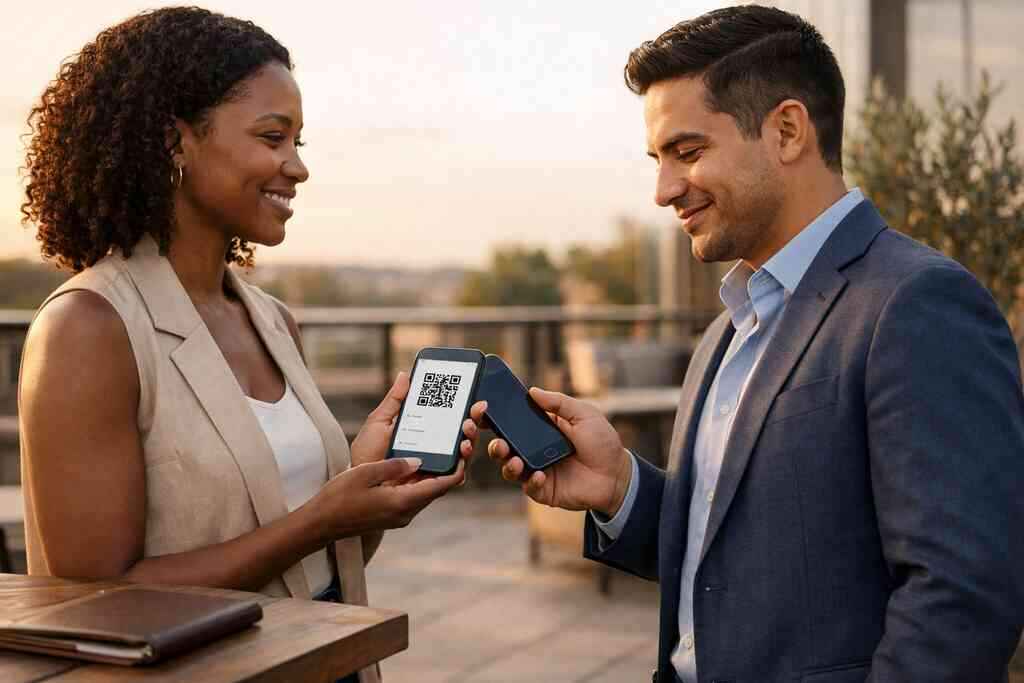
This is where digital business card templates help. They make it easier to create a clean layout without starting from scratch. If your brand is calm and corporate, your design should feel that way. If you are a freelancer, your virtual card design can be sharper and more personal. For practical design help, many teams use a business card template to keep the process simple and on-brand. A polished card does not need to be complicated.
How digital card analytics and lead capture change the value of every introduction for sales professionals, real estate agents, freelancers, and corporate teams
This is where ROI gets serious. Paper cards rarely tell you what happened after the meeting. Digital card analytics can show whether someone opened your card, clicked your link, or saved your details. That turns networking from guesswork into measurable activity. Sales professionals can see which contacts are warm. Real estate agents can track interest after an open house. Freelancers can know who revisited their profile after a pitch. Corporate teams can standardize outreach across departments. If you want to see how this works in practice, start with digital business card analytics for lead capture. On the projects we’ve finished this year, that visibility has made follow-up feel much less random. The ROI decision that gets clearer once you compare the real paths forward
The right choice is not always the most expensive one. Sometimes a free digital business card is enough. Sometimes premium digital card plans make more sense because your team needs control, branding, or better tracking. The real decision is not paper versus digital in theory. It is which setup creates the most useful response after the meeting.
When a free digital business card is enough and when premium digital card plans make more sense
A free digital business card works well if you need a simple profile, contact sharing, and basic presence. That can be enough for a solo freelancer or a person testing the waters. It is also a practical way to learn how to make a digital business card before you commit to a bigger system. If your needs are modest, free may be the smartest starting point.
Premium digital card plans make more sense when your brand needs consistency or your team needs better control. That may include custom branding, team management, or more advanced digital business card features. If you are comparing options, review digital business card pricing and plans carefully. Do not pay for complexity you will not use. Do not underbuy if your team needs repeatable structure.
Why paperless networking, follow-up automation, and CRM integration raise conversion odds after the meeting ends
Paperless networking works because it removes manual steps. The faster someone can save your details, the more likely they are to act. Follow-up automation helps because it bridges the gap between introduction and response. CRM integration matters because it keeps contacts from slipping through cracks.
Here is what almost no online guide mentions. The meeting itself is only half the job. The follow-up is where deals begin to move. If your digital business card app can connect with your sales process, your contact details become part of a system instead of a loose note. For teams that want that bridge, CRM integration for digital business cards can make the workflow far more usable. That is especially true for busy teams juggling dozens of introductions each week.
How to create digital business card designs that fit LinkedIn, Apple Wallet business card use, and Google Pay card sharing
A good design should travel well. It should look clean on LinkedIn, display clearly on mobile, and share smoothly in wallet-based formats. That means simple typography, clear spacing, and enough contrast for small screens. It also means your business card design should not rely on tiny details that disappear on a phone.
If you are exploring wallet sharing, think of the card as a flexible asset. A digital business card for LinkedIn should support professional discovery. An Apple Wallet business card or Google Pay card can make sharing feel more natural during in-person meetings. Start with a clean digital card maker and focus on clarity first. If you need a practical setup path, how to create a digital business card is usually easier than people expect. The simplest cards often perform best.
What local teams in Long Island New York and NYC should consider when choosing the best digital business card platforms for scalable networking
Local teams need tools that work across contexts. A person may start the day in Suffolk County, meet someone in NYC, and end the day in a Commack co-working space. That kind of movement favors tools that are easy to share and easy to update. It also favors platforms that support scalable networking without extra friction.
Long Island, New York, has a practical networking culture. People want tools that save time and look professional. They do not want a setup that takes a full afternoon to manage. If you are comparing the best digital business card platforms, focus on simplicity, branding, and reliability. For region-specific context, digital business cards for networking in Long Island New York is a useful place to compare local use cases. The best platform is the one your team will actually keep using.
The next move for small business owners who want a smarter digital card vs paper result without overcomplicating setup
Small business owners do not need another tool that creates work. They need something that reduces it. A smart digital card vs paper decision should make sharing easier, tracking cleaner, and follow-up faster. That is the real win.
What we see most often is this: people overthink the setup and underthink the outcome. A strong card only needs the right details, a clear look, and a simple share path. If you run a small business, start lean and keep the system usable. If you want a grounded overview from a local team, digital business cards for ROI in 2026 is a sensible place to begin. You do not have to rebuild your whole process today, but you can stop letting paper decide your return.
If you are ready to tighten up your networking without adding clutter, choose one card design, one sharing method, and one follow-up process this week. Then test it at your next meeting, mixer, or client call. You do not have to figure it all out at once, and you do not have to keep losing good contacts to paper. Start with one smart card and one clean system.
Frequently Asked Questions
Question: What makes digital business cards a better choice than paper cards for digital business card ROI in 2026?
Answer: Digital business cards are built for paperless networking, so they remove many of the costs and delays that come with paper. Instead of reprinting every time your title, phone number, or branding changes, you can update one digital business card and keep sharing it right away. That means less waste, less friction, and a cleaner professional image. For sales professionals, real estate agents, freelancers, corporate teams, and small business owners, that flexibility can make a real difference in day-to-day networking. A digital card also makes it easier to share contact info instantly, which helps reduce missed follow-up opportunities. If you are comparing digital card vs paper, the biggest advantage is that a smart business card can keep working long after the handshake ends.
Question: How do QR code business cards and NFC business cards help with contactless sharing and professional networking?
Answer: QR code business cards and NFC business cards both make sharing faster and easier than a traditional paper card. With QR code business cards, someone can scan your card and open your profile or contact details quickly on their phone. With NFC business cards, the exchange can happen with a simple tap, which feels smooth and modern in person. Both formats support contactless sharing and make it easier for people to save your details without typing anything manually. That matters for professional networking because fewer steps usually mean fewer lost contacts. At Digital Business Cards, the goal is to make sharing simple, whether you prefer a QR-based setup or a smart business card approach that fits your audience.
Question: What digital business card features should Long Island, New York, and NYC professionals look for when choosing a platform?
Answer: Professionals in Long Island, New York, Suffolk County, and NYC usually want a platform that is simple, reliable, and easy to update. The most important digital business card features are a clean digital business card design, easy sharing options, and support for business card details that stay current. Many people also look for custom branding, business card templates, and a digital card maker that makes the setup straightforward. If your team wants scalable digital business cards for networking, it is also helpful to consider lead capture, digital card analytics, CRM integration, and follow-up automation, if those tools are available in the platform you choose. The best digital business card platforms are usually the ones that help you create digital business card profiles without adding extra work. For local professionals, that balance of convenience and professionalism matters just as much as appearance.
Question: Can a free digital business card be enough, or should I consider premium digital card plans?
Answer: A free digital business card can be a good starting point if you only need a basic online business card or virtual business card for sharing contact info. It may be enough for someone learning how to make a digital business card or testing whether a digital business card fits their workflow. Premium digital card plans may make more sense if you need more control over branding, team consistency, or a more polished business card design. That is especially relevant for corporate teams, small business owners, and professionals who want a stronger brand identity development strategy. The right choice depends on how you network, how often your information changes, and whether you need more advanced digital business card features. If you are unsure, start with your goals first and choose the simplest option that supports them.
Question: How do digital card analytics, lead capture, and CRM integration improve follow-up after networking events?
Answer: One of the biggest advantages of a digital business card app is that it can turn a simple introduction into a more organized follow-up process. Digital card analytics can help you see whether someone opened your card or interacted with your profile, while lead capture can make it easier to collect and organize contact interest. CRM integration can then help move those contacts into your existing sales process instead of leaving them in a stack of paper cards or scattered notes. That is especially helpful for sales professionals, real estate agents, freelancers, and corporate teams who need a dependable workflow after meetings and events. When follow-up automation is part of the process, your digital business card becomes more than a digital card vs paper replacement. It becomes a practical tool for building better next steps after every introduction.
Question: How do I create digital business card designs that look professional on LinkedIn, Apple Wallet business card sharing, and Google Pay card use?
Answer: To create digital business card designs that work well across platforms, focus on clarity first. A strong digital business card design should use readable text, simple spacing, and enough contrast to look good on mobile screens. It should also be flexible enough to work as a digital business card for LinkedIn, a wallet-friendly card for Apple Wallet business card sharing, or a Google Pay card format if your setup supports it. Using a business card template or digital business card templates can make it easier to build a polished virtual card design without starting from scratch. A good digital card maker should help you create a card that reflects your brand without making the design feel crowded. The goal is not to copy a paper business card exactly. The goal is to build a modern digital business card example that makes sharing easier and keeps your professional identity clear.