
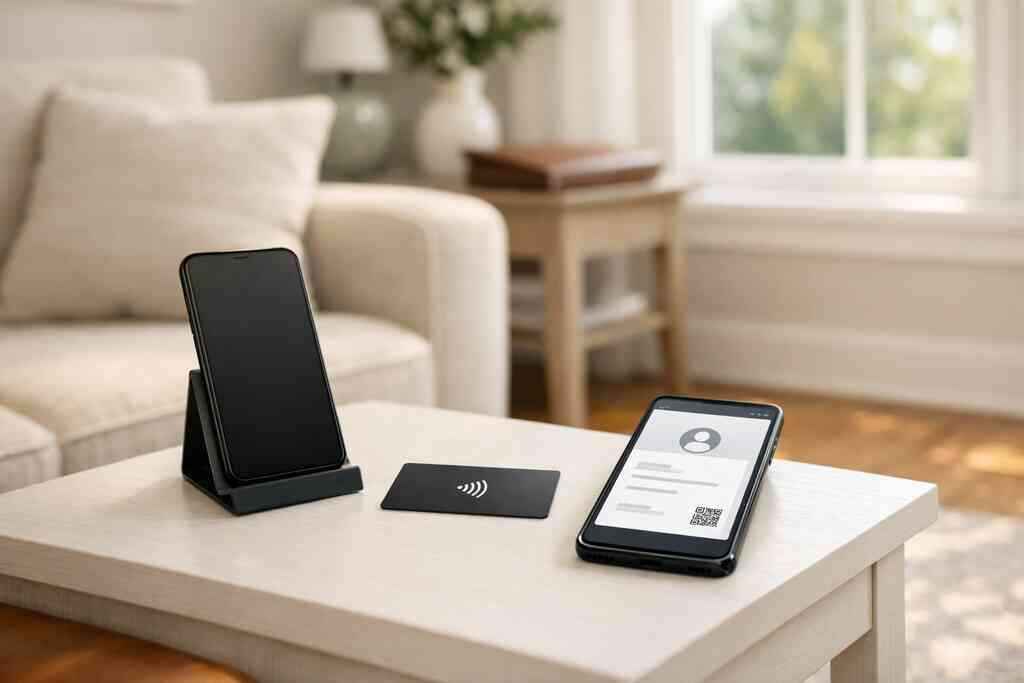
NFC business card benefits are mainly about speed, accuracy, and follow-up. For sales teams, the biggest win is simple: you stop losing warm leads to paper cards that get forgotten, damaged, or mistyped.
If you are reading this after a conference stack sat on your desk for a week, you already know the problem. The contact was real. The follow-up was not.
Key Takeaways
- NFC business cards for sales teams make it faster to share contact details in person, which reduces friction at meetings, events, and field visits.
- A digital business card keeps contact info searchable and reusable, while paper cards can be lost, bent, or hard to read.
- QR code business cards are often the backup that saves the day in crowded rooms, low-signal spaces, or mixed-device settings.
- Lead capture, digital card analytics, CRM integration, and follow-up automation help sales reps track engagement and act sooner.
- The cleanest setup usually combines custom branding, clear card design, and flexible sharing through NFC, QR, or link.
-
Why sales teams lose momentum when paper cards stay in the pile
Paper cards slow sales down because they depend on memory, manual entry, and good intentions. A digital business card removes that delay by letting you share contact info instantly and keep it easy to find later. That matters most when you are moving fast between meetings, lunch conversations, and event floors.
The hidden cost of forgotten cards at conferences, lunch meetings, and quick hallway introductions
Here is the part most people miss: the loss is not just the card. It is the lost timing. A buyer who met you at a Hauppauge business mixer may be ready to talk the same day, but if your card sits in a pocket for three days, the moment is gone. We hear this from sales teams all the time, especially at crowded Long Island, New York networking events where people meet ten new contacts before lunch.
A paper card also creates tiny points of failure. It gets smudged in a raincoat pocket, bent in a laptop bag, or mixed with five other cards from the same room. That is why teams looking into best virtual business card tools for NYC sales teams usually want one thing first: a faster way to turn introductions into usable contact records.
How a digital business card keeps contact info searchable while a paper stack gets smudged, bent, or lost
A digital business card stores your details in one place and makes them easier to share again later. Instead of retyping a name from a faded card, a rep can open the contact, tap to share, or send a link. That is cleaner for professional networking and better for follow-up.
A simple comparison shows the difference:
FactorPaper cardDigital business cardFindabilityEasy to misplaceSearchable and reusableSharingManual handoffNFC, QR, or linkUpdatesMust reprintUpdate once onlineFollow-upRequires re-entryEasier to track and reuseIf you want the broader playbook, best business card strategies for sales covers how teams turn contact sharing into a repeatable process. And for reps who want to see setup examples, how to share contact info faster is a useful companion read.
-
NFC taps that turn a handshake into instant contact capture
NFC business cards let a sales rep share contact details with a tap, which is faster than spelling out an email or texting a phone number. That speed matters in the field, where attention is short and the buyer is already moving. The result is contactless sharing that feels smooth and professional.
How NFC business cards use contactless sharing to move faster than manual typing
The biggest NFC business card benefit is that it removes the awkward pause after the handshake. You tap, the profile opens, and the other person saves what they need. No app is required for recipients in most cases, which lowers friction immediately.
That matters for sales professionals who work trade floors, showrooms, site visits, or client offices. One rep told us the card felt especially useful after a quick visit to a Garden City prospect who did not want to stop and type. The exchange took seconds, and the follow-up happened while the meeting was still fresh.
Why ISO 14443 and Apple Core NFC matter when sales reps need reliable tap to share in the field
For tap-to-share to work well, the underlying tech needs to be reliable. NFC systems often use the ISO 14443 standard, which supports close-range contactless communication. On Apple devices, Core NFC is the framework that helps support reading compatible NFC tags. That matters when a rep needs a tap that works consistently, not a demo that only works on one phone.
If you want a deeper look at the technology, this NFC digital business cards guide is a good reference. For general tap reliability, the standards themselves are worth understanding; ISO maintains the specification, and Apple documents Core NFC through its developer resources. Security-minded teams should also review the basics of contact sharing and privacy before they store sensitive details.
-
QR code business cards that still work when the room gets crowded
QR code business cards are the best backup when tap-only sharing is awkward. They work well in crowded rooms, mixed-device environments, and places where a buyer prefers to scan instead of tap. For many sales teams, the strongest setup uses both NFC and QR so the share works either way.
When a QR code business card outperforms a tap only workflow at busy events and client visits
A QR code business card often wins when people are shoulder to shoulder at a conference or standing in a reception line. Not every phone supports NFC the same way, and not every prospect is ready to tap a card. A scan feels familiar. It also works well when a rep is wearing gloves, holding samples, or standing behind a booth table. 
That is why crowded NYC events and local Long Island networking rooms often favor QR as a universal fallback. For sales teams that want a practical comparison, our top 7 QR code business card tips article explains how to keep the scan flow simple and readable.
How a digital card maker can help sales professionals create digital business card options that scan cleanly
A good digital card maker helps you place the QR code where it scans fast and stays clear on screen or print. It also helps you build a stronger digital business card design, so the card feels polished instead of rushed. That is especially useful for real estate agents, corporate teams, freelancers, and small business sellers who want one linkable identity across channels.
A clean setup usually includes:
- A high-contrast code
- Enough white space around it
- A short, obvious call to action
- A mobile-friendly landing page
If design is part of your decision, use a business card template that keeps the details readable. For more structure, see top 5 digital business card features and compare what actually helps in the field.
-
The follow-up engine hiding inside a smart business card
A smart business card is more than a contact swap. It can support lead capture, digital card analytics, CRM integration, and follow-up automation. That means sales teams do not just share details; they learn who engaged and what to do next.
How lead capture and digital card analytics help reps know who engaged and when
This is where digital business card features start to pay off. If a prospect opens your card, clicks your portfolio, or saves your number, that action can help you prioritize the follow-up. The point is not surveillance. It is timing. Sales teams do better when they know which contact is warm and which one needs a reminder.
Analytics are especially useful for busy corporate teams. They also help freelancers and small business owners who cannot afford to guess which intro matters most. For a platform-level view, guide to digital business card analytics for lead capture can help turn a simple share into a clearer next step.
Why CRM integration and follow-up automation matter for corporate teams, freelancers, and small business sellers
CRM integration keeps the handoff from getting lost. Instead of manually retyping business card details, the lead moves into a system the team already uses. Follow-up automation then helps with reminders, sequences, or task creation, depending on the workflow.
That matters for sellers who are juggling many contacts at once. It also matters for teams that need consistency across reps. If you want a practical onboarding reference, How It Works shows the basic flow from setup to sharing. And for readers comparing tools, what is the best digital business card app for teams is a helpful place to start.
-
Which digital card setup gives sales teams the cleanest close
The cleanest close usually comes from a setup that matches your sales motion. For some teams, that means custom branding and polished design. For others, it means flexible templates and simple sharing across NFC, QR, and link. The best choice is the one your team will actually use every day.
Choosing between custom branding, digital business card templates, and a polished digital card design
If your team sells in person, custom branding helps the card look credible the moment it opens. A strong digital card design should make your name, title, company, and contact buttons easy to find. Templates can speed things up when you need consistency across a group.
Here is a simple way to think about the options:
SetupBest forMain advantageCustom brandingCorporate teamsStronger brand consistencyDigital business card templatesSmall business and freelancersFaster setupMixed NFC + QR sharingSales teams in the fieldMore reliable exchangeIf you are comparing free and paid options, review Pricing & Plans with your team’s actual usage in mind. You do not need the most complicated system. You need one that is easy to share, easy to update, and easy to trust.
What sales teams in Long Island, New York, Suffolk County, and NYC should look for before they switch
For sales teams in Long Island, New York, Suffolk County, and NYC, the right platform should support local pace and real-world use. Look for easy sharing, clear design control, and a setup that does not ask recipients to download an app just to view the card. If your work crosses between Hauppauge offices, Commack co-working spaces, and Manhattan meetings, flexibility matters more than bells and whistles.
If you want a simple way to test the fit, start with a profile and try it in the field for a week. Digital Business Cards is a practical option if you want a modern, easy way to create a customized card you can share by NFC, QR code, or link. You can explore a live example through Card Sarah Chen and then decide whether the format fits your team’s workflow.
If you are ready to compare options, create one digital business card, test it at your next meeting, and see how quickly it turns a conversation into a saved contact.
Frequently Asked Questions
Question: What are the main NFC business card benefits for sales teams in the article Top 5 NFC Business Card Benefits For Sales Teams?
Answer: The biggest NFC business card benefits for sales teams are speed, convenience, and better follow-up. With NFC business cards, a rep can share contact details instantly during a handshake instead of relying on paper cards that get lost, bent, or mistyped later. That makes contactless sharing much smoother at conferences, client visits, and networking events. It also helps sales professionals keep business card details searchable and reusable, which is especially useful for professional networking in Long Island, New York, Suffolk County, and NYC. When paired with a digital business card app, teams can create a digital business card that is easier to update, easier to share, and better for paperless networking than a traditional paper stack.
Question: How do QR code business cards help when NFC business cards are not the best fit?
Answer: QR code business cards are a strong backup when tap-only sharing is not ideal. In crowded rooms, mixed-device settings, or situations where a prospect prefers to scan instead of tap, a QR code business card can make sharing simple and reliable. This is especially helpful for sales professionals, corporate teams, freelancers, and real estate agents who need flexible ways to share contact info quickly. A good digital card maker can help you build a clean digital business card design with a readable QR code, strong contrast, and a mobile-friendly layout. For many teams, the best approach is a combination of NFC business cards and QR code business cards so the share works either way, without slowing down the conversation.
Question: Can Digital Business Cards help with lead capture, CRM integration, and follow-up automation?
Answer: Digital Business Cards is a practical option for teams that want a smarter way to share contact info and keep it organized. The article explains that digital card analytics, lead capture, CRM integration, and follow-up automation can help sales teams know which contacts are warm and when to act. While exact app functionality should always be confirmed directly with the platform, the overall goal is clear: reduce manual retyping, keep leads moving, and make follow-up easier. A smart business card can support more efficient electronic business card exchange, which is useful for small business owners, freelancers, and corporate teams who need a cleaner workflow than paper cards allow. If your team wants to compare options, review the available digital business card features and see whether the platform fits your sales process.
Question: How do I create digital business card options that look professional and match my brand?
Answer: The easiest way to create digital business card options that look polished is to start with a clean business card template and then add custom branding that reflects your company. A strong digital business card design should make your name, title, company, and contact buttons easy to find at a glance. For teams that need a consistent look, digital business card templates can save time and help keep the design uniform across multiple reps. This matters for sales teams, digital business cards for networking, and anyone who wants a modern online business card that feels professional rather than cluttered. If your team works in Long Island, New York, or NYC, a simple and credible virtual card design can make a strong first impression in both local meetings and larger events.
Question: Is a digital card better than paper for sales professionals, and what should Long Island teams look for before switching?
Answer: For many sales professionals, a digital card vs paper comparison usually comes down to speed, flexibility, and ease of follow-up. A paper card can be lost or damaged, while a digital business card can be updated once and shared again through NFC, QR code, link, or email. That makes it a better fit for paperless networking and sustainable business cards. Long Island teams should look for a platform that is simple to use, supports clear digital business card features, and does not make recipients download an app just to view the card. If your team works across Hauppauge, Commack, Suffolk County, and NYC, flexibility matters. Digital Business Cards can be a good fit if you want an easy way to share business card details, present a professional business card example, and build a modern digital business cards near me solution for real-world networking.