
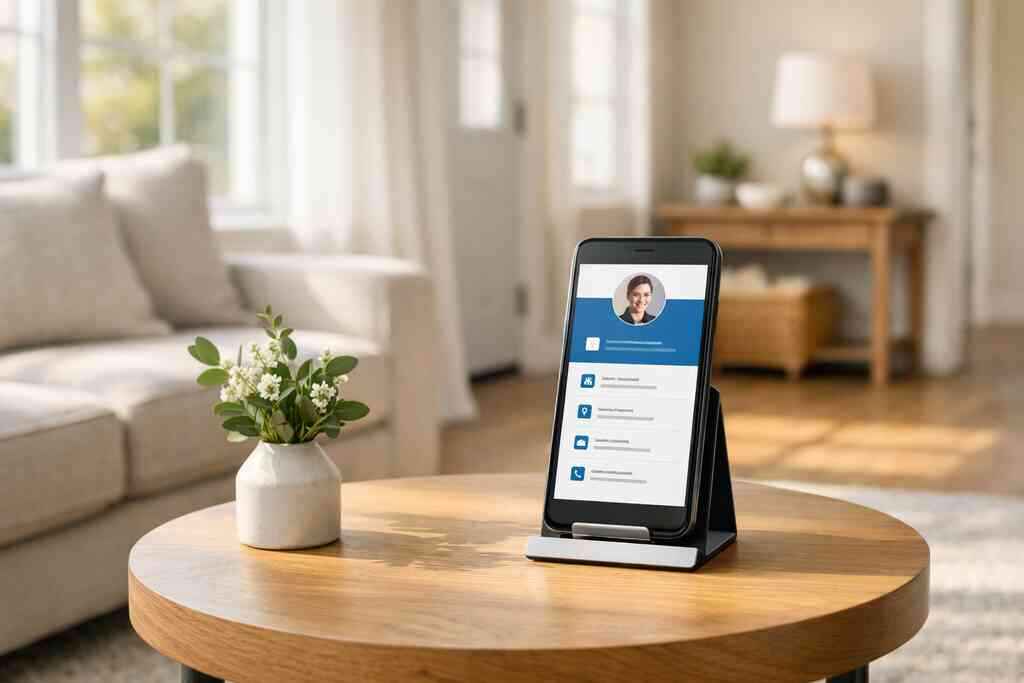
A digital business card for LinkedIn helps you share your contact details quickly, keep your profile current, and turn a brief connection into a real follow-up. If paper cards keep getting lost, bent, or forgotten, a digital card gives you one clean place to share your business identity.
Key Takeaways
- A digital business card works well with LinkedIn because it lets people save your contact info instantly through a QR code, NFC, a link, email, or direct share.
- The best setup keeps your card simple: name, role, company, phone, email, website, and one clear call to action.
- Paperless networking reduces the chance that someone forgets you after a meeting in Long Island, NYC, or anywhere else.
- Strong digital business card design should match your LinkedIn brand, use clean visuals, and make it easy to take action.
- If you want a simple setup, Digital Business Cards offers an online way to create and share a card without requiring recipients to install an app.
Why LinkedIn connections disappear before the follow-up even starts
A LinkedIn connection alone does not guarantee a follow-up. The real issue is that many professionals leave a meeting with no easy way to share contact details, so the conversation fades before action begins. A digital business card fixes that by giving people a quick, direct path to your info, your LinkedIn profile, and your preferred next step.
What makes a digital business card the smarter companion to a LinkedIn profile
A LinkedIn profile is useful, but it is not built for instant exchange. A digital business card for LinkedIn bridges that gap by giving you a shareable card you can send by QR code, NFC, or link. That makes it a better tool for professional networking because people can save your details in seconds, not later.
A good card also supports digital business cards for networking because it is easier to share in noisy rooms, conference halls, and quick hallway conversations. On Long Island, that matters at business mixers, co-working spaces in Commack, and events where people do not have time to type in every detail. Here is the part most people miss: convenience is what makes follow-up possible.
For a closer look at how the platform works, see the setup guide.
How paper business cards get lost after meetings in Long Island and NYC
Paper cards fail in small, ordinary ways. They end up in a jacket pocket, under a coffee cup, or in a stack of handouts that never gets reviewed. In a city commute or a packed networking event, that delay usually means the lead goes cold.
A recent client story comes to mind. After a Suffolk County industry mixer, one professional had collected six paper cards and one digital one. Two days later, the digital contact had already started a follow-up thread, while the paper cards were still sitting on a desk. That is the difference between a card that gets filed and one that gets used.
The tradeoff is simple:
OptionMain strengthMain weaknessPaper cardFamiliar and tangibleEasy to lose, stain, or forgetOnline business cardFast to save and shareNeeds a clear setupQR code business cardInstant scan-and-saveDepends on the other person’s phone cameraNFC business cardTap-to-share convenienceWorks best when the recipient understands the tapIf you are comparing digital card vs. paper business card, the digital option wins on speed, storage, and follow-up.
Why contactless sharing turns a quick scan into a real conversation
Contactless sharing lowers friction. When someone can scan a QR code or tap an NFC card and land on your contact page, the handoff feels easy and professional. That simplicity matters for sales professionals, real estate agents, freelancers, and small business owners who need people to act while interest is still high.
The QR format is grounded in the ISO/IEC 18004 standard, which is why it is so widely recognized and readable across devices. NFC follows a different path, using tap-based data exchange supported by phone hardware and systems like Apple’s Core NFC framework. In plain terms, both can work well; they just fit different habits.
If you want a broader comparison of channel strategy, this LinkedIn networking guide is a useful next read.
The profile build that turns a digital card into a LinkedIn magnet
A strong digital card should feel like your LinkedIn profile’s practical companion, not a duplicate copy. Keep the essentials visible, cut the clutter, and make the card easy to scan on a phone. The best cards feel specific, polished, and fast to act on.
Which business card details belong on a digital card and which ones to leave out
Put only the details that help someone contact you or understand what you do. Leave out anything that slows the decision or crowds the screen. This is where business card details need discipline, not decoration.
Include:
- Full name
- Job title or role
- Company name
- Phone number
- Email address
- Website or LinkedIn link
- Location, if it supports trust
- One short action button, such as book a call or visit my profile
Leave out:
- Long mission statements
- Multiple phone numbers unless needed
- Too many social links
- Dense paragraphs
- Busy graphics that bury the action
A clean digital card design also matters for compliance and trust. If you collect contact details, follow basic privacy rules and keep disclosures clear. For marketing language and claims, the FTC’s advertising guidance is a good benchmark for staying accurate and clear.
If you are using a template, this template page is a practical place to start.
How to create digital business card design that matches your personal brand
Your card should look like you, only cleaner. Use the same colors, logo, fonts, and tone that appear on your LinkedIn profile and website. That consistency helps people remember you, especially if they meet you at a busy event and only glance at the card for a few seconds. A smart virtual card design usually follows three rules: 1. Keep the layout simple.
- Use one strong visual identity.
- Make the action obvious.

If you are building a smart business card for personal branding, think about how a recruiter, buyer, or referral partner reads it on a phone. They should know who you are, what you do, and how to reach you without scrolling forever.
A few professionals in our Long Island network prefer a stripped-back layout because it feels modern and direct. Others want portfolio-style cards with a few more visual elements. Both can work. The right choice depends on whether your goal is a quick introduction or a richer brand story.
For design inspiration, the digital card examples page shows how a clean profile can still feel personal.
Design choiceBest forWatch out forMinimal layoutFast networking and sales outreachLooking too plainBranded portfolio-style cardCreatives and consultantsOverloading the pageTemplate-based setupQuick launch and consistencyGeneric appearanceCustom brandingStronger identityNeeds tighter editingIf you want a simple place to build one, the how-it-works page explains the setup flow in plain terms.
Frequently Asked Questions
Do digital business cards work without an app?
Yes. A well-built digital business card can be shared through a link, QR code, or NFC without requiring the recipient to install an app. That is one reason many professionals prefer an online business card over a paper card. The easier the access, the more likely someone is to save your details and respond. If you want to see how this works in practice, the usage guide is helpful.
Can I customize the design of my digital card?
Yes, and you should. Good custom branding helps your card feel aligned with your LinkedIn profile, website, and other business materials. Most professionals should keep the layout simple, but use brand colors, a logo, and a clear action button. That creates a more polished first impression than a generic business card template. For design ideas, the template resource is worth a look.
Is NFC safe for sharing contact info?
NFC is generally safe for basic contact sharing because it uses short-range tap communication. It does not broadcast your full data to everyone nearby. Still, you should share only what you want visible and review any privacy settings carefully. For people who want simple tap-to-share networking, the NFC overview can help you compare options.
What should I put on my card for LinkedIn networking?
Keep it focused. Use your name, title, company, email, phone, website, and LinkedIn link. Add one clear call to action, such as “Connect on LinkedIn” or “Book a call.” That is usually enough for LinkedIn profile optimization without making the card feel crowded. If you want a practical model, check the how to create guide.
Are digital business cards useful for real estate agents and sales professionals?
Yes. Real estate agents digital business card setups work well because buyers and sellers often need a fast way to reach you after a showing or event. Sales professionals digital networking also benefits because follow-up speed matters. In Suffolk County and across NYC, a card that can be shared in seconds is often easier to use than a paper card buried in a bag. For industry-specific ideas, the real estate examples page gives a useful sense of format.
What is a practical next move if I want to try one?
Start by deciding what action you want people to take: call, email, connect on LinkedIn, or book time with you. Then choose a clean template, keep the details tight, and test the card on your phone before sharing it. If you want a simple option that supports QR code sharing, NFC, and direct links, Digital Business Cards is a strong choice to review. Their platform is built for quick setup and easy sharing, which suits busy professionals in Long Island, New York, and beyond.