

A virtual business card lets you share contact details instantly by QR code, NFC tap, or direct link, so people do not have to type anything. It also keeps your business card details in one place, which makes follow-up faster and far less likely to get lost.
Key Takeaways
- Digital business cards help you share contact info faster because the recipient can scan, tap, or open a link instead of typing.
- A virtual business card is more reliable than paper at conferences, client meetings, and hallway introductions where paper gets damaged or misplaced.
- QR code business cards usually win for broad reach, while NFC business cards feel fastest for quick face-to-face sharing.
- The best setup keeps your business card details clear, mobile-friendly, and easy to act on, especially for professional networking.
- For Long Island, New York, NY professionals, digital sharing fits busy schedules, NYC commutes, and local events across Suffolk County.
Why your paper card disappears before your follow-up ever happens
Paper cards disappear for simple reasons: they get tucked into pockets, bent in bags, or lost in a stack before you ever send the follow-up. A virtual business card solves that by turning one meeting into an instant digital exchange. You share contact info immediately, and the other person can save it right away.
The moment a coffee spill, crowded trade show, or rushed hallway intro turns a good lead into a lost contact
If you have ever stood in a loud ballroom at a trade show, you know how fast a promising intro can vanish. One coffee spill, one bad pocket, one missed name, and the lead is gone. This is why paperless networking has become practical, not just trendy. It reduces the friction that kills follow-up.
We hear this often from sales professionals and freelancers who meet people in quick bursts. A paper card may look polished, but it depends on the other person doing extra work later. That extra work is where contacts go missing. A digital business card app changes that by letting someone save your details in seconds.
What a virtual business card fixes that a paper card never can with share contact info instantly and keep every detail in one place
A digital business card gives you one linkable profile instead of loose cards scattered across drawers and dashboards. You can share contact info through QR, NFC, email, or a web link, and recipients can open it on the spot. That matters because speed is what protects the lead.
The other advantage is consistency. Your online business card can keep your phone number, email, website, and social profiles together, so your contact stays current. A paper card cannot update itself. That is the simple advantage behind most digital card vs paper comparisons.
According to the FTC advertising guidance, businesses should keep marketing claims accurate and clear. That same principle applies here: the easier and more accurate your contact details are, the more likely people are to reach you later. For small businesses, that clarity is worth more than a stack of printed cards.
Why Long Island professionals from Suffolk County to NYC commuters are switching to digital business cards for networking
On Long Island, networking is often split between local meetings and New York City travel. One week you may be at a Hauppauge business mixer, and the next you are on a train into Manhattan. That pace favors tools that work in seconds. Digital business cards for networking fit that rhythm well.
A real estate agent in Garden City told us she used to hand out paper cards at open houses, then spend time re-entering contacts later. After switching to a smart business card, the handoff became simpler. She could send the card link before the conversation ended. That is the kind of small workflow change that saves time every week.
The fastest way to share contact details without making people type anything
The fastest way to share contact details is to let the other person scan, tap, or click once and save your information instantly. A good electronic business card removes typing, reduces errors, and works across different settings. The right format depends on how you meet people and how quickly they need access.
How a digital business card works in real life with QR code business cards, NFC business cards, email links, and contactless sharing
A digital card maker lets you create digital business card layouts that can be shared in a few ways. Most people use one or more of these: 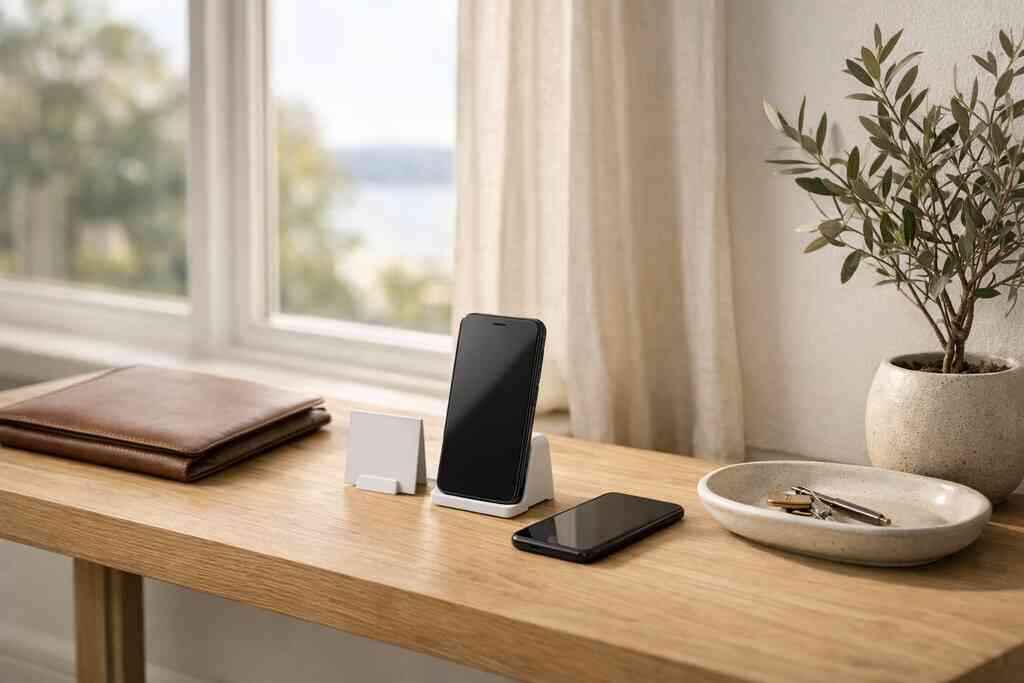
- QR code business cards for fast scanning at events
- NFC business cards for tap-to-open sharing
- Email links for follow-up after a meeting
- Text or direct links for remote introductions
- Contactless sharing for quick exchanges without touching paper
For setup, think of your card as a clean landing page for contact exchange. It should include your name, title, phone, email, website, and one clear action, such as booking a call or visiting your portfolio. If you want a practical onboarding path, the How It Works guide is the right place to start.
A business card example worth copying is simple: name, role, core service, and one main call to action. Do not overload it. People scan fast. They decide fast, too.
When NFC feels faster and when QR code scanning wins for reach, reliability, and Apple Wallet business card use
NFC business cards feel faster in one-on-one networking because the user taps the card and the profile opens. That speed is backed by the same general NFC standards used in contactless systems, including ISO 14443. Apple also supports tap-style interactions through its Core NFC framework, which helps explain why NFC feels smooth on modern devices.
QR code scanning wins when you need broader compatibility. It works on most smartphones, displays, brochures, and email signatures, and the QR standard is defined by ISO/IEC 18004. If you want a mobile-friendly backup, QR is dependable. For some professionals, an Apple Wallet business card or Google Pay card style pass can also make the card easier to keep handy.
FormatBest forStrengthLimitationNFCFast in-person sharingTap-and-open speedRequires compatible deviceQR codeBroad accessWorks across most phonesRequires camera or scannerLinkRemote sharingEasy by email or textOne extra clickFor a deeper look at tap-based sharing, see the NFC card guide. If you are deciding between a card you tap and a card you scan, use the context of the meeting. At a crowded expo, QR is often safer. In a quiet client meeting, NFC can feel smoother.
One more practical point: if you store any shared contact details, keep privacy in mind. Under GDPR-style principles, you should collect only what you need and explain why you are collecting it. That is especially important for teams handling lead capture and follow-up automation.
Why a digital business card is easier to use than paper for your next meeting
A digital business card is easier because it removes the handoff delay and keeps your contact details ready when the other person is ready. It also gives you more control over design, branding, and updates. That makes it useful for sales professionals, real estate agents, freelancers, corporate teams, and small business owners.
How to create digital business card designs that fit sales professionals, real estate agents, freelancers, corporate teams, and small business owners
The best digital business card design matches how you actually sell. A sales rep may want a short pitch and booking link. A real estate agent may want listing links and neighborhood focus. A freelancer may want a portfolio preview. A corporate team may need consistent branding across many employees.
A strong business card template should keep the layout clean and mobile-first. Use one portrait image or logo, a short headline, and a clear action. If you want examples built for property work, the real estate digital card examples page shows how industry-specific layouts can stay simple and useful.
For design, these details matter most:
- Clear name and title
- One primary phone number
- One email address
- Website or portfolio link
- Brand colors and logo
- Optional social links
- One strong call to action
Where custom branding, digital card analytics, lead capture, and CRM integration change the follow-up from manual to immediate
This is the part most people miss. A digital card is not just a prettier card. It can become a contact system. With custom branding, you look consistent across every touchpoint. With digital card analytics, you can see what gets opened and shared. With lead capture and CRM integration, you reduce manual entry and speed up follow-up.
That matters because manual follow-up creates lag. Lag creates forgetfulness. Digital tools shrink that gap. If you want to compare setup paths, the pricing page can help you decide whether a free digital business card or premium digital card plans make more sense for your workflow. I am careful here: review the current options on the site, since pricing and exact features can change.
For a practical setup flow, the setup guide is useful if you want to get your profile ready quickly. If your main goal is LinkedIn outreach, a digital business card for LinkedIn works well because it turns a conversation into a saved contact instead of a forgotten profile view.
If you want a straightforward place to start, Digital Business Cards is a solid option because it focuses on fast sharing by QR, NFC, or link, with no app required for recipients. That makes it easy to use at local events in Suffolk County or during quick NYC handoffs.
If you want, I can write the next section in the same style and continue the article exactly from where this one stops.
Frequently Asked Questions
Question: How does a virtual business card help me share contact info faster than a paper card?
Answer: A virtual business card makes sharing contact info much faster because the other person can scan a QR code, tap an NFC card, or open a direct link instead of typing anything manually. That reduces mistakes, saves time, and makes follow-up easier after meetings, events, or hallway introductions. For people in Long Island, New York, NY, Suffolk County, and NYC, that speed is especially helpful when networking moves quickly and paper cards are easy to lose. Digital Business Cards is built around that simple idea: keep your business card details in one place and make them easy to share when it matters most.
Question: What is the best way to create digital business card designs for professional networking?
Answer: The best way to create digital business card layouts is to keep them clean, mobile-friendly, and focused on one clear action. A strong digital business card design usually includes your name, title, phone number, email, website, and a link that helps people take the next step. If you are a sales professional, real estate agent, freelancer, or part of a corporate team, your business card template should match how you work and how you follow up. Digital Business Cards can help you create a digital business card that fits your brand while staying simple enough for fast professional networking.
Question: How does the blog title How to Share Contact Info Faster with a Virtual Business Card apply to QR code business cards and NFC business cards?
Answer: The title fits both formats because QR code business cards and NFC business cards are designed to remove friction from contact sharing. QR codes are great for broad compatibility since most phones can scan them, while NFC feels especially fast during face-to-face meetings because a simple tap can open the card. In both cases, the goal is the same: share contact info instantly without making anyone type details by hand. If you want flexible, contactless sharing for events, client meetings, or networking across Suffolk County and NYC, Digital Business Cards gives you a practical way to do that.
Question: What digital business card features should I look for if I want better follow-up automation and lead capture?
Answer: If your goal is smoother follow-up automation, look for digital business card features that support lead capture, custom branding, digital card analytics, and CRM integration. These tools can help turn a quick introduction into an organized contact workflow instead of a lost paper trail. A smart business card should make it easy to store business card details, track engagement, and move leads into your follow-up process without extra manual work. Digital Business Cards is positioned to support that kind of workflow by keeping contact sharing simple and helping users stay organized after the first interaction.
Question: Are digital business cards a good choice for freelancers, small business owners, and people looking for digital business cards near me in Long Island?
Answer: Yes, digital business cards are a strong choice for freelancers, small business owners, and professionals who want a convenient local option in Long Island, New York. They work well for anyone who wants a modern online business card that is easier to share than paper and easier to update when details change. They are also a practical fit for paperless networking, sustainable business cards, and busy schedules that involve commuting, meetings, and events across Long Island and NYC. If you are searching for digital business cards near me, Digital Business Cards offers a local, user-friendly way to share contact info, keep your business card details current, and present a polished digital business card example that is easy to send.