
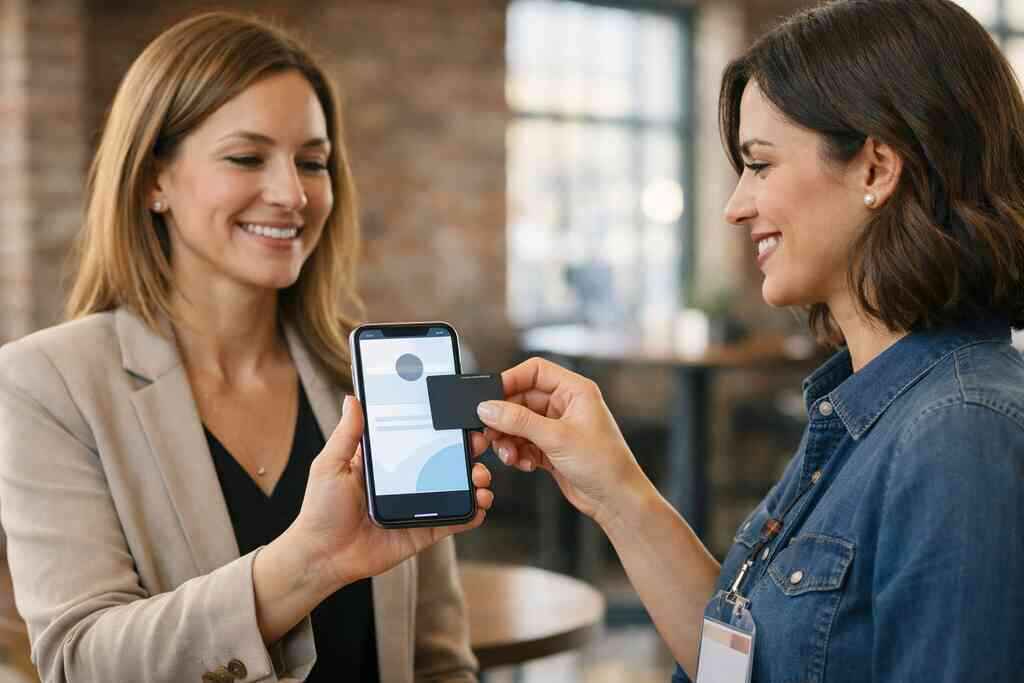
A sales rep in Hauppauge handed out six paper cards at a mixer, then found all six in a laptop bag two weeks later. That moment stings. If you are reading this because follow-up feels messy, you are in the right place. The problem is not your networking skill. It is the card. Long Island teams need contact sharing that survives busy commutes, crowded events, and the chaos of real work. A digital business card fixes that by keeping your details ready when paper disappears.
1) The digital business card that still works when your paper stack fails
Paper cards fail in small, ordinary ways. They bend. They smear. They vanish into jacket pockets, desk drawers, and trade show bags. On Long Island, that matters more than people admit. You may meet someone in Suffolk County at lunch, then catch the LIRR into NYC, and the paper card never makes it back to your desk. That is how follow-up dies.
A digital business card changes the first ten seconds of a meeting. Instead of hoping someone keeps a square of cardstock safe, you can share contact info instantly. A clean online business card gives the other person something they can save, tap, or open later. In practice, that means fewer lost introductions and fewer awkward “Can you send that again?” emails. It also supports paperless networking, which feels cleaner and more professional.
Why Long Island teams lose follow-up when paper cards end up in jacket pockets, desk drawers, and trade show bags
We hear this from clients all the time. The meeting goes well. The connection feels promising. Then the card sits untouched until Friday, and the lead goes cold. That is not a motivation problem. It is a system problem. A paper card cannot remind anyone to act.
One local contractor told us he kept a stack in his truck, his office, and his coat. He still lost prospects because he never knew which stack had the right version. That is where a digital card maker helps. You create one digital business card design, then share the same business card details everywhere. Your contact stays searchable and current. That simple shift reduces friction fast.
What a digital business card changes in the first 10 seconds of a meeting in Suffolk County or NYC
The first ten seconds matter because attention is fragile. A virtual business card lets you share your details without breaking the conversation. You can send a link, show a QR code, or use contactless sharing. The other person scans and moves on. No paper shuffle. No spelling out your email twice.
If you want a practical breakdown, see how a digital business card helps teams share contact info in Suffolk County and NYC. It explains the flow without adding noise. That is useful for commuters, field reps, and anyone splitting time between Long Island, New York, and Manhattan. The best part is speed. A good electronic business card exchange takes seconds, not minutes.
Which teams feel the pain fastest, from sales professionals and real estate agents to small business owners and corporate teams
Sales professionals feel the pain first because they live on volume. Real estate agents feel it too, especially when they meet buyers at open houses and need quick follow-up. Freelancers and small business owners face the same issue, just with fewer backups. Corporate teams often struggle because several people represent the same brand. One lost card can mean one lost opportunity.
Here is the part most people miss. The value is not just sharing. It is preserving context. A digital business card for LinkedIn and a mobile contact profile help prospects remember why they met you. For teams, that matters even more. Brand consistency for teams starts with one shared standard, not five different personal habits.
2) QR code business cards that make instant contact exchange feel effortless
QR code business cards solve a very specific problem. You want fast contact exchange without interrupting the room. At a Hauppauge business mixer, that matters. At a conference, it matters even more. The other person already has a phone in hand. A quick scan feels natural. It also works well in crowded spaces where speaking clearly is hard.
A QR code business card is simple, but the design still matters. If the code is buried in too much artwork, scanning gets clumsy. If the layout is too plain, the card feels forgettable. The sweet spot is clear, polished, and easy to scan. That is where smart digital business card design earns its keep.
When a QR code business card beats a paper handoff at mixers, conferences, and client meetings
Paper handoffs are slow in noisy rooms. They also fail when someone is carrying coffee, a tote bag, or a name badge lanyard. A QR code business card solves that instantly. It gives the other person a clear action: scan, save, move on. That is why digital business cards for networking have become so practical.
On the projects we’ve finished this year, QR sharing has worked especially well for teams who move fast. Think sales appointments, showrooms, and community events. It also helps when your meeting ends in the parking lot and everyone is already halfway to the next stop. The scan happens before the moment slips away.
How to create digital business card designs that scan fast and still look polished
A good QR-driven introduction starts with simplicity. Keep contrast high. Leave enough white space around the code. Make the business card template readable at a glance. Then add only the details people truly need. Too many fields create clutter. Too few create friction.
If you are building from scratch, start with a business card template or a structured layout that keeps your digital card design balanced. Your name, title, phone, email, and one strong call to action are usually enough. You can then add digital business card templates for team consistency. A polished virtual card design should feel like your brand, not a random screenshot.
Where QR code business cards fit into paperless networking without slowing down the conversation
Paperless networking should feel lighter, not colder. QR code business cards fit that idea well because they remove the paper exchange without removing the human moment. You can still shake hands. You can still ask good questions. The tech stays in the background.
A quick anecdote: a Garden City agent we spoke with used QR sharing after a showing. The buyer’s spouse was running late, so she scanned the card while standing outside the property. That kept the lead alive. Small moments like that are why QR code business cards have become a practical part of professional networking. They do not replace conversation. They protect it.
3) NFC business cards for teams that want tap to share without the awkward pause
NFC business cards are appealing because they feel immediate. Tap. Share. Done. No spelling. No typing. No searching through apps while the other person waits politely. For many teams, that smoothness is the whole point. It makes contact sharing feel less like a task and more like a natural handoff.
If you want a deeper comparison, the difference between NFC and QR business cards for SMBs is worth reading. NFC and QR solve similar problems, but they fit different moments. NFC often feels best in face-to-face meetings. QR often wins when the room is busy or the phone camera is already open.
Why NFC business cards can feel smoother than typing or spelling out an email address
Typing an email address is where many introductions stumble. A tap-based exchange avoids that. NFC, or near field communication, lets two devices exchange data over short range. The ISO 14443 standard supports that style of interaction, and Apple’s Core NFC framework helps make tap-to-share behavior reliable on supported devices. That is why the experience feels so quick when it works well. 
In plain terms, you hold the card near a phone and the contact opens. That is all most people want. It saves time. It also reduces errors. One wrong letter in an email can kill the follow-up. A smart business card removes that risk.
What Long Island professionals should know about tap based sharing and where it tends to make the most sense
Tap-based sharing is most useful when you are standing close enough to speak naturally. That makes it great for client meetings, showroom visits, and local networking events. It is especially handy for Long Island teams who move between offices, sites, and commuter-heavy schedules. You can share contact info without pausing the conversation. That said, NFC is not magic. Some phones handle tap behavior differently. Some users still prefer QR. That is why the best digital business card platforms often support more than one sharing method. A flexible electronic business card exchange gives you backup when one option is not ideal. Here is what almost no online guide mentions: the best setup is the one that fails gracefully. ### How smart business card workflows can support mobile contact sharing across team members
For teams, the goal is consistency. You want every rep to share the right details, in the right format, every time. Mobile contact sharing helps because profiles can stay current without reprinting cards. If someone changes roles, the update can happen once. That saves time and reduces confusion.
A corporate team in Commack told us their biggest frustration was mismatched titles. One person used old stock. Another used a personal card. A third had a handwritten correction. That kind of inconsistency looks small, but it weakens trust. A shared digital business card app can support searchable contact directory use, lead capture, and cleaner handoffs. Those are practical advantages, not buzzwords.
4) Custom branded digital card platforms that keep every team member on message
Brand consistency is often the quiet reason teams switch. A strong digital business card template keeps every team member aligned. The colors match. The logo is correct. The business card details are clean. No one is improvising from an old PDF on their phone. That consistency matters when prospects meet multiple people from the same company.
A custom branded setup also makes updating easier. If your title changes, your digital profile changes with it. If your phone number changes, the card reflects it. That is much safer than hoping everyone remembers to reorder print runs. For many teams, this is where sustainable business cards become practical, not just ideological.
How brand consistency for teams starts with a strong digital business card template and clean business card details
A strong template does three things well. It keeps the layout readable. It protects the brand. It makes updates simple. That means your digital business card example should feel intentional, not decorative. The business card design should support the message, not distract from it.
If your team is still choosing layouts, review digital business cards and online branding for small businesses. It helps frame how a template supports recognition. For Long Island businesses, that matters because referrals often move quickly between local circles. One messy profile can create doubt. One polished profile can create momentum.
Why custom branding matters when multiple people are meeting prospects from the same company
When several team members meet the same prospect, the brand becomes the memory anchor. If every card looks different, the prospect remembers personalities, not the company. That can be fine for a freelancer. It is a problem for corporate teams and small business groups trying to look cohesive. Custom branding keeps the message steady.
There is also a trust angle. Clean design suggests care. Care suggests competence. That is why custom branding belongs at the center of any team networking tools strategy. The card should feel like part of your company, not an afterthought. In busy markets like Suffolk County and NYC, that small signal matters.
Which digital business card features help teams keep profiles organized, searchable, and easier to update
The most useful digital business card features are usually the simplest ones. Easy updates. Contact sharing. Searchable profiles. Clear analytics. Flexible team management. If your platform offers CRM integration, that can help sales teams keep follow-up organized. If it offers lead capture, even better.
You may also want digital card analytics if your team tracks engagement. That shows which cards get opened and shared. It is helpful, but only if the basics work first. The mistake we see most often is teams chasing fancy features before fixing the core profile structure. Start with clarity. Add sophistication later.
5) The platform choice that actually fits your workflow and budget
Picking the right platform is less about hype and more about fit. A free digital business card can make sense for testing. Premium digital card plans may make sense for teams that need control, branding, or follow-up structure. The right answer depends on your workflow. Not every team needs the same setup. That is why digital card pricing should be compared carefully, not guessed.
If you want to compare options, start with pricing plans for small teams and corporate users. Then compare that against how your team actually networks. Do you meet people in person every day? Do you need CRM integration? Do you want team-wide oversight? Those questions matter more than shiny labels.
OptionBest ForMain StrengthWatch-OutFree digital business cardIndividuals testing the formatLow barrierLimited controlPremium digital card plansTeams needing branding and structureMore consistencyMay include more than you needNFC business cardsIn-person tap sharingFast exchangeDevice compatibility variesQR code business cardsEvents and mixed device environmentsVery flexibleDesign must stay clean### How to compare free digital business card options with premium digital card plans without guessing what you need
Free tools are useful if you want to test adoption. They can also help a freelancer move off paper quickly. But a team usually needs more control. That is where premium digital card plans can make sense. The question is not “Which is best?” The real question is “Which is enough?”
Look closely at how your team works. If only one person shares cards, simple may be fine. If ten people need matching profiles, consistency becomes more important. If you want a deeper explanation of the difference between paper cards and digital business cards, that can help frame the tradeoff. Budget matters. So does time.
What to look for in digital card pricing, CRM integration, lead capture, and follow up automation
The right platform should support your sales process, not complicate it. CRM integration matters if your team wants contacts to move into the pipeline quickly. Lead capture helps because it reduces manual entry. Follow-up automation can save time, but only if the data is clean. Those pieces matter more than flashy extras.
If analytics matter to your team, review digital card analytics for lead capture before choosing. You want to know what gets tracked and how that data is used. GDPR considerations matter if you store shared contact details for people outside your usual market, especially if your work crosses borders. Keep consent and storage practices clear. That keeps the system trustworthy.
When Long Island teams should choose a digital business card app, a virtual business card, or a smarter team networking setup
A digital business card app works well when mobility matters. A virtual business card can be enough for solo professionals. A smarter team networking setup becomes valuable when brand consistency, lead flow, and update control all matter at once. Long Island teams often land in that middle zone. They need something flexible enough for NYC meetings and local events.
If you are still unsure, look at how your team actually shares contact info. If paper is still the default, the case for change is strong. If your team already uses digital tools, the switch may be easy. For additional guidance, contact Digital Business Cards for team networking questions and ask what fits your workflow. You do not need to solve everything tonight. Start with the people who lose the most follow-up now, then build from there.
Frequently Asked Questions
Question: What makes digital business cards a better fit than paper cards for Long Island teams in Suffolk County and NYC?
Answer: Digital business cards are designed to make sharing business card details faster, cleaner, and easier to keep updated than paper cards. For Long Island teams that move between Suffolk County, NYC, and local networking events, that matters because paper cards can get lost in bags, jackets, or desks before follow-up happens. A digital business card gives you an online business card or virtual business card you can share instantly by QR code, link, or other contactless sharing methods, so the other person can save your details right away. That supports paperless networking and helps teams present a more consistent, professional image. It is also a practical option for sales professionals, real estate agents, freelancers, corporate teams, and small business owners who need reliable ways to share contact info without reprinting cards every time something changes.
Question: How does the blog Top 5 Digital Business Cards for Long Island Teams help me choose between QR code business cards, NFC business cards, and a digital business card app?
Answer: The blog Top 5 Digital Business Cards for Long Island Teams is meant to help you compare the most practical options for local networking, team use, and day-to-day contact sharing. QR code business cards are often the easiest choice for mixers, conferences, and busy rooms because people can scan and save your details quickly. NFC business cards can feel even smoother in face-to-face meetings because they support tap to share behavior, though device compatibility can vary. A digital business card app or smart business card setup may be the best fit when you want more control over branding, updates, and team management. The right choice depends on how your team works, how often you meet people in person, and whether you need features like lead capture, CRM integration, or searchable contact directory support. Digital Business Cards helps you think through those tradeoffs without forcing a one-size-fits-all answer.
Question: What should I look for in a business card template or digital business card design if I want strong brand consistency for teams?
Answer: A strong digital business card design should be clear, easy to read, and consistent across every team member. That usually starts with a good business card template that includes the essentials: name, title, phone, email, company branding, and a simple call to action. The goal is to keep the layout polished without making it cluttered. For teams, custom branding matters because it helps prospects recognize the company, not just the individual rep. Good digital business card templates also make updates easier, which is important if titles, phone numbers, or roles change. If your team wants scalable business card solutions, a consistent virtual card design supports brand consistency for teams while keeping the look professional for digital business cards for networking.
Question: Can Digital Business Cards help my team with lead capture, CRM integration, and follow-up automation?
Answer: Digital Business Cards is built around making contact sharing easier, which can support better follow-up and more organized networking workflows. If your team uses lead capture, CRM integration, or follow-up automation, a digital business card can help reduce manual entry and keep contact details in one place. That matters for sales professionals and corporate teams that want a smoother handoff after a meeting. The main benefit is that prospects can share or receive your information immediately, which helps keep the conversation moving instead of letting details get lost on paper. While the exact digital business card features available may vary, the general value is clear: faster sharing, cleaner contact management, and a more reliable way to move from first meeting to next step.
Question: How do I know whether to choose a free digital business card or premium digital card plans for my Long Island business?
Answer: The right choice depends on how your team actually networks. A free digital business card can be a good starting point if you want to test the format or if you are an individual just learning how to make a digital business card. Premium digital card plans may make more sense if your team needs stronger custom branding, more control over profiles, or a more organized setup for multiple users. Instead of guessing, look at how often you share contact info, whether you need a shared standard across the company, and whether your workflow depends on features like team networking tools, digital card analytics, or better contact management for small teams. For many Long Island businesses, the best digital business card platforms are the ones that fit real workflows, not the ones with the most complicated pitch. If you are comparing digital card pricing, it helps to match the plan to your actual networking needs.
Question: Can I use a digital business card for LinkedIn, Apple Wallet business card sharing, or Google Pay card style access?
Answer: A digital business card can often support flexible sharing across professional channels, but the exact methods depend on the platform and the features it offers. If you want a digital business card for LinkedIn, the goal is usually to make it easier for people to connect with your profile and save your details after a meeting. Some users also look for Apple Wallet business card or Google Pay card style convenience because it feels familiar and easy to access on mobile devices. That said, it is important to verify the specific digital business card features before assuming a platform includes a particular wallet integration or sharing method. Digital Business Cards focuses on making it simple to create a digital business card profile and share it in a way that supports professional networking, contactless sharing, and cleaner follow-up without the hassle of paper cards.