

When a paper card disappears before the follow-up, what actually got lost
Last week, a sales rep left a mixer in Hauppauge with a full pocket and an empty pipeline. The cards looked fine at the bar. By morning, two were bent, one was coffee-stained, and one had already vanished into a coat pocket. If you have felt that small spike of dread after a busy event, you know the feeling. The meeting happened, but the follow-up became fragile. That is the real problem with a paper business card.
Why sales teams in Long Island and NYC still lose deals to old paper habits
Sales teams in Long Island and NYC still rely on paper because it feels familiar. Handing over a card feels polite. It also feels fast. But speed at the table does not always mean speed in the pipeline. A card can sit in a wallet for weeks, then end up in a desk drawer, then disappear.
This is where paperless networking starts to make real sense. A digital business card changes the exchange from a physical object to a living contact record. That matters in places like Midtown meetings, Commack co-working spaces, and local business networking group events on Long Island. You are not just sharing contact info. You are making the follow-up easier to complete.
We hear this from sales professionals all the time. The event was good. The conversation was strong. Then the paper trail got weak. That gap is often where deals cool off.
The hidden cost of smudged ink, outdated titles, and cards that never make it into CRM
A paper card can look professional and still fail quietly. Ink smudges. Titles change. Phone numbers become outdated. One rep updates a role in the CRM, but the stack in the car trunk still says something different. That creates confusion, and confusion slows trust.
Here is the part most people miss: the cost is rarely the card itself. The cost is the follow-up delay. If the contact never gets entered into CRM, your team loses context, timing, and accountability. A strong electronic business card exchange should not end with a pocketed rectangle.
A real estate agent in Garden City once told us she had three versions of the same title on old cards. That sounds small. It is not. When clients compare notes, mismatched details can make you look disorganized. In sales, small signals carry weight.
Why a digital business card changes the moment from swap to share without the pileup
A digital business card turns the first meeting into a clean handoff. Instead of swapping paper, you share a link, QR code, or tap-ready card. The contact receives accurate details immediately. You reduce the pileup of loose cards, half-read notes, and forgotten names.
If you want a quick definition, an online business card or virtual business card is a shareable contact profile that can include your business card details in one place. It can act like a smart business card, an electronic business card, or a mobile-ready profile. For many teams, it is also a digital card maker workflow, where you create a digital business card once and update it as needed. That is the difference between a one-time print job and a reusable tool.
This article is not about replacing every human touch. It is about making the touch count. A paper card asks the other person to do the work later. A digital one helps them act now.
What a digital card really changes in the sales handoff
How contactless sharing turns one meeting into a clean contact record
Contactless sharing removes a surprisingly awkward step. Nobody has to fish for a pen. Nobody has to squint at handwriting. Nobody has to type a name twice. The handoff becomes cleaner, and the record becomes usable right away.
That is why many teams now favor QR code business cards. A quick scan can launch a profile and share contact info in seconds. It is a practical form of electronic business card exchange, especially in crowded rooms where a full conversation may not be possible. You keep the interaction short and still preserve the connection.
A professional networking event in NYC can move fast. People are talking over music, checking phones, and moving between tables. In that setting, paper feels clumsy. A digital business card app keeps the exchange tidy without making it feel cold. That balance matters.
Why a virtual business card keeps business card details current while paper goes stale
A virtual business card stays current because it is editable. Paper does not update itself. That is the entire story, and it is a big one. If your role changes, your office location shifts, or your team page changes, the digital version can reflect it.
This is one reason teams ask how to make a digital business card that actually works in real life. The answer is simple: keep the design clean, keep the details current, and keep the sharing path short. Good digital business card design is not decoration. It is usability. The best digital business card templates make that easier, especially for corporate teams and small business owners who need consistency.
For sales professionals, current details protect momentum. A prospect should not have to wonder if the number on your card is still right. That question may seem small. It is not. It is friction.
How QR code business cards and NFC business cards fit different selling situations
QR code business cards and NFC business cards solve different problems. QR codes are visible, inexpensive to use, and easy in almost any setting. NFC business cards work well when you want a tap-based, near-instant exchange. Both support contactless sharing, but they fit different habits and environments.
OptionBest useStrengthLimitationQR code business cardsEvents, open booths, quick scansEasy to share and useRequires camera accessNFC business cardsTap-to-share momentsVery fast handoffDevice support can varyIf you want a deeper look at the mechanics, the difference between QR and tap-based sharing is often explained best through the difference between QR code sharing and near-field communication cards. QR aligns well with ISO/IEC 18004, while NFC relies on standards such as ISO 14443. Apple’s Core NFC framework also helps support tap-based reliability on compatible devices. That kind of detail matters when you want your sales tools to work without drama.
Where paper cards still hold up and where they quietly fail sales teams
The trust factor of a printed card versus the speed of an electronic business card exchange
Paper still carries a certain trust signal. Some people like the feel of a printed card. It can seem polished, formal, and familiar. That matters in conservative industries and in first meetings where appearance still sets the tone.
Still, the electronic business card exchange wins on speed. The exchange is immediate. The details are usable. The follow-up can start before the conversation has fully ended. In a busy sales week, that speed is not a luxury. It is a practical advantage.
On the projects we have seen this year, teams often keep a few printed cards for backup. That is fine. But they use digital business cards for networking as the main system. The paper card becomes a courtesy. The digital card becomes the workflow.
Why business card templates look polished but still cannot update themselves
A good business card template can look excellent. Strong type. Clean spacing. Sharp branding. That part matters, because business card design still signals professionalism. But even the best template has one fixed flaw: it cannot change after printing. 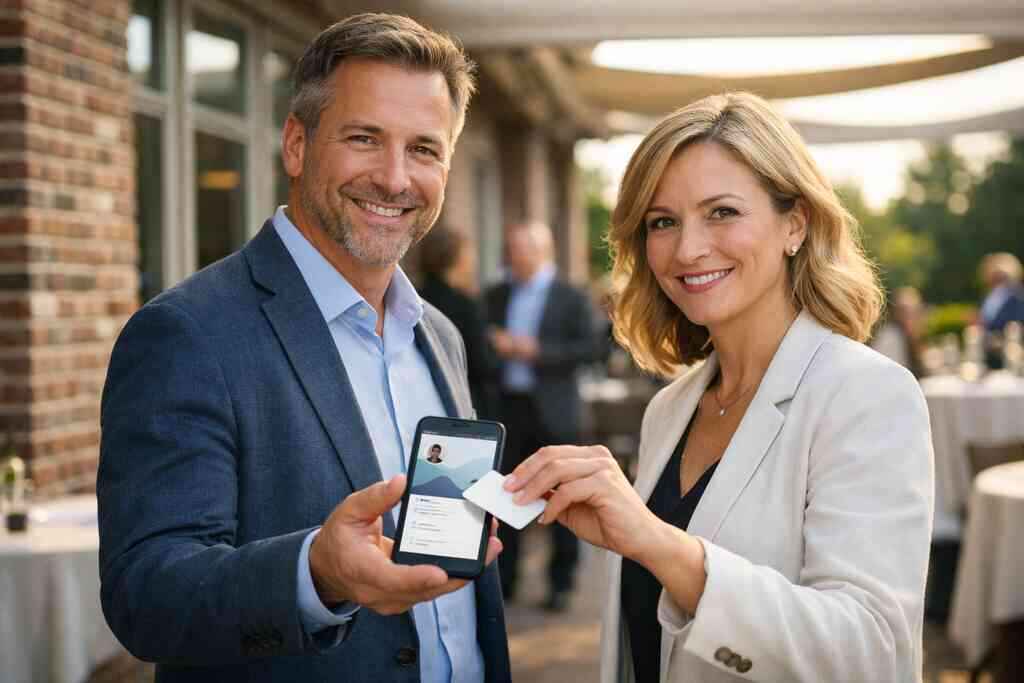
That is why digital business card templates are so useful. You can keep the visual consistency and still adjust the content. For many teams, custom branding is not about flash. It is about recognition. A salesperson in a crowded room wants the prospect to remember the name and the company. A well-built virtual card design supports that goal without locking you into outdated details.
If you are comparing digital card vs paper, this is a big difference. Paper is final. Digital is flexible. That flexibility helps when your team has multiple reps, updated territories, or role changes. It also helps when your small business wants a polished presence without reprinting stacks every few months.
When a paper card becomes a dead end for lead capture and follow-up automation
Here is what almost no online guide mentions. A paper card can create the illusion of progress. The meeting felt productive. The contact was exchanged. Yet nothing in the system moved. No lead capture. No reminder. No follow-up automation.
That is where digital business cards for networking become more than a convenience. They become an operational tool. If your workflow supports CRM integration, the contact can move from introduction to record much faster. If it supports follow-up automation, your team can stay consistent without relying on memory. For sales teams, memory is a weak system.
Some teams also connect their digital business card for LinkedIn sharing so the relationship does not stop at the first scan. That matters for ongoing professional networking. A card should not just identify you. It should help the conversation continue.
The sales workflow advantage nobody sees until the pipeline gets crowded
How digital card analytics can show which handoffs actually get attention
Digital card analytics are useful because they show behavior, not guesses. You can see when a card was opened, which link was clicked, and which handoff got attention. That does not replace human judgment. It sharpens it.
For a busy rep, this can be a major difference. If one prospect opens your card twice and another never does, your follow-up should not be identical. That is the kind of practical insight people mean when they talk about digital card analytics for lead capture. It helps you spend time where attention is already building.
A sales manager in Suffolk County once described it simply: “I stopped guessing which leads were warm.” That is the point. Data should reduce guesswork, not create more tabs to watch.
Why CRM integration matters more than another stack of cards in the trunk
A trunk full of cards does not help if the data never reaches the team. CRM integration does. It keeps contact records aligned with the rest of your pipeline. It helps sales, marketing, and account management work from the same information.
This is especially useful for NYC teams that move fast between appointments. The fewer manual steps between meeting and follow-up, the better. If you want a more technical breakdown, digital business cards and CRM integration for NYC teams is where that relationship becomes clearer. The real value is not the sync itself. It is the time saved after the sync.
For compliance-minded teams, there is another layer. If you store shared contact details, you need to handle permissions and privacy thoughtfully. GDPR principles matter when data crosses systems, even in everyday networking. That is especially relevant for corporate teams and growing small business operations.
How a digital business card for LinkedIn, Apple Wallet business card use, and Google Pay card access can support fast outreach
A digital business card for LinkedIn helps extend the conversation where many professionals already spend time. Apple Wallet business card use can make the card easier to find later. Google Pay card access can support quick retrieval on compatible devices. These are not gimmicks. They are access paths.
For sales professionals, easy retrieval matters. A contact can disappear into a crowded day. If your card is already in a wallet app or saved link, you reduce friction. The prospect does not have to search through emails or photos. They can act faster.
If you are comparing tools, this is also where the best virtual business card tools for NYC sales teams conversation gets practical. The best option is not the one with the most noise. It is the one your team will actually use after the meeting ends.
What the smartest move looks like after the comparison is clear
How to decide between a free digital business card and premium digital card plans
A free digital business card can be a good way to test the workflow. It helps you learn what your team actually needs. That matters because not every sales organization needs the same setup. Some need a simple profile and fast sharing. Others need branding, analytics, and deeper team coordination.
Premium digital card plans usually make sense when consistency and scale matter. That does not mean every feature is necessary. It means your team should match the tool to the job. If you want to compare options, the digital card pricing and plan options page is the right place to review what is available. We are not going to invent features here. We are just being honest about the decision path.
A practical rule helps. Start simple if your team is small. Move up when you need more control. That is usually the cleanest way to avoid paying for tools you never use.
When custom branding and digital business card design matter for corporate teams and small business
Custom branding matters when people meet you before they meet your company website. That is often true at conferences, site visits, and local mixers. A strong digital business card design makes the brand feel intentional. It also helps the rep look prepared.
For corporate teams, consistency matters. For small business owners, clarity matters. Both benefit from a clean business card template that feels aligned with the company’s voice. If you need design structure, digital business card templates can help frame that work without making it feel complicated. The best design is often the one that gets out of the way and lets the contact happen.
A simple rule works well here. Keep the branding recognizable. Keep the details readable. Keep the call to action clear. That is enough for most teams.
The practical next move for sales professionals, real estate agents, and freelancers in Long Island, New York
If you work in Long Island, New York, you already know how fast introductions happen. One conversation at a Hauppauge business mixer can lead to another in NYC the next day. A digital card helps you keep pace with that movement. It also helps real estate agents, freelancers, and corporate teams avoid the paper shuffle that slows follow-up.
We often suggest a simple test. Pick one rep. Set up one digital business card. Use it for one week at meetings, events, and client visits. Then compare the number of clean contacts you actually captured. If you want to see the setup path, how digital business cards work lays out the basics in plain language. If you need support afterward, the team can be reached through contact digital business cards support.
You do not have to overhaul your whole sales process today. Start with the people who lose the most cards, or the people who meet the most prospects. Then let the system prove itself.
Frequently Asked Questions
Question: What is the difference between digital business cards and paper cards for sales professionals?
Answer: The biggest difference is how reliably each one supports follow-up. A paper business card can be handed out quickly, but it can get lost, damaged, or sit unread in a wallet or desk drawer. A digital business card, online business card, or virtual business card lets you share contact info in a format that is easier to save, revisit, and update. For sales professionals, that can make a real difference after a networking event in Long Island, NYC, or Suffolk County. Instead of relying on memory and paper, you can use paperless networking and contactless sharing to keep the conversation moving. Digital Business Cards is based in Long Island, New York, and helps people create digital business card profiles that make sharing business card details simpler and more organized.
Question: How does The Difference Between Digital and Paper Cards for Sales Teams apply to lead capture and CRM integration?
Answer: This is one of the clearest advantages of going digital. With a paper card, someone still has to manually enter the contact details later, which creates room for delays and mistakes. With a digital business card, the handoff can be much cleaner, and that makes lead capture easier to manage. When your workflow supports CRM integration, your team can keep business card details aligned with the rest of your sales process instead of letting them sit in a stack of forgotten cards. That is especially helpful for corporate teams, real estate agents, freelancers, and small business owners who want a smoother path from first meeting to follow-up automation. If you are comparing digital card vs paper, the operational value often shows up after the event, not during it.
Question: Can I create digital business card options for QR code business cards and NFC business cards?
Answer: Yes, and that flexibility is one of the main reasons many people prefer a digital card maker over a print-only business card template. QR code business cards are useful for quick scanning in meetings, at mixers, and during professional networking events. NFC business cards are a strong option when you want tap-based contactless sharing and a fast electronic business card exchange. The best choice depends on how you work and what devices your audience uses. Digital Business Cards focuses on helping you share contact info in a way that is practical, clear, and easy to use. If you are building a digital business card design for your team, keeping the layout simple and the business card details current usually matters more than adding extra clutter.
Question: Does Digital Business Cards offer digital business card templates and custom branding for small business and corporate teams?
Answer: Digital business card templates and custom branding are important for teams that want a consistent, professional look. A good business card design should make it easy for someone to recognize your company, understand who you are, and know how to reach you. That is true whether you are a small business owner, part of a corporate team, or working as a freelancer. A clean virtual card design can support your brand without making the experience complicated. While we do not claim every possible feature for every account, the overall goal is to make digital business cards useful, polished, and easy to share. If you are comparing business card template options, digital is often more flexible because it can be updated without reprinting.
Question: How do digital card analytics and a digital business card for LinkedIn help sales teams stay organized?
Answer: Digital card analytics can help you understand which contacts are opening your card or taking action, which is useful when you want to prioritize follow-up. That kind of insight can be more helpful than a pile of paper cards that never get tracked. A digital business card for LinkedIn can also extend the relationship beyond the first meeting, giving sales professionals another place to continue professional networking. Some people also like having a card available through Apple Wallet business card or Google Pay card access, since it makes the contact easier to find later. For teams in Long Island, New York, and NYC, these tools can reduce friction and help keep the sales process moving without depending on memory or manual sorting.