

-
The digital business cards that actually turn a handshake into a lead
You know the feeling. The meeting went well, the conversation clicked, and then the paper card disappears into a pocket. Later, it sits under receipts. That is where follow-up dies. If you are frustrated by that gap, it makes sense. The hard part is not making the connection. The hard part is preserving it.
Why paper cards still lose the follow-up after a strong meeting
Paper still looks polished, but it is fragile. Ink smudges. Corners bend. Cards vanish in tote bags and desk drawers. A digital business card changes that because contact details stay shareable, searchable, and ready to send again. That matters when you are building professional networking habits that do not depend on memory.
We hear this from clients almost every week. Someone meets a prospect at a Hauppauge business mixer, promises to send details, and then loses momentum on the drive home. A virtual business card reduces that friction because you can share contact info instantly through a link, QR scan, or tap. On Long Island, where schedules are packed and commutes stretch, that speed matters more than people admit.
Which digital business card format fits lead capture best for sales professionals and small business networking
For sales professionals, the best format is the one that removes resistance. If the room is noisy, QR code business cards are often easiest. If you are face to face and want a polished motion, NFC business cards feel natural. If your audience lives on mobile, an online business card with a clean profile page can work beautifully. The winner is the format your prospects will actually use.
For small business networking, the ideal setup often combines flexibility and clarity. A smart business card should show your business card details without making people work for them. A strong digital business card design uses simple structure, easy buttons, and a clear brand. If you need help with setup, how to create a digital business card is the cleanest place to start.
What to look for in digital card analytics, contactless sharing, and follow-up automation before you choose one
This is where many people make the wrong choice. They chase looks and ignore the back end. You want digital card analytics that show when a card was opened, what was clicked, and whether the contact became a real lead. You also want contactless sharing that works smoothly in person and remotely. Without that, the card is just a nicer-looking file.
On the projects we’ve finished this year, the strongest results came from simple systems. The best tools usually support follow-up automation and some level of CRM integration. That keeps the handoff from networking to sales from getting messy. For a deeper look at feature sets, digital business card features for lead capture is a useful reference.
-
NFC business cards when a tap beats a pile of printed cards
Some meetings demand speed. You meet someone in line at a conference, at a client site, or outside a Commack co-working space, and you do not want to explain anything. A tap feels faster than a search. That is why NFC business cards keep gaining ground. They make the exchange feel almost invisible.
When NFC business cards feel faster than QR code business cards in real meetings
NFC business cards shine when both people are moving quickly. A tap can feel more elegant than opening a camera, especially in a hallway or reception area. In contrast, QR code business cards need the other person to scan. That is still easy, but it adds one more action. If the conversation is brief, that tiny difference matters.
Here is the part most people miss. NFC is not magic. It depends on device compatibility and how the card is set up. Still, the underlying exchange is grounded in established technology, including the ISO 14443 standard for proximity cards. If you want a technical comparison, NFC versus QR code business cards helps frame the tradeoffs clearly.
How Apple Wallet business card and Google Pay card support changes the sharing moment
Wallet support changes the psychology of sharing. A card that lives in Apple Wallet business card or Google Pay card form is already in the phone environment your contact uses daily. That reduces hesitation. It also makes your brand feel less like an extra attachment and more like part of their routine.
The real benefit is not novelty. It is continuity. When a prospect saves your card to a wallet, your information stays within reach. That can help create a smoother electronic business card exchange later, especially when follow-up is delayed. For teams considering NFC more seriously, NFC digital business cards is a smart place to review the format.
What NFC data exchange means for contactless sharing at conferences, client visits, and Long Island networking events
At crowded events, contactless sharing matters because people are juggling drinks, badges, and notepads. NFC keeps hands free. It is also useful during client visits, where a clean interaction feels more professional than fumbling with paper. In Long Island networking events, that small moment can shape how organized you seem.
We saw this with a real estate agent in Garden City who kept missing follow-up because paper cards piled up in her car. After switching to a smart business card format, she had one place to send prospects. No dramatic story. Just fewer lost contacts and less scrambling. That is the quiet ROI people want.
-
QR code business cards that make sharing contact info feel effortless
QR code business cards remain the easiest entry point for many people. They do not require a tap-enabled device. They do not require a special app in most cases. They simply ask the other person to scan. For crowded rooms and fast introductions, that simplicity is hard to beat.
Why QR code business cards still win in crowded rooms and quick introductions
In a loud room, speed matters more than ceremony. A QR code gives people a direct path to your profile. That is why paperless networking often starts here. You can place the code on a phone screen, a badge, or a printed backup. It is flexible. It is familiar. And it works well for people who want a quick handoff.
The technical backbone is stable too. QR standards are widely recognized, including ISO/IEC 18004. That helps explain why the format feels dependable across devices. If your audience includes freelancers or NYC commuters, that low-friction behavior can make a real difference. They scan, save, and move on.
How a clean digital business card design makes scanning feel trustworthy instead of clunky
A messy card creates doubt. A clean one creates confidence. Good digital business card design keeps the scan area obvious, the branding consistent, and the call to action short. People trust what they can understand in seconds. That is true whether they are at a Suffolk County networking breakfast or between subway stops in Manhattan. Use simple business card template logic. Put the essentials first: name, role, phone, email, then a concise action button. If you need a visual starting point, digital business card templates can help you see how a polished layout should feel before you build one. The goal is not decoration. The goal is confidence. ### Where QR code business cards fit best for real estate agents, freelancers, and NYC commuters 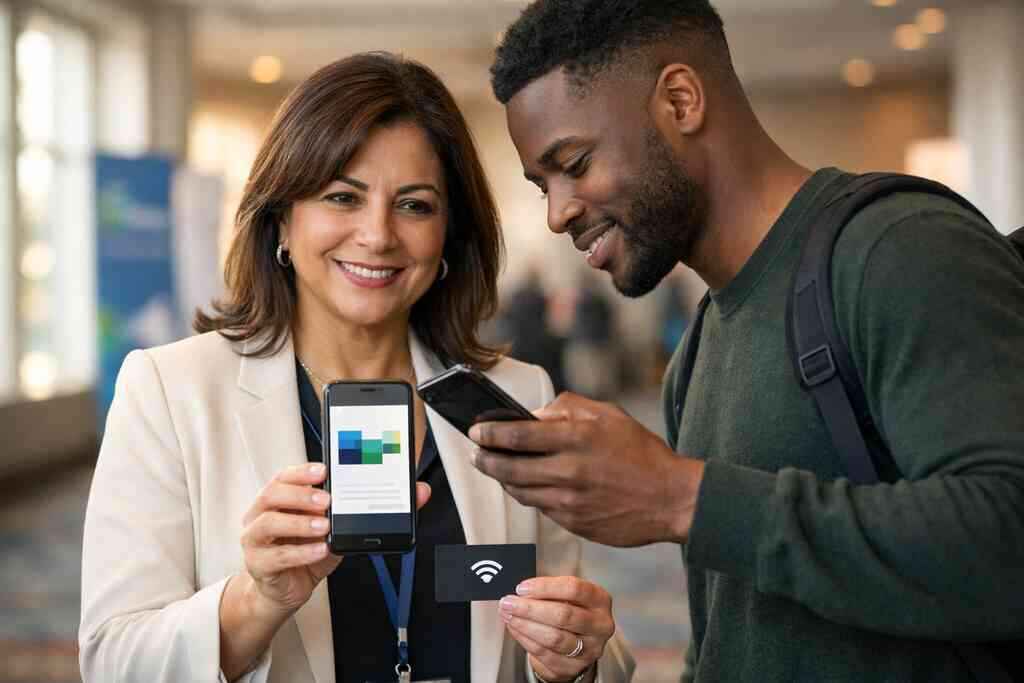
For real estate agents, QR works especially well because open houses move fast. People come and go. A scan captures interest before it fades. For this use case, QR code business cards for real estate agents is worth reviewing. It speaks directly to the field.
For freelancers, QR cards are useful when you need to appear organized without carrying extra paper. For commuters, QR cards are practical because they store quickly and travel well. If you are comparing formats, think about your actual environment. A crowded conference is different from a one-on-one design review. A ferry terminal is different from a boardroom. Match the tool to the setting.
-
The smart business card platforms built for custom branding and CRM integration
The best platforms do more than store a name and number. They help your brand look consistent and your pipeline stay visible. That is where custom branding and CRM integration become more than technical features. They become part of how you run your follow-up.
Which digital business card features matter most when branding and pipeline tracking have to work together
Start with the basics. Your card should support clear business card design, consistent colors, and a layout that matches your brand. It should also make it easy to update business card details without reprinting anything. A good digital card maker should not force you to rebuild from scratch every time your title changes.
The most useful features are often the least flashy:
- clean profile editing
- custom branding
- shareable links
- digital card analytics
- easy contact updates
- mobile-friendly viewing
- simple business card template options
If you want to compare feature depth, Top 7 Digital Business Card Features for Lead Capture in 2026 is a good benchmark. You are looking for systems that make your card useful after the handshake ends.
How CRM integration changes the value of a virtual business card for teams that live on follow-up
This is where a virtual business card becomes a sales tool. When a contact lands in a CRM, the team can act quickly. That matters for teams that rely on repeated outreach, reminders, and handoff notes. It also supports follow-up automation, which keeps lead management from depending on manual entry.
For corporate teams, this can be a major operational win. It reduces duplicate work and helps standardize the first touch. For a more specific workflow view, digital business cards with CRM integration explains how the connection can be structured. If your team lives in the inbox, the CRM connection saves time. That alone can improve ROI.
What makes the best digital business card platforms easier to manage across corporate teams and growing small businesses
Management matters as much as appearance. The best digital business card platforms let admins control branding while individuals personalize their own cards. That balance is important for small business teams and larger groups. Everyone needs consistency. Nobody wants a card that feels generic.
A platform should also make onboarding simple. If setup feels confusing, adoption drops fast. A short internal guide, plus good support, usually matters more than elaborate features. If you are comparing options, best digital business card platforms for networking can help you evaluate which systems are actually manageable. The cleanest platform is usually the one your team will keep using.
-
The digital card versus paper decision that changes your ROI
This is the decision point that changes the math. Paper feels familiar, but digital often creates better digital card ROI because it reduces waste and speeds up follow-up. The real question is not price alone. It is how much time, consistency, and lead value you gain.
How digital card pricing compares to free digital business card options and premium digital card plans
People often ask about digital card pricing before they ask about fit. That makes sense. Budget matters. Some users may only need a free digital business card to get started. Others need premium digital card plans for branding, analytics, or team management. The right choice depends on how seriously you use the card.
It helps to compare by usage, not hype. A solo freelancer may only need a simple digital profile. A growing sales team may need account controls and reporting. If you are evaluating cost, digital business card pricing and plans is the practical place to look. Price should support workflow, not drive it.
When paperless networking and sustainable business cards improve cost control without hurting professionalism
Sustainable business cards are not just about the environment, though that matters. They also reduce reprinting costs, shipping delays, and waste from outdated titles. In that sense, paperless networking becomes a cost-control strategy. It keeps your information current without another print run.
One client in Suffolk County told us he had boxes of unusable cards after a title change. That is a common problem. He switched to an electronic business card and stopped paying to correct the same mistake over and over. The card looked cleaner, not cheaper. That distinction matters. Professional does not have to mean paper.
Why Long Island, New York professionals from Suffolk County to NYC should judge ROI by saved time, cleaner lead capture, and better conversion
If you work across Long Island, New York, you already know time gets spent in transit, not just in meetings. That is why ROI should include the minutes saved after every introduction. If your card makes lead capture cleaner, you spend less time fixing broken follow-up. That is real value for Suffolk County sellers and NYC professional networking alike.
The best test is simple. Ask whether the card helps you get remembered, saved, and contacted again. If it does, the return is not abstract. It shows up in faster response, better conversion, and fewer lost opportunities. If you want a local starting point, digital business cards in Long Island is a natural fit for professionals who want that local advantage. You do not need to solve everything today. Start by choosing the format that makes your next handshake easier to act on.
Frequently Asked Questions
Question: What makes digital business cards better than paper cards for lead capture and ROI in Long Island, NY?
Answer: Digital business cards are often better than paper for lead capture because they make it easier to share contact info, save details, and follow up quickly after a meeting. With paper cards, the exchange can end at the handshake. With an online business card or virtual business card, the contact can scan, tap, or open a link and keep your information handy. That is especially useful for professional networking across Long Island, Suffolk County, and NYC, where people move fast and follow-up timing matters. The ROI advantage usually comes from cleaner lead capture, less reprinting, and less time spent chasing lost business card details. If your goal is to make networking more conversion-focused, digital card vs paper is a strong comparison to make.
Question: Which format is best for networking: QR code business cards, NFC business cards, or a digital business card app?
Answer: The best format depends on how you network. QR code business cards are great when you want quick contactless sharing in crowded rooms, conferences, or open networking events. NFC business cards can feel faster in face-to-face meetings when a tap is more natural than opening a camera. A digital business card app or web-based profile can work well when you want a simple online business card that is easy to update and share by link. For sales professionals, real estate agents, freelancers, and corporate teams, the most effective choice is usually the one your contacts will actually use in real situations. If you want a flexible option, a smart business card that combines QR, link sharing, and mobile-friendly design is often the easiest way to support digital business cards for networking.
Question: How does the blog Top 5 Digital Business Cards for Lead Capture and ROI 2026 help me choose the right digital business card design?
Answer: The blog Top 5 Digital Business Cards for Lead Capture and ROI 2026 is useful because it compares the practical sides of each format instead of focusing only on appearance. A strong digital business card design should be easy to scan, simple to understand, and aligned with your brand. It should also present business card details clearly, whether you are using a business card template, a digital business card template, or a custom virtual card design. The blog also helps readers think beyond looks by considering lead capture, digital card analytics, follow-up automation, and CRM integration. That matters because a clean design is only valuable if it supports the real networking workflow after the first introduction.
Question: What digital business card features should sales professionals and small business teams look for before choosing a platform?
Answer: Sales professionals and small business teams should look for digital business card features that make networking easier to manage, not harder. The most useful capabilities are usually simple profile editing, custom branding, contactless sharing, digital card analytics, and easy updates to business card details. If a platform supports CRM integration or follow-up automation, that can be especially valuable for lead capture and pipeline management. Teams should also think about whether the platform supports an electronic business card exchange that works smoothly on mobile devices. For growing corporate teams, the best digital business card platforms are usually the ones that balance admin control with individual flexibility. A good digital card maker should help you create digital business card profiles that are easy to maintain over time.
Question: Are there free digital business card options, or should I consider premium digital card plans?
Answer: There may be free digital business card options available, but the right choice depends on how you plan to use the card. If you only need a simple way to share contact info, a basic option may be enough to get started. If you need custom branding, more advanced digital card analytics, CRM integration, or better support for a team, premium digital card plans may be worth considering. The key is to compare digital card pricing based on workflow rather than price alone. A low-cost option may be fine for a freelancer or solo professional, while a small business or corporate team may need more structure. When evaluating options, think about the long-term digital card ROI, not just the initial setup cost. The best choice is the one that supports your networking goals without adding friction.
Question: Can Digital Business Cards help me create a digital business card for LinkedIn, Apple Wallet business card, or Google Pay card sharing?
Answer: Digital Business Cards is built around helping people share contact information in a modern, easy-to-use format, and the website explains that cards can be shared by QR code, email, link, and more. If you are looking to create digital business card content for LinkedIn networking, that kind of sharing flexibility can be helpful because it keeps your contact details easy to send and store. The website also mentions Apple Wallet business card and Google Pay card examples in the broader discussion of sharing, which can be useful if you want your card to fit into a mobile-friendly workflow. Since specific app functionality should always be confirmed directly, it is best to check the current platform details before assuming any exact feature set. What is clear is that the goal is to make sharing simpler, more professional, and better suited to modern paperless networking.