
The card that looked perfect until the meeting started
You know that sinking feeling. You meet someone useful, reach for your card, and realize the stack is bent, blurred, or gone. That moment feels worse than it should. It is awkward, and it kills momentum fast. If you are reading this because follow-up keeps slipping, that frustration is real.
Why paper cards fail right when you need a fast follow-up
Paper cards still look polished, but they fail in practical ways. Ink smudges. Corners curl. Cards disappear into jacket pockets, and people forget them before the elevator reaches the lobby. A 2023 Adobe survey found that many professionals have lost a paper card before following up, which matches what we see in the field. The problem is not design alone. The problem is timing.
Here is the part most people miss. Networking rarely fails during the handshake. It fails later, when details are hard to recover. A paper card gives someone a name and number, but it does not help them act quickly. That delay is enough to lose the sale, the referral, or the next meeting. Digital business cards solve that gap by keeping the contact alive after the conversation ends.
The real user question behind NFC vs QR code cards for professional networking
Most people do not actually ask, “Which technology is better?” They ask, “Which one will work without making me look clumsy?” That is the real decision behind NFC business cards, QR code business cards, and every smart business card in between. You want contactless sharing that feels easy for the other person. You also want something reliable when the room is loud, crowded, or moving fast. That is why the answer depends on context, not hype.
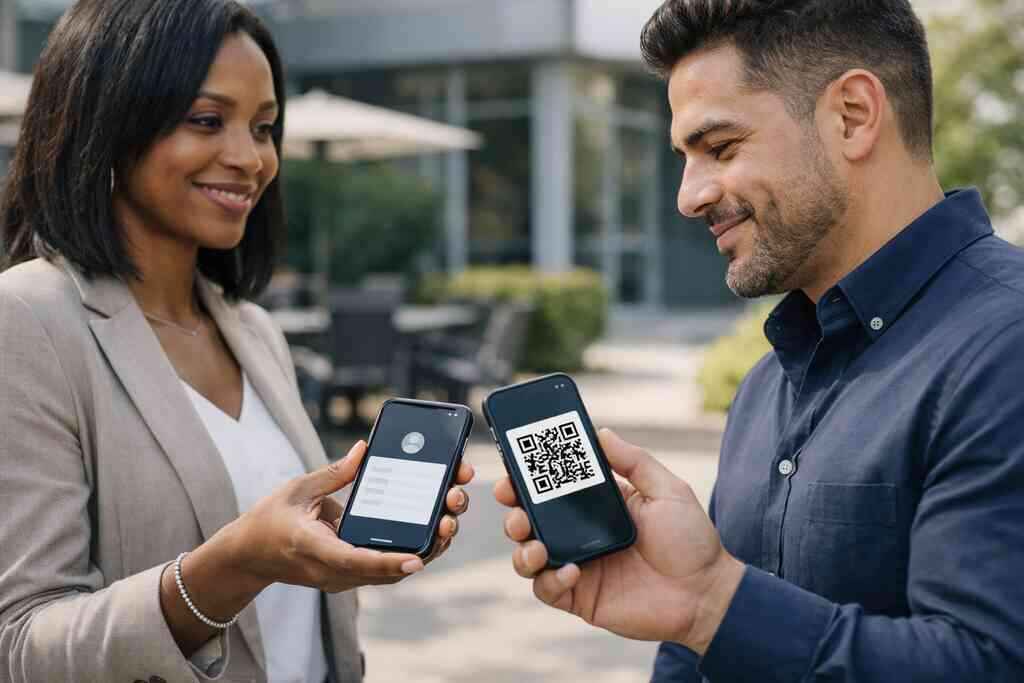
Think of it this way. NFC is a tap. QR is a scan. Both can support a digital business card, an online business card, or a virtual business card. The better choice depends on who you meet and where you meet them. If you need a simple NFC and QR code card comparison for small business networking, start with your real networking habits, not the marketing claims.
How Long Island professionals, from Hauppauge to NYC commuters, are changing the way they share contact info
On Long Island, the pace is specific. A Hauppauge business mixer feels different from a coffee catch-up in Commack. NYC commuters often have ten seconds between introductions and a train platform. That is why digital business cards for networking have taken hold with sales professionals, real estate agents, freelancers, and corporate teams. People want a cleaner way to share contact info without fumbling with paper.
We have seen this shift in very ordinary moments. One Garden City agent described a showing where a buyer’s broker asked for details while standing by the front door. The agent shared a digital card, and the buyer saved it instantly. No digging. No typing. No lost card later. For professionals who want digital business cards for Long Island networking in New York, the appeal is simple: fewer missed follow-ups, less paper waste, and a more modern first impression.
What NFC really does when a client taps instead of types
How NFC business cards move contact details with one tap to share contact info
NFC stands for near field communication. In plain English, it lets two devices exchange data when they are very close. In a networking setting, that usually means one tap to share contact info from an NFC smart business card to a phone. The phone opens a profile, contact page, or link without requiring a manual search. That speed matters when someone is standing in a hallway, at a trade show booth, or outside a meeting room.
The best part is that the interaction feels natural. You do not have to explain much. You tap, and the card does the work. That is why many people like tap to share contact info with NFC digital business cards. It makes your introduction feel effortless. And in networking, effortless often wins.
Where ISO 14443 and Apple Core NFC fit into everyday use
If you have heard the standards jargon, here is the short version. NFC commonly operates within the ISO 14443 family of contactless smart card standards. Apple’s Core NFC framework also supports tap-based reading on compatible devices. Those names sound technical, but the user experience is simple. You tap a compatible phone, and it reads the card’s stored information.
That matters because real-world reliability depends on more than a buzzword. The card must store the right data. The phone must support the interaction. The experience must be smooth enough that nobody hesitates. On the projects we have finished this year, that is the difference between a memorable exchange and a stalled one. If you want the operational side explained more fully, see how digital business cards work for fast contact sharing.
NFC card compatibility across phones, wallets, and real-world meeting rooms
NFC card compatibility sounds like a small detail until you are in a noisy room. Then it becomes everything. Some phones read NFC quickly. Others need the screen unlocked. Some users keep thick cases on their devices, which can reduce sensitivity. Wallet-based options can help in certain situations, but not every environment is equally forgiving. In other words, NFC is elegant, but it still depends on the device.
That is why good networking setups often keep a backup. A phone in one hand. A tap in the other. A QR option nearby if needed. Here is a simple comparison:
FactorNFC business cardsPhysical paper cardsSpeedVery fast on supported devicesFast to hand over, slower to use laterConvenienceTap-based contact sharingRequires manual handling and storageReliabilityDevice-dependentSubject to wear, loss, and damageFollow-upEasier with digital handoffOften delayed or forgottenFor professionals who prefer NFC business cards for contactless professional networking, that balance matters more than the tech label.
When an NFC smart business card makes more sense than a printed card holder
An NFC card makes the most sense when you meet people in controlled, face-to-face settings. Think sales meetings, vendor lunches, private consultations, and client introductions. It also helps when you want a polished, modern handoff without carrying a thick card holder. Printed holders still have a place, but they do not solve follow-up. They just organize paper.
There is a small but important emotional benefit here. You look prepared. You also look current without trying too hard. That matters in professional networking, especially in industries where presentation shapes trust quickly. If you value a clean exchange and fewer physical items in your pocket, NFC can be the better fit.
Why QR code business cards still win when speed and access matter
How scan to save contact info works under the ISO/IEC 18004 standard
QR codes are not a shortcut version of professionalism. They are a separate tool with their own strengths. Under the ISO/IEC 18004 standard, a QR code stores scannable data that a phone camera can read. In practice, that means a person can open your profile, save your vCard, or visit your digital business card page in seconds. No app is usually required.
That is why QR code business cards remain so useful. They are simple. They are familiar. They work across many phones without much explanation. For anyone comparing QR code business cards for cross-platform contact sharing, the key advantage is reach. More devices can scan than tap, and that matters in a hurry.
Why QR code accessibility helps in events, elevators, lobbies, and crowded venues
QR code accessibility becomes obvious in the real world. Trade shows get loud. Elevators move fast. Hotel lobbies fill up. At a crowded venue, asking someone to tap can feel slower than asking them to scan. A code on your digital card design gives the other person a clear, low-friction action. They already know how to point a camera at a square.
That is especially useful for digital business cards for networking at events with mixed audiences. Some people love NFC. Others have never used it. QR code business cards remove that hesitation. They also work well when your phone case, pocket, or venue layout makes tapping awkward. When speed matters, accessibility often beats elegance.
Cross-platform sharing when the other person does not want an app
This is where QR codes quietly beat a lot of newer tools. The other person does not need to install a digital business card app. They do not need to learn a new workflow. They just scan and save. That makes QR ideal for cross-platform sharing, especially with mixed Android and iPhone audiences. It also helps with electronic business card exchange during large events.
A freelancer in Commack told us about meeting three prospects in one hour. Two loved tap-based sharing. One had no idea NFC even existed. The QR code solved that awkward moment immediately. The lesson was simple. In networking, reducing friction is often more important than choosing the trendiest option.
The design choices that keep a QR code business card readable and polished
A QR code only works if people can actually scan it. That sounds obvious, but many cards fail here. The code is too small. The contrast is weak. The background is busy. Or the layout crowds the code with too many visual elements. Good digital business card design solves this by protecting scan space and keeping the card readable. Strong branding still matters, though. A polished virtual card design can balance utility and style. Use clear spacing. Keep the code high contrast. Place business card details where the eye expects them. If you are building with digital business card templates for real estate agents in New York, that balance is especially important because clients judge trust quickly. 
The tradeoffs nobody mentions until the follow up gets messy
Contactless sharing versus tap to share contact info in real networking moments
The biggest mistake is treating NFC and QR as rivals instead of tools. Both support contactless sharing. Both can reduce paper waste and improve paperless networking. But the best choice changes with the moment. Tap feels elegant in one-on-one conversations. Scan feels safer when you need universal access. The smart move is not choosing a side too early.
What we have seen in 2026 specifically is that better networking setups use both. People keep a digital business card on their phone, a QR option on screen, and NFC for close-range introductions. That combination protects the conversation. It also makes follow-up easier. If you want more practical examples, the digital business card blog and networking guides can help you think through real use cases.
Battery dependence, phone case friction, and the limits of NFC card compatibility
NFC depends on device readiness. That is the part many people forget. Some phones need a stronger tap. Some cases create friction. Some users have battery-saving settings that change the experience. QR codes avoid most of those issues because a camera is enough. So if you expect long event days or unpredictable settings, think carefully about device dependence.
Here is a simple rule. If reliability in mixed conditions matters most, keep QR as your fallback. If a premium feel matters most, keep NFC in the foreground. In many offices, the best answer is both. That is especially true for corporate teams and small business owners who cannot afford missed connections. In those cases, a hybrid setup protects your lead capture without adding much complexity.
When a virtual business card or online business card outperforms a physical smart card
Sometimes the physical card is not the star at all. A virtual business card or online business card can outperform a physical smart card when you need instant editing, live links, or multiple contact paths. You can update job titles, social links, and business card details without reprinting anything. That flexibility helps when your team changes often or your services shift by season. It also supports digital card analytics, which tells you more about what people open.
That is why many professionals now prefer a digital business card app backed by web access. You get control without clutter. You can share, update, and track from one place. And if your audience is already mobile-first, the digital version usually feels more natural than a plastic card.
Digital card vs paper in fields like sales professionals, real estate agents, freelancers, and corporate teams
Digital card vs paper is not a branding question. It is an operations question. Sales professionals need fast follow-up. Real estate agents need contact recall after showings. Freelancers need simple self-promotion. Corporate teams need consistency across many people. Paper cards can work, but they rarely help after the meeting. Digital cards do.
The difference shows up in daily workflow. A paper card sits in a desk drawer. A digital business card can connect to CRM integration, lead capture, and follow-up automation. That makes it better for teams that care about efficiency. If your role involves repeat introductions, digital business card features matter more than card stock.
GDPR and contact storage concerns when you share business card details digitally
This is the part almost no one asks until they should. If you share business card details digitally, you also create contact storage and privacy questions. GDPR may apply depending on where you do business and how you store personal data. That means you should think about consent, storage, and who can access the information after the exchange. Good systems make those controls easier to manage.
You do not need to become a privacy lawyer. You do need to know where contact data lives. You also need to know whether your workflow respects the person who shared their details with you. Clear storage habits build trust. That is true in Long Island, New York, and everywhere else.
How to choose the right format without overthinking the whole system
When to create digital business card versions that include both NFC and QR code options
If you are unsure, choose both. A combined setup gives you flexibility without forcing the other person into one method. NFC helps in close introductions. QR helps when a tap will not work. Together, they cover more real-world situations. That is why many professionals now create digital business card versions with both methods built in.
A hybrid card also supports different audiences. Tech-friendly clients may love the tap. Busy event guests may prefer the scan. And people who are simply rushed will appreciate the shortest path possible. That is the practical answer to the NFC vs QR question. Use both when you can, and let the setting decide the rest.
What to look for in a digital card maker, digital business card app, and digital business card templates
A good digital card maker should make setup simple. It should help you create digital business card designs without forcing you into a rigid layout. You want flexible business card template options, clear editing tools, and easy sharing. You also want templates that fit different industries without looking generic. That matters for sales, real estate, freelance work, and corporate use.
Here is a practical checklist:
- Easy contact editing
- Clean digital business card templates
- Strong custom branding options
- Simple sharing through QR or NFC
- Mobile-friendly display
- Straightforward onboarding
If you are comparing platforms, ask how fast you can update business card details. Ask how easy it is to share contact info. And ask whether the design still looks professional on a phone screen.
How custom branding, CRM integration, lead capture, and digital card analytics support follow-up automation
This is where digital cards become more than a replacement for paper. Custom branding helps your card match your business identity. CRM integration moves contacts into the system you already use. Lead capture gives you a cleaner handoff. Digital card analytics shows what people engage with. Put those together, and follow-up automation becomes much easier to manage.
Here is what that looks like in practice. A prospect scans your QR code at a networking breakfast. Their information lands where your team can use it. Your brand stays consistent. Your follow-up is faster. That is the kind of operational gain that matters to small business networking and larger teams alike. For a deeper look at performance tracking, see digital card analytics for follow-up tracking and ROI.
Where our pricing page, templates, how it works, and NFC digital business cards pages fit into the decision
If you are still deciding, do not start with assumptions. Start with the basics. Review the how it works page to understand the setup. Check templates for design fit. Then compare the available plan structure on the pricing page before you commit. If NFC matters to your workflow, review the dedicated NFC page last.
For Long Island, New York professionals, that order usually saves time. You see the system before you buy it. You also avoid paying for a setup that does not match your day-to-day networking. If you want a simpler path, the digital card pricing and plans for small business teams page is the place to compare options without guessing.
The next move for Long Island, New York professionals who want a cleaner networking setup
If you work across Suffolk County, NYC, or anywhere along the commute line, do not overcomplicate this. Pick the format that fits your actual meetings. Keep a backup method. Make sure your design reads fast. Then test it in the places where you really network. That could be a Hauppauge mixer, a Commack coworking space, or a quick introduction near Penn Station.
You do not have to solve every part today. Start with one card, one setup, and one real-use test. If you want a smoother path, explore the platform, review the templates, and create digital business card options that fit your work. A cleaner networking system usually begins with one honest choice, not a perfect one.
Frequently Asked Questions
Question: What is the difference between NFC business cards and QR code business cards in The Difference Between NFC and QR Code Cards for 2026?
Answer: The main difference is how people share contact info. NFC business cards use tap to share contact info on compatible phones, while QR code business cards use scan to save contact info with a camera. Both support contactless sharing and both can work as a digital business card, smart business card, online business card, or virtual business card. In practice, NFC can feel more seamless in one-on-one professional networking, while QR code accessibility makes sharing easier in crowded rooms, events, and mixed-device settings. For many small business networking situations, the best choice is often a hybrid approach that includes both NFC and QR so you can adapt to the room, the device, and the person in front of you.
Question: How do digital business cards help sales professionals, real estate agents, freelancers, and corporate teams with follow-up automation?
Answer: Digital business cards are useful because they make it easier to share business card details instantly and keep that information in one place. For sales professionals, real estate agents, freelancers, and corporate teams, that can mean less time lost after introductions and a smoother path to follow-up automation. A digital business card app may also support CRM integration, lead capture, and digital card analytics, depending on the platform you choose, which can help teams organize contacts and track engagement more efficiently. Instead of relying on a paper card that may get misplaced, a digital business card can support a faster and more consistent follow-up process.
Question: Why do digital business cards make more sense than paper cards for Long Island and NYC professional networking?
Answer: For Long Island, New York professionals, including people in Suffolk County and NYC, digital business cards are often more practical than paper cards because networking moves quickly. At mixers, client meetings, and commuter-heavy introductions, a paper card can be easy to lose or forget. A digital business card supports paperless networking, sustainable business cards, and quicker contact sharing through a QR code, link, or compatible NFC tap. That can be especially helpful for professionals who want a cleaner first impression and a better way to stay connected after the conversation ends. If you are comparing digital card vs paper, the digital option usually offers more flexibility for modern professional networking.
Question: How do I create digital business card designs that look professional and still scan or tap reliably?
Answer: A strong digital business card design should balance branding with usability. The best digital business card templates leave enough space for a clear QR code, readable business card details, and a layout that works well on mobile screens. If you want to create digital business card materials that feel polished, focus on clean virtual card design, high-contrast scan areas, and simple branding that matches your business. Custom branding is important, but it should not interfere with QR code accessibility or NFC card compatibility. A good digital card maker should make it easier to build a professional card without making the design feel crowded or difficult to use.
Question: What should I look for when choosing the best digital business card platforms for my small business?
Answer: When comparing best digital business card platforms, look for tools that are easy to use, support reliable sharing, and fit the way your team actually networks. Important considerations include business card template options, digital business card features, custom branding, and whether the platform helps with lead capture, CRM integration, and digital card analytics. If you are a small business, you may also want to check whether the platform offers a free digital business card option or premium digital card plans, but it is important to review the details directly since features and pricing can vary. For Long Island businesses, it also helps to choose a platform that understands local professional networking needs and makes it simple to share an electronic business card exchange with confidence.
Question: Can Digital Business Cards help me with a digital business card for LinkedIn, Apple Wallet business card, or Google Pay card sharing?
Answer: Digital Business Cards focuses on helping people share contact information in a simple, modern way, and the best approach depends on the tools available in the platform you are using. If you want a digital business card for LinkedIn, an Apple Wallet business card, or a Google Pay card, the key is to confirm those capabilities directly on the website before you rely on them. The same applies to any digital business card app or digital business card features you want to use for networking. What you can expect in general is a cleaner way to share your business card example, better mobile-first networking, and a more professional way to present your business card design without relying on paper. For Long Island, New York users, that can be a practical step toward a more organized and modern networking setup.