
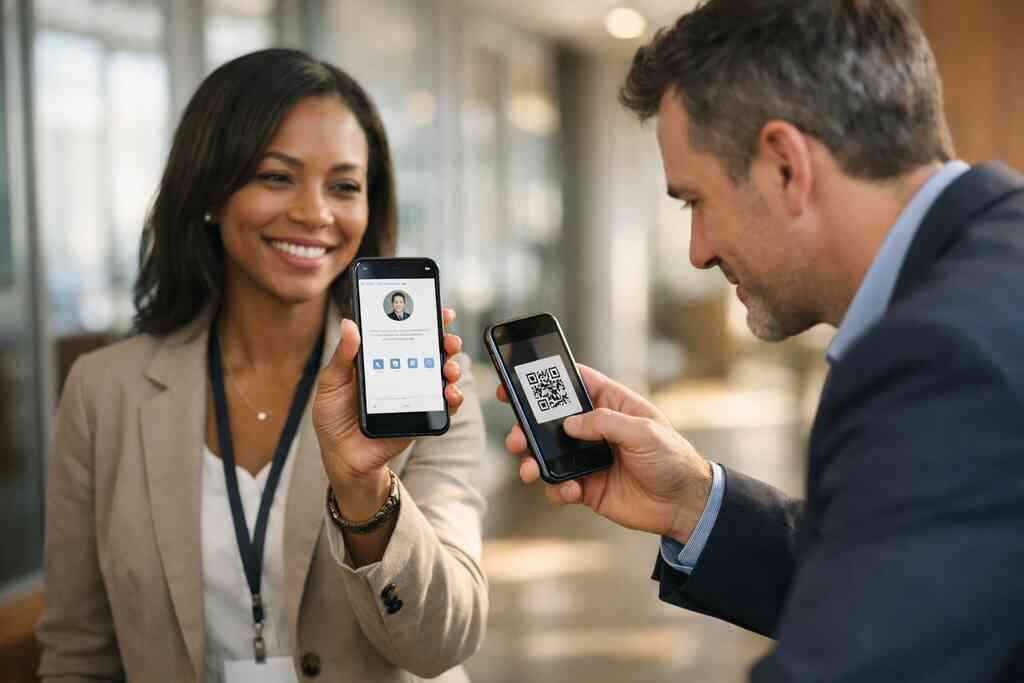
1) The digital business card that stops a warm lead from going cold
You know the moment. The conversation goes well, the prospect smiles, and then your paper card disappears into a pocket, a tote, or a pile on a desk. That tiny delay matters more than most sales teams admit. If you are reading this after losing a promising contact, the frustration is real. You did the hard part already. The follow-up should not be the part that breaks.
Why paper cards get lost after conferences, site visits, and quick hallway handoffs
Paper cards fail at the exact moments sales teams need them most. Conferences move fast. Site visits run long. Hallway introductions happen between calls, coffee, and badge scans. A card can get bent, smeared, or forgotten before the prospect even opens their inbox. That is why the digital card vs paper debate is not theoretical for sales professionals. It is practical.
A recent Adobe survey reported that many professionals have lost a paper card before following up, which matches what we hear often. On Long Island, that happens after Hauppauge mixers, Commack coworking meetings, and rushed Midtown transfers from commuters. The paper card is not the issue. The timing is. A digital business card gives you a cleaner handoff and keeps the contact in a place people can actually return to later.
What sales teams actually need from a digital business card and what they can ignore
Most sales teams do not need a crowded profile. They need speed, clarity, and easy recall. A strong digital business card should show the right business card details without making the prospect hunt. Think name, title, company, phone, email, and a clear next action. Everything else is optional.
Here is what matters most:
- Contactless sharing that works in a few seconds
- A clean digital business card design
- Easy share contact info behavior
- Fast access from mobile devices
- Simple update control for active reps
What you can usually ignore is clutter. Extra banners, too many links, and oversized copy create friction. The best online business card feels like a polished introduction, not a brochure. If you need a starting point, a good How It Works page should make the setup process easy to understand before you commit.
How share contact info instantly changes follow-up speed without adding friction
Here is the part most teams miss. Faster sharing is not only about convenience. It changes the quality of the follow-up. When someone receives a virtual business card or electronic business card instantly, the contact is more likely to stay visible. That means fewer missed callbacks and fewer “Who was that again?” moments.
One rep we heard about from a Garden City networking circle used to keep a stack of cards in his blazer. After a rainy client day, the stack was unusable. He switched to a smart business card with QR sharing, and his follow-up routine got simpler. No drama. No paper damage. Just a smoother electronic business card exchange that kept the lead warm.
2) The smart business card built for mobile-first sales reps
Mobile-first selling is not a buzzword. It is the reality for field reps, account managers, and anyone who spends half the day between parking lots, lobbies, and client kitchens. A virtual business card fits that rhythm because it travels with you. It does not sit in the car. It does not get soaked in a coat pocket. It stays ready when the conversation opens up.
When a virtual business card beats a paper stack for field sales and client meetings
A virtual card wins when your day has no clean break. That describes most sales days. If you are driving across Suffolk County, hopping into NYC for a meeting, or meeting a property buyer near Garden City, you need something fast. You need a card that opens on a phone and shares contact data without delay. A paperless networking approach keeps you focused on the conversation.
This is where a digital business card app or web-based profile becomes useful. It lets you update details once and reuse them everywhere. That matters when your title, territory, or direct line changes. It also matters if you work with real estate agents, freelancers, corporate teams, or a growing small business. A mobile-ready contact tool should reduce work, not create another task.
What to look for in a digital card maker when reps are always on the move
A good digital card maker should make setup simple and sharing faster. That sounds obvious, but many tools bury the basics. You want a platform that makes it easy to create digital business card profiles, update details, and keep the experience clean. You also want enough control for custom branding without slowing reps down.
Look for these essentials:
- Easy profile editing
- Clear digital business card features
- Fast mobile sharing
- A simple business card template
- Flexible digital business card templates
- A clear virtual card design workflow
If a tool also supports custom branding tips for digital business cards, that can help keep the whole team aligned. In our experience, teams do not fail because they lack options. They fail because the tool takes too long to use in the field.
How digital card details should stay simple enough for fast sharing and recall
A card only works if people can remember it. That means the layout should breathe. It should not look like a crowded sales flyer. Keep the design direct, the name visible, and the call to action obvious. That is especially true for mobile-first networking, where attention is measured in seconds.
Think of it this way: your card is not the pitch. It is the handoff. A prospect should be able to scan, tap, or save and move on. Then your content can do the heavy lifting later. If you want a practical reference, a How to Create a Digital Business Card That Converts Leads guide can help you think through the basics without overcomplicating the process.
3) NFC business cards versus QR code business cards when speed matters
This is the comparison most sales teams ask about first. NFC business cards and QR code business cards both solve the same problem, but they solve it differently. One is built for tap-to-share. The other is built for scan-to-share. The better choice depends on the room, the device, and the moment.
Why tap-to-share and scan-to-share solve different problems in the same sales day
NFC uses short-range data exchange and depends on compatible devices and placement. QR codes work with camera scans and are easier to read from printed surfaces. Both can be useful. Both can be fast. The right one depends on who you are meeting and how they like to receive information.
Apple’s Core NFC framework supports tap interactions on compatible devices, which makes the experience feel immediate when it works well. QR codes follow the ISO/IEC 18004 standard, which is why they are so widely recognized. If you want a simple technical comparison, the NFC vs QR Code Digital Business Cards: Which Wins in 2026 discussion is worth a look. It helps you choose based on actual usage, not hype.
Where NFC business cards fit best for premium handoffs and in-person demos
NFC makes sense when the handoff itself matters. Think executive meetings, premium client demos, and polished introductions where presentation matters. A tap feels clean. It feels immediate. It gives your smart business card a tactile edge that some reps prefer.
Still, NFC is not magic. It works best when the prospect has a compatible phone and knows where to tap. The standard behind it, ISO 14443, supports the data exchange layer many tap cards rely on. For teams that want a premium feel, NFC business cards can be excellent. For teams that move between mixed devices and mixed ages, NFC should be part of a broader sharing plan, not the only option.
Where QR code business cards win for wide sharing, printed materials, and backup access
QR codes win on flexibility. They can live on brochures, name badges, booth signs, proposal packets, and even slide decks. They are also easier to access when a phone does not support tap-sharing well. That makes them ideal for conferences and public events where you need a reliable backup.
A QR-enabled card can also support Apple Wallet business card or Google Pay card style access paths if your platform offers those options. That is helpful in busy rooms where speed matters. For broad distribution, QR code remains one of the most dependable tools in the sales stack. If your team does local event work, a Use Digital Business Cards To Capture Leads At Events workflow can make the whole process cleaner.
4) The best digital business card platform for branded team selling
Branded selling only works when the experience feels consistent. One rep should not look like a different company from the next rep. That is why the best digital business card platforms support team-wide standards without stripping away personal touch. The goal is unity, not sameness.
How custom branding turns one rep’s card into a consistent team asset
A strong card should reflect the company at a glance. Logo, colors, fonts, and layout should all feel intentional. That is where custom branding for business cards becomes more than a design choice. It becomes a trust signal. Prospects notice when the digital card feels aligned with the rest of your materials.
On corporate sales teams, this consistency matters even more. A manager in Long Island may want every rep to share the same structure while allowing title and contact differences. That keeps the brand sharp across networking events, demos, and referrals. If you are planning for multiple reps, a Seven Digital Business Cards Features For Corporate Teams approach helps the whole group present a unified front.
Why digital business card templates matter for corporate teams and small business growth
Templates save time, but they also reduce decision fatigue. A good business card template gives your team a starting point that looks professional from day one. That matters for a small business trying to grow fast and for larger teams trying to stay consistent across roles. Templates also support faster onboarding. New reps can get moving without waiting on a custom design cycle. They can still personalize the card within guardrails. That is the sweet spot for digital business card templates. If you want a direct example of what a cleaner team setup looks like, custom branding tips for digital business cards can be a useful reference before rollout. ### What a strong digital business card design should do before a prospect ever clicks 
Design matters before the click. It should make people feel confident enough to engage. That means the layout must be readable, the action clear, and the brand credible. A good card does not ask for attention. It earns it.
In the field, we have seen the smallest details carry the most weight. A cleaner title line. Better contrast. A shorter call to action. Those things change behavior. If your team sells in person often, start with the Top 7 Digital Business Cards for Sales Teams in 2026 perspective and work backward from the selling environment, not the design trend.
5) What sales managers should expect from lead capture and CRM integration
A nice card is not enough for sales leadership. Managers need movement, not just appearance. That means lead capture, CRM sync, and some level of tracking. If a contact disappears after the handoff, the card has failed. If the lead flows into the system, the card starts earning its keep.
How lead capture for sales teams can keep contact details from slipping away
Lead capture is the bridge between introduction and action. A prospect scans, taps, or submits details, and the system stores the contact in one place. That helps keep follow-up organized, especially when reps are juggling many conversations at once. It also reduces the risk of manual entry errors.
This is especially useful in Suffolk County networking settings, where people often meet several prospects in one hour. A missed name or wrong email can cost a deal later. If your team needs a clearer path, How Digital Business Cards Improve Long Island Lead Capture is a natural next read. Lead capture should feel light for the prospect and solid for the rep.
Why CRM integration for sales reps matters more than a flashy card layout
CRM integration matters because follow-up only works when data flows. A beautiful card that leaves contacts stranded creates more work later. By contrast, a card that syncs with your pipeline helps reps move faster. That is why How Digital Business Cards Sync With Long Island CRM Tools is a phrase worth taking seriously.
Think about the typical sales day. You collect names at lunch, demo notes in the afternoon, and referral contacts at night. Without integration, all of that stays scattered. With it, the process stays orderly. That is where follow-up automation starts to matter, because the best timing is usually the fastest timing.
Which digital card analytics help teams understand what gets shared and opened
Analytics should help you learn, not overwhelm you. The most useful metrics are simple: views, clicks, shares, and conversion patterns. Those numbers show what gets attention and what gets ignored. They help managers coach better and adjust layouts when needed.
A good analytics view can also highlight which reps share most often and which formats perform best in different settings. That is particularly useful for teams balancing events, referrals, and one-to-one meetings. If your leadership team wants a deeper read, Digital Business Cards Analytics To Track Lead Quality can clarify what matters. The point is not to watch every movement. It is to spot the patterns that lead to better conversations.
6) Free digital business card or premium digital card plans for a growing team
Budget questions come up fast. That is normal. A free digital business card can be a fine starting point, but a growing team should think beyond the first setup. The real question is not “free or paid?” It is “what will slow us down later?”
When a free digital business card is enough and when it starts creating limits
A free plan can work for solo use or early testing. If you just need a simple virtual business card with basic sharing, it may be enough. But once you add multiple reps, branding needs, or reporting expectations, limits can show up quickly.
Those limits usually appear in places that matter most to sales: fewer customization options, less control over team consistency, and limited visibility into activity. That can become frustrating for both managers and reps. Before you decide, review the Pricing & Plans page carefully and compare your real workflow, not just the headline number.
What sales leaders should weigh before paying for premium digital card plans
Premium plans should earn their cost through efficiency. Ask what they save. Ask what they standardize. Ask how they improve reporting, sharing, or team coordination. If the answer is clearer follow-up and less admin work, the value may be obvious.
You should also ask whether the platform supports team-wide card sharing and consistent brand control. That matters for firms that grow fast or hire often. In our experience, premium plans make the most sense when several reps need the same system every day. That is especially true for sales prospecting tools that support active outreach. If your team is still testing workflows, premium may wait. If not, it may already be overdue.
How digital card pricing should be judged against time saved, consistency, and follow-up quality
Pricing should never be judged in isolation. A cheaper tool that creates confusion is not actually cheaper. A stronger system that saves rep time, reduces mistakes, and improves consistency may cost more up front but less overall.
Here is a simple way to compare:
FactorFree PlanPremium PlanSetup speedOften quickOften quickTeam brandingUsually limitedUsually strongerReportingBasicMore useful for managersScalabilityCan stallBetter for growthFollow-up qualityDepends on manual workUsually more structuredIf you need a broader cost comparison, Compare Digital Business Cards And Paper Networking Costs can help frame the decision honestly. For a sales team, time is part of cost. So is missed follow-up.
7) Why the strongest digital card vs paper decision is really about trust and timing
The real debate is not technology. It is confidence. People want to feel that you are organized, reachable, and worth remembering. A well-made digital card can support that feeling without seeming cold. That is the balance modern sales teams need.
How sustainable business cards support paperless networking without feeling impersonal
Sustainable business cards matter because they remove waste and reduce clutter. But sustainability alone does not close deals. The card still has to feel human. That is why good design and clear contact paths matter so much in paperless networking.
On the projects and rollouts we have seen, the most effective cards feel simple and respectful of the buyer’s time. They do not demand attention. They make follow-up easy. If your team wants a practical, low-friction path, a digital business card can support the relationship without adding noise. That balance is often what makes people remember you.
Why electronic business card exchange works well for real estate agents, freelancers, and corporate teams
The strongest use cases are often the ones with constant movement. Real estate agents switch from open houses to text threads. Freelancers meet new clients in short bursts. Corporate teams need a consistent handoff across multiple sellers. An electronic business card exchange fits all three.
Local context matters too. In Long Island, New York, networking still happens in person, but it often ends online. NYC commuters follow up between stops. Suffolk County professionals meet at breakfast events and answer later from their phones. That is why Professional Digital Business Cards for LinkedIn Growth can pair well with a card strategy. The contact path should match how people actually work.
How sales teams in Long Island, New York, Suffolk County, and NYC can choose a setup that fits local networking habits and keeps momentum going
If you sell here, you already know the rhythm. Some meetings happen in boardrooms. Some happen in parking lots. Some happen at a Long Island business networking group breakfast before the day gets busy. Your card system should fit that reality. It should be easy to share, easy to remember, and easy to store.
For many teams, the right move is a mixed setup: NFC for polished face-to-face meetings, QR for broad access, and a branded digital profile behind both. That combination gives you flexibility without confusion. If you want to compare options before choosing, start with the How It Works overview and then test what feels natural in the field. Pick one setup this week, share it with three prospects, and watch which version gets a faster reply. You do not have to figure out the whole system today, and you do not have to do it alone.
Frequently Asked Questions
Question: What makes digital business cards better than paper cards for sales teams in Long Island, New York, NYC, and Suffolk County?
Answer: For sales professionals, the biggest advantage of digital business cards is speed and reliability. Paper cards can get lost, damaged, or forgotten before follow-up happens, while a digital business card keeps your contact details easy to access and share. With contactless sharing, a prospect can scan a QR code, tap an NFC card if supported, or save an online business card link in seconds. That makes it easier to share contact info instantly after a conference, client meeting, or networking event. For teams in Long Island, New York, Suffolk County, and NYC, that matters because in-person conversations often move quickly, and follow-up automation only works well when the contact details stay organized. Digital Business Cards is built around helping people create digital business cards that are simple, professional, and easy to use in real-world networking.
Question: In the blog Top 7 Digital Business Cards for Sales Teams in 2026, what should sales teams look for in a digital business card design?
Answer: Sales teams should look for a clean digital business card design that makes it easy for a prospect to remember who you are and how to reach you. The best virtual business card is not crowded with too much information. Instead, it should focus on the business card details that matter most, such as name, title, company, phone number, email, and a clear next step. A strong business card template or digital business card templates setup should also support custom branding for business cards so the whole team looks consistent. For sales teams, especially in corporate teams and small business networking, the goal is not just appearance. It is creating a professional networking tool that supports lead capture for sales teams and helps prospects find the right channel to respond later. If you are comparing the best digital business card platforms, look for one that keeps the design easy to edit and aligned with your brand.
Question: Should sales reps choose NFC business cards or QR code business cards for mobile-first networking?
Answer: The right choice depends on how and where your team networks. NFC business cards are a strong option when you want a premium handoff and a fast tap experience, especially in meetings where presentation matters. QR code business cards are often better for broad sharing because they work on printed materials, name badges, slides, and event signage. For many sales teams, the best answer is not either-or. A smart business card strategy may use both NFC and QR so reps can share contact info in different settings. That is especially useful for real estate agents, freelancers, and corporate teams who move between client meetings, events, and referrals. If you are exploring how to make a digital business card, choosing a platform that supports multiple sharing methods can make your contact management for sales professionals much easier.
Question: How do digital business cards help with lead capture, CRM integration, and follow-up automation for sales reps?
Answer: Digital business cards can be a powerful part of sales prospecting tools because they help move a contact from first conversation to follow-up without extra friction. When someone scans or saves your card, the information can be captured in one place instead of sitting in a pocket or a notebook. That improves lead capture for sales teams and reduces the risk of manual errors. If a platform also supports CRM integration for sales reps, the contact can be routed into the right workflow faster, which supports follow-up automation and keeps conversations from going cold. This is especially helpful for teams that need consistent reporting and digital card analytics. While features can vary by platform, Digital Business Cards focuses on helping users create a practical digital business card experience that makes sharing and storing contact details easier for real-world professional networking.
Question: Are free digital business card options enough, or should growing sales teams consider premium digital card plans?
Answer: A free digital business card can be a good starting point for an individual or a team that is simply testing the workflow. But growing sales teams often need more consistency, more control over branding, and better visibility into how cards are being used. That is where premium digital card plans may become more useful, especially for teams that want stronger team-wide card sharing, more polished digital business card templates, or better reporting for managers. The key is to compare digital card pricing against the time saved and the follow-up quality gained. A low-cost option is not always the best value if it slows down your sales process or limits custom branding for business cards. When evaluating premium digital card plans, it helps to focus on business outcomes such as speed, consistency, and easier lead capture rather than on price alone.
Question: How can digital business cards support sustainable business cards and professional networking for sales teams that work locally?
Answer: Digital business cards are a practical alternative to paper and a natural fit for sustainable business cards strategies. They reduce the need to print and reprint paper cards every time a title, phone number, or email changes. They also make paperless networking more flexible because a rep can share an online business card, an electronic business card exchange link, or a QR code business card from a phone in seconds. For local sales teams in Long Island, New York, Suffolk County, and NYC, this can be especially useful because networking often happens in a mix of formal meetings, casual introductions, and fast-paced events. A digital business card for LinkedIn can also support ongoing relationship building after the meeting ends. Digital Business Cards is based in Long Island, so the focus stays practical and local, helping professionals share contact details in a way that feels modern, organized, and easy to use.