
-
Why a missed paper card can cost a Long Island deal
You know the feeling. The handshake goes well, the conversation is warm, and then the paper card disappears into a coat pocket. By Monday, that pocket holds receipts, a parking stub, and a card you cannot read. For Long Island sales teams, that small miss can slow a deal before it starts. If this pattern has ever frustrated you, you are not alone.
The inbox gap that opens when a handshake never turns into a follow-up
The real problem is not the card itself. The problem is the gap between meeting someone and getting into their inbox. A paper card depends on memory, manual typing, and a free moment later. A digital business card overview closes that gap by making contact sharing immediate. That matters in Suffolk County, where sales conversations often move from one site visit to the next without much pause.
A missed follow-up feels tiny in the moment. Then it becomes the lost quote, the delayed reply, or the prospect who forgets your name. We hear this from sales professionals who leave a trade show with a stack of cards and no clear next step. A digital business card reduces that friction because prospects can save your details instantly. It also supports paperless networking, which is easier to manage when your week is already packed.
Why Suffolk County sales reps lose momentum at trade shows and office visits
Trade shows create speed, not space. Office visits do the same. You may meet five people in ten minutes, then head to another appointment across Long Island, New York. In that rush, paper cards blur together. One client in a Hauppauge business mixer told us he had three nearly identical cards in his bag before lunch. He remembered the conversations, but not which card matched which person.
That is where an online business card helps more than a stack of paper. It gives you one clean place to share contact info and one simple way for prospects to save it. For sales professionals, especially real estate agents, freelancers, and corporate teams, that matters because the handoff stays consistent. It also looks more professional than a wrinkled card pulled from a crowded holder. The difference is subtle, but prospects notice it.
How paper card clutter hurts memory when you are juggling ten new contacts
Paper cards create clutter fast. They pile up in pockets, desk trays, and laptop sleeves. Then you spend time decoding names, titles, and scribbled notes after the fact. A virtual business card avoids that mess because the contact record can live in one place. That is the practical side of sustainable business cards, too.
Here is the part most people miss. Memory fades faster when every card looks the same. A digital format helps you attach a face, a note, and a next action to the same contact. If you want a digital business card example that feels simple and useful, think utility first. Keep the design clean, then let the follow-up happen through the right channel.
-
The QR code setup that makes your digital business card scan cleanly every time
A QR code is only useful when it scans fast. That sounds obvious, but plenty of QR code business cards fail because the code is too small, too busy, or buried inside a crowded layout. On Long Island, that becomes a real issue in lobbies, parking lots, and conference halls with uneven light. The best setup keeps the scan easy on any phone.
What a readable QR code business card needs to stay fast on mobile screens
A readable QR code business card should prioritize simplicity. The code needs enough white space around it, clear contrast, and a size that works on a mobile screen without pinching or zooming. According to the ISO/IEC 18004 standard, QR codes work best when the pattern stays clean and scannable. That matters more than decorative styling. If the code is hard to scan, the card fails.
A good digital card maker should make this process easy. If you are trying to create digital business card assets for a team, the scan path matters as much as the layout. The goal is not a flashy graphic. The goal is contact sharing that works on the first try. If you want to see a setup flow, the How It Works page is the right place to start.
Why contrast, size, and placement matter more than flashy digital business card design
Pretty design can be a trap. A dark logo over a dark background looks sharp, but it can make the QR code harder to read. The best digital business card design puts function ahead of decoration. That is especially true for field sales, where you may be showing the card while walking, standing, or holding a coffee. Keep the code away from folds, edges, and busy artwork.
A simple comparison helps:
Design choiceBetter approachWhy it worksQR code sizeLarge enough to scan quicklyFaster contact exchangeBackgroundHigh contrastBetter mobile readabilityPlacementOpen, centered areaLess chance of croppingSurrounding artMinimalFewer scan errorsIf you are comparing layouts, a strong QR code business card overview can help you think through the tradeoffs. That is also where digital business card templates matter. A good template protects the scan area before style gets in the way.
How to make sure the scan works in bright lobby light, parking lots, and conference halls
Real life is not a studio. Bright windows wash out screens. Parking lots create glare. Conference halls add motion and bad angles. That is why testing matters. We recommend checking the card on at least two phone types and in two lighting conditions. One of our clients in Commack tested a QR card in a sunlit lot and found the code needed a larger border before it became reliable.
If your team uses digital business cards for networking, this step saves embarrassment later. It also supports mobile-friendly networking when people are moving quickly between meetings. The easiest test is practical: scan the card while walking, while seated, and while standing near a window. That is where digital card vs. paper becomes obvious. Paper can be handed over, but a clean QR code can move the contact straight into action.
-
Which contact details Long Island sales teams should show first and what to leave out
A strong card is not a catalog. It is a decision aid. Your prospect should know what to do next without hunting through ten details they do not need. That is especially true for Long Island sales teams, where time is tight and attention is split. The right order makes the card feel helpful, not crowded.
The business card details that help prospects respond without friction
Start with the details that make a reply easy. For most sales roles, that means name, title, phone, email, and one direct action. A digital business card can also include a website, a LinkedIn profile, or a calendar link if that fits your process. The trick is to avoid forcing every channel into the first screen. Clarity helps the prospect move.
Here is a practical priority list:
- Name and title
- Direct phone number
- Business email
- Company or website
- LinkedIn or preferred contact channel
That order works because it reduces hesitation. A prospect should not wonder where to start. If your team needs help shaping the flow, a how to make a digital business card for lead follow-up guide can be useful. It also fits lead capture better than a generic business card template.
When a virtual business card should lead with phone, email, LinkedIn, or website
Not every role should lead the same way. A virtual business card for a field rep may lead with phone first. A consultant may prefer email. A recruiter may want LinkedIn up front. A digital business card for LinkedIn can make sense when the relationship starts with profile review and content trust. The point is to match the card to the way people actually contact you.
For corporate teams, the best choice often depends on the follow-up system behind the card. If your team wants quick callbacks, lead with phone. If your team prefers written records, lead with email. If your sales motion is relationship-driven, LinkedIn may be the smartest front door. The card should support the process, not fight it. That is the kind of detail buyers notice, even if they never say it out loud.
How sales professionals can keep the card focused without overloading it with noise
Too much detail creates doubt. Extra titles, extra numbers, and extra icons make the card feel noisy. Here is what almost no online guide mentions: people trust simplicity faster than completeness. A clean electronic business card looks more intentional than a cluttered one. That is true for small business owners and larger organizations alike.
If you are building digital business card templates for a team, set a standard and stick to it. Use the same core fields across reps, then allow only a few approved variations. That keeps your business card details consistent and easier to scan. It also makes the digital card maker workflow smoother when you need updates later. In practice, less noise means more responses.
-
Why custom branding makes a digital card feel like part of your sales process
Branding is not decoration. It is recognition. When a card looks like your company, the prospect feels continuity from the meeting to the follow-up. That matters on Long Island, where many sales relationships begin in person and continue by email, phone, or LinkedIn. A branded card makes that transition feel natural.
How a smart business card can match your company voice without looking generic
A smart business card should reflect your brand without becoming a billboard. Use your colors, logo, and tone, but keep the layout light enough for fast reading. Strong custom branding tells prospects they are dealing with a real, organized team. It also helps the card feel aligned with your broader sales process. If your website feels polished but your card feels random, the mismatch weakens trust.
A digital business card design should also support the type of seller using it. A rep who works in commercial accounts may need a more formal look. A freelancer may want something cleaner and more flexible. If you need ideas, a digital business card design for corporate sales teams page can help frame the decision. Good branding is quiet. It does not shout.
Where digital business card templates help teams stay consistent across reps
Templates solve the consistency problem. When every rep creates a card from scratch, the team gets a hundred small differences. That may not sound serious, but it weakens brand memory. Digital business card templates keep the structure stable while allowing controlled personalization. That is useful for corporate teams, sales professionals, and growing small business groups. A business card template also speeds onboarding. New reps can start with the approved layout instead of guessing. If you have ever cleaned up ten slightly different cards after a rollout, you know why this matters. Teams in Long Island, New York often balance local relationship selling with broader territory work, so consistency helps across both. A template is not a limitation. It is a guardrail. ### Why a strong business card template matters more than a crowded business card example 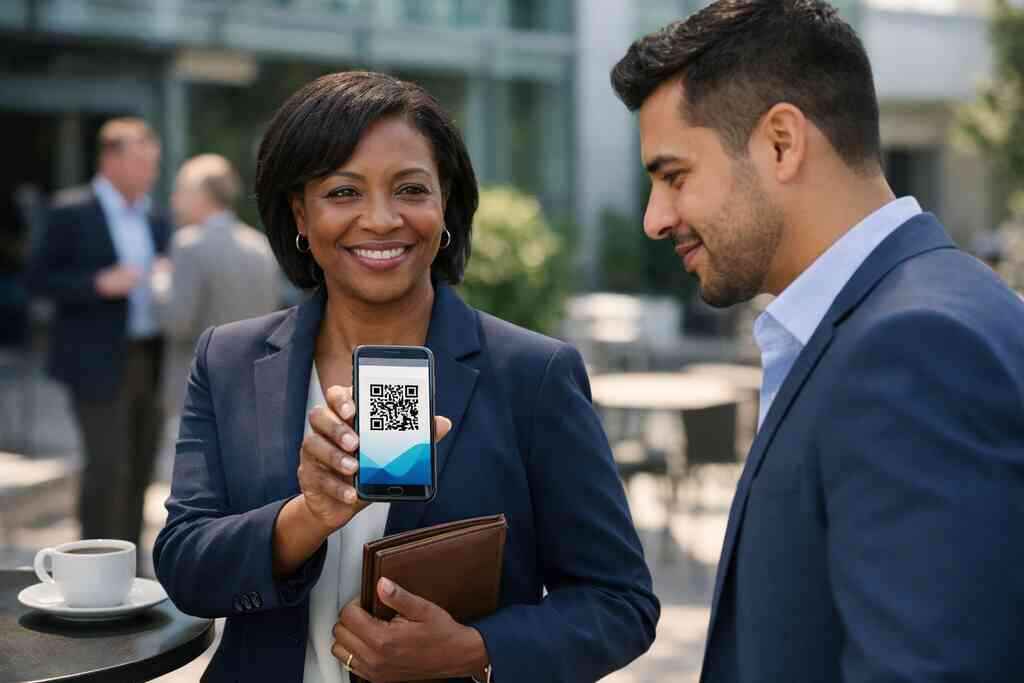
A crowded business card example can look impressive in a mockup and still perform badly in the field. Too many icons, too many lines, and too many sections make the card harder to use. Strong design starts with restraint. That is true whether you are building an electronic business card exchange flow or a simple virtual card design for one rep. The card should guide action, not compete for attention.
If your team is comparing options, focus on what the template helps the user do. Can they scan it fast? Can they save it quickly? Can they find the right follow-up channel without digging? Those questions matter more than visual novelty. When the design serves the sales process, the card becomes part of the workflow instead of an extra task.
-
When contactless sharing beats handing over a paper card
Some moments still call for a quick handoff. Many do not. Contactless sharing can feel smoother, faster, and cleaner in client meetings, networking events, and field sales. For Long Island teams, that matters because you often move between office buildings, road meetings, and regional events in the same day. A paper card cannot keep up with that pace.
Why QR code business cards work well in client meetings, mixers, and field sales
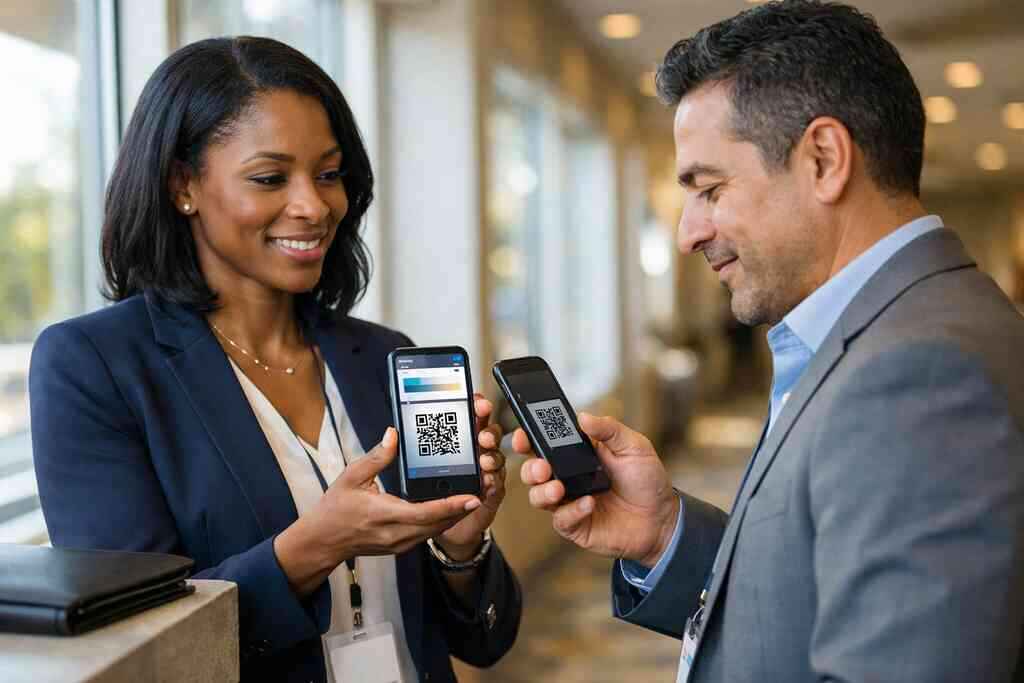
A QR code business card works best when the interaction is brief. You can show the code, the prospect scans it, and contact details move instantly. That is useful in noisy rooms, at mixers, and during field appointments where time is limited. It also supports contactless sharing, which many buyers now expect because it feels efficient. If you are building a team system, the QR code business cards for Long Island sales teams page is a useful reference.
A digital share also reduces the chance of smudged ink or lost paper. That sounds small, but small friction kills follow-up. In the projects we’ve finished this year, the teams that used contactless sharing moved from intro to reply faster. The workflow was simpler. The prospect remembered the contact sooner. That combination matters.
How digital business cards for networking fit Long Island, New York and NYC professional networking
Networking in this region often stretches beyond county lines. A rep in Suffolk County may meet a buyer in Manhattan the next day. That is why digital business cards for networking in Long Island and digital business cards for networking in New York City both fit the same strategy. The share stays consistent wherever the meeting happens. That helps people who split time between local events and NYC commutes.
A great use case is a Garden City real estate agent who shares a card after a walk-and-talk showing. The buyer scans it on the spot, then saves the contact before leaving the block. That is easier than hoping a paper card survives a full day in a handbag or jacket pocket. If you want a broader perspective on local use cases, business networking on Long Island can help frame the difference. The key is simple: make the handoff immediate.
What makes electronic business card exchange easier at events in Hauppauge and Commack
At events in Hauppauge and Commack, speed matters. People are standing, talking, and moving. An electronic business card exchange removes the awkward search for a pen or the scramble for a clean paper card. It also feels more professional when everyone is already using phones for schedules and notes. That is especially true in co-working spaces and mixed-industry meetups.
The best exchange flow is almost invisible. Show the card, let the other person scan, and follow with a short verbal note. Do not over-explain the tech. Keep the exchange human. If the event is crowded, a short digital card maker setup can help your team keep the process uniform across reps. That consistency is what makes the method stick.
-
The features that matter most when your team wants leads, not loose contacts
A contact is not a lead until you can use it. That is the distinction teams miss most often. A digital card should do more than share a number. It should help you capture intent, organize follow-up, and understand which interactions actually matter. If you cannot measure the exchange, you are still guessing.
Why lead capture and follow-up automation change the value of a digital card
Lead capture turns a card share into a trackable event. Follow-up automation makes sure the next message does not depend on someone remembering to send it. Together, those tools turn a simple card into part of a sales process. That is why many teams look for a follow-up automation with digital business cards workflow. The card becomes more useful after the meeting, not just during it.
This is also where digital card analytics matter. If you can see who viewed or saved the card, you can prioritize your outreach more intelligently. If you cannot see any activity, you may need to adjust the message or the template. The point is not surveillance. The point is smarter timing. That is how digital business card features should support a sales team.
Where CRM integration and digital card analytics can help managers see real activity
Managers need signal, not noise. CRM integration helps move contact data into the system your team already uses. That reduces manual entry and lost context. It also makes coaching easier, because you can see which interactions turn into real opportunities. If your team wants a deeper look, CRM integration for digital business cards is worth reviewing.
Analytics should be simple enough to act on. Views, saves, shares, and follow-up clicks tell a useful story. More data is not always better. Better data is better. That is the practical edge for corporate teams and small business groups that need accountability without complexity. It also helps when you compare a digital business card app against a paper-only process.
How NFC business cards and QR code business cards solve different sales situations
NFC business cards and QR code business cards are not the same tool. NFC is great when tapping feels natural and the other person has a compatible phone setup. QR works well when scanning is faster or more universal. Apple’s Core NFC framework supports tap-to-share reliability on compatible devices, and ISO 14443 underpins NFC data exchange. That makes NFC useful, but QR remains the more flexible option for many field situations.
OptionBest usePractical noteNFC business cardsTap-friendly meetingsFast when supportedQR code business cardsBroad compatibilityEasy for most phonesBoth togetherMixed audiencesCovers more scenariosFor teams comparing both, the QR and NFC cards comparison is a smart place to study the tradeoffs. Just remember GDPR-style caution applies anywhere you store shared contact details. Keep consent, retention, and access rules clear. That protects your team and your contacts.
-
What the best next move is for a sales team ready to replace paper cards for good
At some point, the question stops being whether digital cards work. The question becomes which setup fits your team without creating extra work. That is the right moment to compare options carefully. Long Island teams do best when they choose a platform that feels simple for reps and useful for managers. The best move is practical, not flashy.
How to compare free digital business card options with premium digital card plans
A free digital business card can be a good test drive. It lets you evaluate workflow, design, and sharing behavior before you commit. A premium digital card plan may make sense if your team needs branding control, analytics, or broader administration. The goal is to match the tool to the job, not to chase the biggest feature list.
Before you decide, compare the user experience. Is it easy to create a digital business card? Can you update it quickly? Does it support the way your team already sells? If you need a starting point, review digital business card pricing and plans alongside the setup process. The cleanest choice is usually the one that gets used.
Why Long Island teams should review digital card pricing before they roll out a full system
Digital card pricing should be reviewed before rollout, not after. That keeps expectations clear for managers and reps. It also helps you avoid surprise limits that slow adoption. We have seen teams rush into a rollout, only to discover the design or sharing flow needs more planning. That creates friction nobody wants.
For Long Island organizations, this matters because local teams often mix field sales, office visits, and regional networking. A platform must support all three. If you are comparing best digital business card platforms, ask how the pricing aligns with team size, branding needs, and follow-up goals. You do not need every possible feature. You need the right ones.
What to check on the pricing page, how-it-works page, and templates page before you choose a platform
Before you choose, check three things. First, confirm the pricing page explains the plan structure clearly. Second, review the How It Works page so you understand the sharing flow. Third, examine the templates page to see whether the design options match your brand. Those three pages tell you a lot about the platform’s actual usability. They also help you judge whether the service is a fit for digital business cards for networking or a more focused sales rollout.
If you want to keep the process simple, start with one rep, one template, and one follow-up path. Then test it in real meetings. That is the smartest way to move from paper to digital without confusion. You do not have to figure everything out at once. Start with one conversation, one card, and one clean scan.
Frequently Asked Questions
Question: What makes QR code business cards a better choice than paper cards for Long Island sales teams?
Answer: QR code business cards make it much easier to share contact info quickly, especially when sales professionals are moving between office visits, trade shows, and networking events across Long Island, New York, and Suffolk County. Instead of hoping someone keeps a paper card, a digital business card or online business card gives prospects a simple scan-and-save experience that supports contactless sharing and paperless networking. That can be especially helpful for real estate agents, freelancers, corporate teams, and small business owners who want a cleaner follow-up process. A well-designed digital business card also reduces clutter, supports mobile-friendly networking, and makes it easier to keep your contact details in one place. If your goal is to create digital business card materials that are easy to use in real-world sales situations, QR code business cards are often the more practical option.
Question: How should a digital business card be designed so it scans cleanly on mobile devices?
Answer: A strong digital business card design should keep the QR code clear, readable, and free from unnecessary clutter. The best business card design choices usually include high contrast, enough white space around the code, and a layout that makes scanning easy on different phones. That matters because sales teams often use their cards in bright lobbies, parking lots, conference halls, and other places where lighting can affect scan performance. A smart business card should prioritize usability over decoration, and a good digital card maker should help you build a clean business card template without crowding the design. If you are comparing digital business card templates, look for one that protects the scan area first and supports your branding second. That balance helps your digital card vs. paper decision feel more strategic and less cosmetic.
Question: What details should Long Island sales teams include on their virtual business card, and what should they leave out?
Answer: The best virtual business card keeps business card details focused on what helps the prospect respond fast. For most sales professionals, that means name, title, direct phone number, business email, company name or website, and one preferred next step such as LinkedIn or a calendar link. A digital business card for LinkedIn can be useful if your sales process is relationship-driven, while a phone-first layout may work better for field sales or account reps who want quicker callbacks. The key is to avoid overloading the card with too many icons, lines, or channels. A clean electronic business card feels more intentional than a crowded business card example, and it helps prospects know what to do next. If you are building digital business card templates for a team, consistency matters more than trying to fit every possible detail onto the screen.
Question: How does the blog Top 7 QR Code Business Card Tips for Long Island Sales Teams help local teams improve networking?
Answer: The blog Top 7 QR Code Business Card Tips for Long Island Sales Teams focuses on practical ways to make digital business cards more useful in real sales situations. It explains why paper cards can slow down follow-up, how QR code business cards should be set up for easy scanning, and why custom branding and clear business card templates matter for trust. It also covers contactless sharing, lead capture, follow-up automation, and CRM integration so the card does more than just display contact details. For Long Island teams, that is important because professional networking often happens across Suffolk County, NYC, and neighboring business communities where speed and consistency matter. The article is designed to help sales professionals, corporate teams, real estate agents, freelancers, and small business owners use a digital business card app or digital card maker in a way that supports real workflow, not just appearance.
Question: What features should a team review before choosing a free digital business card or premium digital card plans?
Answer: Before choosing a free digital business card or premium digital card plans, teams should review the platform’s digital business card features, pricing structure, How It Works flow, and template options. It is important to confirm whether the platform supports the kind of sharing your team needs, whether that is contactless sharing, an electronic business card exchange, or a more branded virtual card design. Teams should also look at whether the system fits lead capture, follow-up automation, digital card analytics, and CRM integration goals, since those are the features that help a business card become part of the sales process. If your team works in Long Island, New York, or across NYC professional networking spaces, the platform should also feel simple enough for daily use by sales professionals and flexible enough for different roles. When comparing best digital business card platforms, the goal is not to chase every feature, but to choose the one that best supports how your team shares contact info and follows up.
Question: Are NFC business cards better than QR code business cards for contact sharing, and how do they compare with Apple Wallet business card or Google Pay card options?
Answer: NFC business cards and QR code business cards each have advantages, but they serve slightly different situations. NFC can feel very fast in tap-friendly settings, while QR code business cards are often more flexible because almost any smartphone can scan them. For many Long Island sales teams, that broader compatibility makes QR code sharing the easier choice for paperless networking and instant contact exchange. Apple Wallet business card and Google Pay card options may also be useful if a team wants contact details stored in a mobile wallet format, but the best fit depends on how the team actually networks. If your sales motion includes field sales, client meetings, and mixed audiences, a digital business card with both QR and NFC options can offer more flexibility. The right choice comes down to how your contacts prefer to connect and what setup your team can use consistently.