
Why paper cards vanish the second the conversation gets good in New York
Last week, a professional told me he left a strong mixer in Hauppauge with twelve great conversations and one damp stack of paper. By Monday, two cards were bent, one was unreadable, and three were already buried under receipts. That is the frustrating part. The meeting goes well, then the follow-up disappears. If you have felt that sinking feeling, you already understand why this shift matters.
The hidden cost of a forgotten card after a strong first meeting
A paper card looks small, but the hidden cost is large. Every lost card means a missed reminder, a slower follow-up, and one more chance for someone to forget your name. In busy markets like Long Island and NYC, that delay can cost momentum. People move fast, and attention moves faster. A card that disappears also makes your business look harder to reach than it really is.
Here is the part most people miss. The real expense is not the cardstock. It is the gap between a good conversation and a booked meeting. We hear this from clients almost every week. They remember the talk, but not the contact details. A digital business card setup closes that gap before it opens.
Why Long Island professionals are moving to digital business cards for networking
Long Island professionals work in a very mixed networking environment. You might meet one person in a Commack co-working space, another in Midtown, and another at a Suffolk County luncheon. Paper cards do not adapt well to that pace. Digital business cards do. They let you share contact info in seconds, then keep everything in one place for later.
The appeal is not hype. It is practicality. Sales professionals want faster handoffs. Real estate agents want cleaner follow-up. Freelancers want one profile they can share anywhere. Corporate teams want consistency across staff. A digital business card gives all of that without the drawer full of leftovers.
How instant contact exchange changes the rhythm of conferences, client visits, and coffee meetings
Instant contact exchange changes the mood of a room. You stop waiting for a pen. You stop apologizing for forgetting cards. You stop hoping someone will type your name correctly later. That alone makes conversations feel smoother. It also helps you look prepared without looking pushy.
One client in Garden City told us he used to fumble through paper cards after every client visit. He now opens his phone, shares a QR code, and keeps talking. The exchange takes seconds, not minutes. That matters at conferences, coffee meetings, and open houses where every pause changes the flow. A quicker exchange often means a better next conversation.
Where paper still fails in the real world, from smudged ink to lost pockets
Paper has several weak points. Ink smudges. Corners bend. Pocket lint wins. Rain is a problem. So is that moment when a card slips between car seats or gets tossed into a tote with twenty other items. Even a beautiful business card design cannot survive a bad commute forever.
The same issue shows up at trade shows and crowded venues. Cards get handed out quickly, then mixed together. Names blur. Titles blur more. A digital business card avoids those small failures by making the contact share readable, searchable, and easy to revisit. In a city where people stack appointments back to back, that reliability is not a luxury.
What a digital business card actually does when a conversation turns into a lead
A digital business card is not complicated. It is a shareable contact profile that keeps your details in one place and makes them easy to send. That profile can hold your name, title, phone number, email, website, and other business card details you want people to access. Instead of handing over a square of paper, you share a link, scan, or tap. The result is cleaner, faster, and much easier to follow up from.
How an online business card keeps business card details in one place
An online business card works like a live profile, not a static print job. You update the details once, and everyone you share with sees the latest version. That is a big deal when roles, phone numbers, or office locations change. It also reduces the risk of outdated contact info circulating for months. For a busy professional, that is a serious advantage.
Think of it as a controlled version of your professional identity. Your digital card can function as a central record for the details people need most. That includes your contact info, branding, and links you want to share. If you want a simple overview of setup, the How It Works page is a useful place to start. It keeps the learning curve low.
The difference between a virtual business card, an electronic business card, and a smart business card
People use these terms in overlapping ways. A virtual business card usually means a card that lives online and can be shared digitally. An electronic business card often refers to the same idea, but with a stronger emphasis on digital transfer. A smart business card usually adds a more modern, interactive feel, especially when the card supports quick sharing or mobile-friendly access.
The label matters less than the experience. What you want is a profile that loads quickly, looks professional, and helps people save your information without friction. Some platforms also support advanced workflow options such as CRM integration or lead capture, but you should verify those details before choosing. If the setup feels confusing, the tool is probably not helping enough. Simple usually wins here.
Why QR code business cards and NFC business cards solve different sharing moments
QR code business cards and NFC business cards solve different problems. A QR code works well when people are already looking at a screen or app. They scan it and move on. NFC works well when someone can tap a phone to a card or device. Both reduce friction, but in different moments.
That difference matters at events. In a loud room, QR codes are easy because people can scan at arm’s length. In a quiet meeting, NFC can feel even smoother because the exchange is almost instant. The technical standards behind these methods are well established. QR codes follow ISO/IEC 18004, while NFC commonly relies on standards like ISO 14443. Apple’s Core NFC framework also supports tap-based reading on compatible devices.
Sharing methodBest momentStrengthWatch-outQR codeCrowded events, quick scansEasy and familiarNeeds camera accessNFCClose-range conversationsFast tap-to-shareNot every device behaves the sameLink shareEmail, text, follow-upVery flexibleLess immediate in person### How contactless sharing supports professional networking without slowing the room down
Contactless sharing keeps the room moving. That matters more than people realize. In a networking setting, slowing down one conversation can create a line behind it. With a digital card, you exchange details and return to the conversation faster. That helps you stay present instead of becoming the person who is always “just finishing up.”
Here is what we’ve seen in 2026 specifically: the professionals who share contact info quickly tend to keep their momentum longer. They do not lose attention while searching for paper. They do not interrupt the flow with spelling corrections. They simply share, smile, and continue. For a deeper look at setup and delivery, see the digital business card app flow if you prefer a guided process.
The design and setup choices that make people actually tap, scan, and remember you
Good design is not decoration. It is usability. If your digital business card is cluttered, people will ignore it. If it is clean, they will trust it faster. The goal is not to impress with effects. The goal is to make sharing feel effortless and memorable at a glance.
How to create digital business card layouts that look polished on a phone screen
To create digital business card layouts that work, start with the smallest screen first. Phones are where most people will view your card. That means the layout must be readable, balanced, and quick to load. Put the most important details near the top. Keep the rest available without forcing a scroll marathon.
A polished layout usually follows a simple rule set:
- Keep text large enough to read at arm’s length.
- Use one clear call to action.
- Leave space around key details.
- Avoid packing too many icons together.
- Test the card on a phone before publishing.
If you want a stronger visual starting point, review digital business card templates before you build. A good template saves time and keeps the card from feeling crowded.
Why a clean business card template matters more than extra graphics
A busy template can hurt trust. Too many colors, shadows, or moving parts make the card feel harder to use. Clean design works better because people need your details, not a design contest. The best business card template gives your information room to breathe. That makes it easier to remember, save, and share again later.
We see this often with small business owners and freelancers. They want every logo, badge, and slogan on the screen. The result is usually weaker, not stronger. Simple does not mean plain. It means intentional. If you are comparing layouts, look for one that keeps business card design focused on clarity first.
When custom branding helps a digital card feel credible for sales professionals, real estate agents, and small business owners
Custom branding helps when trust needs to happen quickly. Sales professionals often need a card that feels aligned with their company. Real estate agents need a presentation that feels polished and local. Small business owners need their card to look established, even if they are still scaling. Branding gives the card shape and recognition.
That said, branding should support the message, not bury it. Use your colors carefully. Use your logo where it adds value. Keep the rest readable. A smart business card style presentation, if supported by the platform, should still feel simple enough for a rushed contact to understand in seconds.
How digital business card design can stay simple while still feeling local and personal
You do not need a flashy card to feel memorable. In fact, local details often work better than loud graphics. A subtle Long Island reference, a clean headshot, or a neighborhood-specific service area can make the card feel human. That is especially useful for professionals serving Suffolk County, NYC, or both. People remember relevance faster than ornament. 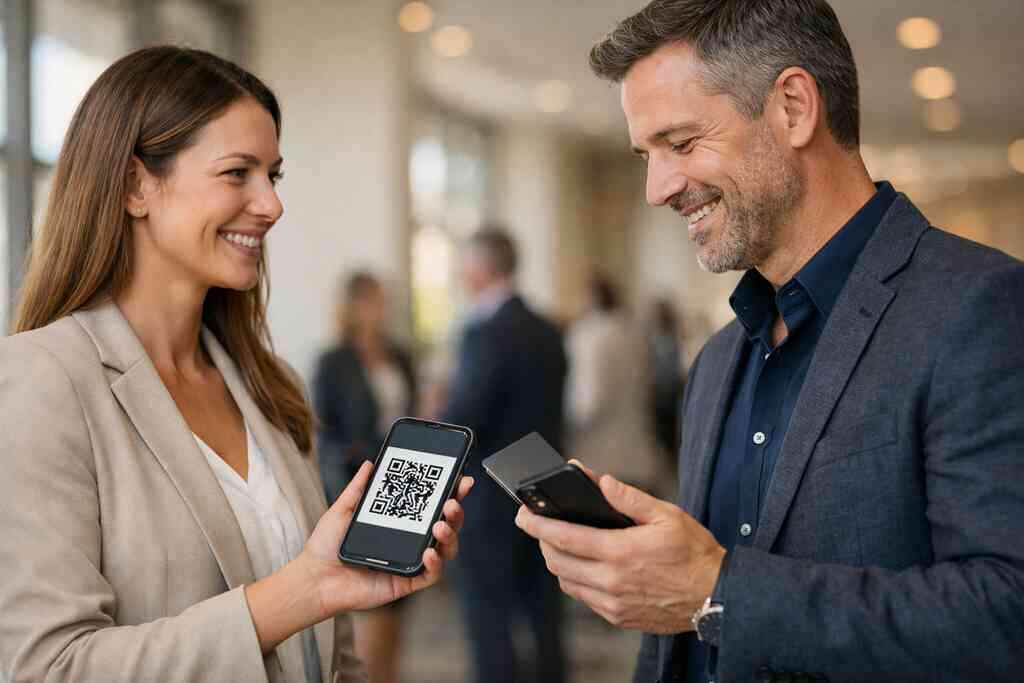
One real estate agent we worked with used a plain layout with a crisp logo and a short line about Garden City and nearby neighborhoods. No clutter. No overdesign. The card felt local because the message was local. That is usually the winning formula. Keep it readable, then make it yours.
What to look for in digital business card templates before you publish
Before you publish, check the template like a customer would. Ask yourself three questions. Can someone find the contact details quickly? Does the card look good on a phone? Does the design support your brand without overwhelming it? If any answer is no, revise it. It also helps to compare features against your goals. If you care about lead capture, analytics, or follow-up workflows, make sure those options exist before you build around them. If you want a simple setup guide, the How to Make a Digital Business Card in 2026 for Leads resource can clarify the process. Good templates make good habits easier. Which networking use cases get the biggest lift from a paperless setup
Some professionals feel the impact of digital cards faster than others. The biggest gains usually show up where speed, scale, and follow-up matter most. That includes events, meetings, open houses, trade shows, and client visits. In those settings, paper cards are often too slow and too easy to lose. A digital setup keeps the next step close at hand.
Why freelancers and corporate teams use scalable contact sharing at events and meetings
Freelancers need flexibility. Corporate teams need consistency. Both need scalable contact sharing because they meet people in different settings all week. A single digital business card can move from a conference hall to a Zoom call without changing form. That saves time and reduces confusion.
For teams, consistency matters even more. Everyone should share a clean, approved profile. That keeps the brand experience steady from person to person. It also helps the contact remain organized after the event ends. If your team is comparing options, the Digital Business Cards and CRM Integration for NYC Teams in 2026 resource may be useful if integration matters to your workflow.
How real estate agents on Long Island and in NYC can share contact info faster during showings and open houses
Real estate moves fast. The timing between interest and follow-up can be short. For agents on Long Island and in NYC, a digital card helps clients save contact info while they are still thinking about the property. That matters during showings, open houses, and broker tours. The agent does not need to rely on memory later.
A quick share also looks more polished. A buyer can scan a QR code or receive a link without digging for a paper card. That small ease can shape how professional the interaction feels. If you are in that field, the real estate digital card examples page can help you picture the format more clearly. It is a practical fit for local work.
Why sales professionals benefit from mobile-first networking and quicker follow-up workflows
Sales professionals live and die by follow-up. If the contact exchange is clumsy, the follow-up gets delayed. A mobile-first setup solves that by making the handoff immediate. That means less typing later and fewer lost names. It also creates a cleaner path from conversation to calendar invite.
The best part is speed without pressure. You can share contact info, then let the prospect choose how to respond. That feels respectful and modern. It also makes follow-up automation easier if your system supports it. For teams focused on pipeline health, Best Digital Business Cards for Sales Teams in Long Island can support a more disciplined workflow.
How digital business cards for networking fit remote-friendly calls, hybrid meetings, and trade shows
Networking is no longer only in person. You meet people on video calls, in hybrid events, and at trade shows with mixed attendance. Digital business cards fit all of those settings. They work well in chat, by email, or through a quick scan after the meeting. That flexibility makes them valuable across formats.
What we see most is this: the less predictable the meeting, the more useful the digital card becomes. You do not need to carry stacks of paper into every situation. You need one clean system that moves with you. For broader context, the Digital Business Cards Blog page can help you think through best practices without guesswork.
Where digital card analytics can help you see which introductions actually go somewhere
Analytics are useful because not every introduction is equal. Some contacts open your card immediately. Some return later. Some never come back. Digital card analytics can show which sharing moments generate real interest. That gives you a sharper picture of what is working.
This is where paper cannot compete. Paper tells you nothing after the handoff. A digital card can show patterns that help you refine timing, messaging, and follow-up. If your platform offers that, use it carefully and ethically. And if you want a deeper breakdown, the Guide to Digital Business Card Analytics for Lead Capture is the right place to compare your options.
What to do next if you want a card that works harder than paper
If you want a card that does more than sit in a wallet, your next move is simple: compare the setup honestly. Look at ease of use, branding, sharing methods, and support. Do not chase features you will never touch. Do not choose a tool that needs constant babysitting. The best platform is the one you will actually use.
How to compare free digital business card options with premium digital card plans without guessing
Free tools can be useful for testing the idea. Premium digital card plans may make more sense if you need stronger branding or team consistency. The difference usually comes down to control, polish, and workflow support. You do not need to guess. You need to compare what matters for your actual work.
A simple comparison can help:
- Free digital business card: good for testing and basic sharing.
- Premium digital card plans: better for branding, scale, and structure.
- Team use: usually needs more consistency than solo use.
- Lead workflows: may require more robust support.
For exact package details, review the Pricing & Plans page directly. Pricing should always be verified before you decide.
Why the best digital business card platforms are usually the ones that keep setup simple
Complex tools create friction. Friction kills adoption. The best digital business card platforms usually do one thing well: they make setup easy and sharing even easier. If onboarding is confusing, the card will not get used. If the share flow feels natural, people will keep using it.
That is especially true for teams. Busy people will not read a manual for a networking tool. They want a clean setup, a clear profile, and a simple way to send contact info. That is why a straightforward platform often beats a feature-heavy one. You want useful, not noisy.
When to use a digital business card app versus a browser-based share flow
A digital business card app can be useful if you want a dedicated mobile workspace. A browser-based share flow can be easier if you want quick access without installing anything. The right choice depends on how often you share and where you share. If you travel often, browser access can feel lighter. If you manage a lot of cards, an app may help.
Think about your habits first. Do you need a tool on the go? Do you want to update details from different devices? Do you prefer fewer app icons on your phone? The answer points you toward the right format. If you want help deciding, you can always contact Digital Business Cards support and ask about the setup that fits your routine.
How to connect a digital business card for LinkedIn, Apple Wallet business card style sharing, or Google Pay card use cases if supported
Some professionals want their card to live where they already work. That can include LinkedIn, wallet-style access, or payment-wallet-style storage if the platform supports it. Those integrations can make sharing smoother, but only when they fit the workflow. You should confirm support before counting on any specific method. Not every platform handles every option.
LinkedIn is especially useful because it already serves as a professional identity layer. A card that complements it can make follow-up easier. Wallet-style access can also help when you want quick retrieval on your phone. Just keep privacy in mind. Any shared contact setup should respect data handling rules like GDPR where applicable.
Why Long Island professionals who want a better follow-up system should review how it works and pricing before they commit
If you work on Long Island, you already know the value of saving time on small tasks. Networking is full of small tasks. Shared contact details, quick follow-up, and cleaner handoffs all add up. Before you commit, review how the system works and what the pricing actually includes. That keeps expectations honest.
You do not have to figure this out alone, and you do not have to do it all today. Start by checking the setup, then compare the pricing, then try one card in a real conversation. If you want a clean place to begin, look at the How It Works details and see whether the flow fits your style. One smart choice now can save a dozen awkward follow-ups later.
Frequently Asked Questions
Question: How do digital business cards help with professional networking in Long Island and NYC?
Answer: Digital business cards make networking faster and more reliable by letting you share contact info instantly instead of relying on paper cards that can get lost, damaged, or forgotten. For professionals in Long Island, Suffolk County, and NYC, that matters because events, client visits, and coffee meetings often move quickly. A digital business card gives you one clean place to store and share your business card details, which helps keep follow-up simple. It also supports paperless networking and can be a more sustainable business card option for people who want to reduce waste. In practice, that means less friction, cleaner handoffs, and a better chance that a new contact actually saves your information.
Question: What is the difference between a QR code business card, NFC business card, and an online business card?
Answer: These terms overlap, but they are not exactly the same. An online business card is the broader idea of a digital profile that lives on the web and can be shared easily. QR code business cards use a scannable code so someone can save your details quickly, while NFC business cards use tap-based contactless sharing on compatible devices. A virtual business card or electronic business card may refer to the same basic concept, depending on the platform. The best choice usually depends on how you network. QR codes can work well at crowded events, NFC can feel very smooth in one-to-one conversations, and a link-based option can be useful for email or remote-friendly networking. The main goal is the same across all of them: make it easy to share contact info without slowing the conversation down.
Question: How do I create digital business card designs that look polished and professional?
Answer: The best way to create digital business card layouts is to keep the design simple, mobile-friendly, and easy to read. A strong business card template should highlight the most important details first, such as your name, title, phone number, email, website, and a clear call to action. Good digital business card design should also work well on a phone screen, since that is how most people will view it. For sales professionals, real estate agents, freelancers, and corporate teams, custom branding can help the card feel credible and aligned with the business, but it should never overwhelm the information. If you are comparing digital business card templates, look for one that balances virtual card design with clarity. A polished digital card maker should help you build a clean card without making setup complicated.
Question: Can Digital Business Cards support lead capture, CRM integration, and follow-up automation?
Answer: Digital business cards can be a strong fit for teams and professionals who want a more organized follow-up workflow, but it is always best to verify the exact digital business card features on the platform before you commit. If a system supports lead capture, CRM integration, or follow-up automation, those tools can help turn a quick introduction into a more structured next step. That is especially valuable for sales professionals, real estate agents, and corporate teams that need to keep contact data organized after events or meetings. Digital card analytics may also help you see which introductions get the most engagement, which can improve how you approach future networking. Before choosing a plan, review the platform details carefully so you know what is included and what is not.
Question: How Digital Business Cards Boost Networking in 2026 NY for small business owners and freelancers?
Answer: In 2026, networking in New York moves quickly, and digital business cards help small business owners and freelancers keep up. Instead of handing out paper cards that can be misplaced, you can use a digital business card app or browser-based share flow to send a clean, professional profile in seconds. That creates a smoother electronic business card exchange and helps the other person save your details right away. For people who attend conferences, local networking events, open houses, or hybrid meetings, this can make a real difference in how memorable the conversation feels. It also gives you a more modern, mobile-first networking experience that works across Long Island, NYC, and beyond. If you want to compare options, it is smart to look at free digital business card choices, premium digital card plans, and how each one supports your actual workflow before you decide.