
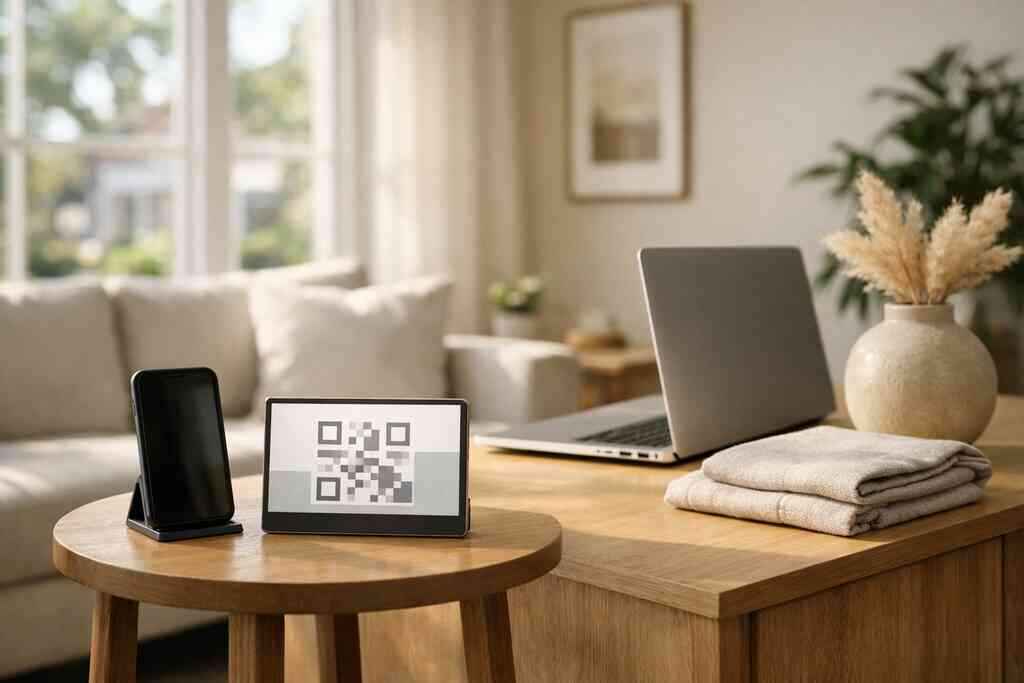
Digital business cards help you turn a quick introduction into an email contact you can actually follow up with. They make it easier to share contact info, invite someone to join your list, and keep the conversation going after the meeting ends.
Key Takeaways
- Digital business cards for email marketing work best when each share points to one clear action, like newsletter signup or a simple contact form.
- QR code business cards and NFC business cards reduce friction at events because people can scan or tap instead of typing details later.
- A strong digital business card landing page should support follow-up, not just display business card details.
- Custom branding, clean design, and a focused CTA improve trust and make your card easier to remember.
- CRM integration, lead capture, and digital card analytics help turn every electronic business card exchange into usable marketing data.
-
The email sign-up move that turns a quick card share into a lasting contact
A digital business card works better than a paper handoff when your real goal is follow-up, not just a friendly introduction. With one link, QR code, or tap, you can send someone to a page that asks for an email opt-in, a newsletter signup, or a contact request without making them search your inbox later.
Why a digital business card beats a paper handoff when the real goal is follow-up
Paper cards get misplaced fast. Digital business cards keep the path open, especially when someone meets you at a busy mixer, a client lunch, or a booth on Long Island. A 2023 Adobe survey found many professionals lose paper cards before they ever follow up, which is why contactless lead generation matters so much.
Here is the part most people miss: the card itself is not the finish line. It is the bridge. If you want email list growth with digital business cards, your page should point to one action, not five. That keeps the user moving.
How to place one clear call to action on your virtual business card so people actually opt in
Use one primary CTA, then make everything else secondary. For example:
- Join my email list
- Get a quote
- Book a call
- View my latest work
Keep the button visible without scrolling. On a how-it-works page, the process should feel simple enough that someone can opt in in under a minute. If your card includes too many choices, people usually do nothing.
-
The QR code business card tactic that catches leads before they leave the booth
A QR code business card works well because it removes the typing step. People can scan, land on your card, and reach your signup page before they walk away from the table. That is especially useful for conferences, mixers, and Long Island networking events where attention moves fast.
How to make a digital business card that sends people straight to your email list or newsletter signup
Build the card so the first screen leads to action. If you use a digital card maker, place your newsletter form, lead magnet, or contact form near the top. QR code business cards are based on the ISO/IEC 18004 standard, so the scan itself is familiar and reliable across most phones.
A simple structure works best:
- Name and role
- One-line value statement
- Email signup button
- Secondary contact options
- Social links only if they support the goal
For reference, a focused setup is easier to manage than a crowded one. If you need help with layout, digital business card templates can give you a cleaner starting point. You can also review How Do You Create a QR Code Business Card That Converts for more practical setup ideas.
Why QR code business cards work well for conferences, mixers, and Long Island networking events
At a Hauppauge business mixer or a Commack co-working event, people are often holding a drink, a notebook, and a phone. They do not want friction. QR code business cards fit that reality because they let someone scan now and respond later.
One small-business owner we worked with kept losing good leads after local events because people meant to email him and never did. Once he moved the exchange to a QR scan, the follow-up became much easier to prompt. That is the real value: less forgetting, more action.
-
The NFC tap that makes mobile-first email marketing feel effortless
NFC business cards are the fastest path to contactless sharing when you want a smooth in-person exchange. A tap can open a smart business card on a compatible phone, which makes the handoff feel natural and immediate, especially in face-to-face prospecting.
When NFC business cards are the fastest path to contactless sharing and email capture
NFC works through short-range wireless data exchange, and Apple’s Core NFC support has helped normalize tap-to-open behavior on many devices. In practice, that makes NFC business cards useful when you want a quick exchange at a booth, open house, or lunch meeting. They are especially handy for sales professionals and real estate agents who repeat the same introduction all day.
OptionBest useFriction levelNotesQR codeEvents, printed materialsLowWorks on nearly all phonesNFC tapIn-person meetingsVery lowBest for fast contactless sharingDirect linkEmail signatures, DMsLowGood for follow-up and repeat useIf you want a deeper look at tap-based sharing, see the NFC digital cards guide and The Difference Between NFC and QR Business Cards for SMBs.
How to use tap-to-share moments with a smart business card without making the exchange feel forced
Keep the moment short. Say, “I can send you my card by tap,” then let the other person decide. Do not over-explain the tech. The more natural it feels, the better it works.
A smart business card should support a professional conversation, not interrupt it. If you are meeting someone from NYC, you may notice they appreciate speed even more than polish. Tap, smile, move on. That is usually enough.
-
The follow-up link that keeps your prospect warm after the first handshake
A digital card landing page keeps your business card details in one place and gives visitors a next step. It also helps you stay connected across channels, especially when you use the same card in your LinkedIn profile, email signature, and direct messages.
How a digital card landing page can hold business card details and nudge visitors toward email engagement
A good landing page should answer three questions fast: who you are, what you do, and what the visitor should do next. It can include your title, phone number, website, and a signup form, but the real point is to support lead nurturing through digital business cards.
If you want a model, think of a page that feels like a clean business card example rather than a mini website. That keeps it focused. For more context on card structure and organization, digital business cards and email marketing is a useful related read. You may also find How to Use Digital Business Cards for Email Follow Up helpful.
Why a digital business card for LinkedIn and email signatures keeps your outreach connected across channels
When the same link appears in LinkedIn, your email signature, and your networking follow-up, you create repetition without spam. That matters. People often need two or three touches before they respond.
This is also where digital card vs. paper becomes obvious. Paper ends after the meeting. A digital business card for LinkedIn keeps the thread alive, which is why many freelancers and corporate teams prefer it for ongoing outreach.
-
The custom branding choices that make people remember you after they close the tab
Custom branding helps a digital business card feel trustworthy and easier to remember. The right colors, photo, logo, and layout can improve email conversion because the card looks intentional, not generic. Good design also supports professional networking email outreach by making your brand easier to recall later.
Which digital business card design elements help improve trust and email conversion
Focus on the basics first: 
- Clear name and title
- One professional photo
- Brand colors that match your site
- A readable button label
- Clean spacing
- A short value statement
That is the heart of good digital business card design. If you need a visual starting point, a strong business card template can save time while still leaving room for custom branding.
How business card templates and digital card design support sales professionals, freelancers, and corporate teams
Sales professionals often need speed. Freelancers often need a portfolio feel. Corporate teams often need consistency across employees. Different workflows call for different digital business card templates, but the goal stays the same: make the next step obvious.
A real estate agent in Garden City may want a card that emphasizes listings and contact details. A consultant may want a shorter card that drives to a calendar link. The design should match the job, not fight it.
-
The lead capture setup that turns shared contact info into usable CRM data
CRM integration turns a simple electronic business card exchange into organized marketing data. Instead of manually entering names after every event, you can route leads into a system that supports follow-up automation, tagging, and segmentation. That saves time and reduces mistakes.
How CRM integration and follow-up automation can reduce manual entry after every electronic business card exchange
A smart business card for CRM lead capture should move data into your workflow as cleanly as possible. That means fewer copy-paste errors and faster follow-up. It also helps small business teams keep records straight after busy events.
If your platform supports it, connect your card to your CRM, then set a basic automation: send a thank-you email, add the contact to a list, and tag the source as “event,” “referral,” or “open house.” That keeps the process repeatable.
What digital card analytics can reveal about clicks, opens, and interest without guessing
Digital card analytics help you see what people actually do. You can track clicks, visits, and which links get attention, then use that to improve your follow-up. For broader business and marketing context, the SBA marketing guidance page is a helpful government source.
If one button gets ignored and another gets clicked often, that tells you where to focus. No guessing. No vanity metrics. Just better decisions.
-
The paperless networking system that keeps your email marketing running after the event ends
Sustainable business cards help you stay organized after the event ends, especially if you work across Long Island, New York, Suffolk County, and NYC. A paperless system keeps your contacts in one place and makes it easier to keep emailing, following up, and staying visible over time.
How sustainable business cards help small business owners and real estate agents stay organized across Long Island, New York, Suffolk County, and NYC
Paperless networking is practical, not trendy. It cuts clutter, reduces waste, and keeps your outreach searchable. That matters if you are moving between Suffolk County office visits, NYC meetings, and local networking events in the same week.
The U.S. Census business data and Pew Research both show how heavily modern business depends on digital contact channels and online communication. That is why a paperless workflow fits the way people actually work now. It also helps real estate agents and small business owners stay consistent after busy event seasons.
When to choose a free digital business card, premium digital card plans, or the best digital business card platforms for your workflow
Here is a simple way to decide:
NeedGood fitOccasional sharingFree digital business cardTeam use or branding controlPremium digital card plansTracking, automation, and scaleBest digital business card platformsIf you want something easy to try without pressure, Digital Business Cards is a practical option because it offers sharing by QR code, NFC, or link, with no app required for recipients. That makes it a strong fit for busy professionals who want a cleaner follow-up process without adding friction. You can also check the pricing and plans page if you want to compare options.
Frequently Asked Questions
Do digital business cards work without an app?
Yes. In many cases, recipients can open a digital business card through a QR code, tap, or direct link without installing anything. That is one reason they work so well for email marketing and quick follow-up. If you want setup details, the How It Works page explains the flow simply.
Can I customize the design of my digital card?
Usually, yes. Most platforms allow at least basic customization such as colors, text, logo, and layout. The goal is to match your brand without cluttering the card. If you want inspiration, browse the template options before building your own.
Is NFC safe for sharing contact info?
NFC is generally safe for contact sharing because it uses very short-range communication. The main concern is not the tap itself, but how your data is stored and shared after that. If you collect contact details, handle them with normal privacy care and review general compliance guidance such as the FTC’s advertising and marketing rules.
What is the best CTA for email marketing?
The best CTA is the one that matches your goal. For most people, that means “Join my email list,” “Book a call,” or “Get updates.” Keep it singular and easy to understand. If you want a broader strategy guide, the email marketing uses article is a useful companion.
Should I use QR, NFC, or a direct link?
Use QR codes for events and print, NFC for fast in-person sharing, and direct links for email signatures and follow-up messages. Many professionals use all three. That gives you flexibility across meetings, networking events, and online outreach.
Can a digital business card help with lead capture?
Yes. A digital business card can send people to a form, signup page, or landing page that captures contact details before they disappear. That is especially helpful for sales professionals, freelancers, and real estate agents who meet people often and need a simple system to stay organized.
If you want a clean, low-friction way to share your contact details and support email follow-up, create your card online and test it with one real networking event first. For a simple setup that can be shared by QR code, NFC, or link, Digital Business Cards is an easy place to start.