
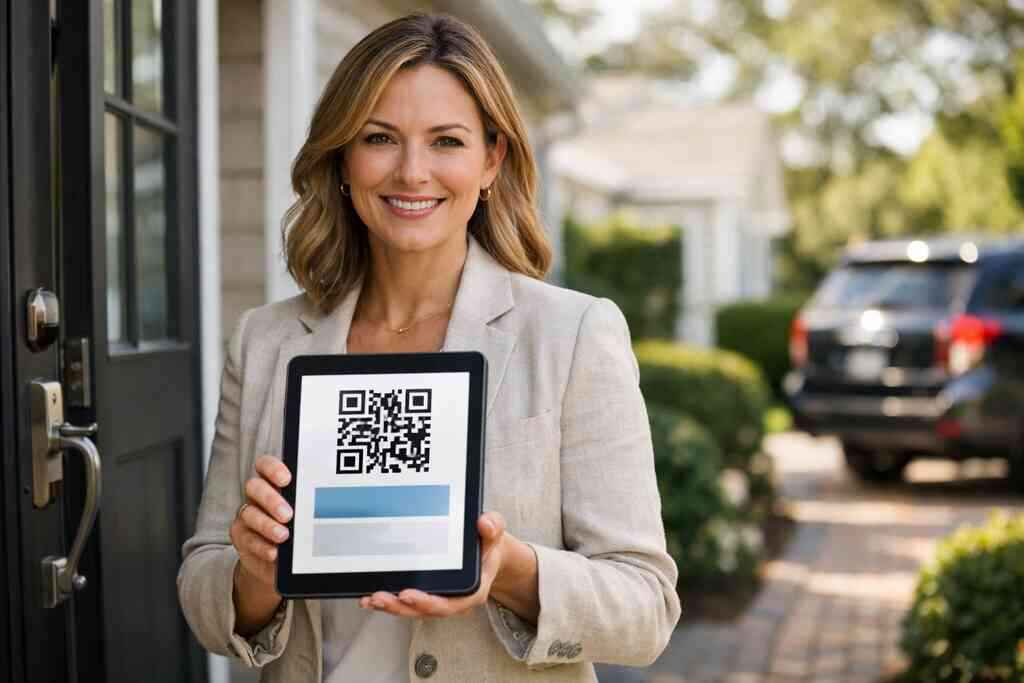
A QR code business card converts when it is easy to scan, quick to understand, and built to make follow-up simple. If the card only shares contact details, it gets forgotten; if it guides the next action, it starts real conversations.
Key Takeaways
- A converting QR code business card removes friction: one scan should reveal who you are, what you do, and how to reach you.
- The best digital business cards use clean design, clear calls to action, and only the most important business card details.
- For sales professionals, real estate agents, and freelancers, the offer matters as much as the code; people connect when the value is obvious.
- Strong QR code business card design should support contactless sharing, custom branding, and easy follow-up, not distract from them.
- A well-made online business card or virtual business card works best when it is simple to share through QR, link, email, and wallet formats.
Why a QR code business card gets ignored in a crowded room
A QR code business card gets ignored when it asks too much of the person scanning it. In a busy room, people scan fast, look once, and move on unless the card makes the next step obvious. The fix is not more design noise; it is a clearer digital business card that gives context and a reason to connect.
The split-second mistakes that make people scan and then forget
Most people lose interest because the card feels unfinished. The QR code may work, but the message does not. If the card has too many buttons, too much text, or no clear reason to reach out, it becomes another paperless networking item with no pull.
A common mistake is burying the real value behind generic business card details. You do not need to show every phone number, social profile, and slogan at once. You need enough information to make the person feel, “I know what this person does, and I know what to do next.”
On Long Island, I have seen this at busy events where people are moving between tables fast, including mixers near Hauppauge and coworking meetups in Commack. The cards that get remembered usually feel like a clean digital business card example rather than a digital flyer. The scan should answer a simple question: why should I keep this contact?
How a digital business card changes the follow-up from casual to concrete
A digital business card changes the follow-up because it turns a short interaction into a trackable handoff. Instead of hoping a paper card survives the night, you can share contact info instantly through a QR code business card, link, or email. That makes the exchange more concrete and much easier to act on later.
If the platform includes digital card analytics or lead capture, you can see when someone opens the card and follow up at the right time. That matters for professional networking because interest cools quickly after events. The goal is not just to be seen; it is to make the next conversation easy to start.
One real estate agent in Garden City described the pain point well: she met several prospects at an open house, but only the digital business card share gave her a clean way to sort warm leads from polite small talk. That is the part most people miss. The card is not the finish line; it is the handoff.
What a QR code business card needs to say in under five seconds
A QR code business card should say who you are, what you do, and what the other person should do next in under five seconds. Anything beyond that can wait for the tap or scan. The best cards feel immediate, which is why digital business cards for networking work better when the message is short and direct.
Which business card details belong on the card and which ones slow the scan
Only the most useful business card details should appear first. A name, title, company, phone, email, website, and one clear call to action are usually enough. If the card includes too many fields, people hesitate, and hesitation kills contactless sharing. Use this simple filter: – Keep visible: name, role, company, primary contact method, QR code, and a short CTA
- Move below the fold: secondary links, portfolio items, social profiles, long bios, and extra notes
- Skip entirely: repeated contact fields, long taglines, and decorative text that does not help the scan

Card elementKeep on the frontPut behind the scanName and titleYesNoPrimary phone or emailYesNoFull bioNoYesSocial linksSometimesYesCTAYesNoFor accuracy and clarity, QR standards also matter. QR codes are based on ISO/IEC 18004, so the code itself should be clean, high contrast, and easy to scan from a phone screen or printed surface. If you want a practical breakdown, this guide to QR utility shows why the scan experience matters as much as the design.
How to shape the offer so sales professionals, real estate agents, and freelancers want to connect
The offer should feel useful to the person scanning it. Sales professionals want a fast next step. Real estate agents want a simple way to stay top of mind. Freelancers want to show credibility without sounding pushy. That is why the message on a smart business card should match the audience, not just the brand.
For a sales professional, the card might lead with a quick meeting link or a short service summary. For a real estate agent, a card can point to listings, a profile, or a contact form. For freelancers, it often works best when the card highlights a portfolio, service area, and one easy way to start a conversation.
If you want sector-specific ideas, the real estate examples page is useful because it shows how a digital card can support follow-up without feeling forced. Here is the part most online guides miss: the card should sound like a helpful introduction, not a pitch.
The design choices that turn a digital card into a conversion tool
The design choices that turn a digital card into a conversion tool are the ones that reduce friction and focus attention. A strong QR code business card design uses clear hierarchy, readable type, and one main action. The best digital business card templates are simple enough to scan quickly and branded enough to feel professional.
How to use business card design, custom branding, and a strong digital business card template without clutter
Good design starts with restraint. Your virtual card design should make the name and CTA obvious before anything else. Custom branding helps, but only when it supports the message. If the colors, logo, and layout compete with the QR code, the card loses conversion power.
A clean digital business card template usually works better than a crowded custom layout because it keeps the path simple. You can still use brand colors, a logo, and a professional headshot, but the structure should stay consistent. That consistency matters for corporate teams and small business owners who want a polished online business card without redesigning every detail.
A practical comparison helps:
Design choiceBetter for conversionBetter for decorationSimple CTAYesNoStrong contrastYesNoDense text blocksNoYesCustom brandingYes, if restrainedSometimesExtra visualsSometimesOftenFor setup, onboarding, and sharing flow, this how it works guide gives a useful model of how to create a digital business card without overcomplicating it. On Long Island, where many professionals split time between local meetings and NYC commutes, simplicity is an advantage because it keeps the card usable anywhere.
A final point on trust: for anything connected to lead capture or follow-up automation, keep your privacy and disclosure practices clear. The FTC’s advertising guidance is a useful reminder to describe what you offer accurately, especially if you collect shared contact details or track engagement. That is good practice, not just compliance.
For readers comparing a digital card vs paper, the decision usually comes down to speed, durability, and follow-up. Paper can look nice. A digital card can keep working. If you want a simple platform that supports QR code business cards, contactless sharing, and flexible sharing methods without making the recipient install an app, Digital Business Cards is a practical option to consider. If you are ready to make your card easier to scan and easier to follow up on, start with a clean template and build from there.
Frequently Asked Questions
Question: How do you create a QR code business card that converts without overwhelming people?
Answer: A converting QR code business card should make the next step obvious in just a few seconds. Start with a clean digital business card design that shows your name, title, company, primary contact method, and one clear call to action. That approach works well for digital business cards because it removes friction and helps people understand who you are before they move on.
A strong QR code business card should not try to say everything at once. Too many business card details, long bios, and crowded layouts can slow people down. Instead, use a simple business card template or digital business card template that keeps the focus on contactless sharing and easy follow-up.
If you are creating a digital business card for networking, think about what the other person needs most. Sales professionals may want a meeting link, real estate agents may want a fast way to stay top of mind, and freelancers may want to highlight a portfolio or service area. Digital Business Cards, based in Long Island, New York, is built around that kind of practical sharing, so your online business card can feel clear, professional, and easy to use.
Question: What business card details should I include on a digital business card example so it still feels simple and professional?
Answer: The best digital business card example is one that keeps the most useful business card details front and center. Usually, that means your name, role, company, primary phone or email, website, and a short CTA. These core details help people remember you and know how to reach you without making the card feel cluttered.
Secondary items like social links, portfolio samples, or extra notes can live behind the scan or on a second screen. That keeps the first view fast and helps your electronic business card feel polished instead of busy. In most cases, less is more, especially if your goal is paperless networking and quicker follow-up.
For professionals comparing digital card vs paper, the advantage of a virtual business card is that it can keep working after the event ends. If you need a more flexible way to share contact info, a digital card maker and a well-structured business card template can help you create digital business card layouts that look good on phones and are easy to share by QR code, link, or email.
Question: How do sales professionals, real estate agents, and freelancers use digital business cards for networking more effectively?
Answer: Different professionals need different messages, but the goal is the same: make it easy for people to connect. Sales professionals often benefit from a digital business card that leads to a meeting link or a short service summary. Real estate agents may want a smart business card that points to listings, a contact form, or a profile page. Freelancers usually do best when their digital business card design highlights credibility, services, and a simple next step.
That is where digital business cards for networking become especially useful. A good card does more than share contact info instantly; it gives the other person a reason to follow up. If you are using digital card analytics or lead capture tools, you may also get a better sense of who opened the card and when, which can help with follow-up automation and timely outreach.
Digital Business Cards supports that kind of professional networking through an easy sharing flow that works for busy settings across Long Island, New York, Suffolk County, and NYC. Whether you are a small business owner, part of a corporate team, or working independently, a well-made online business card can support stronger conversations and better follow-up.
Question: What makes QR code business card design better for contactless sharing and custom branding?
Answer: QR code business card design works best when it balances branding with clarity. You can absolutely use custom branding, brand colors, and a logo, but the QR code and call to action still need to stand out. If the design is too busy, the card becomes harder to scan and less effective as a conversion tool.
A good virtual card design uses strong contrast, readable text, and a simple layout. That makes contactless sharing easier whether the card is printed, shown on a phone, or used as part of an electronic business card exchange. It also helps your card look professional without turning into a digital flyer.
When comparing digital business card templates, choose one that supports your brand but does not bury your message. This is especially useful for corporate teams, small business owners, and professionals who want sustainable business cards without losing polish. If you want to create digital business card options that feel modern and practical, Digital Business Cards can help you share contact info in a way that is simple, clear, and easy to remember.
Question: What should I know from How Do You Create a QR Code Business Card That Converts before choosing a digital business card app?
Answer: The main lesson from How Do You Create a QR Code Business Card That Converts is that the card should guide action, not just display information. Before choosing a digital business card app, look for one that makes it easy to create digital business card layouts, share through QR code business cards, and present your business card details in a clear, fast-to-understand format.
A useful platform should also support practical sharing methods like link, email, and wallet-friendly formats if available, but it should never make the process complicated for the recipient. If you are trying to decide between digital card vs paper, the key difference is follow-up: a digital business card can keep the conversation going after the initial scan.
It is also smart to think about how the platform fits your workflow. Some people want digital business card pricing that is simple to understand, while others are looking for a free digital business card or premium digital card plans. Since platform details can vary, it is best to review the current options directly with Digital Business Cards rather than assume features or pricing. That way, you can choose a solution that fits your needs for professional networking, custom branding, and easier follow-up.