
-
Why your summer handshake fails if your card stays in your wallet
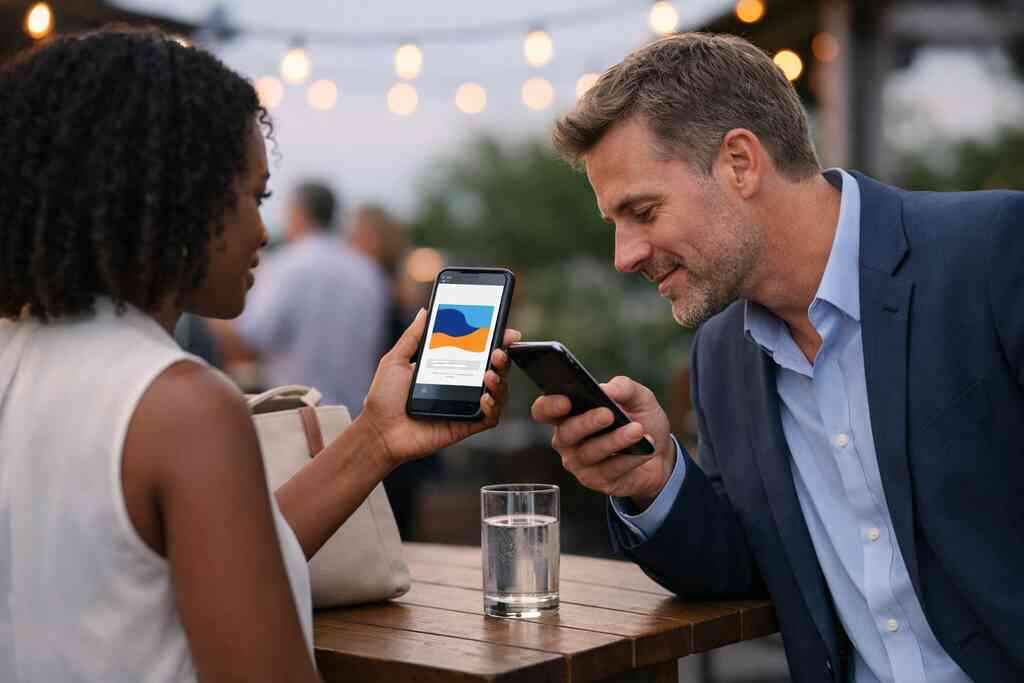
The handshake still matters. But in July heat, a paper card often misses the moment. Ink smudges. Corners curl. A card gets shoved into a pocket with keys, sunscreen, and receipts, then disappears. If that feels frustrating, it makes sense. You worked for the conversation, yet the follow-through can vanish in seconds.
The exact moment a paper card gets ruined by heat, sweat, and pocket chaos
Here is the part most people miss: the problem is not only losing the card. It is losing momentum. A paper card looks fine on a table, then fails after the patio crowd moves, the drink arrives, and the tote bag gets crowded. A 2023 Adobe survey reported that many professionals have lost a paper card before following up, which is exactly the pain summer networking creates. That is why digital business cards fit paperless networking so well.
On Long Island, New York, summer events spread people out. You might meet someone at a marina mixer, a Commack co-working space, or a rooftop gathering after work. In those settings, no one wants to fumble with a damp card. They want speed. They want contactless sharing that feels easy, not transactional. A virtual business card removes the awkward pause and keeps your business card details in one place.
How a digital business card keeps contact sharing instant at outdoor mixers and patio events
A digital business card solves the “Where did I put that?” problem. You can share contact info through a link, QR code, or email in moments. That matters at summer mixers, where conversations move quickly and people juggle drinks, sunglasses, and badges. It also matters for sales professionals, freelancers, corporate teams, and small business owners who cannot afford a lost lead. A smart business card keeps the exchange clean.
One client in a Garden City networking group told me the paper stack on the registration table slowed everything down. People scanned badges, then drifted away before anyone had a real conversation. Once the team switched to electronic business card exchange, the handoff became simple: scan, save, move on. That is the kind of efficiency that helps real estate agents and other busy professionals stay present.
Why Long Island, New York networking gets easier when people can save your details in seconds
Long Island networking often happens in motion. You may move from Suffolk County events to NYC meetings by train, then answer messages between stops. A digital card fits that rhythm. It saves time for the other person and keeps you from hunting through a jacket pocket. It also makes you look prepared without feeling stiff.
The best part is psychological. People are more likely to save what they can act on immediately. If they must wait until later, they forget. If they can tap, scan, or open your online business card right away, the connection sticks. That is why digital business cards for networking work so well in summer. They respect the pace of the room.
-
The QR code move that beats the awkward card hunt at every event
QR code business cards are fast because they meet people where they already are: on their phones. You do not need a long explanation. You do not need a stack of paper. You just show the code, let them scan, and the exchange is done. That simplicity matters at beach parties, rooftop events, and pop-up markets. It also reduces the tiny friction that makes people say, “I’ll save this later,” and then never do.
When QR code business cards work faster than passing a paper stack across a table
A QR code business card is strongest when the room is crowded or noisy. Think background music, standing tables, and people balancing plates. Passing a paper card across a table takes two hands and a moment of attention. A QR scan takes one glance. That difference sounds small, but in networking, small delays are where opportunities slip away.
The ISO/IEC 18004 standard defines QR codes, so the format is widely recognized and reliable. That is one reason QR code business cards feel natural in modern professional networking. They are simple to read and simple to share. You can even pair the code with a short message, such as “Save my contact.” That keeps the exchange friendly and clear.
How to place your QR code so it scans cleanly at beach parties, rooftop events, and pop-up markets
Placement matters more than people think. A QR code buried under tiny text will not help. Put it where the eye lands first. Keep enough white space around it. Use strong contrast. Avoid glossy glare if the code appears on a phone screen or printed badge. These details sound minor, but they make the scan feel effortless.
A practical setup is to keep your QR code visible on a digital card example, not hidden behind a paragraph of text. If you are using a virtual card design for summer events, test it in sunlight and low light. That is especially useful at waterfront venues on Long Island, where brightness changes quickly. Here is a simple checklist:
- Use a high-contrast QR code.
- Keep the code large enough to scan quickly.
- Leave empty space around the code.
- Test it on both bright and shaded screens.
- Place the code near your name or logo.
What makes a digital card example feel polished instead of rushed on a phone screen
A polished digital card design feels intentional. It should not look like a rushed file export. Your name, title, company, and primary contact method should stand out first. Secondary details can come later. If the viewer has to hunt for your number, the moment weakens. Good design respects attention.
If you need a starting point, digital business card templates can help you organize the layout more cleanly. That is useful for small business owners who want a professional structure without overthinking every font choice. A clean design helps the card feel trustworthy. It also makes the digital card vs paper difference obvious. Paper can look fine. Digital can look sharp and adaptive.
-
The NFC tap that makes you look prepared before the conversation even starts
NFC business cards feel smooth because they reduce effort to almost nothing. Tap-to-share can feel more polished than asking someone to type a link later. That is especially helpful for sales professionals, freelancers, and corporate teams who network all summer. When the interaction is busy, you want the exchange to be fast and calm. NFC does that well.
Why NFC business cards feel smoother for sales professionals, freelancers, and corporate teams
NFC stands for near field communication. It lets devices exchange information when they come close together. For many professionals, that makes the experience feel more natural than handing over paper. A tap can convey preparation. It also avoids the “I’ll email you later” delay. Apple’s Core NFC framework and the ISO 14443 family help explain why tap-to-share is a recognized contactless model.
If you want a deeper look, NFC business cards are worth understanding before your next event. The key benefit is speed. Another is clarity. The other person does not need to search a crowded inbox afterward. They can save your details while the conversation is still fresh. That matters for freelancers and corporate teams trying to keep momentum.
When a tap-to-share setup is better than sending a link after the fact
Tap-to-share works best when the room is moving fast. Think trade shows, chamber mixers, and client appreciation events. If you wait to send a link after the event, the connection can fade. If you tap at the moment of introduction, the contact feels immediate. That immediacy creates a cleaner memory and a cleaner record.
I remember a summer event in Suffolk County where a rep kept a few NFC cards in a front pocket. No digging. No apologizing. Just a quick tap and a smile. The room moved faster because the exchange did. That is the quiet advantage of an electronic business card. It removes friction without making a scene.
What to check before using an electronic business card at a busy summer networking event
Before you rely on NFC, test the setup. Make sure the card opens the right profile. Confirm that the phone you expect to use supports the tap flow you want. Also check whether your card still offers a QR backup. That backup matters when someone cannot tap or prefers scanning. A good system gives people options.
Use this quick pre-event check:
- Open your card on your phone.
- Test the tap flow.
- Check your primary contact details.
- Verify your social links.
- Keep a QR backup ready.
If you store or collect contact details, remember privacy rules. GDPR and similar standards matter when you keep shared information for later use. Keep consent clear. Keep storage simple. That protects trust, which is the real currency at summer events.
-
Why a mobile-first card outperforms a paper pile when the follow-up window is short
Follow-up is where networking becomes business. Yet this is also where paper cards fail most often. They land in a pile, a cup holder, or a desk drawer. Then the lead cools off. A mobile-first card keeps the contact in a usable place immediately. That difference can save real opportunities after conferences and mixers.
How instant contact sharing helps you avoid the lost-lead pile after conferences and mixers
The lost-lead pile is real. Everyone has seen it. Paper cards collect next to notebooks, badged lanyards, and half-finished coffee cups. By the time you sort through them, the context is gone. Digital business cards for networking solve that by moving the contact into the phone right away. That gives the relationship a better chance to continue.
A 2022 Forrester report found that many B2B buyers prefer digital business cards after the pandemic era changed how people exchange information. That tracks with what we see in practice. People want less clutter and more speed. They want modern networking tools that fit their workflow. If you are trying to keep contacts organized, a mobile-first system is simply easier.
The simple way to use a digital business card app for lead capture without sounding pushy
Lead capture should feel helpful, not invasive. The best approach is to frame it as convenience. Say, “I can share my contact instantly if you want.” That line feels natural. It also respects the other person’s pace. A digital business card app should support that ease. Some digital card maker tools also help you sort contacts for later follow-up automation. If that is part of your process, keep the message short and human. Do not over-explain. Just make it easy for the other person to save you. If you are considering broader systems, how digital business cards work for contactless sharing can help you think through the flow from scan to saved contact. 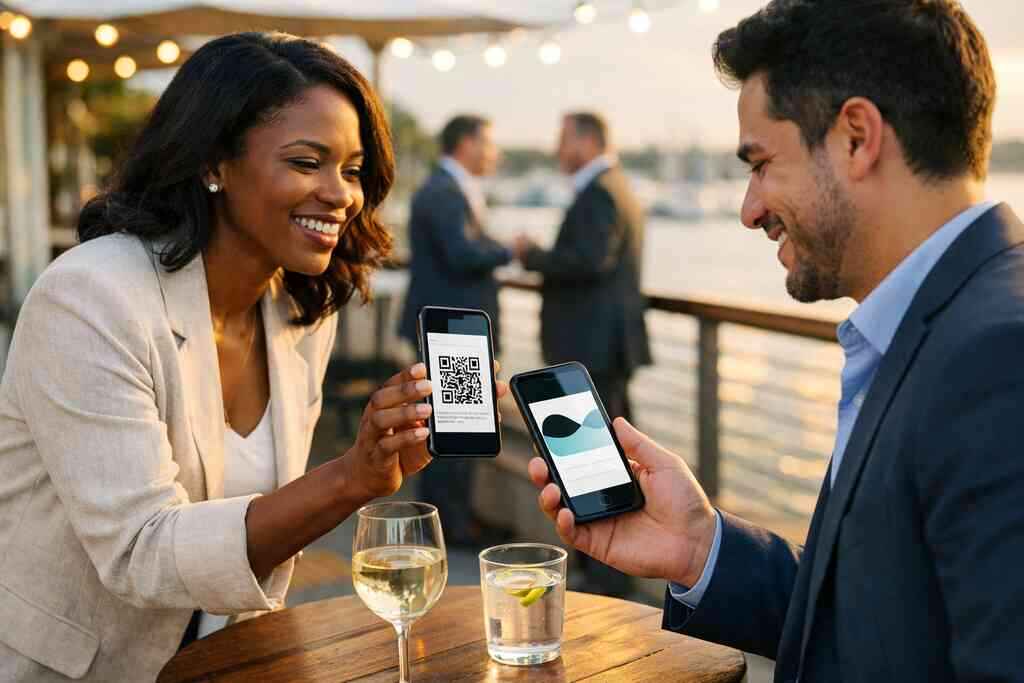
How digital card analytics can show which shares actually turn into conversations
Analytics matter because networking is not just about sharing. It is about learning what gets attention. Digital card analytics can show which shares, views, or clicks receive the most response. That helps you understand timing, event type, and audience. You can then adjust your approach without guessing.
Here is what to watch:
- Which contact methods get tapped most.
- Which links get opened after events.
- Which profile fields get ignored.
- Which events produce the strongest follow-up.
That data gives you a cleaner picture of your digital business card features in action. It also helps you spend less time on dead-end follow-up. On busy weeks in Long Island, that matters more than most people admit.
-
The design choices that make people save your contact instead of ignoring it
Good design does not try to impress everyone at once. It tries to make one decision easy: save or skip. A virtual business card should answer that decision quickly. If the layout is crowded, people hesitate. If it is clean, they act. That is why business card design matters so much in digital formats.
Which business card details belong on a virtual business card and which ones slow people down
Not every detail deserves equal space. Keep the essentials front and center. Your name, title, company, and the best way to reach you should be obvious. Secondary items can wait. If you cram everything in, you dilute the message.
A strong business card example usually keeps the first view simple:
- Name
- Job title
- Company or personal brand
- Primary phone or email
- One social profile
- Optional website
That is enough for most networking moments. More details can live one tap deeper. This is especially helpful for freelancers and small business teams who want clarity, not clutter. It also makes the digital card vs paper contrast stronger, because digital lets you layer details without overwhelming the first screen.
How custom branding and digital business card design shape trust in a single scan
People judge quickly. That is not a flaw; it is normal. Custom branding helps your card feel intentional. Color, logo, typography, and spacing all contribute to trust. A card that looks coordinated feels more reliable than one that looks improvised.
If you want a cleaner starting point, business card templates can help you build a professional look faster. Templates are useful when you need consistency across a team or want a repeatable digital card design. They also support paperless networking by reducing setup friction. A well-built layout can make one scan feel like a proper introduction.
Why digital business card templates can help small business owners look polished without overthinking the layout
Templates save time, but they also improve decision quality. Many small business owners get stuck choosing fonts or icon placement. A template gives structure. It keeps the design balanced. It also helps you avoid the clutter that turns people away.
The mistake we see most often is trying to say too much. Your card is not your full website. It is an entry point. Use it to create digital business card clarity, then let your conversation do the rest. If you are in real estate, service work, or consulting, that discipline matters even more.
-
When a free digital business card is enough and when premium digital card plans make sense
A free card can be enough for some people. A premium plan can be better for others. The right choice depends on how often you network, how many contacts you manage, and whether you need added structure. If you are comparing digital card pricing, stay focused on what you actually use. That keeps the decision practical.
What to compare on a pricing page before choosing between free digital business card options and paid plans
Do not start with price alone. Start with use. Ask how often you will share, what information you need on the card, and whether you want more control over branding or tracking. Then compare options. A simple comparison table can help:
What to compareFree digital business cardPremium digital card plansBrandingBasicMore custom branding optionsUsageLight networkingFrequent professional networkingTrackingLimited or noneMay include digital card analyticsTeam useSimple personal useBetter for groups and larger workflowsIf you want a closer look, digital business card pricing and plan options is the natural place to evaluate your needs. Keep in mind that pricing details and exact features can change, so check the current page directly. That is the honest way to compare. It also keeps you from buying more than you need.
Which digital business card features matter most for real estate agents, sales teams, and growing companies
Real estate agents often need fast sharing, strong branding, and easy contact capture. Sales teams may value follow-up automation and CRM integration. Growing companies often care about consistency across staff. Those needs are different, but they all point to one thing: a system that reduces friction.
For real estate, real estate digital card examples can show how professionals present listings, contact details, and brand identity without paper waste. For broader use, focus on digital business card features that support your workflow. If you are just starting, keep it simple. If your team scales, look for tools that support organization and reporting. That is where premium card plans can earn their place.
How CRM integration and follow-up automation can save time for Long Island, New York professionals
CRM integration helps connect networking to sales. Follow-up automation helps keep promises from slipping. Together, they save time. That matters for Long Island, New York professionals who move between office work, client calls, and evening events. It also helps reduce the delay between meeting someone and hearing from them again.
If your process depends on speed, look for systems that connect cleanly to your existing workflow. The goal is not complexity. The goal is consistency. A good digital business card app should fit your habits, not force a new system on you. That is why the best digital business card platforms feel useful within a day, not just impressive in a demo.
-
The smartest way to use your digital business card after the event ends
The event is only half the job. What you do next matters just as much. A digital business card lets you follow up without sounding stiff or salesy. You can share your contact again by email, LinkedIn, or a link. That keeps the relationship warm without repeating the awkward pitch.
How to send your card through email, LinkedIn, or a link without making the follow-up feel forced
The best follow-up sounds like a continuation, not a reset. Try a short note: “Great meeting you today. Here is my card in case it helps.” That feels human. It also keeps the door open. You can use a digital business card for LinkedIn messages, email signatures, or a clean link after the event.
A useful tip: match the channel to the conversation. If the person prefers LinkedIn, send it there. If you already emailed, attach the card link there. If you are building a steady system, create an account for a digital business card and keep your outreach organized. That kind of consistency makes future networking easier.
Why digital card vs paper matters most when you want a cleaner system for professional networking
Paper can work once. Digital works repeatedly. That is the real difference. With digital business cards, your contact details stay current, your brand stays consistent, and your outreach stays trackable. Paper cannot do that without manual effort. For professional networking, that matters every week.
If you are still deciding, think about the system you want six months from now. Do you want a drawer full of paper, or a searchable contact flow? Digital card vs paper is not only a convenience issue. It is an organization issue. It is also a sustainability question. Sustainable business cards reduce waste while making contact sharing easier.
What to do next if you want to create digital business card pages, test a business card template, and keep contacts organized for future outreach
Start by choosing one card structure and testing it in real use. Create a digital business card page, then send it to three people you already know. Watch how they respond. If the layout feels crowded, simplify it. If it feels flat, strengthen the branding. Then refine from there.
You do not have to figure everything out today. You do need a system you will actually use. If you want a clearer setup for summer networking tips using digital business cards, keep the process small and practical. Build the card. Test the flow. Then use it at your next Long Island event, whether that is in Suffolk County, Hauppauge, or a commuter meeting into NYC.
Frequently Asked Questions
Question: What are the best ways to use digital business cards for networking at summer events in Long Island, New York?
Answer: The most effective summer networking tips usually come down to speed, simplicity, and follow-up. Digital business cards help you share contact info instantly at patio mixers, rooftop events, beach gatherings, and other professional networking settings across Long Island, Suffolk County, and NYC. Instead of handing over a paper card that can get lost or damaged, you can use a digital business card, QR code business cards, or NFC business cards to make contactless sharing easy. That works especially well for sales professionals, real estate agents, freelancers, corporate teams, and small business owners who need a clean way to exchange details and keep the conversation moving. A virtual business card also makes follow-up easier because your contact information stays organized and accessible after the event.
Question: How does the blog Top 7 Summer Networking Tips Using Digital Business Cards explain the difference between digital card vs paper for professional networking?
Answer: The main difference is that a digital card helps you act immediately, while paper often creates delay. A paper card can be forgotten, damaged, or left in a pile after an event, but a digital business card keeps your details in one place and makes it easier to share contact info at the moment of introduction. That matters for paperless networking because summer events move quickly and people are often balancing drinks, badges, and conversations all at once. With a smart business card, you can share your details through a QR code, link, or tap, which makes the interaction feel smoother and more modern. It is also a stronger fit for sustainable business cards because it reduces paper waste while improving convenience.
Question: What digital business card features should I look for if I want better lead capture and follow-up automation after a networking event?
Answer: If your goal is better lead capture and follow-up automation, focus on digital business card features that support easy sharing, clear business card details, and simple organization. A strong digital business card app should let you create digital business card pages that are easy to update and share through QR code business cards, email, or a link. It also helps if the platform supports digital card analytics so you can see which shares or views get the most engagement. For many professionals, CRM integration is valuable because it connects networking to a more structured follow-up process. If you are comparing options, look at whether the platform offers custom branding, mobile-first design, and a clean digital card example that makes the first impression feel polished. The goal is not complexity; it is a smoother, more reliable way to turn introductions into real conversations.
Question: Are NFC business cards or QR code business cards better for summer networking tips and contactless sharing?
Answer: Both can work well, and the better choice often depends on the setting. NFC business cards are great when you want a quick tap-to-share experience that feels polished and effortless. QR code business cards are ideal when you want something instantly scannable in crowded or outdoor environments, such as summer networking events, pop-up markets, or rooftop gatherings. Many professionals use both because having a QR backup adds flexibility. For example, if someone cannot tap an NFC card, they can still scan the code and save your online business card right away. That kind of contactless sharing is especially useful for digital business cards for networking because it keeps the exchange simple, clean, and professional.
Question: What makes a good digital business card design for small business owners, freelancers, and real estate agents?
Answer: A strong digital business card design should make it easy for someone to understand who you are and how to reach you without cluttering the screen. The best designs usually highlight the most important business card details first: name, title, company or brand, and the primary way to contact you. After that, you can include optional items like a website, one social profile, or a secondary contact method. Good business card design also includes custom branding, clean spacing, and a layout that works well on a phone. If you are just getting started, digital business card templates can help you build a professional-looking virtual card design without overthinking every detail. This is especially helpful for real estate agents, freelancers, and small business owners who want a polished look that supports trust and makes professional networking easier.
Question: How can I choose between a free digital business card and premium digital card plans for my Long Island networking needs?
Answer: The best choice depends on how often you network and what you need your card to do. A free digital business card may be enough if you are just starting out or only need a simple online business card for occasional sharing. Premium digital card plans may make more sense if you want more custom branding, stronger digital business card features, or tools that support digital card analytics and CRM integration. Before choosing, compare the digital card pricing page carefully and focus on how each option fits your workflow rather than selecting based on cost alone. For professionals in Long Island, New York, especially those in sales, real estate, and growing companies, it is worth thinking about how the card will support follow-up automation, mobile-first networking, and consistent professional networking over time. The right plan should help you create digital business card pages that are easy to use and easy to maintain.