
-
Why Instagram profile taps beat paper cards at crowded events
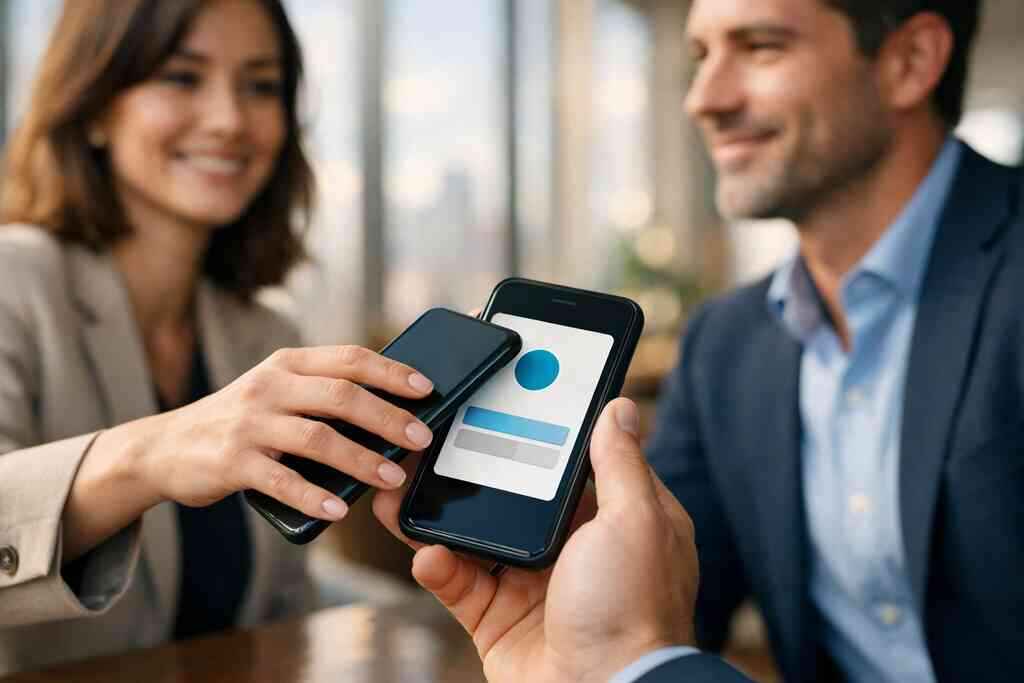
If you have ever left a mixer with a pocket full of paper cards, you know the problem. The names blur together. Follow-up gets delayed. By Monday, a surprising number of cards are already lost. That frustration is exactly why digital business cards keep winning at crowded events. A quick scan moves your contact details into the right place before the conversation disappears.
How a single scan saves your contact from ending up in a pocket pile
A paper card depends on memory, pockets, and good intentions. A digital business card gives people a direct path to your Instagram profile, your site, and your contact info. That matters because people at events are distracted. They are taking photos, checking messages, and trying to remember three names at once.
A single scan reduces friction. It also supports paperless networking, which feels cleaner and more natural. For many professionals, a QR code business card becomes the easiest way to share contact info without interrupting the flow. If your digital card design is clear, the handoff feels almost effortless. That is the point.
Here is the part most people miss: the best contact exchange is not the fanciest one. It is the one that still works when the room is loud and your hands are full. A smart business card does that well. It keeps the exchange simple, fast, and easy to revisit later.
Why Instagram contact sharing works especially well at mixers and creator-heavy meetups
Instagram is visual, so it fits the social energy of mixers. People expect to see your work, your style, and your personality there. That makes Instagram contact sharing feel natural instead of forced. It is especially strong for freelancers, creators, photographers, stylists, and small business owners with visual brands.
On projects we’ve finished this year, we have seen people use digital business cards for social media networking on Long Island to simplify introductions at creator events. One consultant in a Hauppauge networking group kept losing paper cards in tote bags and coat pockets. After switching to a virtual business card, the exchange became a quick tap or scan. The conversation stayed intact. So did the follow-up.
Instagram also gives you a softer entry point than email. That matters when you want to stay memorable without sounding transactional. A digital business card app can place your Instagram link alongside your business card details, so people choose the channel they already use. That choice lowers resistance. It also makes your outreach feel more human.
Where Long Island, New York professionals use this most from Hauppauge to Commack and into NYC commutes
Local timing matters. On Long Island, New York, many professionals bounce between suburban meetings and NYC commutes. That means they meet people in train stations, co-working lounges, and business mixers where time is tight. In those settings, a digital business card with Instagram contact sharing is far more practical than a stack of paper cards.
We hear this from people around Commack, Hauppauge, and the commute-heavy corridors into NYC. They want something that works in the parking lot, on the platform, or right after a panel discussion. An electronic business card handles that well because it supports contactless sharing in seconds. It also keeps your brand consistent across the places you actually meet prospects.
If you use custom branding, your digital card design can mirror your social presence. That makes the follow-up feel familiar when the recipient opens it later. For anyone comparing digital card vs paper, that memory effect matters more than most people realize. Your contact should not feel like a loose note. It should feel like a useful digital business card example they can return to.
-
Why LinkedIn sharing turns a digital business card into a follow-up engine
LinkedIn changes the tone of a networking exchange. It moves the interaction from casual to professional without making it stiff. That is why professional networking with LinkedIn profile sharing through a digital business card works so well. It gives people a direct next move. It also gives you a cleaner path to follow-up automation.
How digital business cards for networking make LinkedIn profile sharing feel natural instead of forced
Most people do not enjoy asking for LinkedIn on the spot. It can feel abrupt. A digital business card fixes that by making the exchange feel like a normal part of the conversation. You share one card, and the recipient chooses LinkedIn if they want a professional connection.
That matters because digital business cards for networking should reduce awkwardness. They should not create it. With a digital card maker, you can create digital business card layouts that place LinkedIn near the top without making it the only option. That flexibility helps people choose how they want to connect. It also supports better long-term engagement.
Apple’s Core NFC framework and ISO 14443 matter here for tap-to-share reliability on compatible devices. QR code business cards also remain widely useful, since QR code sharing for contact details is quick and familiar. If you want a simple explanation, the technology is there to remove delay. The connection itself does the rest.
Which professionals get the most value from LinkedIn-first sharing like sales professionals and freelancers
LinkedIn-first sharing is powerful for sales professionals, freelancers, consultants, and corporate teams. These roles rely on credibility and repeat visibility. A LinkedIn profile gives prospects a clear place to review your background. It also supports a more serious follow-up path than a casual social message.
A sales rep can use a smart business card to move from a meeting to a connection request fast. A freelancer can pair LinkedIn with portfolio links and business card details. A corporate team member can keep custom branding consistent across meetings and events. That consistency makes the exchange feel polished.
One designer in Suffolk County told us she stopped using separate printed cards for different events. She built one online business card with LinkedIn, Instagram, and a project link. The result was simpler, not louder. That is usually the better move. People remember clarity.
How to use profile links, business card details, and custom branding without making the exchange feel cold
The best digital business card design feels curated, not crowded. Start with the basics. Then add social links that support the relationship. You do not need every platform. You need the right ones.
A strong layout often includes:
- LinkedIn for credibility
- Instagram for visual proof
- A direct contact option
- A short call to action
- Optional lead capture fields
A clean digital business card template can make that structure feel effortless. Keep the business card template aligned with your brand colors and tone. That is where custom branding matters. It creates recognition without clutter. If you want analytics, that belongs in the background, not in the face of the design.
-
When Facebook business page sharing still closes local leads
Facebook is not the newest platform, and that is exactly why it still works. Many local buyers trust it because they already know how to use it. For community-driven businesses, Facebook business page sharing for local lead generation in New York can be a practical closing tool. It helps people see reviews, posts, updates, and local credibility in one place.
Why Facebook contact sharing matters for small business owners with community-driven audiences
Small business owners often need more than a name and phone number. They need context. Facebook contact sharing gives prospects a quick look at your activity, community involvement, and brand tone. That can build trust faster than a blank contact card.
This is especially useful for businesses that rely on local reputation. Think salons, home services, wellness providers, and neighborhood retailers. A virtual business card can point directly to a Facebook business page that stays active. That way, your contact exchange turns into a mini trust check. People can see whether you are real, local, and responsive.
We have seen this help when people want sustainable business cards but still need an accessible social touchpoint. A paperless networking system works best when the social channel feels familiar. Facebook still fits that role. It is not flashy. It is dependable.
How to route people from a virtual business card to a page that builds trust fast
The handoff should be obvious. Do not bury your Facebook link under too many options. If someone is likely to check your page first, put that link near the top. Then pair it with a clear next action. That might be a message button, a booking link, or a lead form. A digital business card template for social profile links can help you order your channels properly. This is where digital card analytics become useful. If people click Facebook more than anything else, that tells you something. You can refine the layout later. You do not have to guess forever. One local contractor in Garden City used this approach after meeting prospects at a neighborhood association event. He sent his online business card, and the Facebook page carried the trust signal. People could see the service area, recent posts, and community comments. That reduced hesitation. It also made follow-up feel more natural. 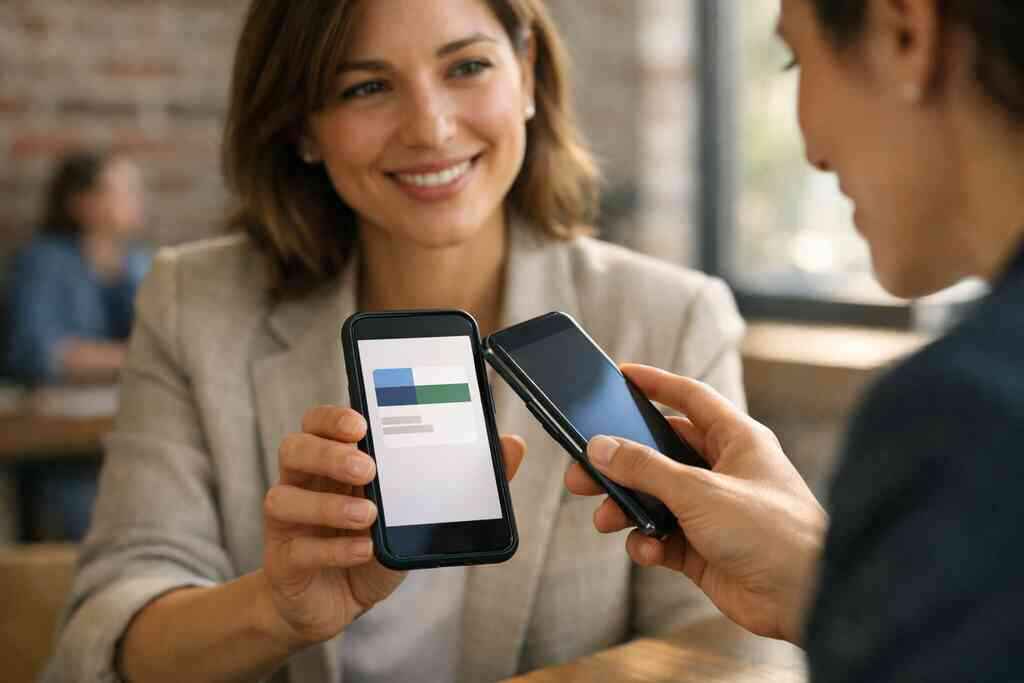
What makes this useful for local networking on Long Island and nearby New York neighborhoods
Local networking is different from national outreach. On Long Island, people often want proof that you understand the area. They look for familiar neighborhoods, commuting realities, and local responsiveness. A Facebook page helps reinforce that sense of place. It can show you are active in Long Island, New York, Suffolk County, and nearby NYC circles.
That matters in conversations at chambers, coworking spaces, and neighborhood meetups. A digital business card example with a strong Facebook link can support those moments well. It keeps the exchange simple while still offering depth. If people want to verify you later, the page is there. If they want to message you now, the path is clear.
-
Why X profile sharing can be the fastest way to stay top of mind after an event
X works differently from the other platforms. It is fast, public, and conversational. That can make it incredibly useful after a high-energy event. A X profile sharing for fast follow-up after networking events gives you a way to continue the conversation while it is still active.
How short-form social contact sharing works for real estate agents and corporate teams
Real estate agents and corporate teams often need speed. They cannot wait three days to reconnect. X profile sharing gives them a way to stay visible while the interaction is still fresh. It also works well when multiple people are following the same event or thread.
For real estate agents, a digital business card can point to active listings, neighborhood updates, and a social feed. For corporate teams, it can support timely visibility around events, announcements, or industry commentary. That keeps the exchange current. It also fits naturally into mobile-first networking.
A real estate digital card examples page can be useful if your work is heavily local and referral-based. The key is to keep the digital card design simple. Too many links slow people down. Too few links limit usefulness. Balance matters more than volume.
When X profile sharing helps more than email because the conversation is already happening in public
Email still has a place. But sometimes the discussion already lives in public. That is where X shines. If someone saw your comment, your thread, or your post during an event, connecting through X can feel like a continuation rather than cold outreach. It respects the context.
A smart business card helps by keeping the transition smooth. The contact exchange can happen through QR code business cards, NFC business cards, or a direct link. The recipient gets to choose. That choice matters. It reduces resistance, and it keeps the tone aligned with the moment.
Here is what almost no online guide mentions: public conversation creates memory. When someone sees your post after meeting you, they are more likely to remember your name. That is why X profile sharing can be surprisingly effective for digital business cards for networking. It keeps you visible without pushing too hard.
How a smart business card can keep the handoff clean across social media and digital business card app workflows
The best workflow is simple. Your digital card should route people to the right place without making them think. If X is your strongest public channel, place it in a visible spot. Then use your digital business card app to keep the rest of your business card details organized. That makes the exchange feel clean.
If you are considering NFC business cards for contactless sharing, pair them with a QR backup. Not every phone behaves the same way in crowded rooms. Having both options protects the experience. It also supports different comfort levels. Some people love tapping. Others prefer scanning.
-
What the best social profile mix looks like on a digital card that actually gets used
A digital card only works if people want to open it again. That is why the profile mix matters so much. Too many links create hesitation. Too few create dead ends. The best setup is intentional, easy to scan, and easy to revisit. A QR code business cards for paperless networking strategy works best when the card feels focused.
How to choose the right mix of social links for a digital business card example without clutter
Start with your main goal. Are you trying to build trust, book calls, or drive social follows? Your answer should shape the card. A digital business card example for a freelancer will look different from one for a corporate team. That is normal. The right mix depends on how you work.
In most cases, three to five links is enough. Include the channels that support your real business process. Add custom branding so the card looks like you, not a template. Then use a business card design that leaves breathing room. People read faster when the layout feels calm.
A few sensible choices often include:
- LinkedIn for professional credibility
- Instagram for visual proof
- Facebook for community trust
- X for timely conversation
- A direct contact or booking link
That structure works because it supports paperless networking without overload. It also pairs well with digital business card templates when you need consistency across a team.
Why QR code business cards and NFC business cards can support different sharing moments
QR code business cards and NFC business cards solve different problems. QR is visible, familiar, and easy to share on almost any modern phone. NFC is faster in live, face-to-face moments when the other person is ready to tap. Both can support contactless sharing well. The better choice depends on context.
If you want more detail, a business networking and contactless sharing approach often combines both methods. QR code sharing for contact details is especially useful in loud rooms or when screens are already open. Near-field communication for smart business cards works well when the introduction is quick and direct. The best digital business card platforms usually support both.
On Long Island, New York, we see this split clearly. Some people prefer QR because it is obvious in a meeting. Others prefer NFC because it feels almost invisible. Neither is wrong. The point is to make sharing easy in the real world, not only on paper.
How to build a paperless networking system with digital business card templates, lead capture, and a clear next action
The strongest setup does more than share a profile. It creates a system. Start with a clear digital business card design. Add the right social links. Then connect lead capture if your use case needs it. That gives you a way to move from introduction to next action without losing momentum.
If your platform supports digital business cards with lead capture and follow-up automation, use that thoughtfully. Do not make the form feel heavy. Keep it short. Name, email, and one note field can be enough. If pricing matters, review the Pricing & Plans page before choosing free digital business card options or premium digital card plans. The right plan depends on how much control and tracking you need.
The final piece is a clear next action. Tell people what to do after they open the card. Book a call. Follow on LinkedIn. Send a message. That simple direction often matters more than another feature. If you are building digital business cards near me for local networking on Long Island, that clarity will help your card get used instead of forgotten.
Frequently Asked Questions
Question: How can digital business cards help with Instagram contact sharing at networking events in Long Island, New York?
Answer: Digital business cards make Instagram contact sharing much easier at mixers, creator meetups, and other professional networking events across Long Island, New York, NY, and Suffolk County. Instead of handing out paper cards that get lost, a digital business card lets people scan or tap once and instantly save your contact info, open your Instagram profile, and review your business card details later. That is especially helpful for freelancers, small business owners, photographers, stylists, and other visual brands that rely on social media networking. A clean digital business card design also supports paperless networking and sustainable business cards, while keeping the exchange simple and memorable. If you want a digital business card example that feels modern and easy to use, Instagram is often one of the strongest channels to include.
Question: Why is LinkedIn profile sharing such a useful part of a digital business card for professional networking?
Answer: LinkedIn profile sharing turns a digital business card into a follow-up tool, not just a contact exchange. For sales professionals, corporate teams, freelancers, and anyone doing NYC professional networking, LinkedIn gives the other person a direct way to review your background, experience, and credibility after the meeting. A smart business card or virtual business card can place your LinkedIn link near the top so it is easy to find without making the card feel crowded. That kind of digital business card design helps create a smoother introduction and supports follow-up automation. When people can choose the channel they prefer, the experience feels more natural and less transactional. If you are looking to create digital business card layouts that support digital business cards for networking, LinkedIn should often be one of the first links you consider.
Question: What makes Facebook business page sharing still effective for local lead generation on a digital card?
Answer: Facebook business page sharing still works well because many local buyers trust what they already know. A digital business card that links to your Facebook business page can show reviews, recent updates, community involvement, and local activity in one place. That makes it especially useful for small business owners, service providers, and neighborhood-focused brands in Long Island, New York and nearby NYC areas. When someone scans your online business card, they can quickly see whether your business feels active and responsive. That builds trust faster than a plain contact exchange. A well-structured business card template can place Facebook where it makes the most sense, and digital card analytics can help you understand whether people are clicking there often. If they are, you can refine your digital business card template to support the channels your audience actually uses.
Question: How does X profile sharing fit into the blog Top 5 Social Media Uses for Digital Business Cards 2026?
Answer: X profile sharing fits into the blog Top 5 Social Media Uses for Digital Business Cards 2026 because it helps keep conversations moving right after a networking event. For people who are active in public discussions, X can be a fast way to stay top of mind after a meeting, panel, or community event. A digital business card or electronic business card can route people to your X profile quickly, so the follow-up feels like a continuation of the conversation instead of a cold outreach attempt. This can be especially useful for real estate agents, consultants, and corporate teams that want visibility around timely updates or industry commentary. If your digital card maker supports contactless sharing, adding X to your card can make your online business card more flexible without overcomplicating the design. It is one more way to keep professional networking simple and useful.
Question: What should I include in a digital business card design if I want it to work well for social media networking and lead capture?
Answer: The best digital business card design is focused, easy to scan, and aligned with your goals. In most cases, you only need three to five key links, such as LinkedIn for credibility, Instagram for visual proof, Facebook for trust, X for fast conversation, and a direct contact or booking option. If your goal is lead capture, keep the form short so it does not feel heavy. Some platforms also support CRM integration and follow-up automation, but it is important to review the available digital business card features before assuming anything. A good business card template should leave enough breathing room for custom branding and clear business card details, whether you are building a digital card for LinkedIn, a virtual business card for events, or a smart business card for paperless networking. QR code business cards and NFC business cards can both support contactless sharing, and many people like having both options available. That flexibility is one reason digital business cards are often a strong choice for sales professionals, freelancers, and corporate teams who want a cleaner digital card vs paper workflow.
Question: Can Digital Business Cards help me create a professional online business card for local networking on Long Island?
Answer: Yes, Digital Business Cards is built around making it easier to create digital business card profiles that fit real networking needs, including local networking on Long Island, New York, Suffolk County, and NYC. A strong online business card gives you one place to share contact info, social links, and other useful business card details without relying on paper cards. That makes it a practical option for business owners who want sustainable business cards, paperless networking, and a more modern way to exchange information. Depending on your goals, you can shape the layout with a business card template or digital business card templates that match your style and support custom branding. If you are comparing free digital business card options, premium digital card plans, or broader digital card pricing, it helps to review what each platform actually includes. The main goal is simple: make your digital card easy to use, easy to remember, and easy to revisit after the first conversation.