
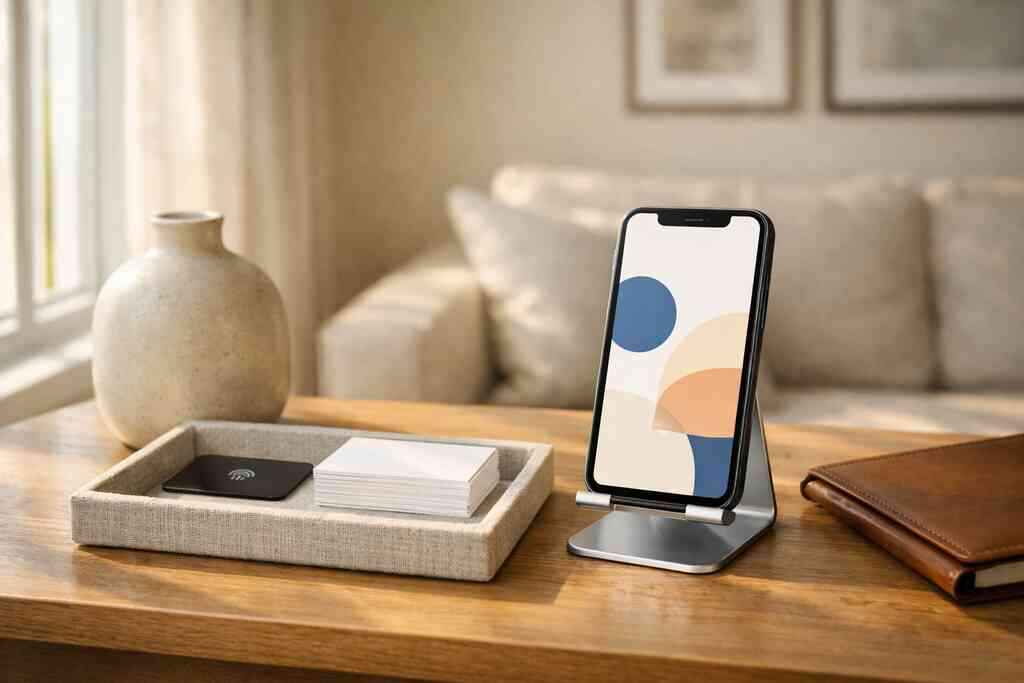
A digital business card is an online version of your contact card that you can share by QR code, NFC tap, or link, so people can save your details instantly instead of carrying paper. For a small business owner, it is a faster, cleaner way to share contact info and keep follow-up from slipping away.
Key Takeaways
- A digital business card lets people receive your contact details instantly through a QR code, NFC tap, or direct link.
- Paper cards fail when they get bent, faded, misplaced, or left behind after a meeting.
- A digital business card can support paperless networking, contactless sharing, and easier follow-up for small business owners.
- The biggest difference between digital card vs paper is not format; it is how quickly someone can save and use your details.
- For Long Island, New York, professionals, digital cards are useful at mixers, client meetings, and busy events where people do not want to fumble for a wallet card.
Why the card in your wallet keeps failing you at the worst moment
A paper card usually fails when timing matters most. It gets left in the car, stuffed in the wrong pocket, or handed over to someone who never enters it into their phone. A digital business card solves that by turning a quick exchange into an immediate contact save, which is why many small business owners now treat it as a working networking tool, not a backup.
What small business owners lose when paper cards get bent, faded, or left behind
Paper cards look simple, but they break down fast. Ink smudges, corners curl, and a stack of cards turns into clutter after one busy event. We hear this all the time from business owners who leave a conference with twenty cards and no clear follow-up plan. The real loss is not the card itself; it is the lead that never gets saved.
One contractor in a Long Island networking group told us he had good conversations at a Hauppauge mixer, then realized the cards he collected were mixed with receipts. That happens often. A paper card gives someone your number once. If they do not act right away, the connection weakens.
The digital business card shift that turns one scan into a real contact exchange
A digital business card changes the exchange from physical handoff to instant action. Instead of hoping someone keeps a card, you let them scan, tap, or open a link and save your details on the spot. For many professionals, that is the difference between a lost introduction and a real lead.
A strong digital business card can support direct sharing, cleaner follow-up, and easier updates when your role, phone number, or website changes. If you want a practical breakdown of faster sharing, the guide on How To Share Contact Info Faster is a useful place to start. It helps explain why electronic business card exchange is so much smoother than carrying paper.
How Long Island professionals use digital card maker tools to stay ready at meetings and events
On Long Island, many owners move between client sites, co-working spaces in Commack, and networking events across Suffolk County. That makes flexibility matter. A digital card maker helps you stay ready without printing more cards every time your info changes. You may see the benefit most clearly in fast-paced settings: a sales rep at a lunch meeting, a freelancer at a pitch event, or a real estate agent meeting a buyer between appointments. Digital cards also help NYC commuters who network on the move, since the same card works in person, by text, or by email. Here is the part most people miss: the best networking tool is often the one you can share before the conversation ends.
What a digital business card actually is when business is on the line
A digital business card is a mobile-friendly contact profile that stores your business card details in one place and shares them through QR code business cards, NFC business cards, or a link. The practical difference is speed, updateability, and easier tracking. If paper is static, digital is flexible, which matters when you are trying to make every introduction count. 
Digital business card vs paper card and where the real difference shows up
The real difference shows up after the handshake. A paper card depends on memory, manual entry, and good intentions. A digital business card reduces friction, so the other person can save your contact while you are still standing there.
FeatureDigital business cardPaper cardSharing methodQR, NFC, link, emailHand-to-hand onlyUpdatesEdit once, update everywhereReprint requiredContact savingInstant on phoneManual entry laterFollow-up supportCan include analytics or CRM integrationNoneAppearanceCustom branding and digital business card designFixed print designThat table is the core of the choice. The best digital business card platforms are not just prettier; they make follow-up easier. A business owner who uses Core Elements Of Digital Business Card will usually think more carefully about what belongs on the card, how it looks, and how fast it works.
QR code business cards, NFC business cards, and online business card formats explained simply
QR code business cards work by letting someone scan a code with their phone camera. NFC business cards use a tap-to-share chip, which is useful when you want a quick exchange without opening a camera app. An online business card or virtual business card can also be shared by link, which is handy in email signatures, texts, and LinkedIn messages.
These formats are different, but they serve the same goal: faster contact sharing. QR is universal and easy to use. NFC feels even smoother in person because it is a tap. For technical readers, NFC uses well-established standards such as ISO 14443, and Apple’s Core NFC framework supports reliable tap interactions on compatible devices. QR systems are commonly built around ISO/IEC 18004. That is why both formats have staying power.
A small business owner does not need to master the standards. You just need to know that the card should work reliably in the moment you hand it over. If you are comparing formats, the NFC digital card guide is a helpful next read. You may also want to review What Is the Difference Between Digital and Paper Cards for a broader comparison.
What belongs in your business card details so clients can reach you fast
Your business card details should be simple, current, and easy to act on. Too much information slows people down. Too little makes the card forgettable.
Use these essentials:
- Name and title
- Business name
- Phone number and email
- Website or booking link
- Social profile or LinkedIn, if relevant
- A short service line or specialty
- Logo and custom branding elements
If you are creating a business card template, keep the design readable on a phone screen. Good virtual card design is not about adding more blocks. It is about making the next action obvious. For example, a freelance designer may prioritize portfolio links, while a real estate agent may lead with listings and direct contact. If you want to see how layout choices affect performance, look at digital business card examples before building your own.
A quick note on trust and compliance: if you store shared contact details or run follow-up automation, keep privacy and marketing rules in mind. The FTC’s advertising guidance is a useful reference, and GDPR-style thinking helps you treat contact data carefully even when you are networking locally in Long Island, New York, NY, or Suffolk County. That part is genuinely important, and many owners overlook it.
If you want a straightforward way to compare choices, How To Compare Digital Card Pricing can help you think through value without guessing. For a clearer look at the platform side, Digital Business Cards is one option built for simple sharing by QR, NFC, or link, with no app required for recipients. That makes it especially practical for small business owners who want a clean, modern way to stay ready without carrying stacks of paper.
Frequently Asked Questions
Question: What Is A Digital Business Card For Small Business Owners, and how is it different from a paper card?
Answer: A digital business card is an online business card that lets you share your contact details by QR code, NFC tap, or link so people can save your information right away. For small business owners, that means less friction, faster sharing, and better follow-up than a paper card that can be lost, bent, or forgotten. The biggest difference in the digital card vs paper comparison is speed: with paper, someone has to keep the card and enter your details later; with a virtual business card, they can save your business card details in the moment. That makes digital business cards a strong choice for paperless networking, contactless sharing, and professional networking across Long Island, New York, NY, Suffolk County, and NYC.
Question: How do QR code business cards and NFC business cards help with sharing contact info at networking events?
Answer: QR code business cards and NFC business cards are both designed to make electronic business card exchange simple and fast. A QR code business card can be scanned with a phone camera, while an NFC business card can be tapped for an even smoother handoff when both devices support it. For busy mixers, client meetings, and small business networking events, that can save time and reduce the chance that someone leaves without your details. Digital Business Cards makes it easy to create digital business card options that support this kind of contactless sharing, so your audience can move from introduction to saved contact without extra steps. For sales professionals, real estate agents, freelancers, and corporate teams, that speed can make a real difference in keeping the conversation going after the event ends.
Question: What should I include in my business card details and business card design so my card is easy to use?
Answer: The best business card design keeps your digital business card clear, readable, and focused on the next action. Your business card details should usually include your name, title, business name, phone number, email, website or booking link, and any relevant social profile such as LinkedIn. If space allows, you can also add a short service line and custom branding that supports your business card example or virtual card design. A good business card template should not feel crowded, because the goal is to help people save your information quickly. Digital Business Cards gives you a practical way to build a digital business card design that supports your brand while keeping the experience simple for the person receiving it. That is especially helpful for small business owners who want a professional look without the hassle of reprinting paper cards every time something changes.
Question: What are the benefits of using digital business cards for networking, follow-up, and lead capture?
Answer: Digital business cards for networking can help turn a quick introduction into a saved connection, which is often the most important step in follow-up. Because an online business card can be shared instantly, it supports faster lead capture and makes it easier for prospects to reach you through the channel they prefer. Some platforms also support digital card analytics, CRM integration, and follow-up automation, which can help small business owners stay organized after a meeting. We do not want to overstate what any specific platform can do, but in general, the move from paperless networking to digital sharing creates a smoother path from first contact to future conversation. That is especially useful for Long Island professionals who meet people at client sites, co-working spaces, conferences, and local networking events where every minute counts.
Question: How do I know if a digital business card app or digital card maker is the right fit for my small business?
Answer: The right digital card maker should make it easy to create digital business card profiles, share contact info, and present a polished digital business card app experience without making the process complicated for you or the person receiving your card. If you are comparing the best digital business card platforms, look for clear digital business card features, custom branding options, easy sharing by QR, NFC, or link, and a layout that works well on mobile devices. It also helps to think about digital card pricing in terms of value, especially if you are deciding between a free digital business card option and premium digital card plans. Digital Business Cards is a practical choice for owners who want a straightforward way to share a smart business card, present a strong professional image, and support digital business cards near me searches for Long Island, New York, NY, Suffolk County, and NYC. If your goal is simple, modern sharing with less paper waste, a virtual business card can be a strong fit.